
Thaumic Tracker
Track Thaumaturge research requirements on your HUD, including custom research from datapacks and KubeThaum.
截图
介绍
Thaumic Tracker
Keep your research in sight while you play.
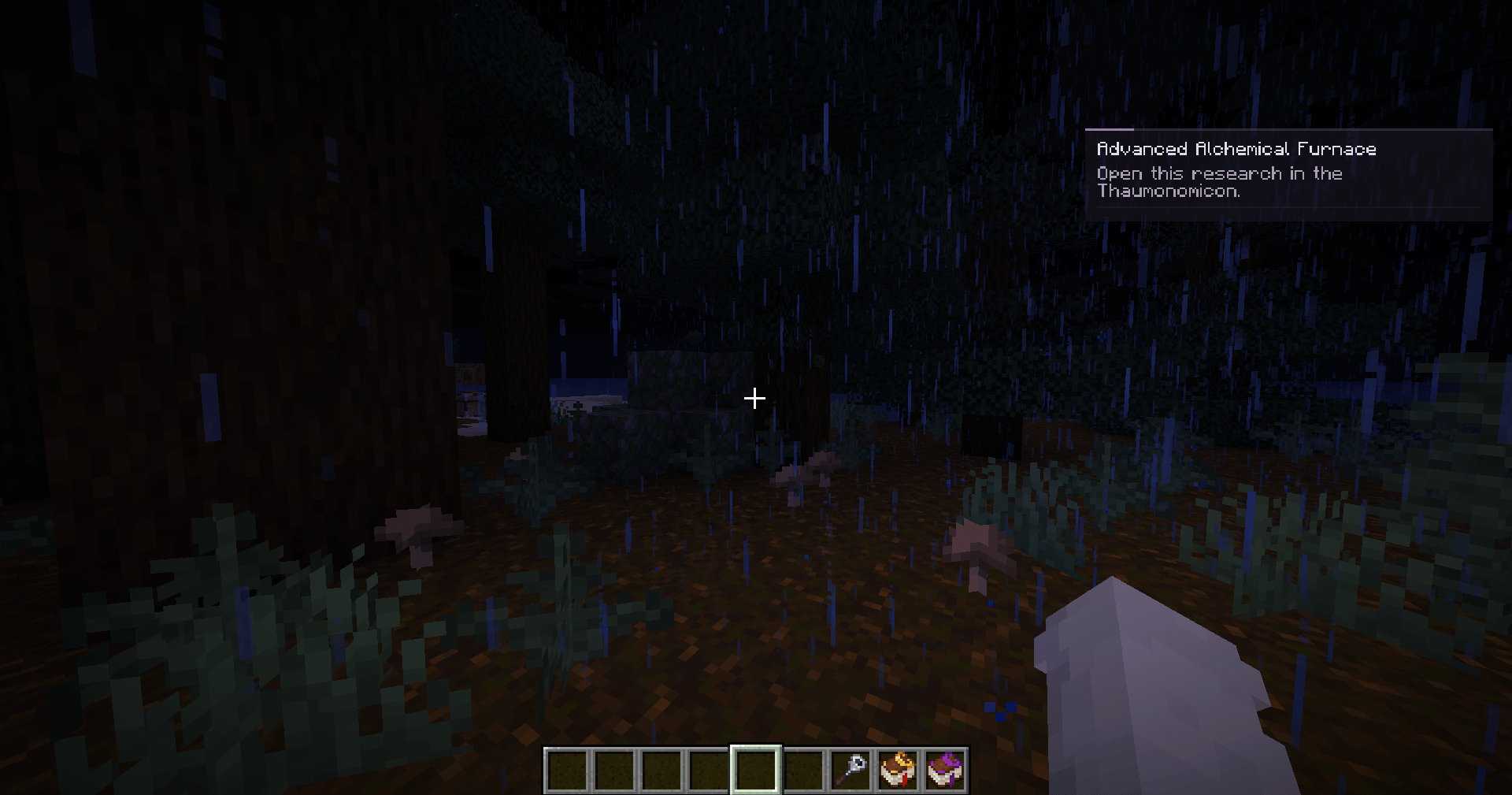
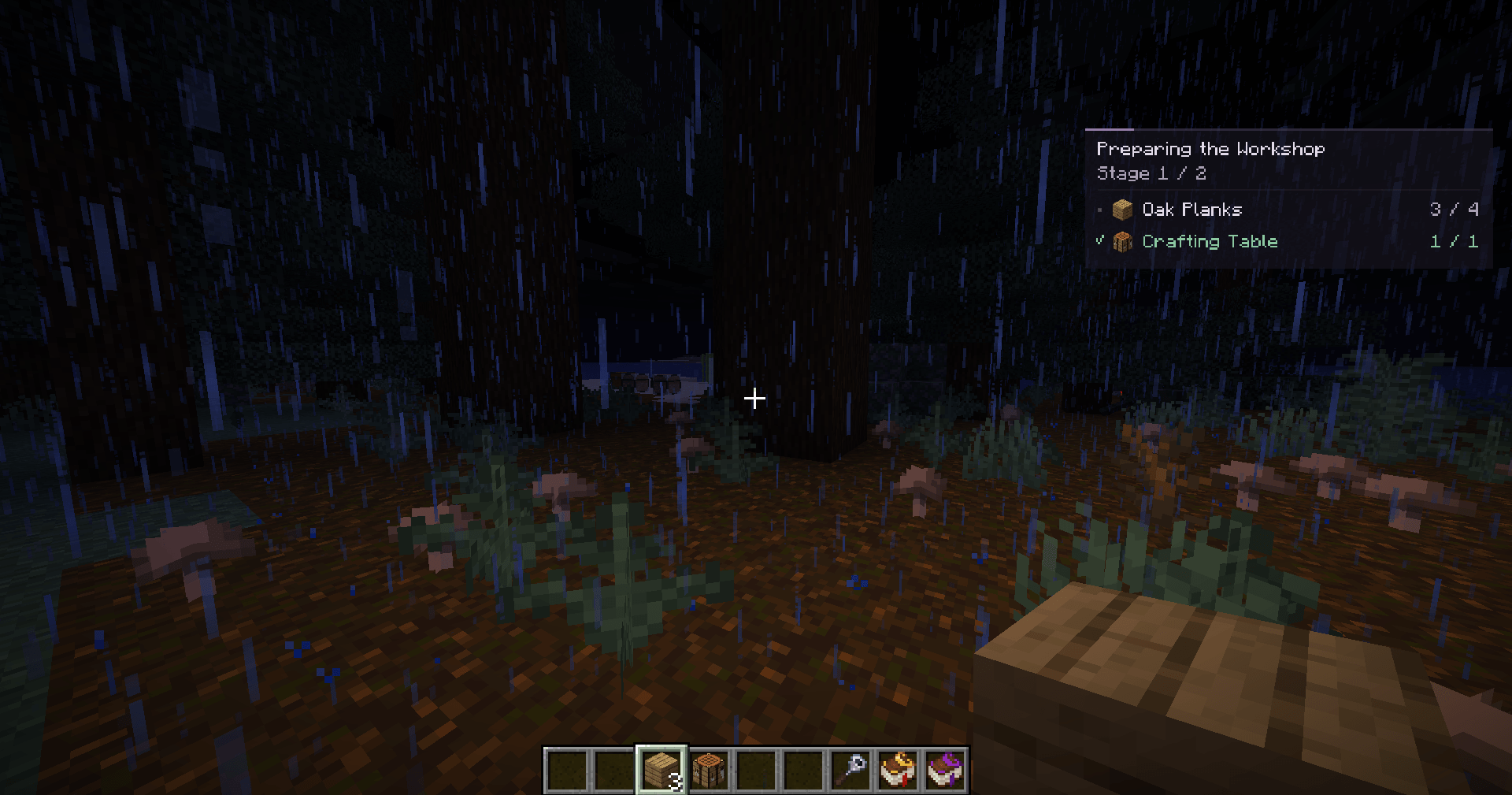
Thaumic Tracker adds a compact research panel for Thaumaturge. Pin an entry in the Thaumonomicon, close the book, and follow its requirements while gathering materials, exploring, or working at your base.
Spend less time reopening the book to check what you still need.
Follow your research
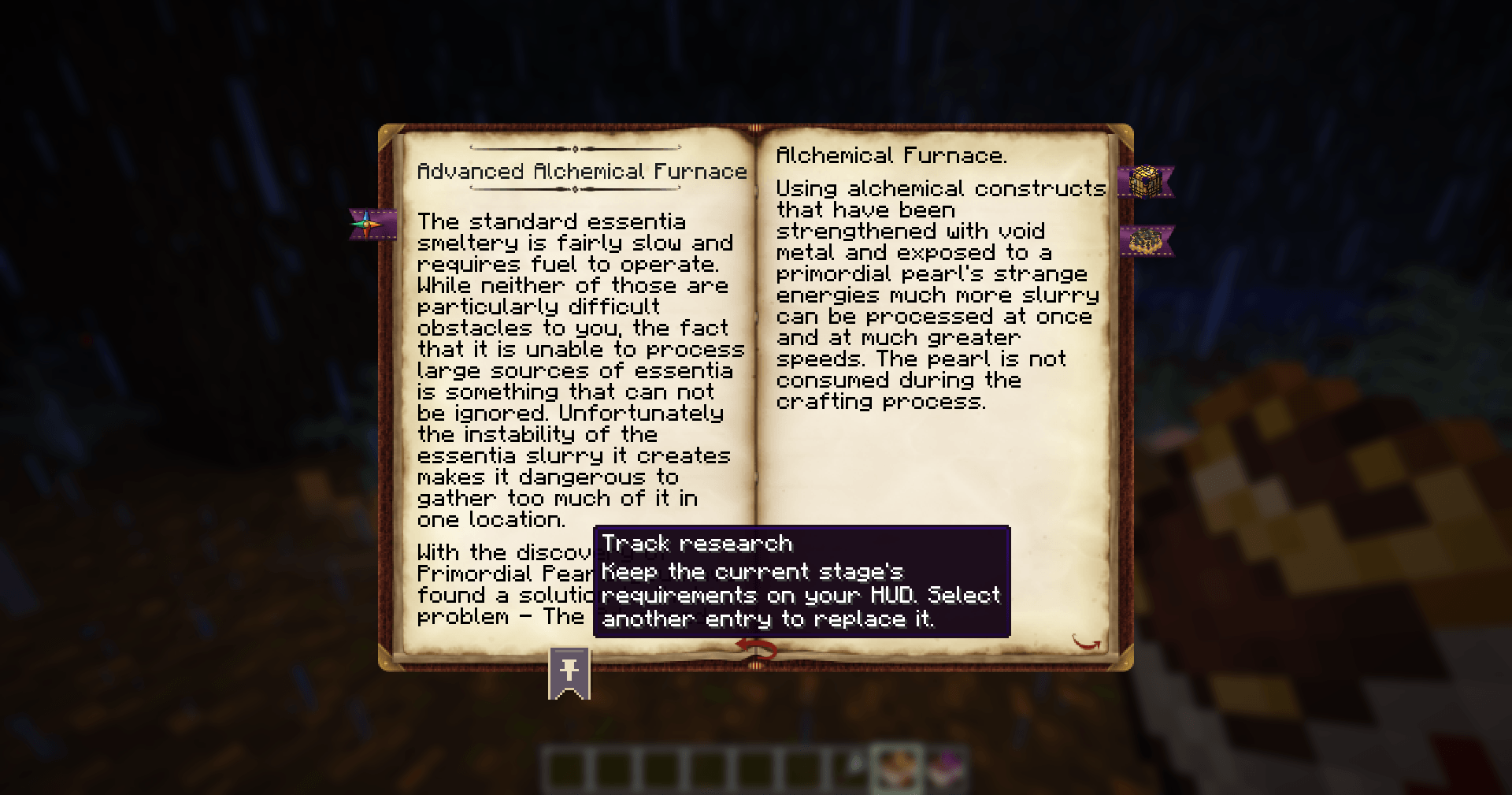
- Pin an entry directly from its page in the Thaumonomicon.
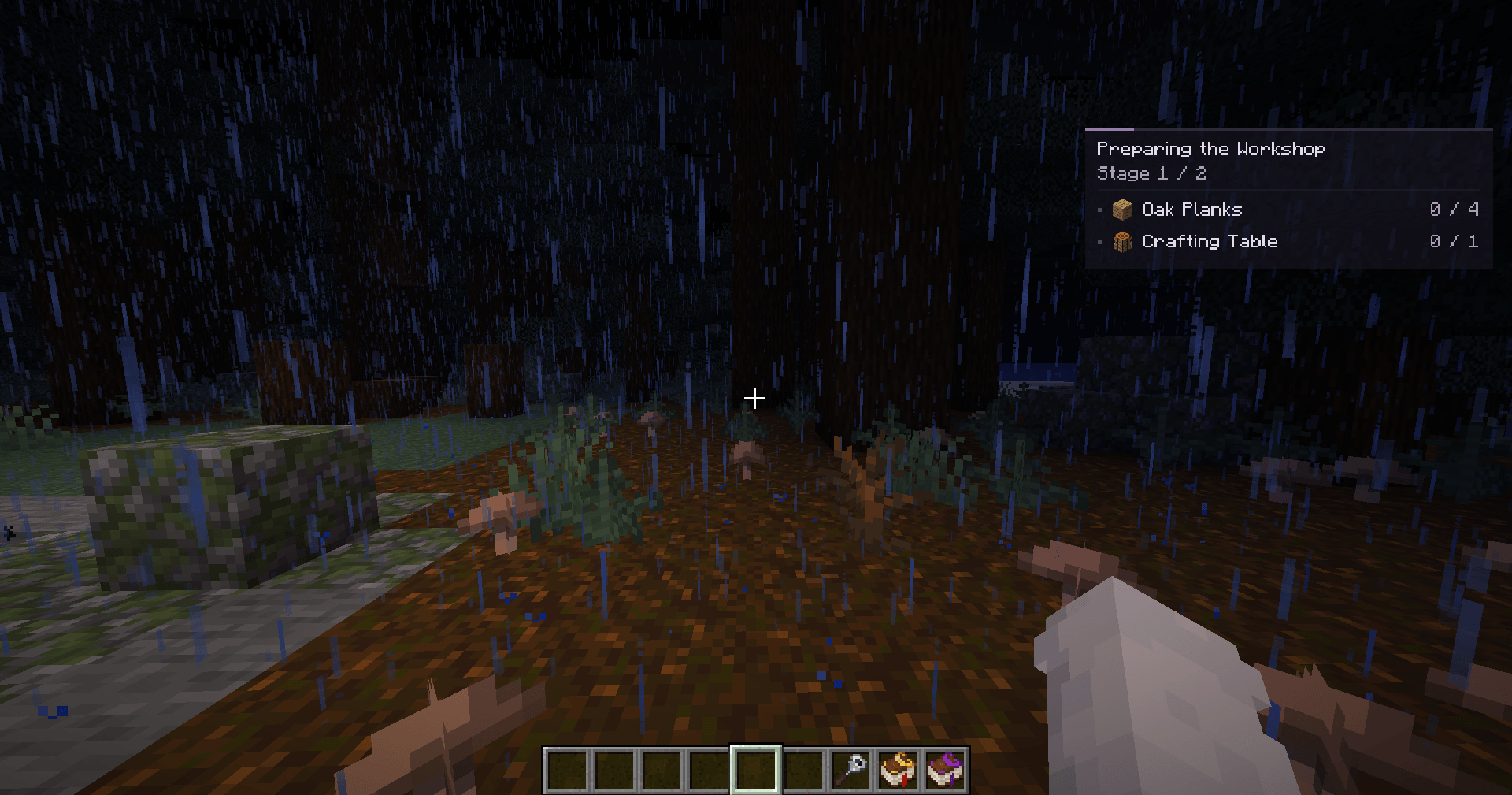
- See your requirements together: items, crafting, prerequisite research, theory notes, and observation aspects.
- Watch your progress with item counts and check marks for satisfied requirements.
- Follow each stage automatically after advancing it in the book.
- Return to your research with your selection remembered for each world, server, and player account.
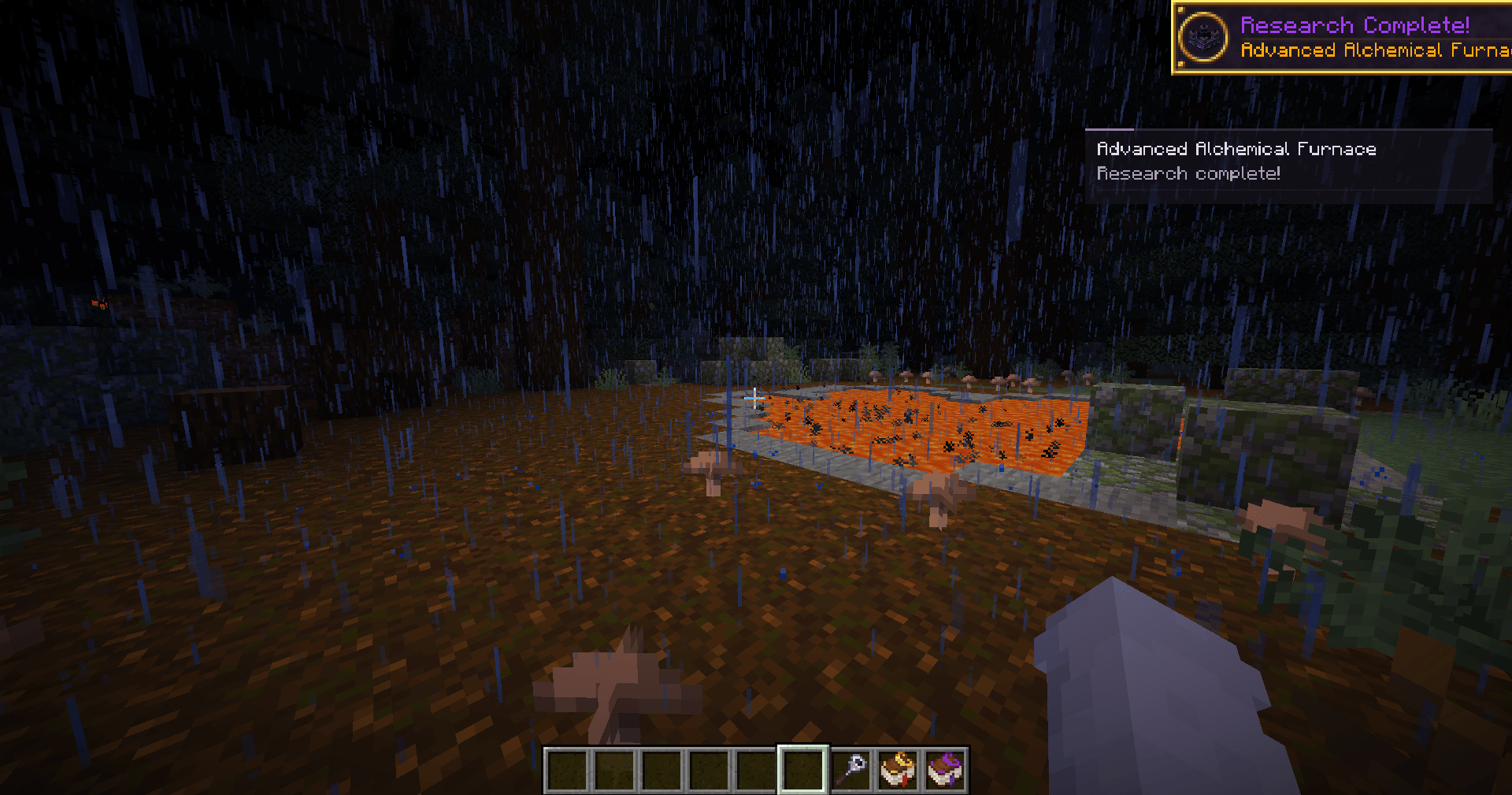
The panel reflects your current progress. Advance stages in the Thaumonomicon as usual, and the tracker will show what comes next.
From the book to your HUD
Working on an entry that needs iron ingots, a theory note, and another completed research?
Pin it once and keep playing. The panel shows how many ingots you have, whether the note has been learned, and whether the prerequisite is complete.
Long requirement lists are split into pages to keep the panel compact.
Getting started
- Open a research entry in the Thaumonomicon.
- Click the pin ribbon at the bottom of the left page.
- Close the book to see the tracking panel.
Press J to hide or show the panel and ] to switch requirement pages. Both keys can be changed in Minecraft’s controls.
To track something else, pin another entry. To stop tracking, click the selected entry’s ribbon again.
Made for your modpack
Custom research from datapacks and KubeThaum works through the same Thaumaturge research system. Pin custom entries just like built-in research, without additional tracker configuration.
KubeThaum is optional.
Installation
Install Thaumic Tracker on your client, alongside Thaumaturge and its required dependencies.
The server does not need Thaumic Tracker. Each player can install it to use their own research panel.
Guides and links
常见问题
Thaumic Tracker 支持哪些 Minecraft 版本?
Thaumic Tracker 支持 Minecraft Java 版 26.1.2,可用的加载器:NeoForge。下载时注意选择和你游戏版本一致的文件。
Thaumic Tracker 怎么安装?
先用 PCL2 或 HMCL 启动器安装对应版本的 NeoForge,再把下载的 .jar 文件放进游戏目录的 mods 文件夹,重新启动游戏即可。开启了版本隔离的,mods 文件夹在 versions/版本名 下面。
TheBarMaxx 的其他作品
查看全部 →
Endless Rise Remastered
1.16.5 Forge 整合包,主题是从原始时代进化到太空,包含 600+ 任务、1000+ 修改配方、自定义物品、自定义设计等更多内容!

Gloomy Rise
适用于 Forge 1.16.5 的专家级 TechoMagic 与 RPG 整合包,包含 550 多个任务、500 多项配方改动、自定义物品、自定义设计等!

SeasonHud Tweaks
Some tweaks and improvements for SeasonHud mod!

Endless Rise Tweaks
Some tweaks and improvements for Endless Rise: Remastered modpack!
评论
登录后评论和评分