
介绍
TexTweaks
TexTweaks is a mod that has various features for modifying textures and how they are handled in Minecraft.
Texture Scaling
Upscale or downscale textures at runtime with customizable algorithm (linear/nearest neighbor). This is useful for:
- Creating complete mipmaps (more about this down below)
- Reducing the hardware requirements of texture packs that are only available at very high resolutions
- Playing Minecraft using 1×1 textures
Better Mipmaps
By default, Minecraft allows you to set mipmap levels up to 4 in the options. This is enough for the default 16×16 textures. But, if you are using a higher resolution texture pack, the mipmaps will not be complete (not going all the way down to 1×1). This causes distant textures to become significantly more aliased than normal.
It’s not so easy to just force the game to generate more levels, as it requires all textures to be equal or larger than 2 to the power of the mipmap level, and most high resolution texture packs don’t have all textures (including items) done. However, by upscaling all textures to the same size in game, it’s now possible to generate higher level mipmaps easily, without bothering with any image tools.
Here is a comparison of 4x mipmapping vs 8x mipmapping using a 256x resource pack: 4x 8x (please view at native resolution for accuracy)
To test if this is working, press the “Show Texture Info” keybind (unbound by default) and check the mipmap level for the block.png atlas.
LOD Bias
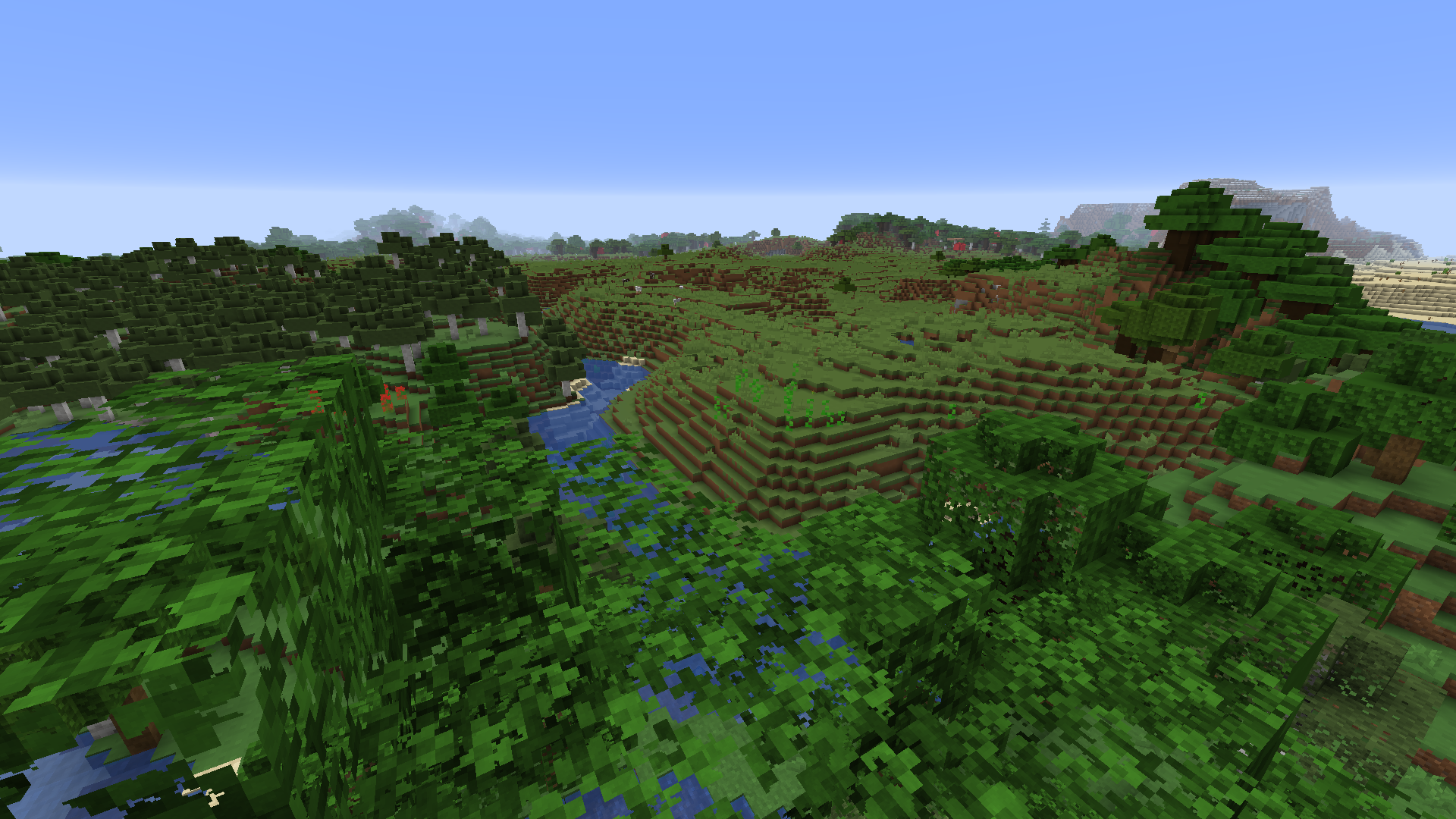
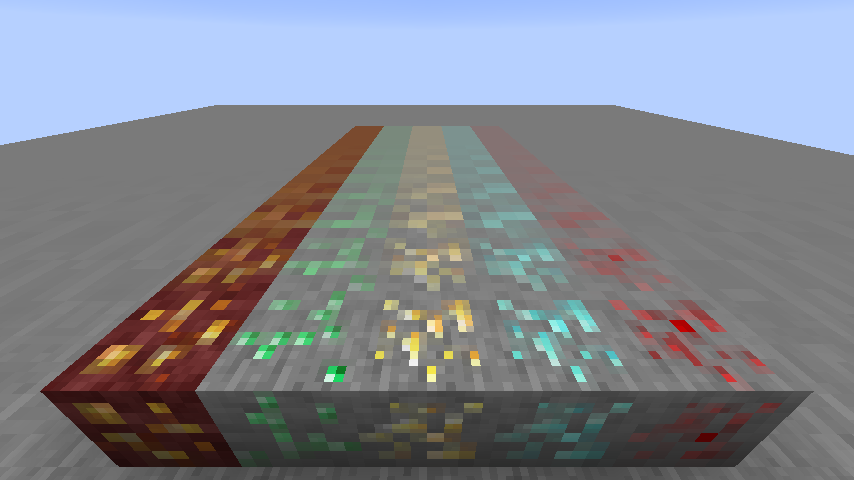
LOD Bias changes how far before the next mipmap level is used. This can be used for fine-tuning sharpness and aliasing of the textures, or as a way to give Minecraft an interesting look.
This is what happens when you set LOD Bias very high:
Compatibility
TexTweaks is tested to work with optifine, sodium, iris and canvas renderer. There are no conflicts found so far at least in the main features. If you found a bug or conflict, please report to the issue tracker.
常见问题
TexTweaks 支持哪些 Minecraft 版本?
TexTweaks 支持 Minecraft Java 版 1.16.2–1.16.5,共 4 个版本,可用的加载器:Fabric。下载时注意选择和你游戏版本一致的文件。
TexTweaks 怎么安装?
先用 PCL2 或 HMCL 启动器安装对应版本的 Fabric,再把下载的 .jar 文件放进游戏目录的 mods 文件夹,重新启动游戏即可。开启了版本隔离的,mods 文件夹在 versions/版本名 下面。运行环境:仅客户端。
UltimateBoomer 的其他作品
查看全部 →
Smooth Boot (Fabric)
改善Minecraft的CPU调度
Smooth Boot (Forge)
调整 Java 线程设置,防止 Minecraft 启动加载时拖慢电脑。

No Fade
移除 Minecraft 中的淡出动画
ResolutionControl+
Allows you to set render resolutions and take large screenshots.
评论
登录后评论和评分