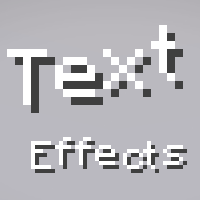
截图

介绍
This library adds text effects which can be used by servers and mods to add unique effects to component-based text.
Integrated effects:
- Wobble
- Shake
- Marquee
… and more
Usage
Add Dependency
build.gradle.kts:
repositories {
  // ...
  maven("https://maven.axolotlclient.com/releases")
}

dependencies {
  // ...

  // use modImplementation for versions <26.1 if on fabric
  implementation("io.github.moehreag:text-effects:<VERSION>")
}
Apply Effects
// A few other pre-made effects are available in the `TextEffects` class.
// Usage may differ slightly depending on game version.
var text = Component.literal("This is a text with effect!").withStyle(Style.EMPTY.text_effects$withEffect(TextEffects.WOBBLE));
Create your own effects
A few factory methods for common operations are provided in the TextEffect class.
Some pre-made effects are provided in the TextEffects class, with a few additional helper methods as well as registration handling. If you’d like to build on top of another effect you can use TextEffect#combine.
public static TextEffect CUSTOM_EFFECT = TextEffects.register(Identifier.fromNamespaceAndPath("modid", "custom_effect"), TextEffect.constantYOffset(-2));Effects are automatically able to be de/serialized in components using their id provided at registration.
{
  text: "text with a nice effect",
  text-effects: "text-effects:wobble"
}
This component works for 26.1, you will need to change it accordingly for minecraft versions using json components instead of snbt.
This format can also be used in commands, for example /tellraw.
常见问题
Text Effects 支持哪些 Minecraft 版本?
Text Effects 支持 Minecraft Java 版 1.7.2–26.3,共 84 个版本,可用的加载器:Fabric / NeoForge。下载时注意选择和你游戏版本一致的文件。
Text Effects 怎么安装?
先用 PCL2 或 HMCL 启动器安装对应版本的 Fabric / NeoForge,再把下载的 .jar 文件放进游戏目录的 mods 文件夹,重新启动游戏即可。开启了版本隔离的,mods 文件夹在 versions/版本名 下面。运行环境:客户端 / 服务端。
moehreag 的其他作品
查看全部 →
Ornithe Standard Libraries
A set of libraries for modding with Ornithe.

AxolotlClient (Modpack)
Modpack for AxolotlClient

Realistic Rowing
Makes rowing more realistic. May or may not improve your boating experience.

Mod Menu Ornithe
A mod menu for legacy Minecraft versions through Ornithe.
评论
登录后评论和评分