Text/item Display Editor
Spawn and edit Text/item Display entities in a snap—then craft your own map with floating text/display entity!
截图
介绍
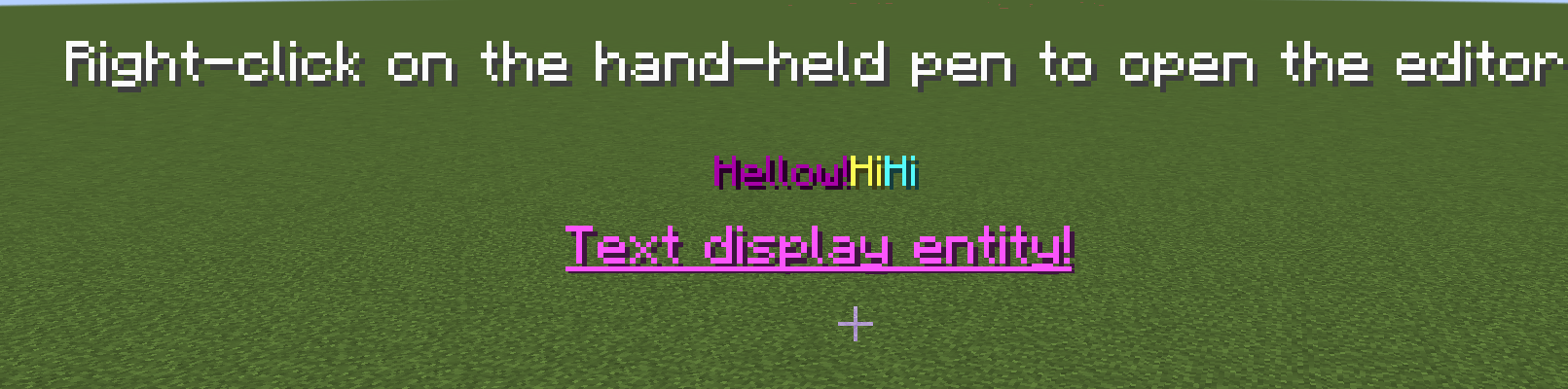
You can easily make the kind of floating text that map creators love—color codes are supported, you can scale each line independently, and fine‑tune the position to your liking.
Here’s how:
1. Open your creative inventory and grab the text_display_pen from the tools tab.
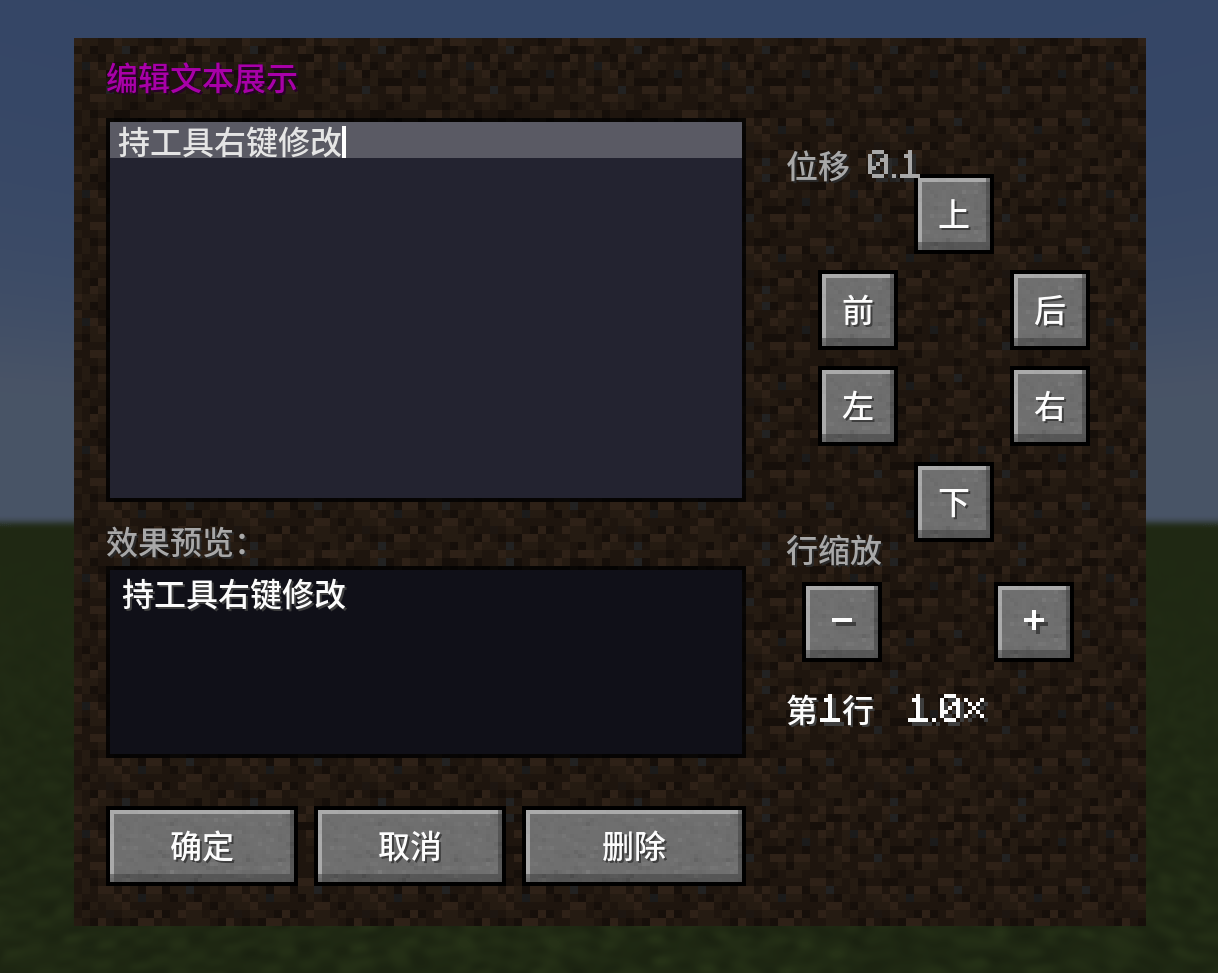
2. Aim at any block,left‑click to spawn the text display, and right‑click to edit it.
And the best part? You can tweak everything right in the GUI—no need to type out tedious commands.
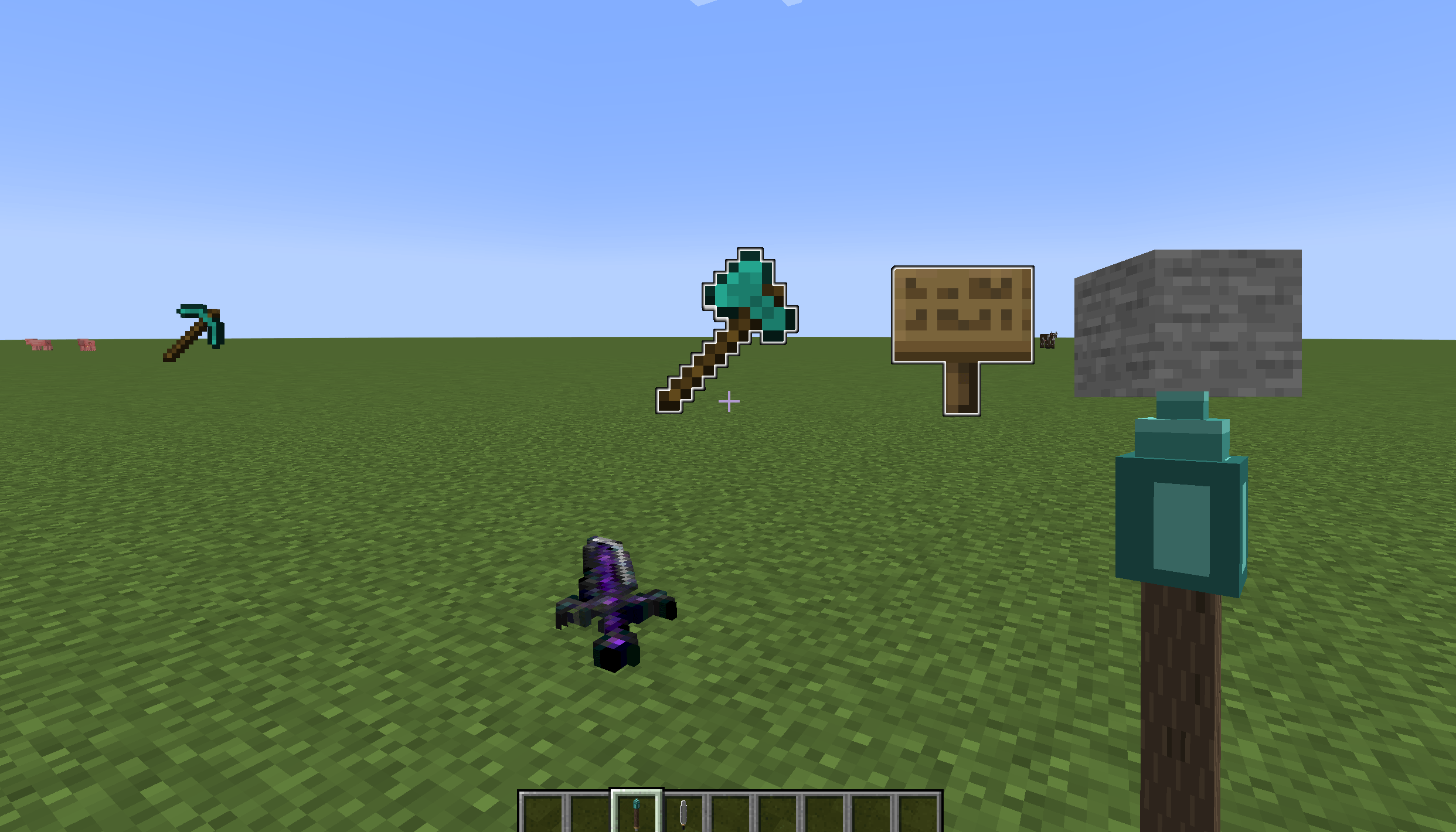
New in version 1.1.0: Item Display Pen – Works just like the Text Display Pen. Supports free display of any item from your inventory, including blocks, weapons, and more. Freely scale and adjust position (forward/back/left/right), toggle glow, and tilt forward/backward.
常见问题
Text/item Display Editor 支持哪些 Minecraft 版本?
Text/item Display Editor 支持 Minecraft Java 版 1.20.1,可用的加载器:Forge。下载时注意选择和你游戏版本一致的文件。
Text/item Display Editor 怎么安装?
先用 PCL2 或 HMCL 启动器安装对应版本的 Forge,再把下载的 .jar 文件放进游戏目录的 mods 文件夹,重新启动游戏即可。开启了版本隔离的,mods 文件夹在 versions/版本名 下面。
评论
登录后评论和评分