Tensura: HUD
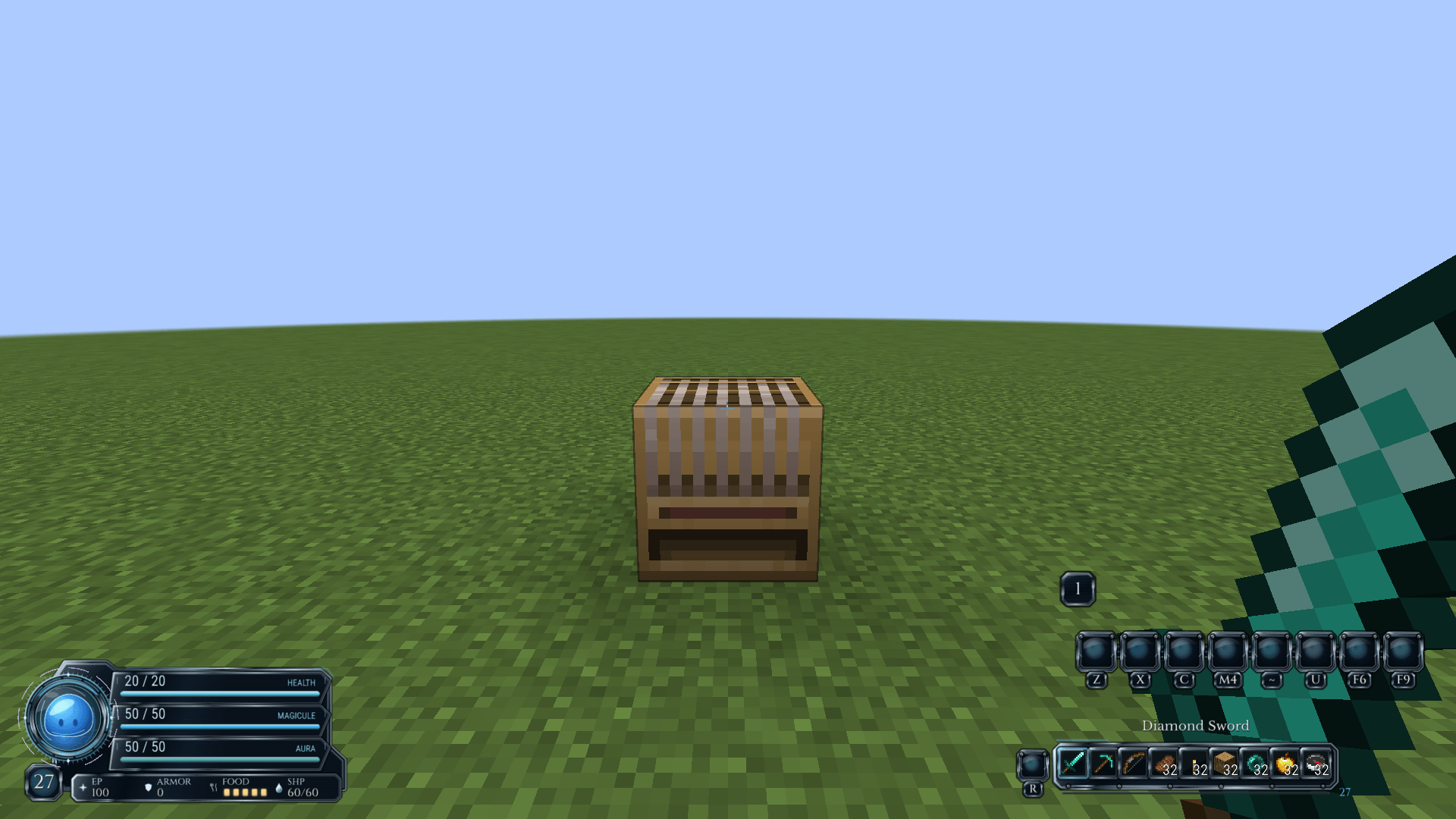
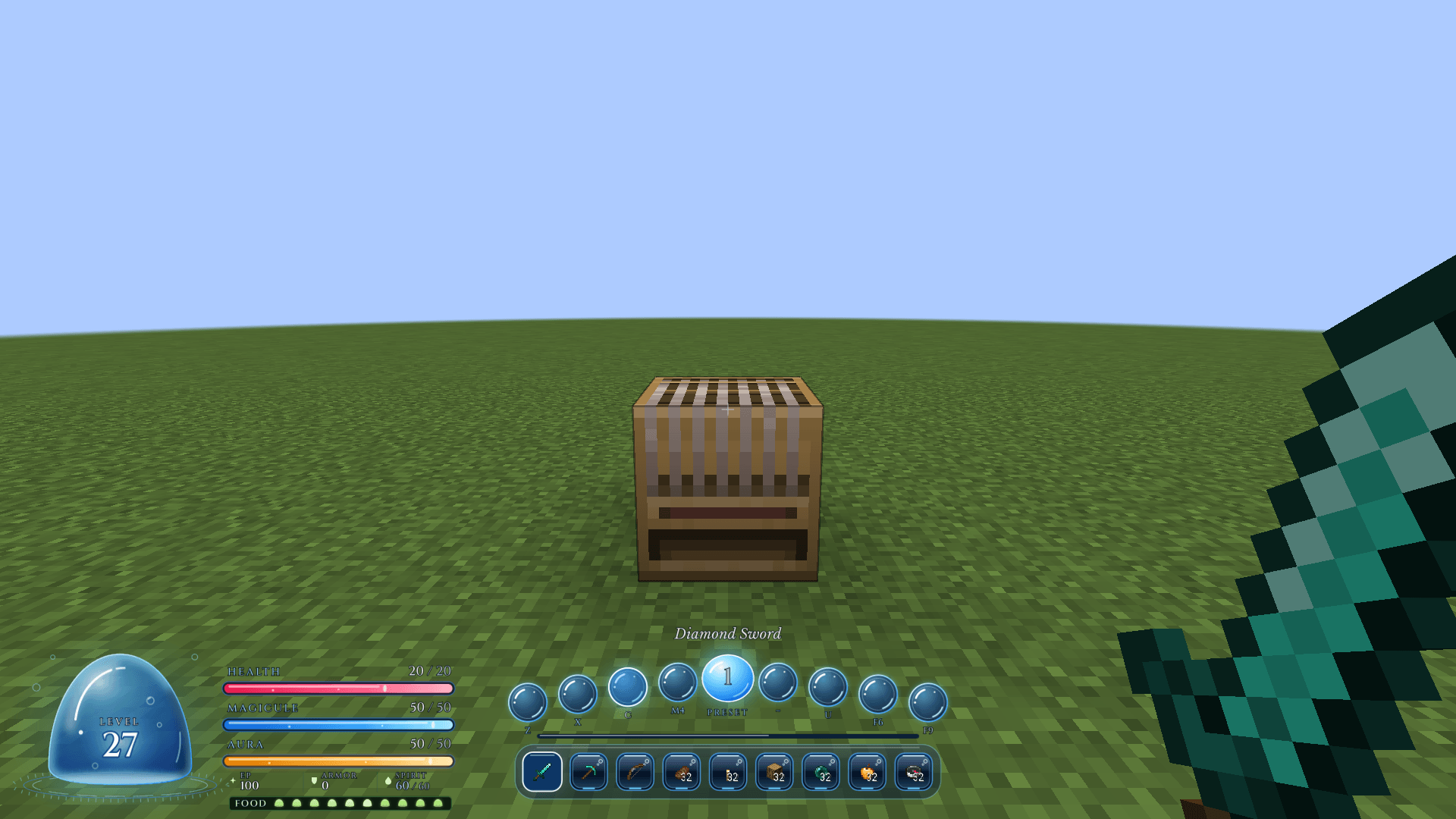
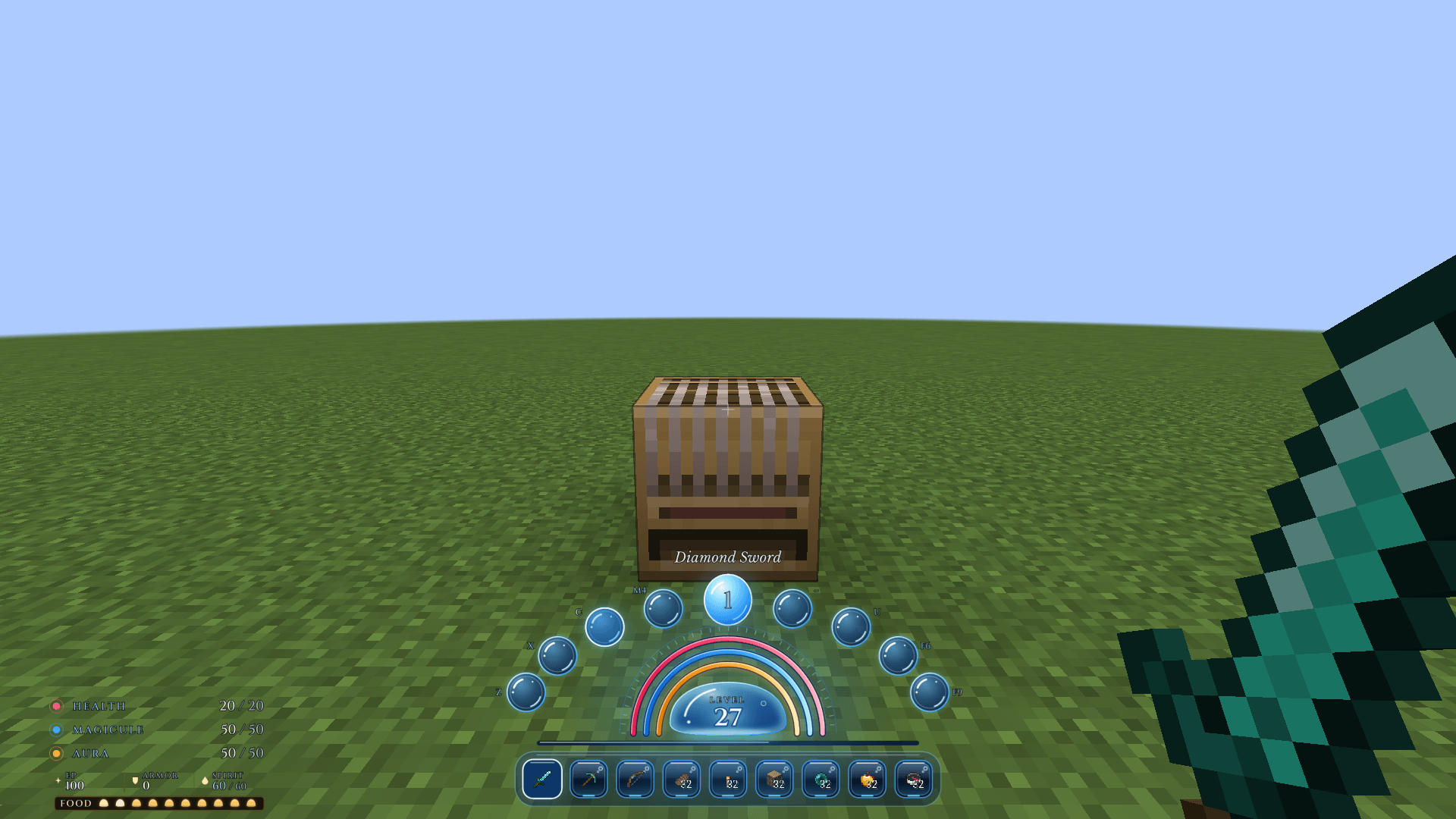
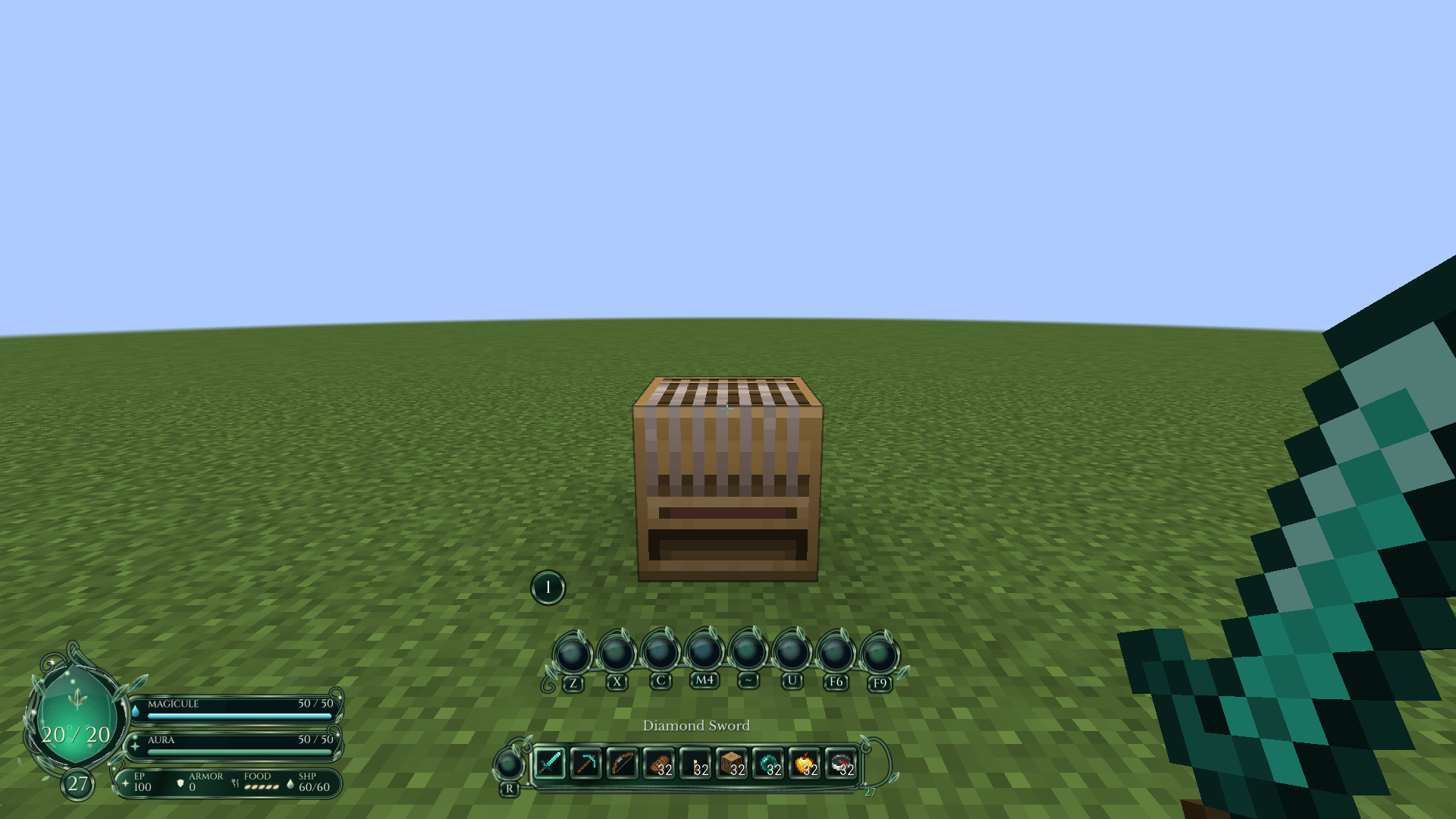
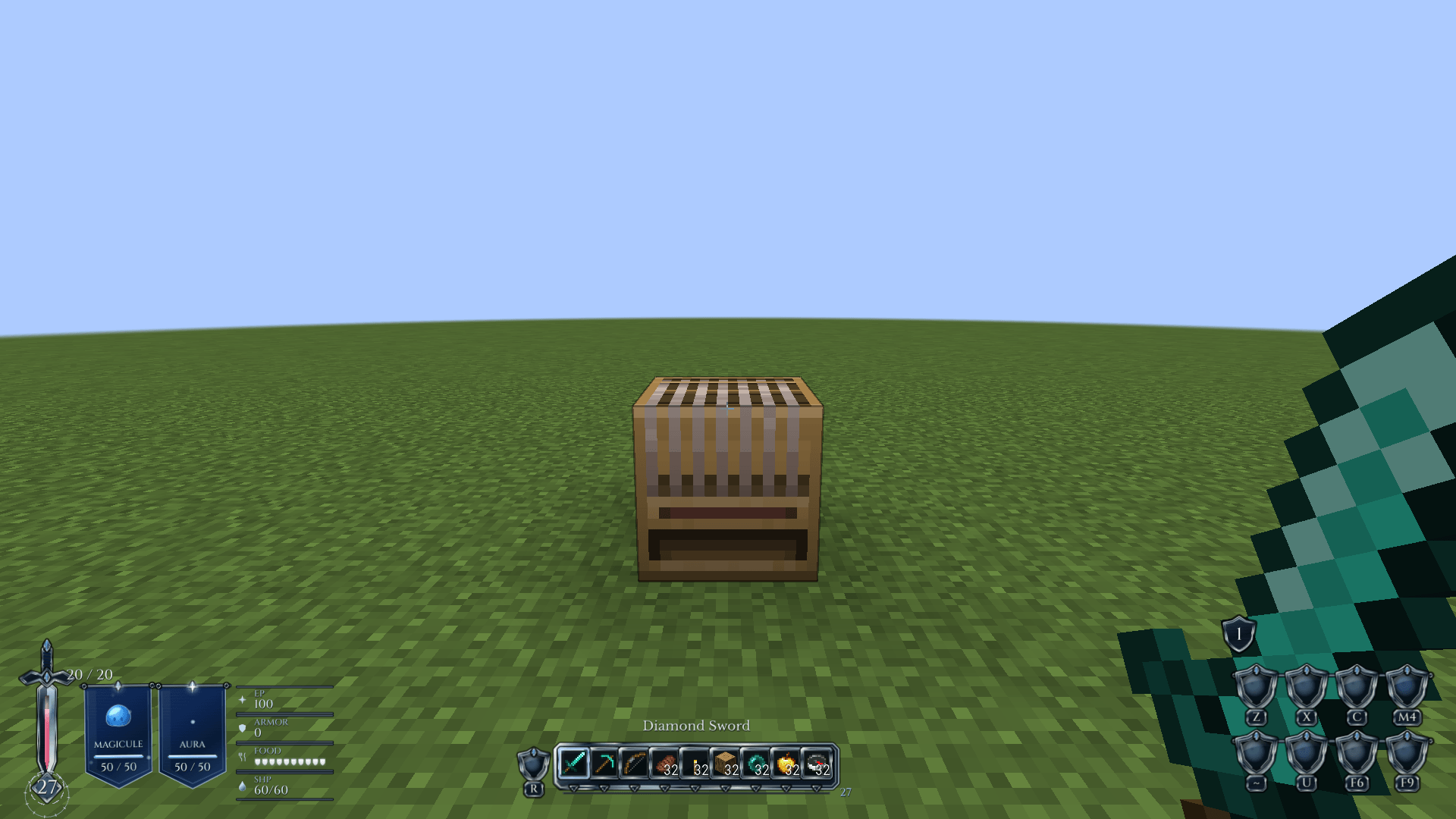
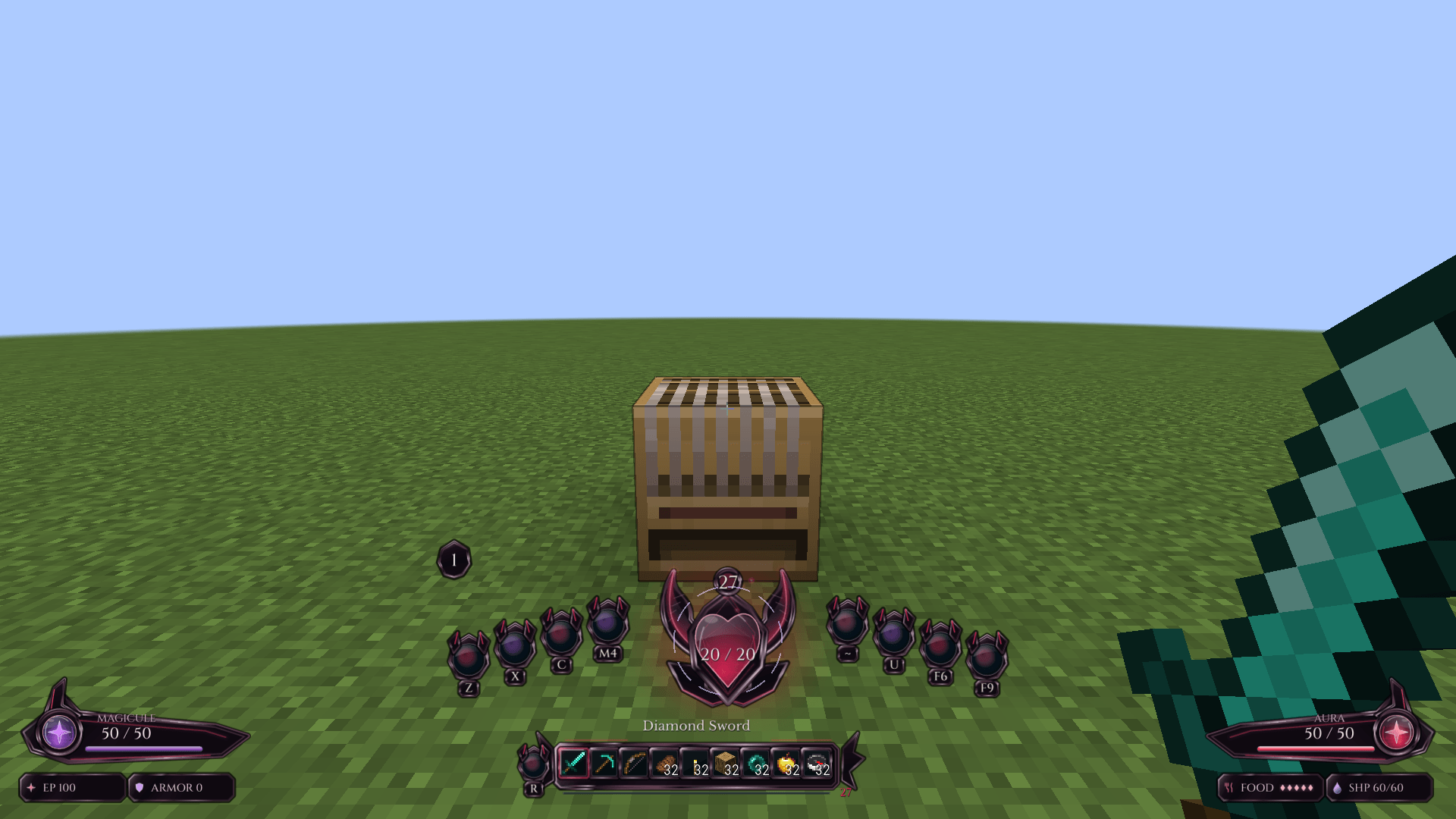
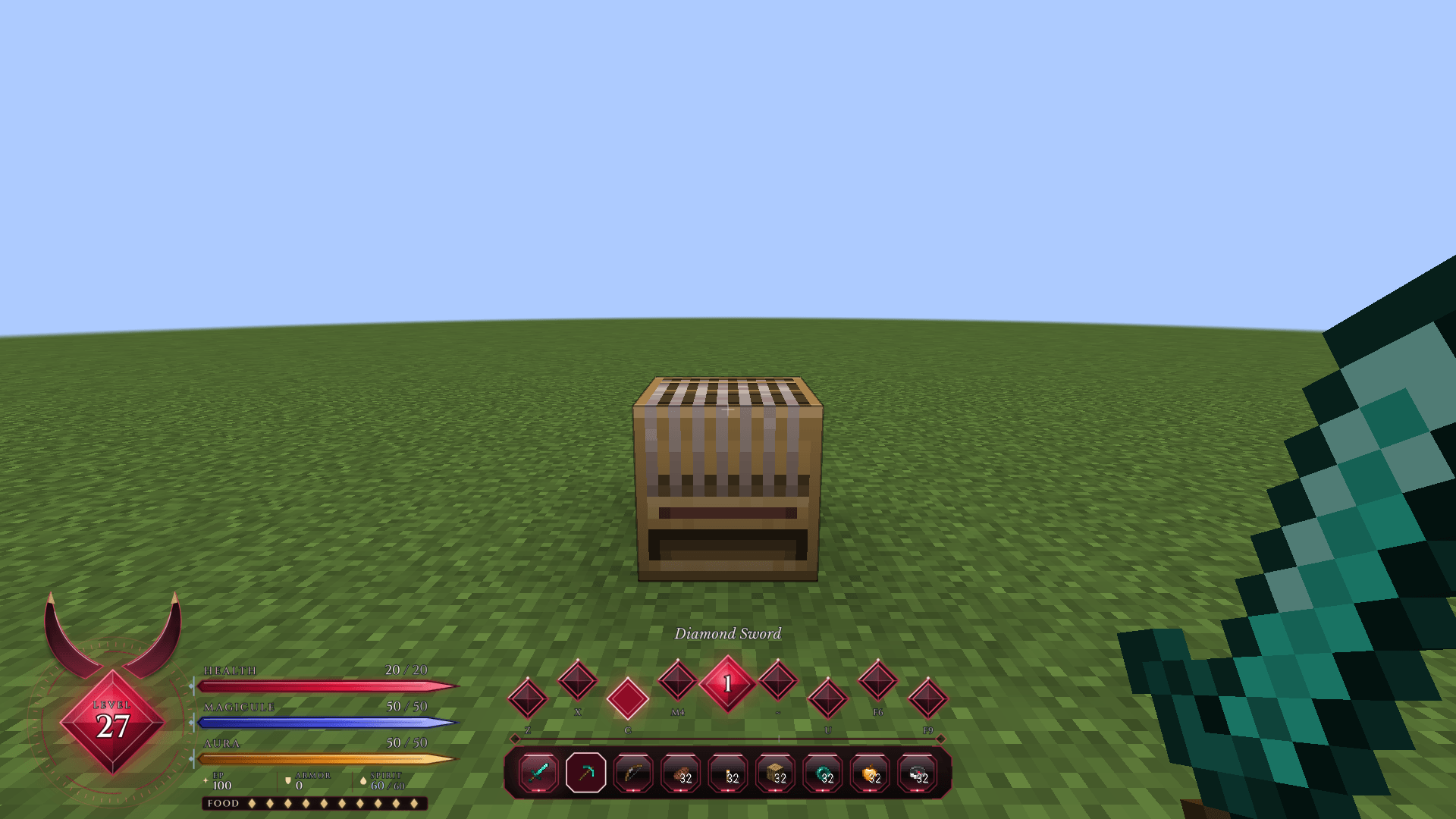
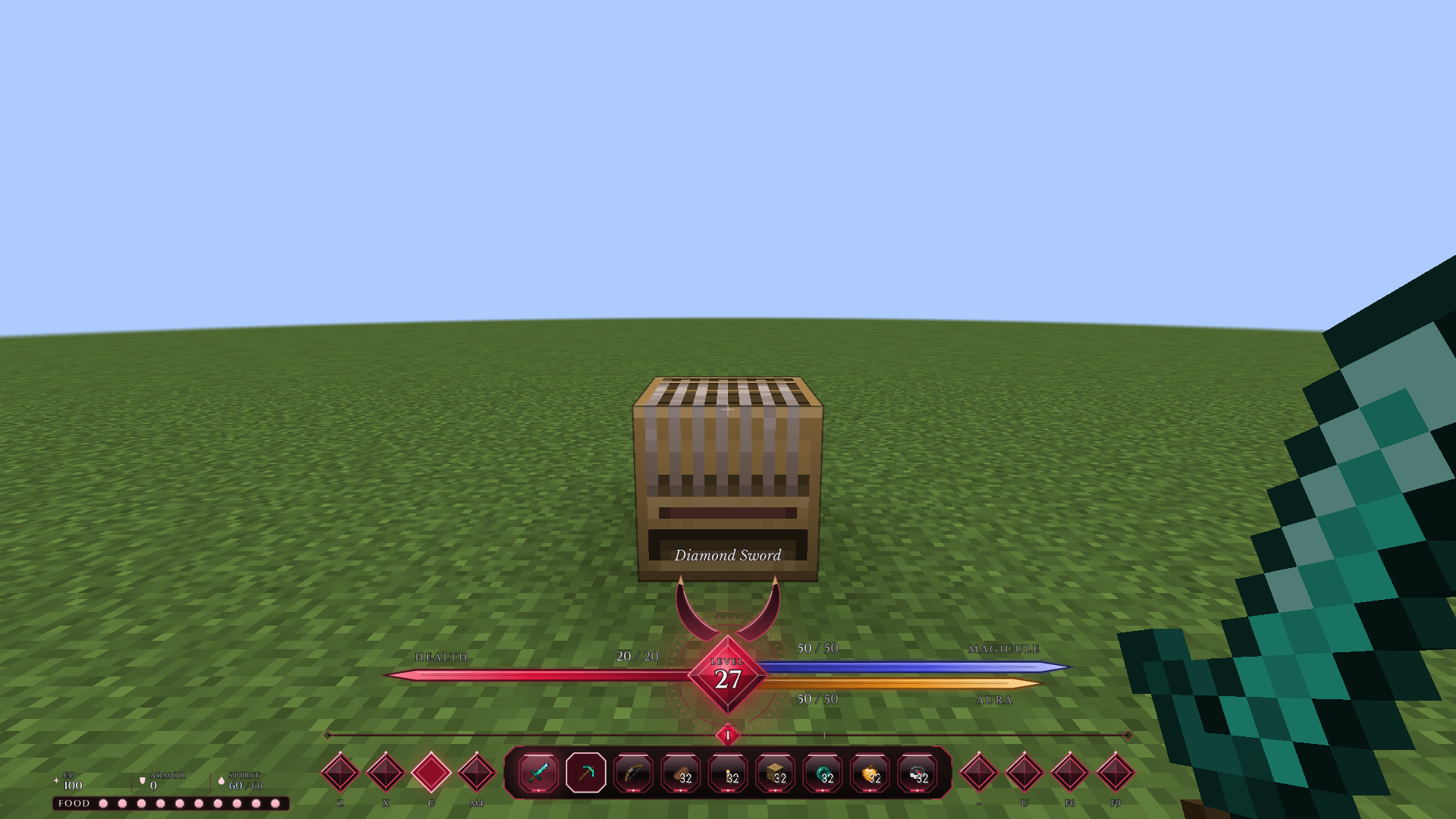
Thirteen themed Tensura HUD styles with live vitals, eight activatable skills across nine presets, cooldowns, addon gauges and an editable layout.
截图
介绍
中文介绍正在准备中,下面暂时显示原文。
A TENSURA REINCARNATED ADDON
Tensura: HUD
Stay in the fight.
Live vitals. Bound skills.
A HUD shaped around the way you play.
A HUD shaped around the way you play.
Vitals & hotbar
Keep the essentials in sight.
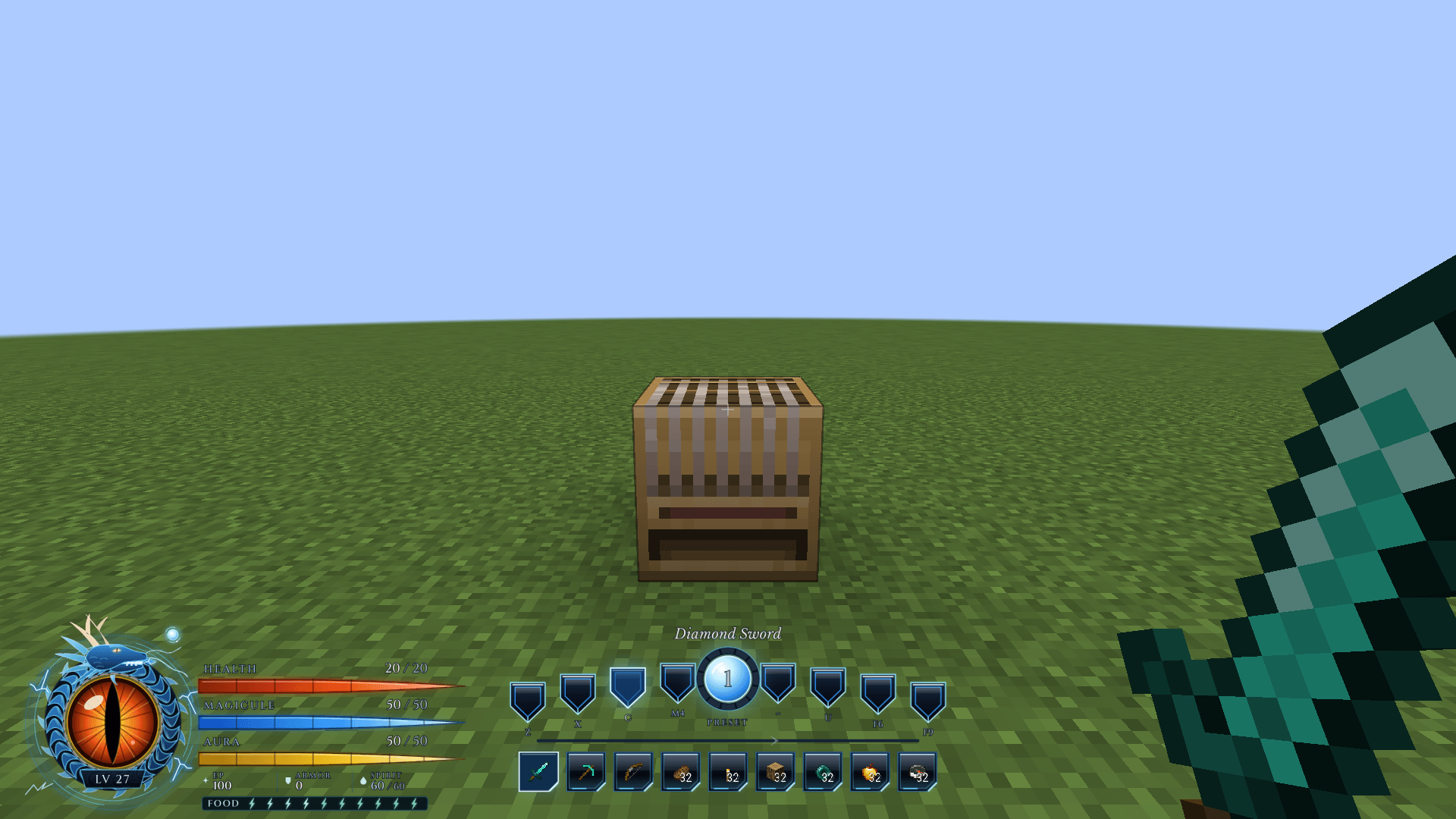
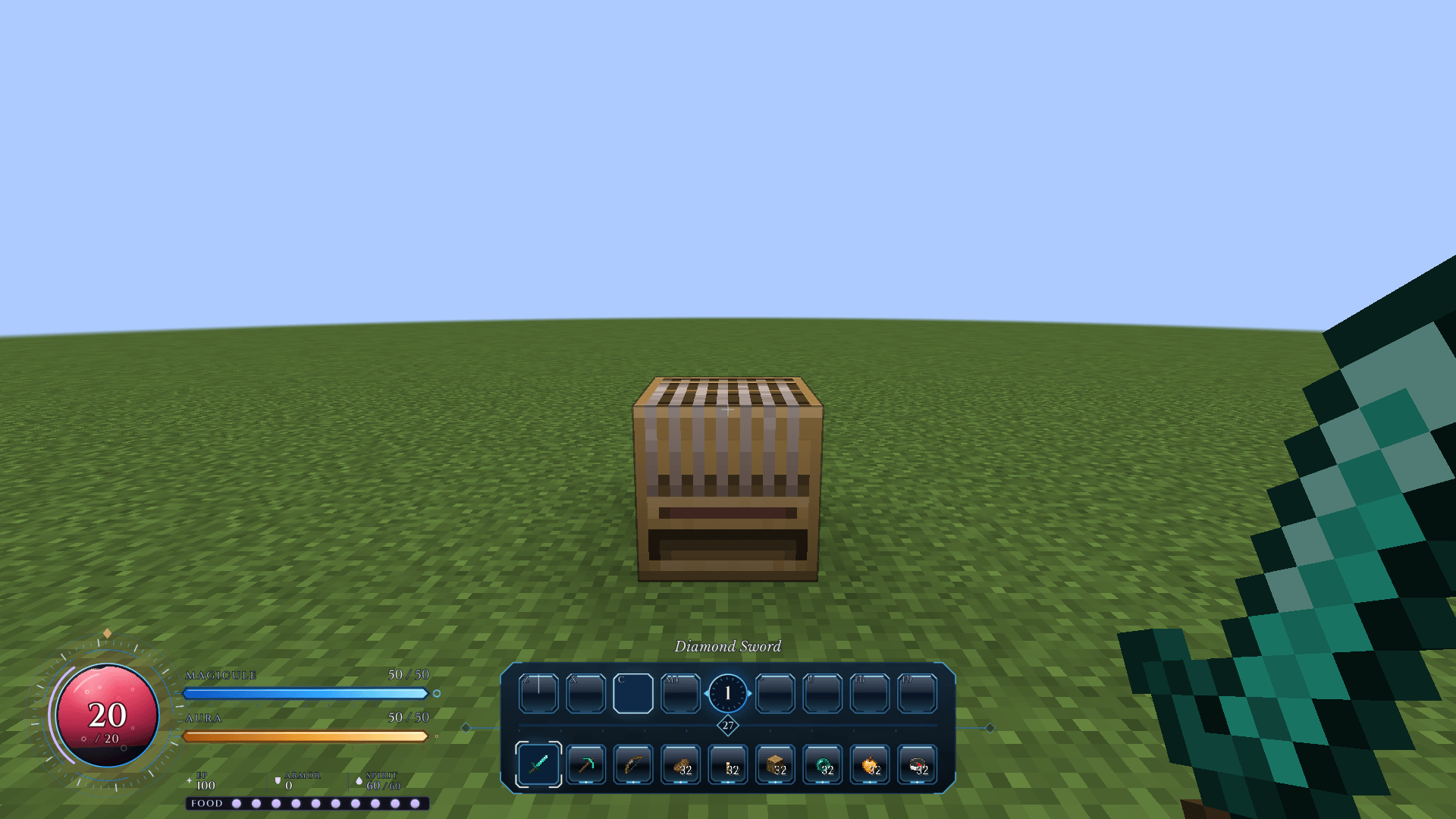
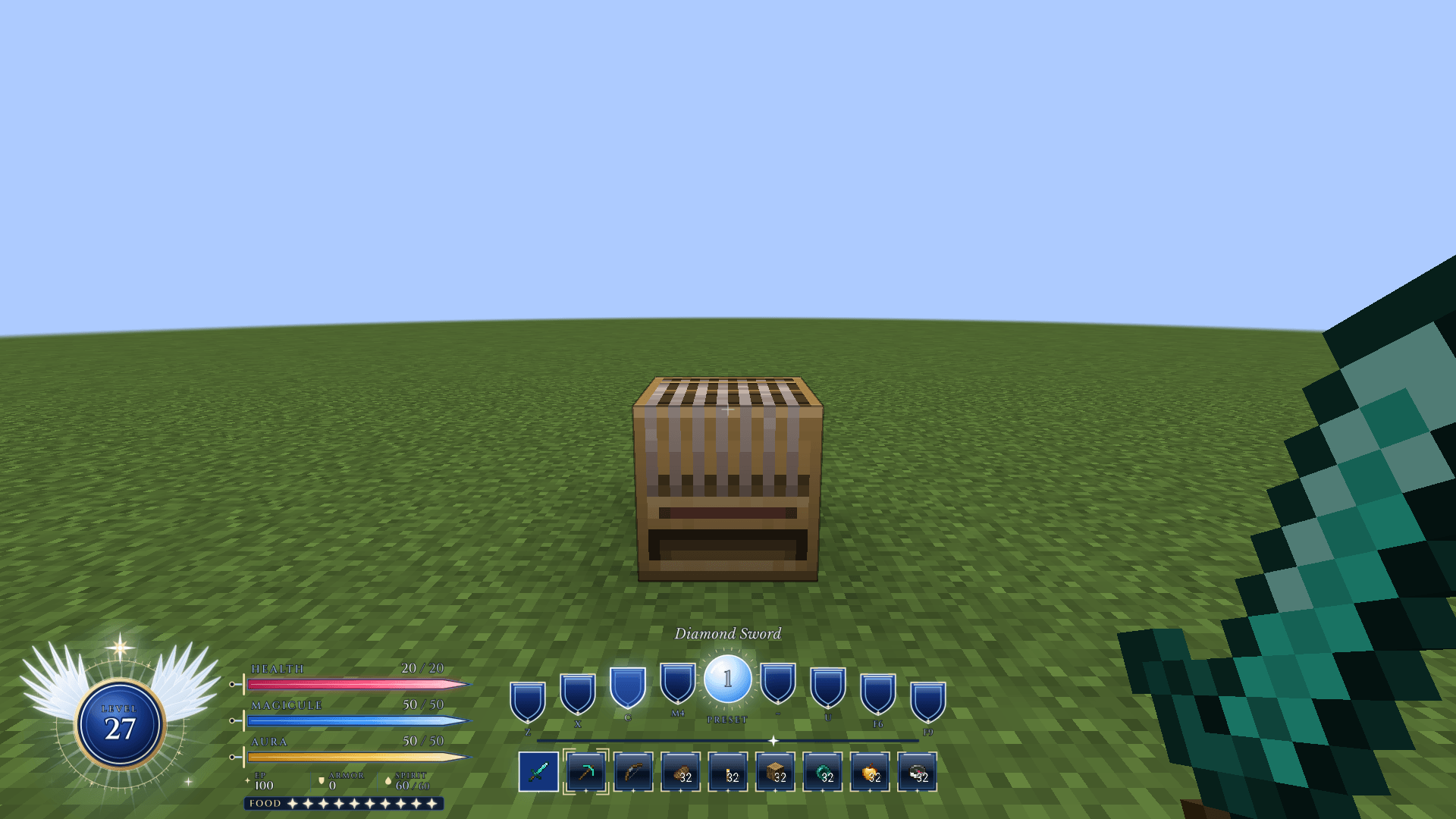
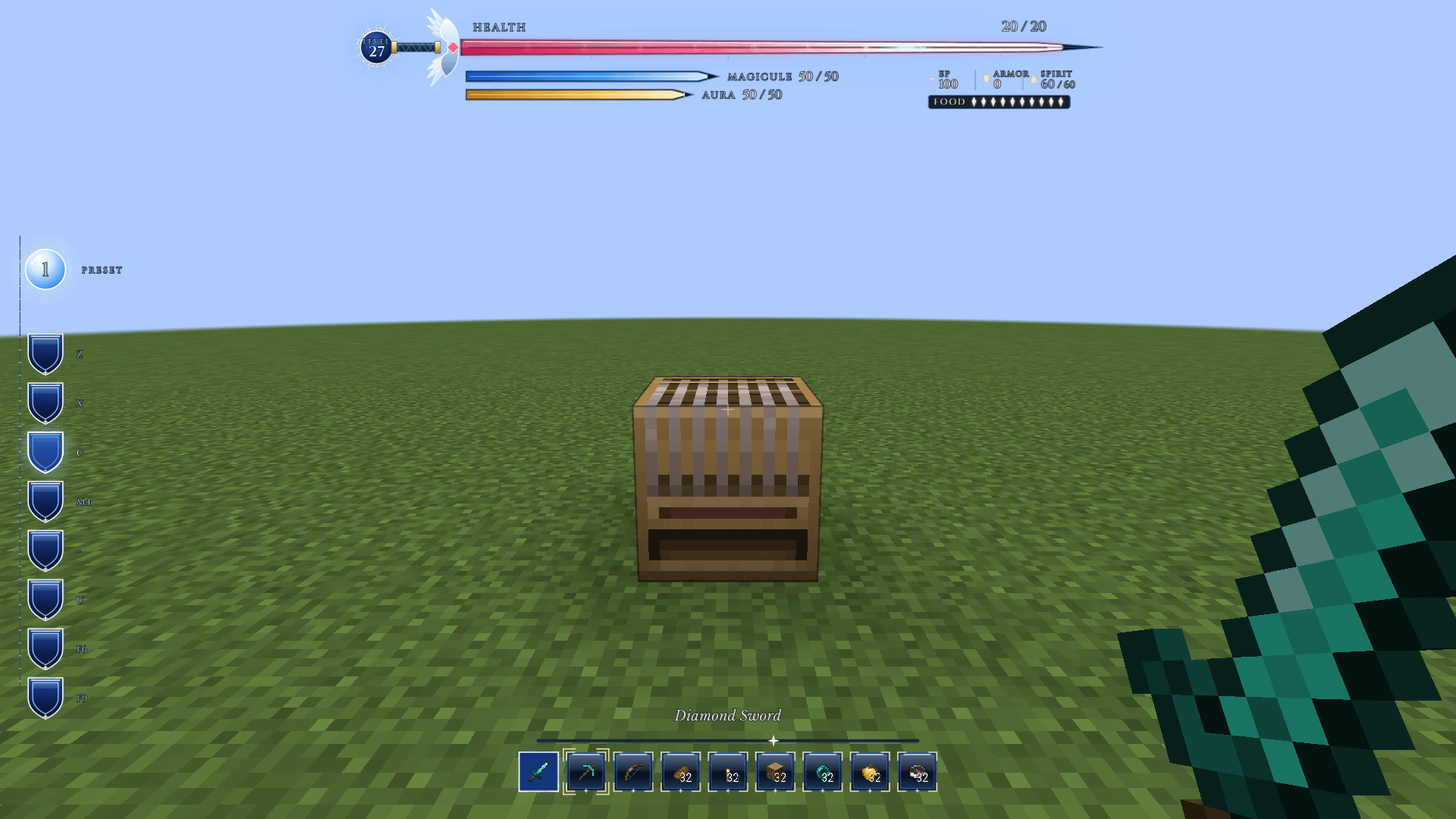
Follow Health, Spiritual Health, Magicules, Aura and EP alongside absorption, barriers, severance and status effects. Food, armour, air, XP and applicable mount information stay close at hand.
Damage, healing and harmful effects animate the relevant gauges. Your hotbar keeps real items, the selected slot and offhand in view.
Track race cooldowns and modes, dodge information and evolution readiness, with skill-progress notices, selected-item text and preset feedback. Chat, Analysis and supported addon overlays can move clear of occupied HUD space.
Pair the HUD with the optional Tensura: GUI companion to explore evolution requirements, connected forms and conditional paths in the Tempest Chronicle.
Skills & presets
More room for your abilities.
Eight slots. Nine presets.
Expand Tensura’s three activatable skill slots to eight across nine presets. Rebind five extra controls with press, hold, release and mode actions, while sockets show actual keys, skill icons, toggles and cooldowns. Supported Nightmare deep slots stay separate.
Hold Left Alt. Take control.
Reveal a marker for every available mode of each bound skill, with the current mode highlighted. Hold Left Alt and press a skill’s bound key to cycle its mode. Hold Left Alt and scroll to move through all nine presets, wrapping at either end.
Styles & layout editor
Choose your look.
Find your balance.
Find your balance.
Choose from 18 HUD styles: Tempest’s liquid orb and energy tubes, race-inspired looks such as Slime and Storm Dragon, and designs including Sageframe, Everbloom, Crimson Reign and Argent Oath. Arrangements range from bottom-centre crests to a crosshair reticle.
Switch styles in a live preview, then drag supported groups in Customise layout. Save positions separately for each style, use optional grid snapping and reset individual pieces.
With JourneyMap installed, move or resize its native minimap in the same editor. Map changes save to JourneyMap’s selected preset.
Presentation
Comfort comes with the style.
Choose six fonts, number formats, scale and key labels. Colour-blind patterns, high contrast, reduced motion and adjustable low-health warnings help keep the display comfortable to read.
Optional integrations
Keep your addons in the picture.
With supported addons installed, retain Nightmare’s Spiritron and Nihility resources, More Skills’ Bloodfiend gauge and Elite Tensura’s Voice notices. FTB Quests tracker support is available too.
Optional GUI and Status Menus bridges coordinate screen coverage and floating workstations. Native Teams, Chunks, Quests and JourneyMap keep their own interfaces.
Installation
Bring it to your world.
Minecraft 1.21.1 · NeoForge 21.1+ · Client & server
Install matching HUD versions on the server or host and every client for expanded skill storage and connection negotiation. Required: Tensura Reincarnated 2.0+, ManasCore 4.0+ and their upstream dependencies, including Architectury.
Optional companions: Tensura: Main Menu, Tensura: GUI, Tensura: Rebalanced and Tensura: Status Menus. Supported addons are optional too.
常见问题
Tensura: HUD 支持哪些 Minecraft 版本?
Tensura: HUD 支持 Minecraft Java 版 1.21.1,可用的加载器:NeoForge。下载时注意选择和你游戏版本一致的文件。
Tensura: HUD 怎么安装?
先用 PCL2 或 HMCL 启动器安装对应版本的 NeoForge,再把下载的 .jar 文件放进游戏目录的 mods 文件夹,重新启动游戏即可。开启了版本隔离的,mods 文件夹在 versions/版本名 下面。
Hecrius 的其他作品
查看全部 →
Smooth Loading Screens
by Hecrius, SentiBuzz
减少启动时的卡顿,并让创建世界的加载界面保持流畅响应!
2万
9 天前
CurseForge
Tensura: Main Menu
by Hecrius, SentiBuzz
Tensura 主题电影感前端,包含动态镜湖、加载水晶、进入世界过渡效果、主题菜单、环形暂停菜单和可自定义字体。
4,018
6 天前
CurseForge

Custom FPS Crosshairs
by Hecrius, SentiBuzz
完全可自定义的 VALORANT 风格 Minecraft 准星,带实时编辑器、可分享代码、动态效果,最多 10 个配置档。
2,662
19 天前
CurseForge
Tensura: Death Screens
by Hecrius, SentiBuzz
受《转生史莱姆》启发的死亡动画,可选择配置并安全预览,重生后还有匹配的过渡动画回到世界。
2,619
2 天前
CurseForge
评论
登录后评论和评分