截图
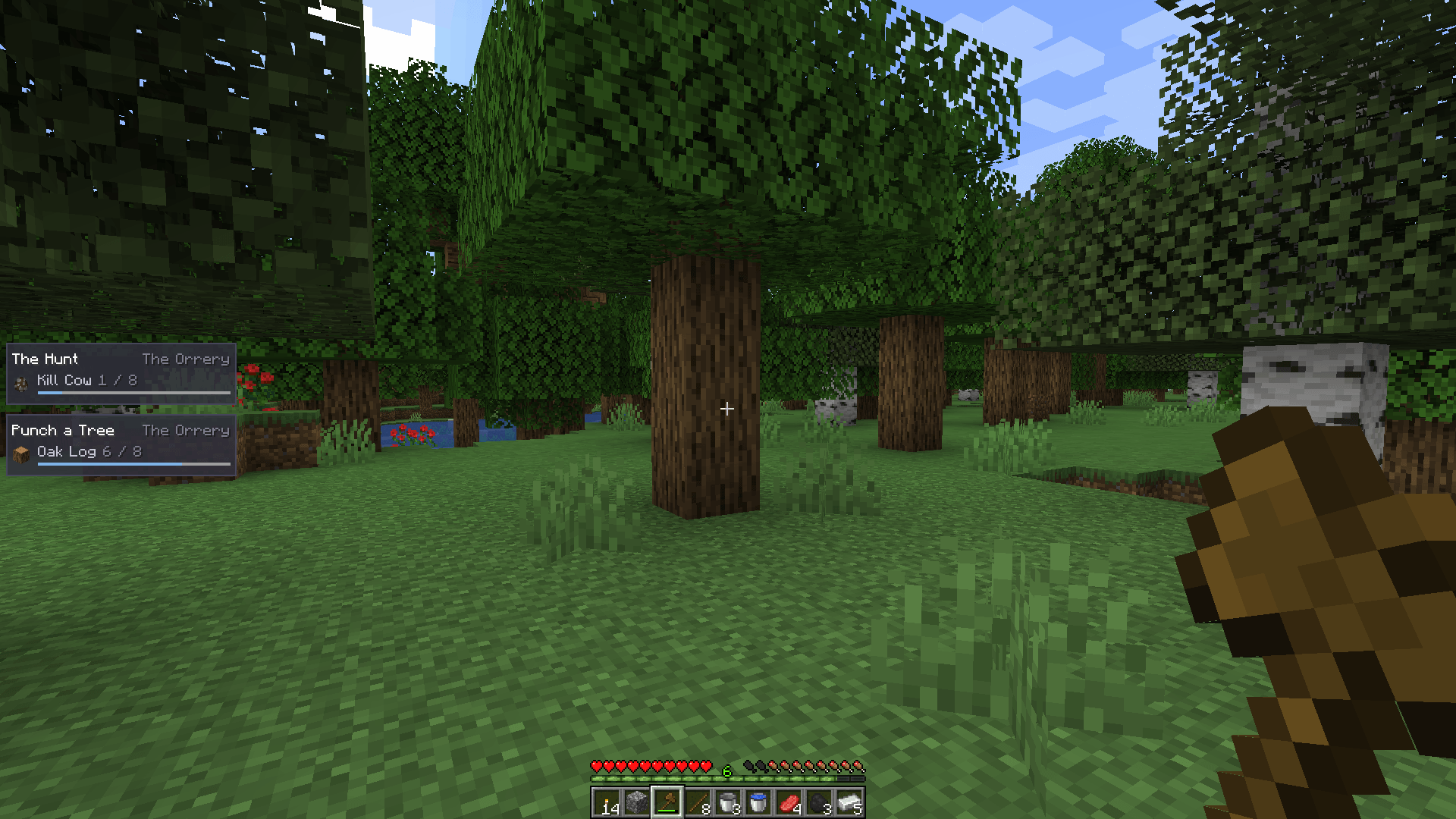
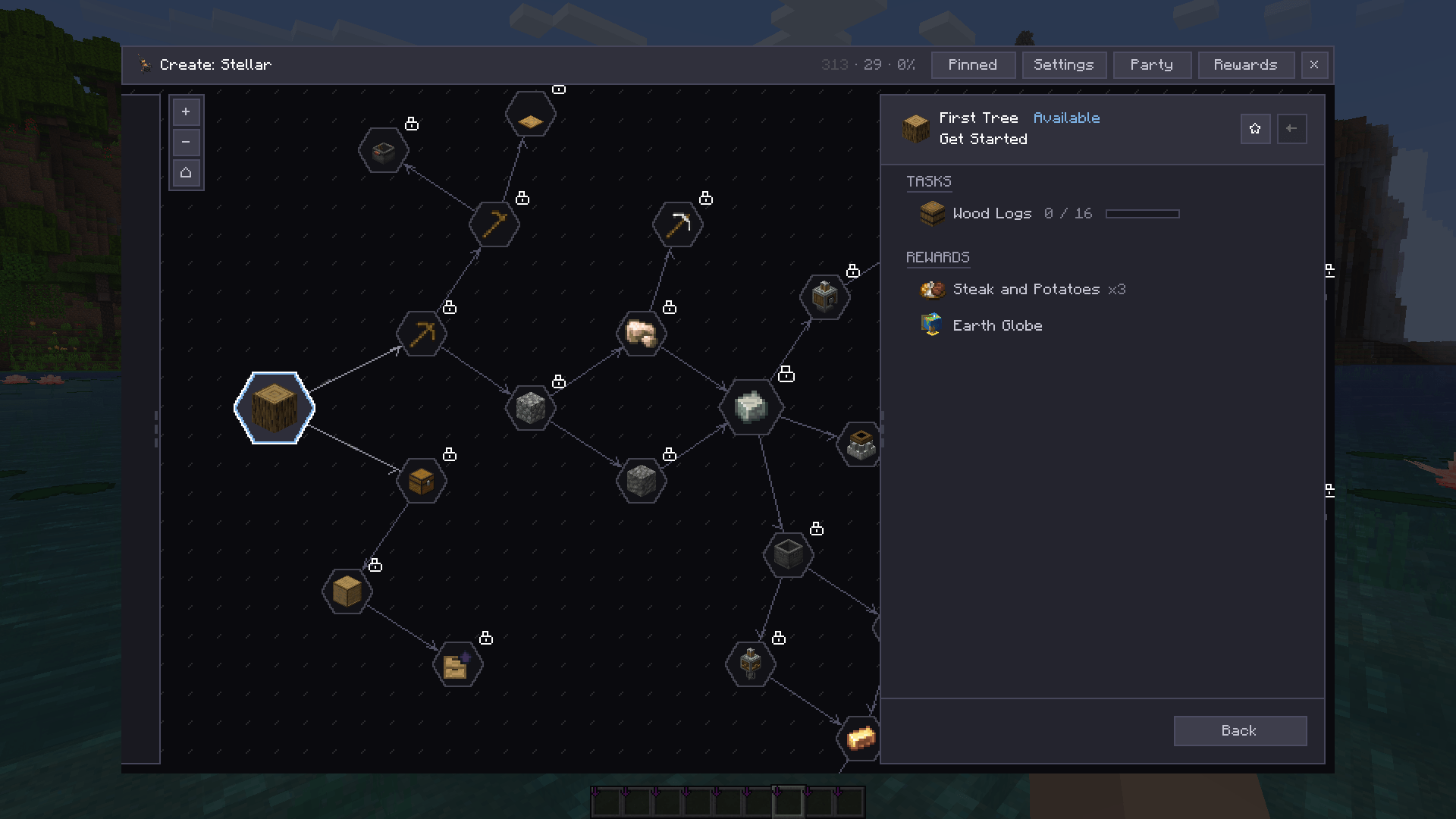
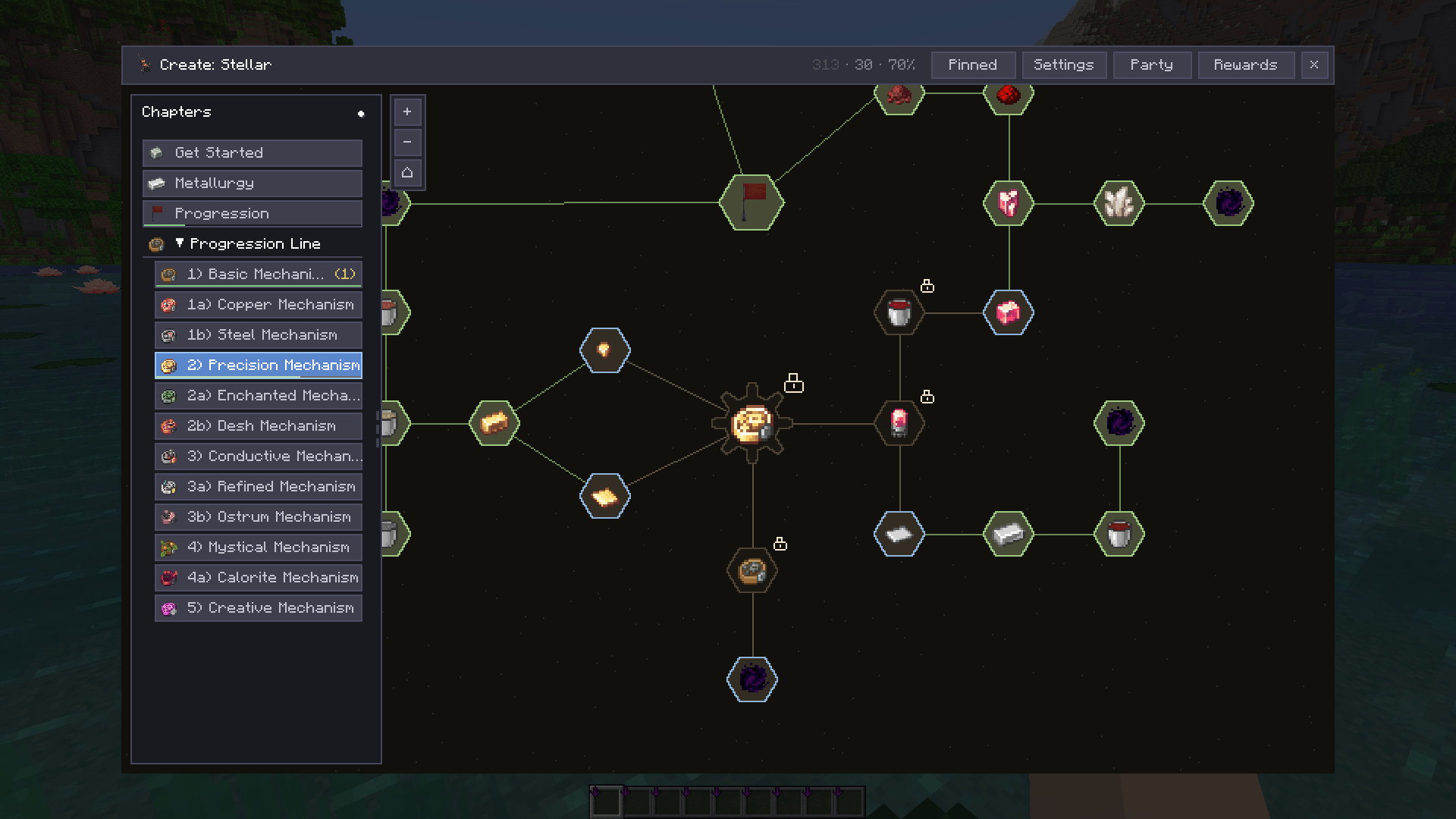
介绍

The modern questing engine for Fabric and NeoForge.
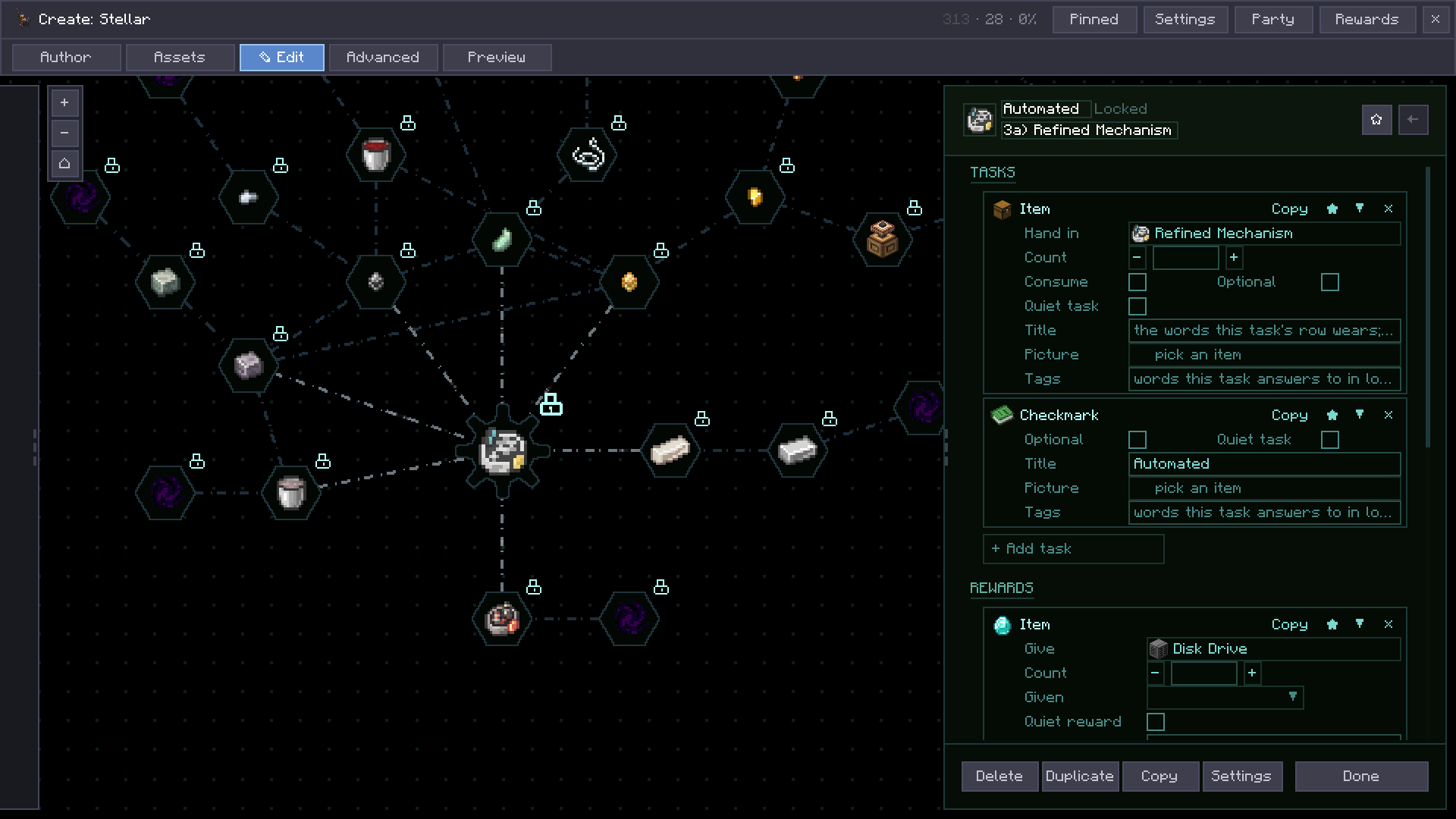
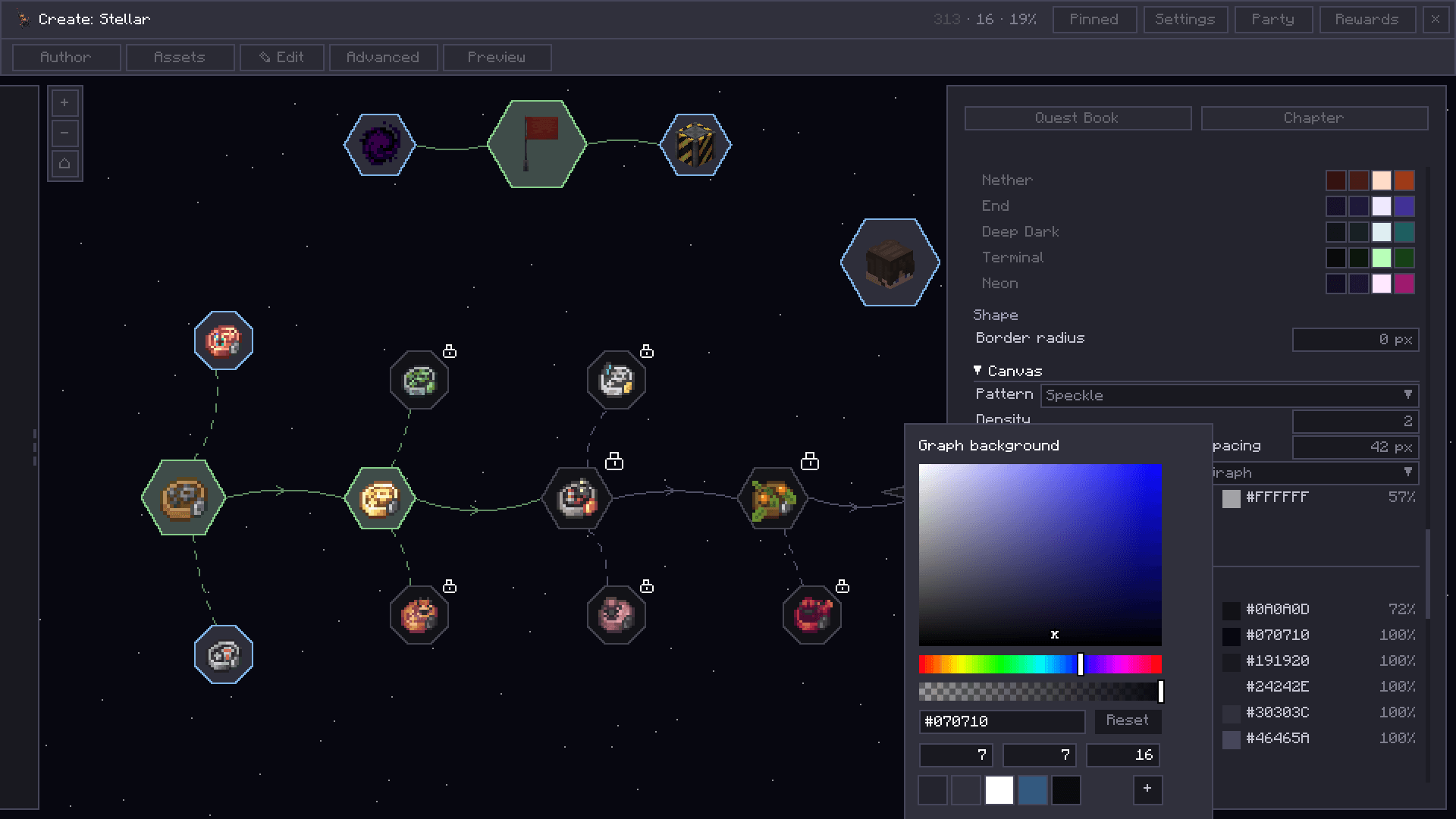
Build quest lines in a modern in-game editor, or describe them in JSON. Tenet draws them in a quest book, and the server decides what counts as done. It ships no quests of its own: it is an engine, not content.
Why Tenet
- An editor that does everything. The whole format in game: quests, tasks, rewards, conditions, chapters, reward tables, themes, with bulk-select and batch edits, undo per chapter, and deletes that come back.
- And plain files underneath. The editor writes the same JSON these docs describe: version-controlled, diffable, pack-friendly, with schema and validation, KubeJS scripting, per-language files, and open registries for addon mods.
- The server decides what counts. Progress is tracked server-side, so players can’t cheat quests complete by editing their own files.
- Broken files fail loudly and locally. The validator reports path and line and skips the file. One broken quest never takes the server down.
- Parties share progress. Built on Armature teams with
ONE_MEMBER,POOLED, orOWNER_ONLYcounting, server-authoritative throughout.
Playing
Install Tenet and Armature together, on client and server. The loader will name Armature if it is missing.
Open the book with the Quest Book item or the B key, and pin quests from the HUD. Details live in the manual:
- The quest book and HUD – canvas, claims, parties
- Commands – every
/tenetcommand - HUD – pinning quests and notices
Making quests
Most players never touch a file: press B and build quests in the in-game editor, with undo per chapter.
Underneath, it is all JSON: config/tenet/quests/, one folder per group, one file per quest, /tenet reload to apply. Everything a pack needs for version control:
- Manual front door
- Folder format
- Quest fields
- Tasks · Rewards · Conditions
- Validation · Languages · KubeJS · FTB mapping
Links


常见问题
Tenet 支持哪些 Minecraft 版本?
Tenet 支持 Minecraft Java 版 1.21.1–26.3,共 2 个版本,可用的加载器:Fabric / NeoForge。下载时注意选择和你游戏版本一致的文件。
Tenet 怎么安装?
先用 PCL2 或 HMCL 启动器安装对应版本的 Fabric / NeoForge,再把下载的 .jar 文件放进游戏目录的 mods 文件夹,重新启动游戏即可。开启了版本隔离的,mods 文件夹在 versions/版本名 下面。
Ellipog 的其他作品
查看全部 →
Animal Origins
为游戏新增多个以动物为主题的起源。
Mythic Origins
精心制作的起源模组附属,为Minecraft带来神话般的力量

Fairytale Origins
一款精心打造的 Origins 模组附属模组,将深受喜爱的童话角色带入 Minecraft。
Galacticborn Origin
这是 Origins 模组的附属内容。
评论
登录后评论和评分