
介绍
-Use command /setSpawn to select global spawn, then use /spawn to teleport to it.
/spawn can be used by everyone, /setSpawn can be used only with admin rights.
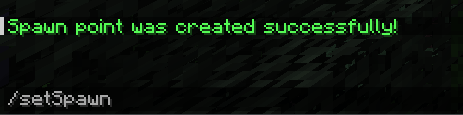
-Use command /setHome to create your home point.
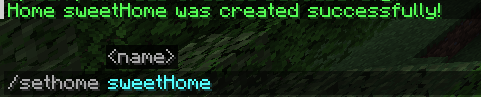
You can teleport to your home by /home
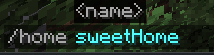
This command can be used by everyone and homes are individual.
You can have only certain amount of homes that specified in the config.
If you at the limit of your homes, you can remove one of your homes to create a space for new one.
You can see all your homes with /homes
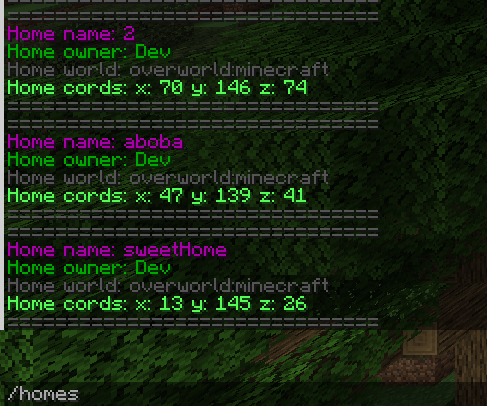
You can remove home with /removehome
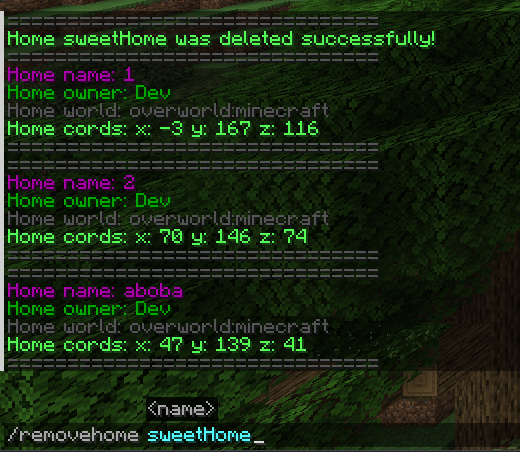
You can only remove homes that you own.
Homes are stored in the world’s config saves/saveName/serverconfig/tp-server.toml
常见问题
TeleportHome 支持哪些 Minecraft 版本?
TeleportHome 支持 Minecraft Java 版 1.20.1,可用的加载器:Forge / NeoForge。下载时注意选择和你游戏版本一致的文件。
TeleportHome 怎么安装?
先用 PCL2 或 HMCL 启动器安装对应版本的 Forge / NeoForge,再把下载的 .jar 文件放进游戏目录的 mods 文件夹,重新启动游戏即可。开启了版本隔离的,mods 文件夹在 versions/版本名 下面。运行环境:仅服务端。
Pyding 的其他作品
查看全部 →
Vestiges of the Present
Hardcore challenges that scales from other mods and awarded with powerful and unique Vestiges from unknown God-like creature. Has lore progression and a lot of cool stuff like negative enchantments, anti heal, heal debt, shields, over heal/shields, etc.

Easy CraftTweaker
Gui for Craft Tweaker that allows you manage your recipes with ease.

Cataclysm Summons
Adds craftable summons for 7 main bosses of Cataclysm that can be used inside corresponding dungeons.

Deathly Hallows
Witchery addon with Thaumcraft and Botania implementations. More dark arts, Elf class, delicious magic food and many more!
评论
登录后评论和评分