
Teleport Manager
Save private and public teleport points, travel by menu or map, and keep PvP fair with warm-ups, cooldowns, and a combat lock.
截图

介绍
TELEPORT MANAGER
Save your favorite places and travel between them, fair and simple! Create private and public teleport points, choose them from a menu or a map, and keep PvP balanced with warm-ups, cooldowns, and a combat lock.
Save your points
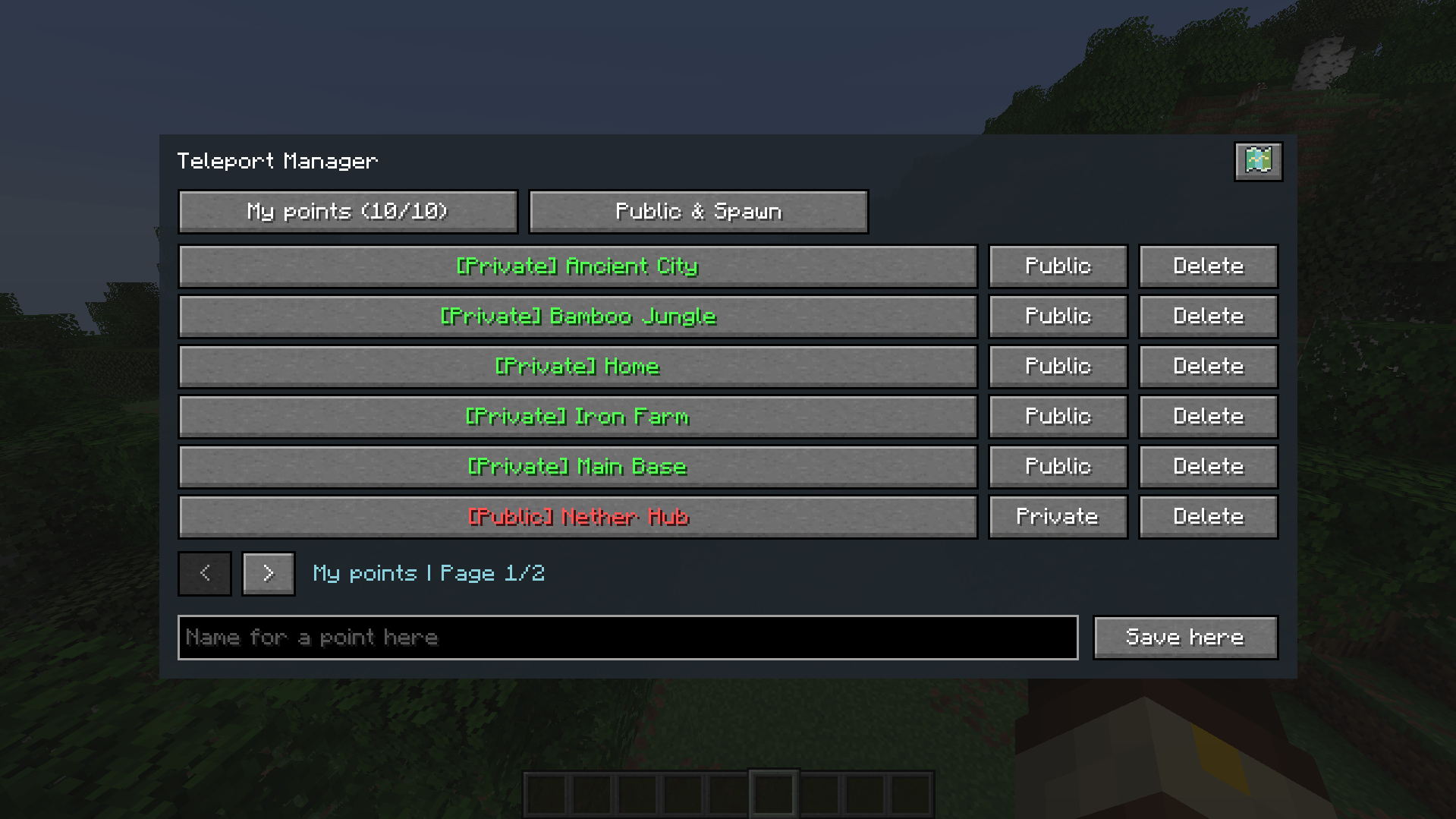
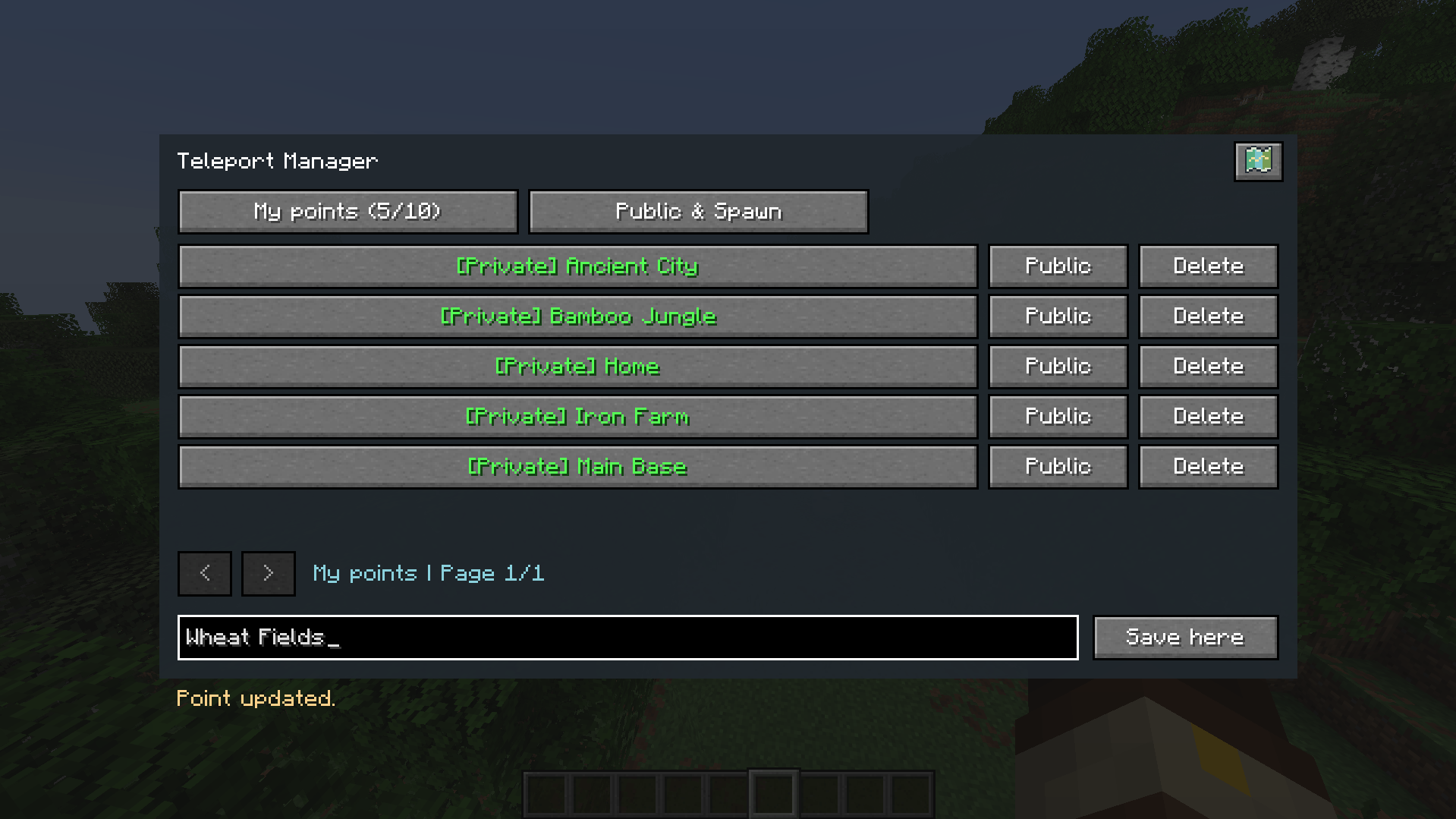
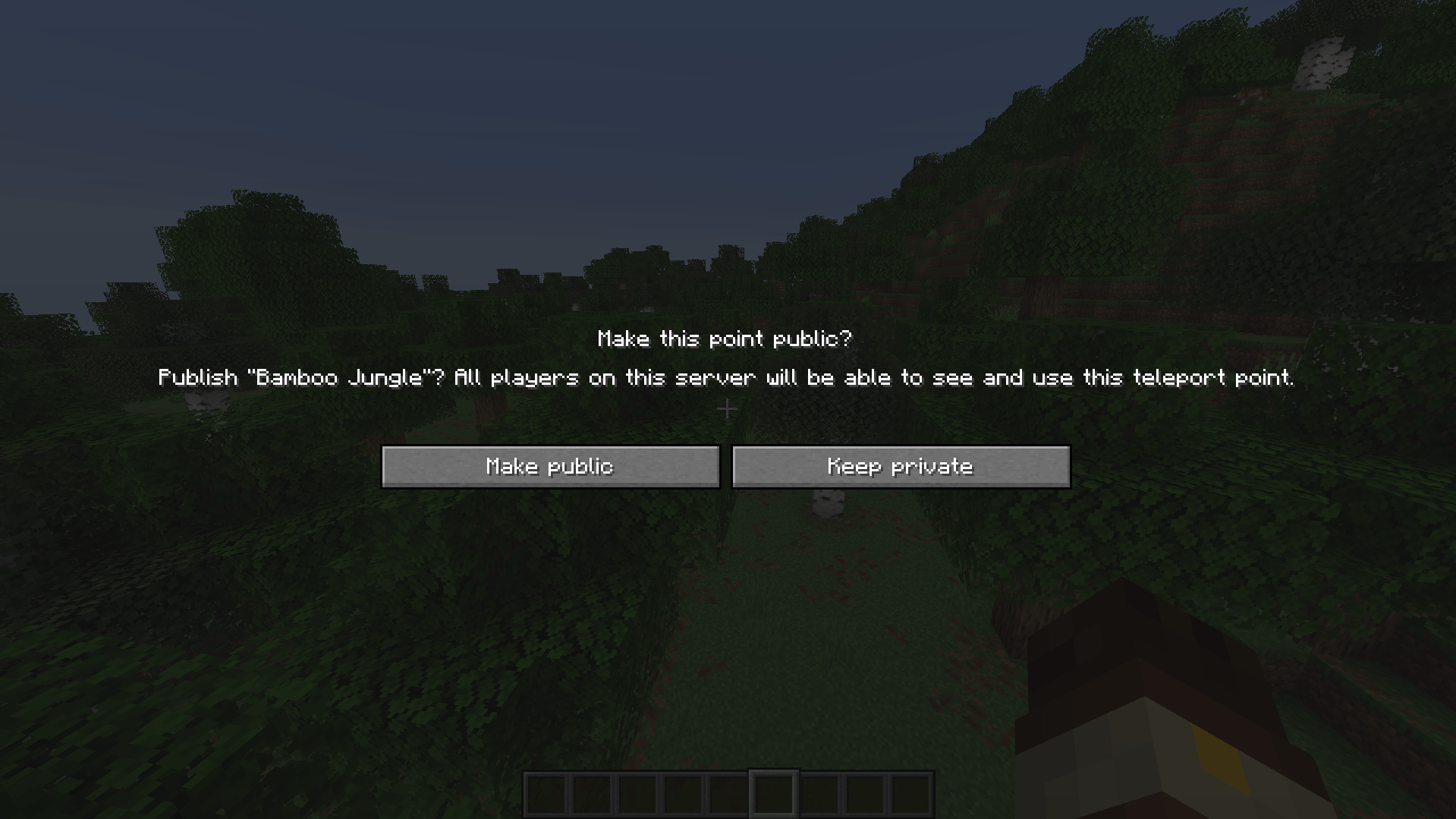
Use /tpm set <name> to save a private point at your current position. Each player can own up to 10 points by default. Names can use 1–32 letters, numbers, spaces, underscores, or hyphens.
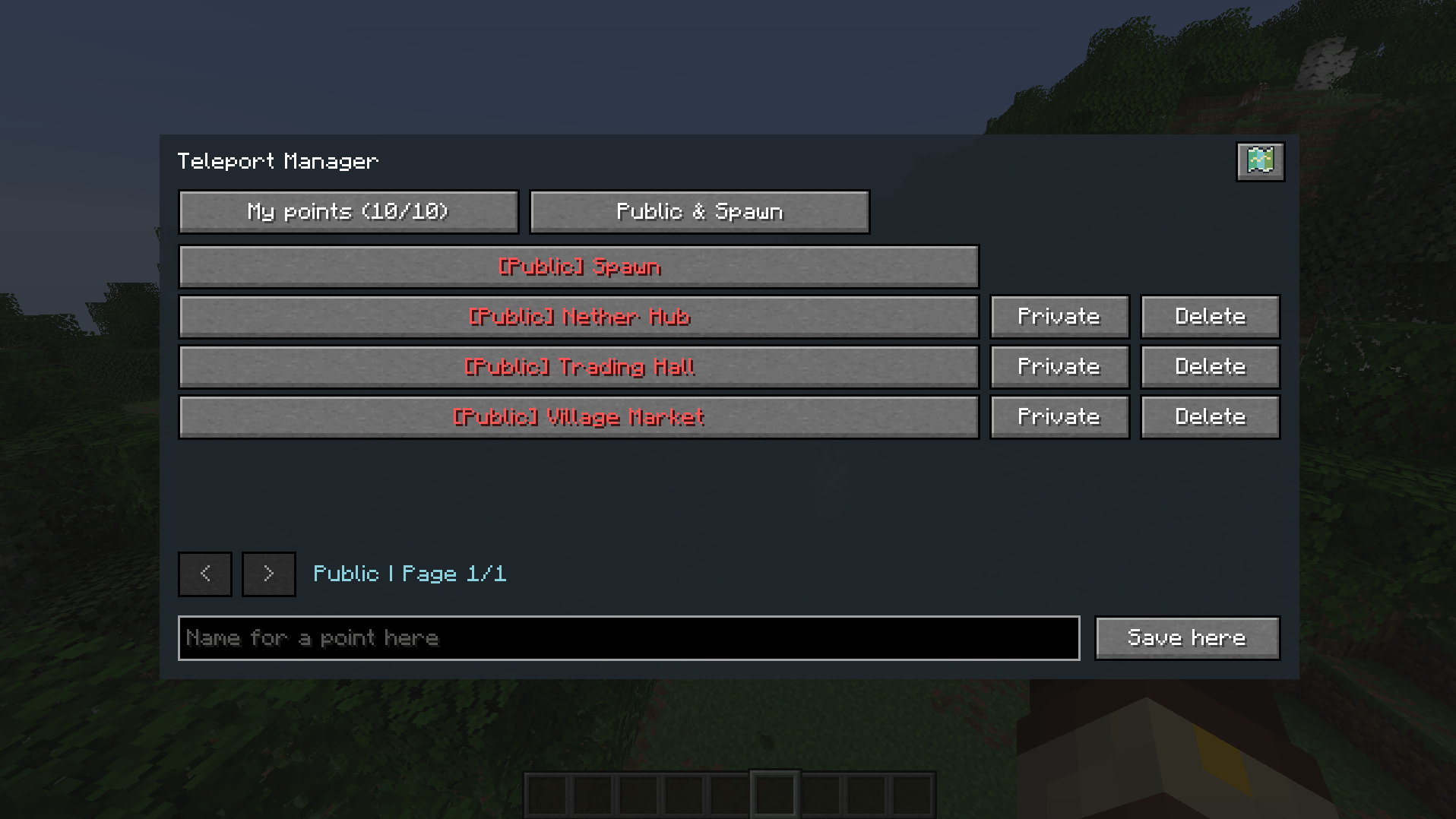
Make a point public to share it with everyone on the server, or keep it private. Private points are never visible to other players. Public points can be used by everyone, but only their owner can rename, hide, or delete them.
Teleport menu and map
Press K to open the teleport menu. Browse your own points or the public list and click a destination to teleport.
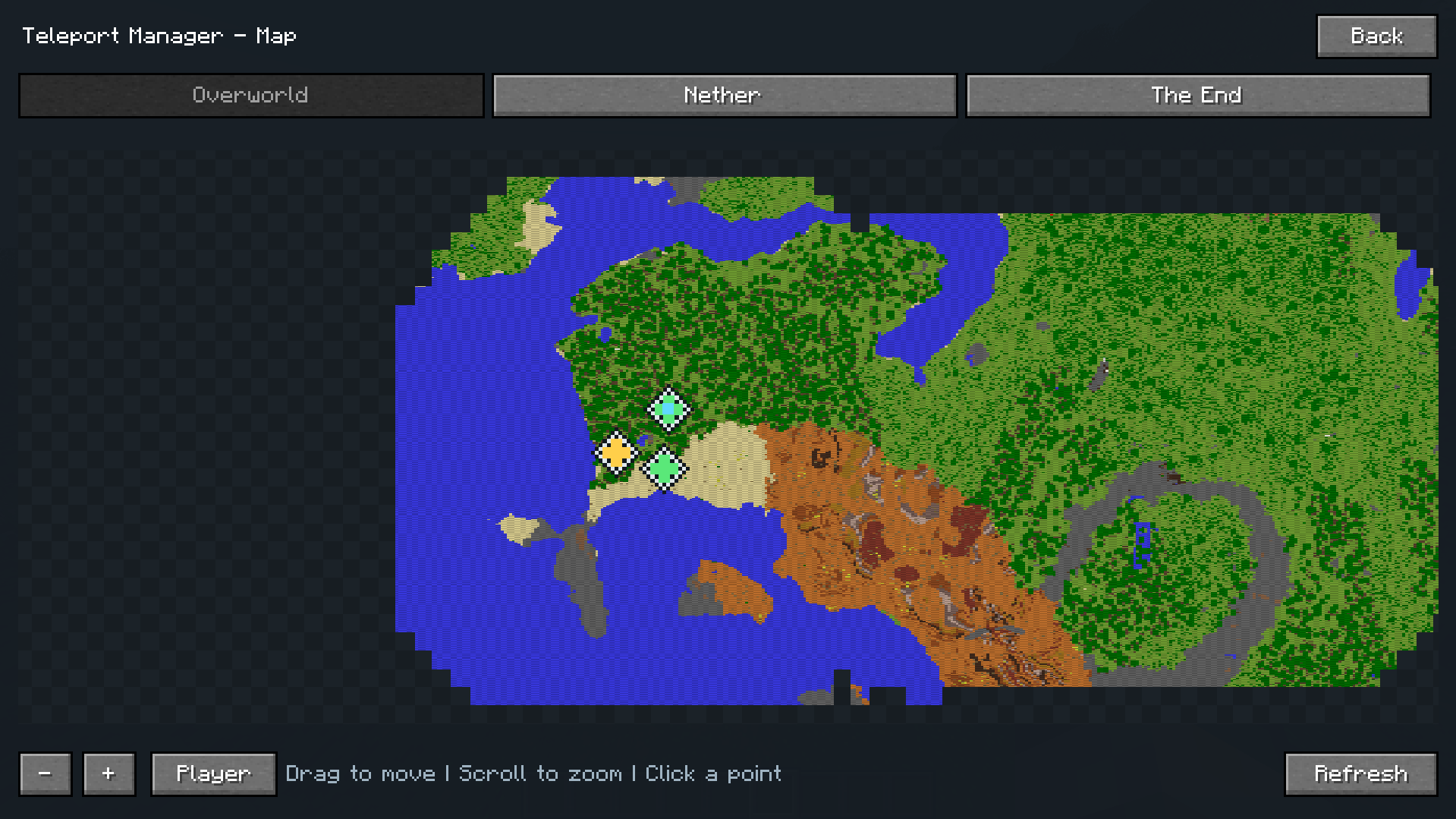
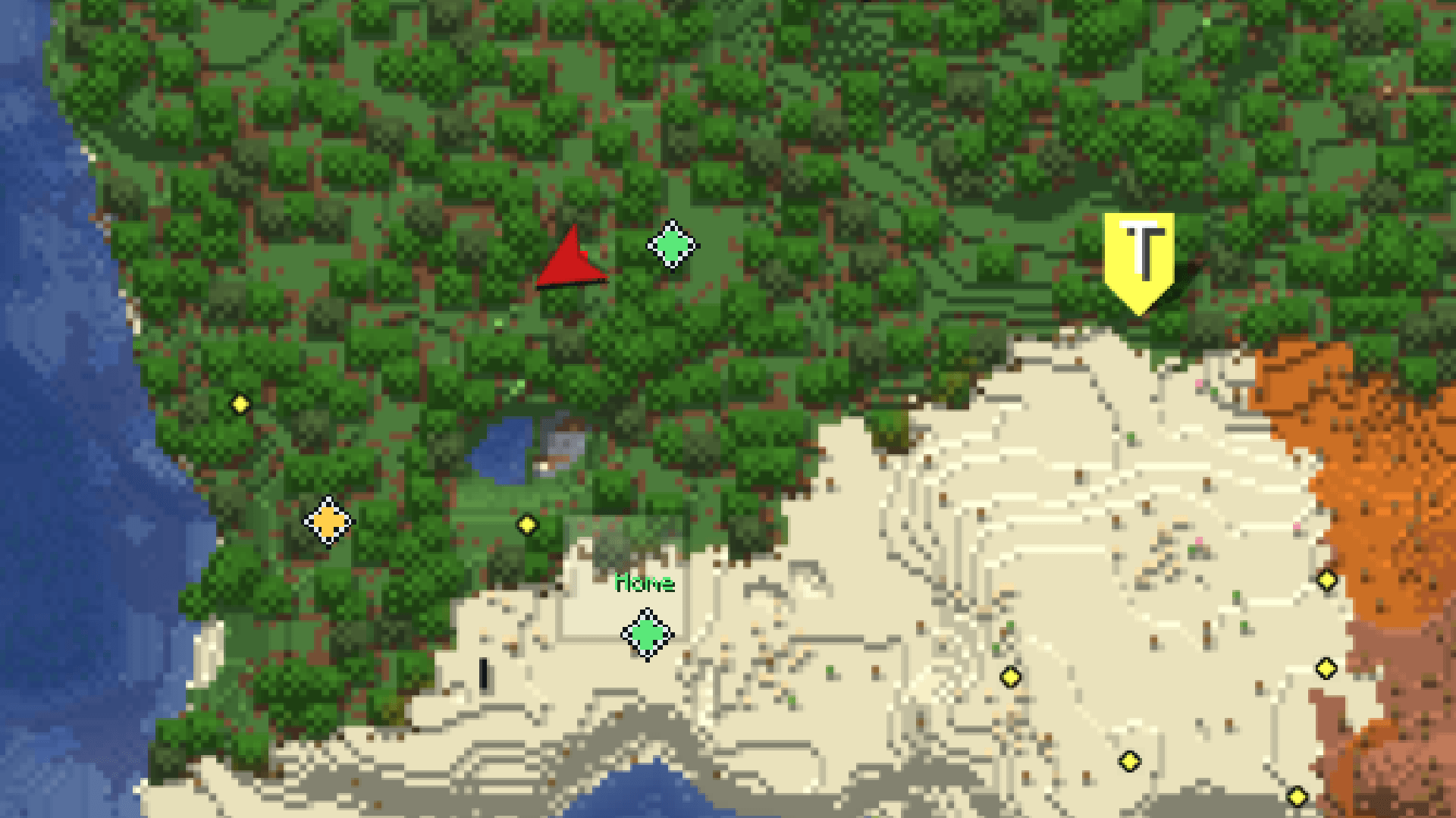
Open the map view to see your points, public points, and the server spawn:
Built-in atlas: shows the terrain you have explored. Drag to move, scroll to zoom, click a point to teleport.
Xaero’s World Map: if installed, the menu opens Xaero’s map instead. You can switch this in the client config.
Teleporting works across the Overworld, the Nether, and the End.
Fair teleporting
Every teleport follows the same rules:
Warm-up: 3 seconds. Moving or taking damage cancels it.
Cooldown: 15 seconds after each successful teleport.
PvP lock: 30 seconds for both attacker and victim. Every further hit restarts the timer.
Mob damage does not start the PvP lock. Unsafe or obstructed destinations are rejected, and no cooldown is charged. Teleporting is free and needs no items, experience, or currency.
Commands
/tpm set <name>: save a new private point
/tpm go <point>: teleport to a point
/tpm cancel: cancel a pending teleport
/tpm public <point> / /tpm private <point>: share or hide your point
/tpm rename <point> <new name>: rename your point
/tpm delete <point>: delete your point
/tpm setspawn / /tpm resetspawn: set the teleport spawn or let it follow the world spawn again (operators only)
Configuration
Point limit, warm-up, cooldown, and PvP lock duration can be changed in the server config. The preferred map can be chosen in the client config.
For players and servers who want home points, shared warps, map teleporting, and fair PvP rules.
Development disclosure: Developed with AI assistance for code, with manual editing and gameplay testing. Questions, bug reports, or feature requests? Feel free to reach out to me on Twitter/X: x.com/ilawayy
常见问题
Teleport Manager 支持哪些 Minecraft 版本?
Teleport Manager 支持 Minecraft Java 版 1.21.1–26.3,共 6 个版本,可用的加载器:Fabric / NeoForge。下载时注意选择和你游戏版本一致的文件。
Teleport Manager 怎么安装?
先用 PCL2 或 HMCL 启动器安装对应版本的 Fabric / NeoForge,再把下载的 .jar 文件放进游戏目录的 mods 文件夹,重新启动游戏即可。开启了版本隔离的,mods 文件夹在 versions/版本名 下面。


评论
登录后评论和评分