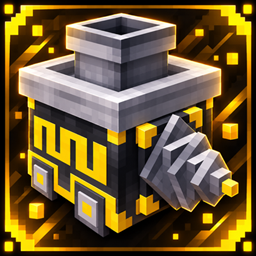
TeDrill
TeDrill automates mining with customizable drilling modes, forward movement, and chest-based resource collection.
介绍


🟡 TeDrill
Automated mining, made simple!
TeDrill introduces a powerful automated drilling machine to Minecraft, featuring customizable mining dimensions, resource collection, and a user-friendly interface.
GUI Update ↓

⭐ Features
- Automatic drilling and forward mining.
- Floor and wall mining modes.
- Adjustable length, height, and width.
- Automatic resource collection into a connected chest.
- Custom 3D model and graphical interface.
- Block and item exclusion filters.
- Optional ×5 resource multiplier.
🎮 Four Sidebar Controls
The updated TeDrill interface includes four interactive buttons on the left side.
1. Floor + Wall Mode
Enable or disable the combined floor and wall drilling option. Easily switch the feature on or off to customize your mining experience.
2. Connected Chest
Open and access the connected chest directly from the TeDrill interface. Monitor collected resources while the machine is operating.
3. Excluded Blocks & Items
Choose which blocks or items the drill should ignore. Add your selections to the exclusion slots and confirm the list using the green checkmark button.
4. ×5 Resource Multiplier
Enable or disable the ×5 resource multiplier to increase collected drops during drilling.
Activation Indicators: The sidebar buttons use a rounded yellow activation indicator. The filter confirmation checkmark is displayed separately.
🔧 v1.0.1 – Bug Fixes & Improvements
- Fixed overlapping activation indicators and unwanted square outlines.
- Improved the appearance and behavior of the four sidebar buttons.
- Fixed the filter confirmation indicator.
- Improved the ×5 multiplier control.
- The GUI now closes automatically when drilling begins.
- Drilling continues normally after closing the interface.
- Players can reopen the GUI to monitor or adjust settings.
- Preserved the existing mining modes, connected chest system, filters, and 3D models.
📦 Compatibility
Mod Loader: Fabric
Supported Minecraft versions:
- 26.1, 26.1.1, 26.1.2 and 26.2: unified JAR.
- 26.3: separate JAR.
Please download the file that matches your Minecraft version.
Created by Tenvoria.
Thank you for supporting TeDrill! Your feedback helps improve future updates.
常见问题
TeDrill 支持哪些 Minecraft 版本?
TeDrill 支持 Minecraft Java 版 26.1–26.3,共 5 个版本,可用的加载器:Fabric。下载时注意选择和你游戏版本一致的文件。
TeDrill 怎么安装?
先用 PCL2 或 HMCL 启动器安装对应版本的 Fabric,再把下载的 .jar 文件放进游戏目录的 mods 文件夹,重新启动游戏即可。开启了版本隔离的,mods 文件夹在 versions/版本名 下面。
Tenvoria 的其他作品
查看全部 →
TenviLib
Lightweight shared library and compatibility layer for Tenvoria Fabric mods
FasLoad
Lightweight Fabric optimization mod focused on faster Minecraft startup, resource loading and singleplayer world entry.⚡
TeleEasy
A lightweight teleportation mod that allows you to instantly travel to where you are looking, featuring target previews, customizable controls, and fast long-distance movement.
MenuEasy
A fast and lightweight in-game utility menu that lets you execute useful commands and actions instantly with a single click.
评论
登录后评论和评分