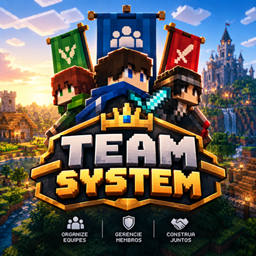
Team System
Enhanced Minecraft teams with leaders, vice-leaders, invitations, permissions, commands, and optional MCA integration.
介绍
Team System
Team System is a team management mod for Minecraft 1.20.1 Fabric that expands Minecraft’s vanilla scoreboard teams with roles, permissions, invitations, team administration, alliances, and optional mod integrations.
Features
· Vanilla Scoreboard Teams — Uses Minecraft’s vanilla scoreboard teams as the foundation, maintaining compatibility with existing /team commands, datapacks, entities, and scoreboard-based progression systems.
· Team Creation — Create teams directly in-game. The creator automatically becomes the Leader, and Friendly Fire is disabled by default.
· Team Roles — Supports three roles: Leader, Vice-Leader, and Member, each with its own permissions and responsibilities. Only players can hold leadership roles; villagers and other non-player entities can only be regular team members.
· Team Management — Leaders and Vice-Leaders can invite players, kick eligible members, manage join requests, and perform other authorized administrative actions. Promoting or demoting members, transferring leadership, and removing the team are exclusive to the Leader.
· Join Requests — Players can request to join an existing team. Leaders and Vice-Leaders can accept or deny pending requests.
· Player Invitations — Leaders and Vice-Leaders can invite players directly to their team using the stick interaction system. Invitations include clickable Accept and Deny options in chat.
· Automatic Expiration — Player invitations, join requests, and alliance invitations expire after 5 minutes.
· Team Alliances — Teams can form persistent alliances with other vanilla scoreboard teams through invitations that can be accepted or denied directly in chat.
· Alliance Management — View pending alliance invitations, list allied teams, and end existing alliances using commands. Alliance management respects the Leader and Vice-Leader permission hierarchy.
· Alliance Friendly Fire — Configure Friendly Fire independently for each alliance. Friendly Fire between allied teams is disabled by default.
· Team Colors — Manage team colors using Minecraft’s available scoreboard colors.
· Friendly Fire Protection — Respects vanilla scoreboard Friendly Fire settings and extends protection to supported team entities and friendly projectiles. Alliance Friendly Fire settings are handled independently for each alliance.
· Stick Interaction — Sneak while holding a stick and right-click a player or MCA villager to access supported team management actions directly in the world.
· MCA Reborn Integration — When Minecraft Comes Alive Reborn is installed, MCA villagers can be added to or removed from scoreboard teams using the stick interaction system. Only Leaders and Vice-Leaders can manage MCA members. Adding a villager requires at least 100 relationship hearts (Close Friend).
· MCA Villager Tracking — Villagers are tracked using their entity UUID, allowing individual villagers to be managed reliably even when multiple villagers share the same name.
· MCA Guard and Archer Assistance — Teamed MCA Guards and Archers in MOVE or following a teammate in FOLLOW can assist with nearby combat. When a teammate successfully attacks a living entity, eligible guards can join the fight. Guards in STAY remain at their posts. Guards also defend themselves when directly attacked and can protect their followed player or nearby teammates when they take damage.
· Combat Target Priority — Ordinary attacks preserve a guard’s current valid target. Sneaking while successfully attacking another target explicitly switches the guard’s focus, taking priority over its previous combat target.
· Family Protection — MCA Guards and Archers recognize their family-tree relatives. Relatives without a team or on the same team are protected from their family guards. Relatives assigned to different teams can fight, subject to normal team and alliance Friendly Fire rules.
· Village Guard Retaliation — Nearby unteamed village guards can retaliate against the actual MCA Guard or Archer that damages an unteamed civilian villager.
· Combat Cancellation — Temporary combat assistance is canceled when a guard receives a conflicting MCA command or task, changes team or profession, loses a valid target, or exceeds the configured pursuit distance. Guards ordered to STAY remain at their posts.
· Death Combat Reset — Combat state is cleared when a guard dies, preventing it from resuming a previous fight after resurrection unless a new combat event occurs.
· Team Capes Compatibility — When Team Capes and MCA Reborn are installed, MCA villagers assigned to colored teams can display the matching Team Capes texture.
· Mod Menu Configuration — Provides an in-game configuration screen for general guard functionality, escort defense, combat messages, and maximum pursuit distance.
· Command Auto-Completion — Provides TAB suggestions for supported commands, including eligible members, pending requests, invitation IDs, alliance targets, allied teams, and Friendly Fire options.
· Team Help System — Includes an in-game /team help system with multiple pages, clickable navigation, command descriptions, and alliance management information.
· Persistent Team Data — Team leadership, Vice-Leaders, pending requests, alliances, and other management data are saved persistently with the world.
· Localization — Includes English and Brazilian Portuguese translations for supported mod messages, command help, invitations, alliance notifications, errors, and confirmations. The client language determines which translation is displayed.
· Optional Integrations — Minecraft Comes Alive Reborn and Team Capes provide optional villager and cape features. FTB Teams is also optional and receives an API-only party-creation setting when installed. FTB Quests is not required and has no direct gameplay integration with Team System.
Commands
Team System extends Minecraft’s existing /team command with additional management and alliance functionality.
Team Management
· /team add <team> — Create a team. The creator automatically becomes its Leader.
· /team join <team> — Request to join an existing team.
· /team accept <id> — Accept a join request, player invitation, or alliance invitation.
· /team deny <id> — Deny a join request, player invitation, or alliance invitation.
· /team leave — Leave your current team. The Leader must transfer leadership or remove the team first.
· /team list — List all teams.
· /team list <team> — View a team’s Leader, Vice-Leaders, and members.
· /team pending — View pending join requests for your team. Leader and Vice-Leader only.
· /team promote <player> — Promote a regular member to Vice-Leader. Leader only.
· /team demote <player> — Demote a Vice-Leader to regular Member. Leader only.
· /team transfer <player> — Transfer leadership to another team member. Leader only.
· /team kick <player> — Remove an eligible member from your team.
· /team remove <team> — Remove your team. Leader only.
· /team info — View your current team and role.
· /team color — View the available scoreboard colors.
· /team modify <team> color <color> — Change your team’s color.
· /team modify <team> friendlyfire <true|false> — Configure Friendly Fire for your team.
· /team help — View the in-game command reference.
Team Alliances
· /team alliance invite <team> — Invite another team to form an alliance.
· /team alliance pending — View pending alliance invitations.
· /team alliance list — List allied teams.
· /team alliance break <team> — End an existing alliance.
· /team alliance friendlyfire <team> <true|false> — Configure Friendly Fire for a specific alliance.
Alliance invitations are accepted or denied using /team accept <id> and /team deny <id>, respectively.
Use /team help for the complete in-game command reference. TAB completion is available for supported command arguments.
The vanilla scoreboard remains responsible for actual team membership, while Team System adds role management, invitations, alliance data, and other team features on top of it.
Vanilla Compatibility
Team System is built around Minecraft’s vanilla scoreboard teams rather than creating a separate team system.
Existing teams, player memberships, supported entity memberships, datapacks, commands, and progression systems that use the vanilla scoreboard can continue using the same underlying team data.
Existing team memberships do not need to be recreated when installing the mod.
The mod intercepts the overlapping player-entered /team commands to provide its additional behavior. Server console commands, command blocks, functions, and datapacks continue to use Minecraft’s vanilla command implementation.
Permissions
Team management follows a role-based hierarchy.
· Leader — Full team management permissions. Can promote and demote members, transfer leadership, remove the team, manage members, and administer alliances.
· Vice-Leader — Can invite players, manage regular members, handle join requests, and administer alliances. Cannot promote or demote members, transfer leadership, remove the team, or kick another Vice-Leader.
· Member — Standard team access without administrative permissions.
Only valid Minecraft player profiles can hold leadership roles. MCA villagers and other non-player entities can remain team members but cannot become Leaders or Vice-Leaders.
Alliance management follows the same Leader and Vice-Leader permission hierarchy. Server operators can still use vanilla administrative team commands when necessary for server moderation and management.
Optional Integrations
Minecraft Comes Alive Reborn
Provides optional support for MCA villagers, including team assignment, UUID-based villager tracking, supported Friendly Fire protection, family recognition, village guard defense, and combat assistance for teamed Guards and Archers.
Guards in MOVE can assist nearby teammates, while guards in FOLLOW assist and protect the player they actually follow. Guards ordered to STAY remain at their posts.
Sneaking while successfully attacking another target explicitly changes the combat focus of eligible nearby guards. Ordinary attacks preserve an existing valid target.
Team Capes
When Team Capes and MCA Reborn are both installed, MCA villagers assigned to colored scoreboard teams can display the matching Team Capes texture.
FTB Teams and FTB Quests
Both mods are optional and are not required for Team System’s core functionality.
When FTB Teams is installed, Team System applies an optional API-only party-creation setting. FTB Quests is listed as optional modpack compatibility metadata and does not provide a direct Team System integration.
Installation
Install Team System on both the client and server.
No additional team-management script is required.
Existing worlds can continue using their current vanilla scoreboard teams.
For MCA villager management and combat assistance, install a compatible version of Minecraft Comes Alive Reborn.
Compatibility
· Fabric
· Java 17 or newer
Team System is designed to work alongside existing vanilla scoreboard-based systems without requiring worlds to be recreated.
Credits
Created by zclashtm.
License
Team System is licensed under the MIT License.
常见问题
Team System 支持哪些 Minecraft 版本?
Team System 支持 Minecraft Java 版 1.20.1,可用的加载器:Fabric。下载时注意选择和你游戏版本一致的文件。
Team System 怎么安装?
先用 PCL2 或 HMCL 启动器安装对应版本的 Fabric,再把下载的 .jar 文件放进游戏目录的 mods 文件夹,重新启动游戏即可。开启了版本隔离的,mods 文件夹在 versions/版本名 下面。
zClash 的其他作品
查看全部 →
MCA Bewitchment Compat
Adds werewolf and vampire transformation, inheritance, growth, data preservation, death, tombstone, and resurrection compatibility between MCA Reborn and Bewitchment.

Coastal Waves Fabric Port
An unofficial Fabric 1.20.1 port of Coastal Waves that adds animated coastal waves, sounds, interactions, and bioluminescence.
MCA Equipment Compat
Adds advanced equipment management, Trinkets, Accessories, and mod compatibility to adult MCA Reborn villagers.
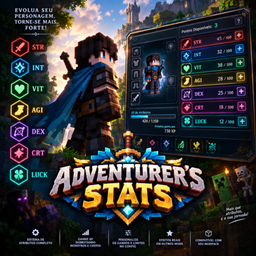
Adventurer’s Stats
A complete RPG stats and progression system for Minecraft 1.20.1 Fabric, featuring customizable attributes, XP progression, Attribute Points, and detailed attribute breakdowns.
评论
登录后评论和评分