Task Manager
Adds feature to add tasks and create your own to-do lists and track their completion.
截图
介绍
Subscribe on our Youtube channel, we will post announcement and release trailers there soon!
_TasksManager is a lightweight, client-side Fabric mod that helps you track item-collection goals without leaving the game. Whether you’re grinding resources for a mega-build, hunting rare drops, or just organising your survival checklist TasksManager keeps everything visible on your HUD._
Features
Task Tracking – Create tasks with or without items. Tasks with items track your inventory automatically and mark as complete when you hit the target.
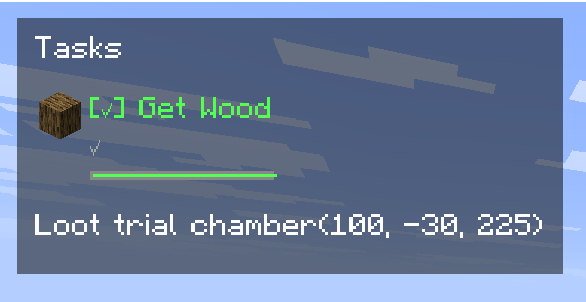
A live progress bar and countdown timer show exactly how much time remains.
Pause on Exit – Deadlines freeze when you leave the world and resume when you return. No penalty for taking a break.
Per-World / Per-Server – Every world and server has its own task list. Your single-player goals won’t interfere with your server chores.
Deadlines – Set a time limit on any task.
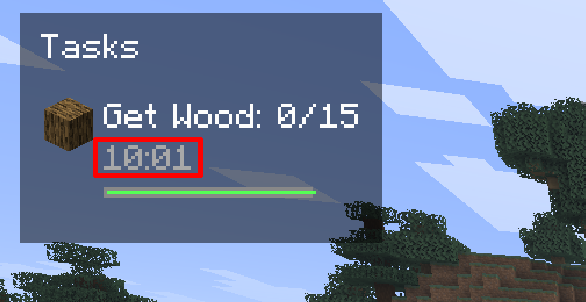
Auto-Complete – Item-based tasks finish automatically the moment you collect enough. Manual tasks can be checked off with a single click.
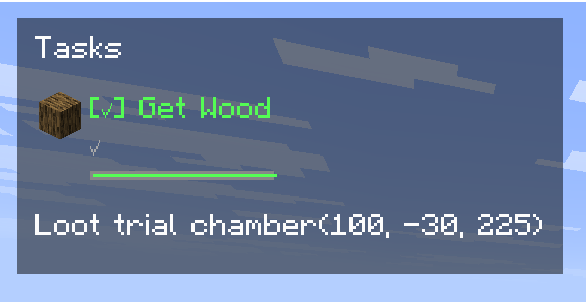
HUD Display – See your active tasks in the top-left corner with progress, status icons, deadline bars, and countdowns.
Responsive layout adapts to tasks with and without deadlines.
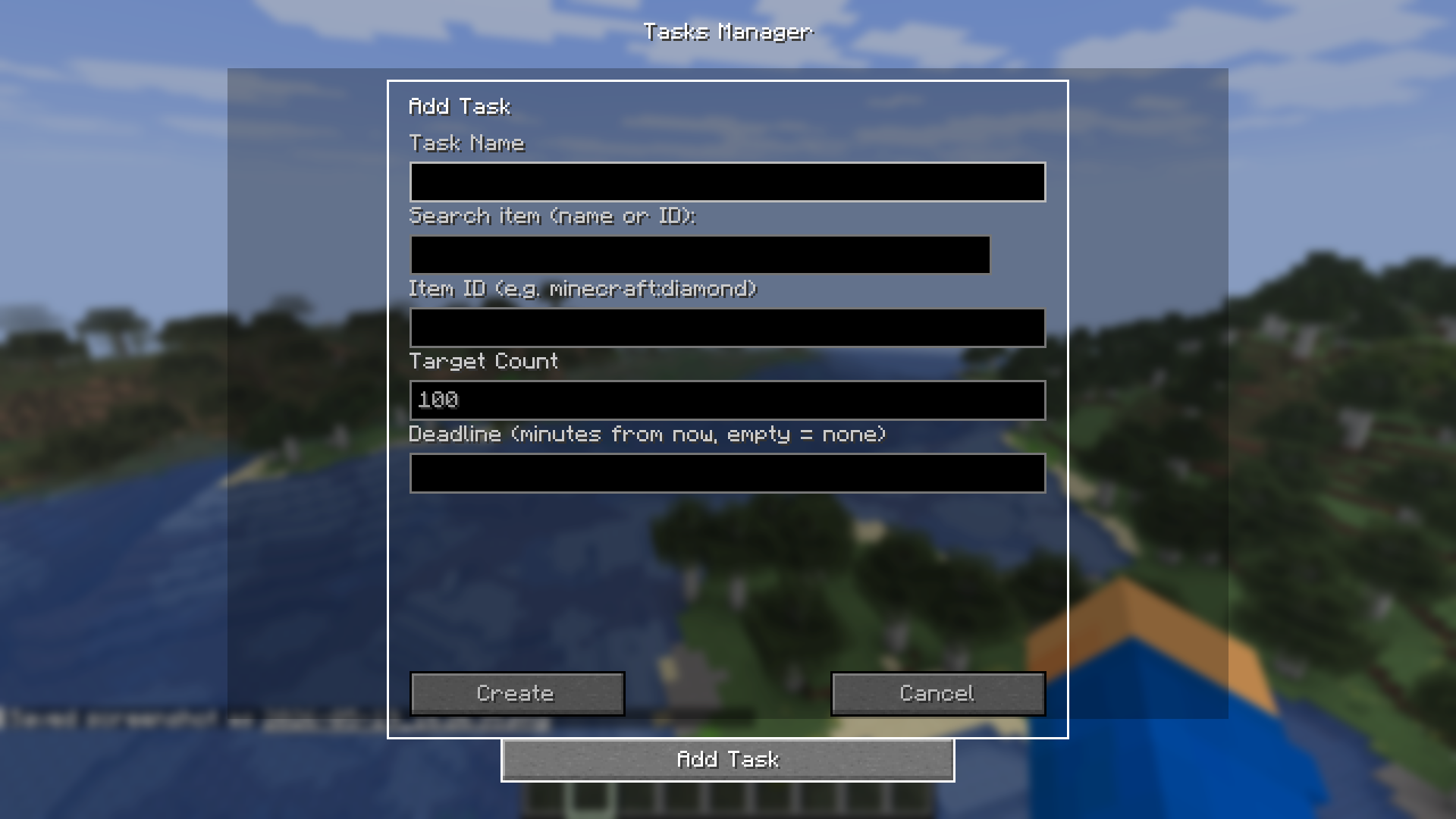
Full Task Management UI – Press U (configurable) to open the task screen.
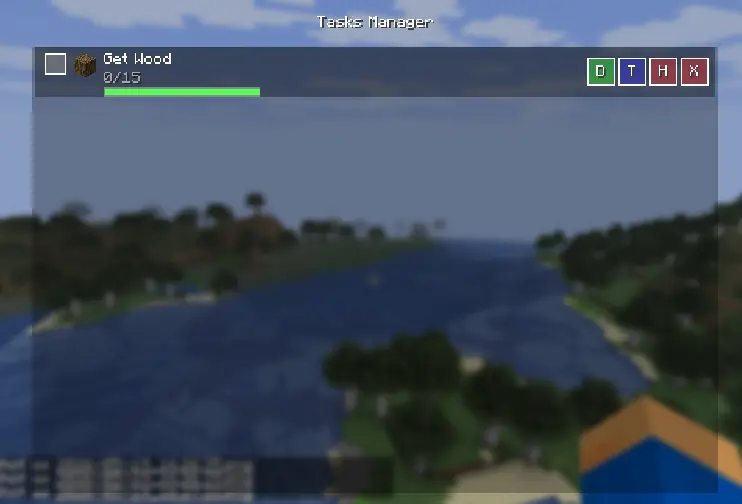
Add, edit targets, set deadlines, hide, or delete tasks.
Built-in item search helps you find the right item ID.
How to Use
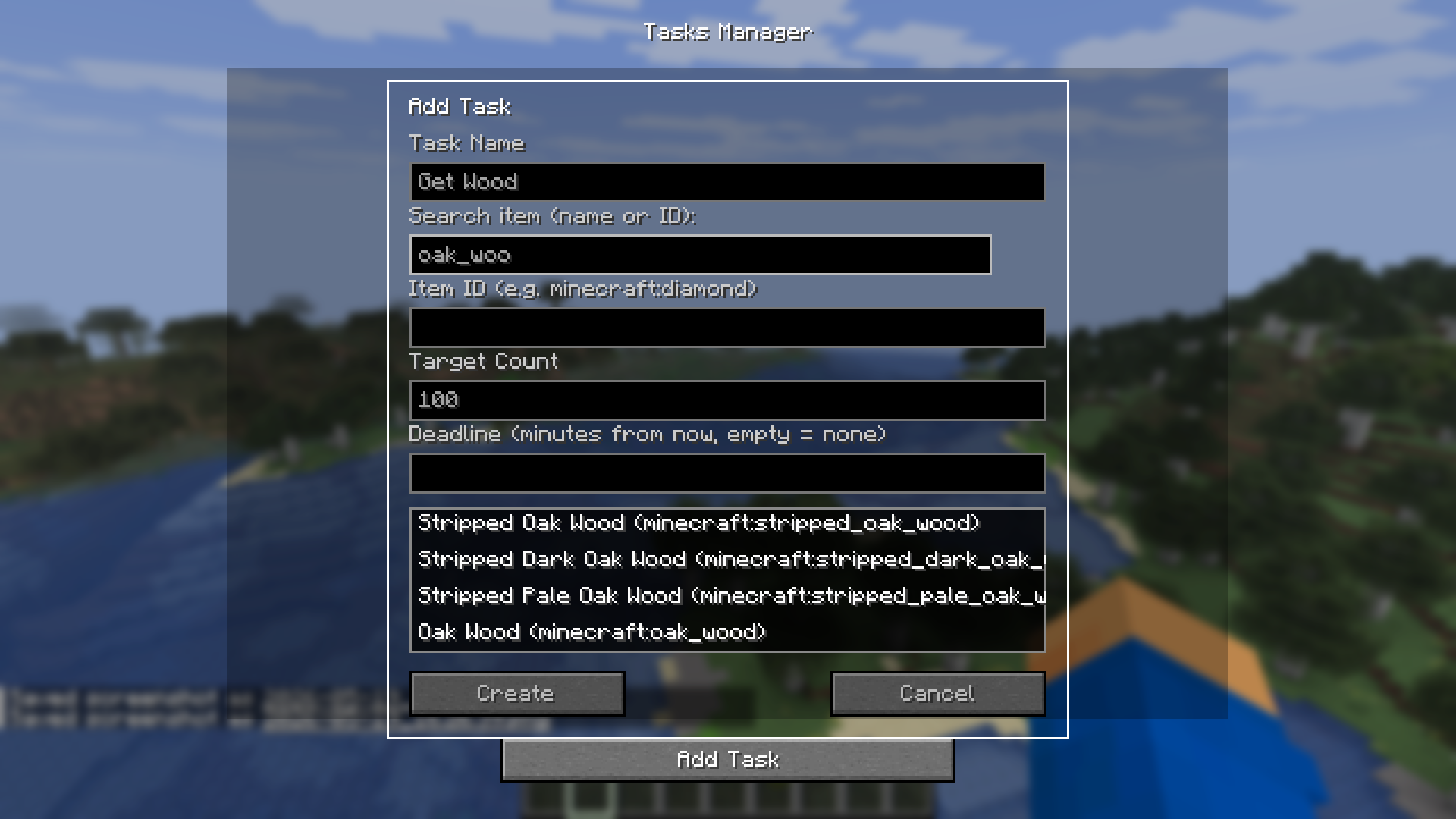
Press U to open the task manager, Click “Add Task“, give it a name, optionally link an item (search by name or ID), set a target count, and assign a deadline in minutes
Tasks appear on the HUD automatically. Item counts update in real time as you pick up or drop items.
Click the checkbox in the task list to manually mark a task complete, or let auto-complete handle it.
Use the H, T, D, X buttons to hide, edit target, set deadline, or delete a task
常见问题
Task Manager 支持哪些 Minecraft 版本?
Task Manager 支持 Minecraft Java 版 1.21.11–26.2,共 2 个版本,可用的加载器:Fabric。下载时注意选择和你游戏版本一致的文件。
Task Manager 怎么安装?
先用 PCL2 或 HMCL 启动器安装对应版本的 Fabric,再把下载的 .jar 文件放进游戏目录的 mods 文件夹,重新启动游戏即可。开启了版本隔离的,mods 文件夹在 versions/版本名 下面。运行环境:仅客户端。

评论
登录后评论和评分