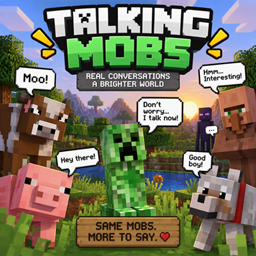
Talking Mobs
Bring your Minecraft world to life! Mobs like zombies, skeletons, creepers, spiders, cows, pigs, and sheep speak when you approach them and react when they take damage. Each mob has unique dialogue!
介绍
🗣️ Talking Mobs
Give your Minecraft world a voice! Talking Mobs makes mobs more lively by giving them unique dialogue when players get close or when they take damage.
✨ Features
-
🗨️ Nearby Dialogue — Mobs can speak when players come near them.
-
💥 Damage Reactions — Mobs say different things when they get hurt.
-
🎭 Unique Personalities — Different mobs have their own dialogue.
-
💬 Chat Messages — Hear mobs speak through Minecraft chat.
-
⏱️ Dialogue Cooldowns — Helps prevent mobs from talking constantly.
-
📁 Separate Dialogue Files — Designed to support individual dialogue sets for different mobs.
🐾 Currently Supported Mobs
-
Zombie
-
Skeleton
-
Creeper
-
Spider
-
Cow
-
Pig
-
Sheep
🚧 Mobs Coming Soon
More mobs and dialogue are planned for future updates, including:
-
Villagers
-
Endermen
-
Chickens
-
Cows and other farm animals with expanded dialogue
-
Iron Golems
-
Witches
-
Slimes
-
Wolves
-
Cats
-
And many more!
Planned mobs are not necessarily available in the current release.
🔮 Future Plans
-
More dialogue for existing mobs
-
More mob types and personalities
-
Funny, friendly, angry, and scared dialogue
-
More reactions to different situations
-
Improved dialogue customisation
-
More features to make Minecraft worlds feel alive
🛠️ Requirements
-
Minecraft 1.21.1
-
NeoForge
Check the project files for the exact requirements of your downloaded version.
💡 Suggestions and Feedback
Have an idea for a mob or a funny line it should say? Share your suggestions! Your ideas can help shape future Talking Mobs updates.
Make Minecraft mobs more than just mobs — give them something to say!
常见问题
Talking Mobs 支持哪些 Minecraft 版本?
Talking Mobs 支持 Minecraft Java 版 1.21.1,可用的加载器:NeoForge。下载时注意选择和你游戏版本一致的文件。
Talking Mobs 怎么安装?
先用 PCL2 或 HMCL 启动器安装对应版本的 NeoForge,再把下载的 .jar 文件放进游戏目录的 mods 文件夹,重新启动游戏即可。开启了版本隔离的,mods 文件夹在 versions/版本名 下面。
minecraftgod21 的其他作品
查看全部 →
MineMoney
Money Mod adds a simple currency system to Minecraft! 💰 Collect coins and cash, trade with players, and create your own economy. Perfect for servers and survival worlds, this lightweight mod makes buying and selling easy and fun.
DimensionBlocker
DimensionBlocker is a server-side NeoForge 1.21.1 mod that lets server admins lock/unlock The Nether and The End, set real-time unlock timers, and allow OPs to bypass locked dimensions.

Create Above The Stars
Create Above The Stars is a space-focused Minecraft modpack built around Create, automation, engineering, exploration, and progression. Build powerful factories, generate resources, explore the stars, and expand your technology beyond Earth.

the cool zone smp
🔥 The Cool Zone SPM — Survival • Adventure • Power • Modern Combat Minecraft 1.20.1 | Singleplayer & Multiplayer The Cool Zone SPM is a high-energy Survival Adventure modpack that brings together modern guns
评论
登录后评论和评分