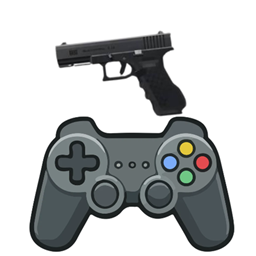
TACZ Controllable Compat
Controller support for Timeless and Classics Zero (TACZ) through Controllable. This is a client-side mod for Minecraft 1.20.1 on Forge. It is still experimental.
介绍
#
TACZ Controllable Compat
Lets you play Timeless and Classics Zero (TACZ) with a gamepad using Controllable, and adds controller driving for MrCrayfish’s Vehicle Mod. It is client-side only. It does nothing if TACZ or Controllable is missing.
## What it does
**Gun bindings you can rebind**
A “TACZ (Controller)” category appears in Controllable’s bindings screen. Defaults:
| Action | Default button |
|—|—|
| Shoot | RT |
| Aim down sights | LT |
| Reload | X |
| Melee | B |
| Fire mode | D-pad Left |
| Attachments (opens the refit screen) | D-pad Up |
| Inspect | Unbound |
**Aim fix for analog triggers**
Controllable reports each trigger as pressed or released at a fixed halfway point, so a trigger resting near halfway made aiming spam on and off. This mod adds a separate press and release threshold (default 0.60 and 0.40), so aiming engages once and stays. Both values are configurable.
**Aim assist**
Works with any TACZ gun, including guns from gun packs.
– Turns the view smoothly toward the target, every frame.
– Slows the right stick while a target is near the crosshair.
– Pulls harder while aiming down sights.
– Targets every mob by default (not your own pets). Players are off by default.
– Range, cone angle, pull strength, stick slowdown and target types are all configurable.
**On-screen button hints**
While holding a gun, Controllable’s “Attack” and “Use Item” hints become Shoot, Aim and Reload. An option adds Fire Mode, Attachments, Melee and Inspect.
**MrCrayfish’s Vehicle Mod (optional)**
– GTA V-style driving: RT is gas, LT is brake/reverse, left stick steers, RB is handbrake. This switches on the Vehicle Mod’s own trigger option while you ride.
– Rebindable “Vehicle: Horn” (L3) and “Vehicle: Exit” (Y).
– Hints for accelerate, brake, handbrake, horn and exit.
– While riding a vehicle, gun bindings and aim assist are off.
**In-game config screen**
Mods → TACZ Controllable Compat → Config. Two pages: toggles, then sliders.
## Requirements
– Minecraft 1.20.1, Forge 47+
– TACZ 1.1.8 (hotfix2)
– Controllable 0.21.9
– Framework 0.8.0 (required by Controllable)
– Optional: MrCrayfish’s Vehicle Mod (tested with the unofficial 0.45.3-1.20.1 port)
## Known limitations
– The Vehicle Mod keeps its handbrake on RB and its own horn on R3, so R3 still honks as well as sneaking.
– TACZ’s own “TACZ” binding category now mirrors this mod’s bindings. Change controls in the new category.
– Reload uses X by default, which TACZ’s zoom also used. Rebind zoom if you need it.
– Hints and vehicle support depend on internals of Controllable and the Vehicle Mod, so other versions may need an update.
– This is an early release and has had limited testing. It has not been tested across other TACZ versions, controllers or multiplayer servers.
## Reporting problems
Turn on `debug` under `[aimAssist]` in the config (or “Debug (action bar)” in the config screen) and attach `logs/latest.log`.
## Credits
– Idea and design direction: santoskarlde-ops
– Inspired by the feature set of “TACZ Controlify Compatibility” by Rbx NostalgicStore, which targets Controlify. This is a separate mod written from scratch for Controllable, and no code was copied.
– Built on Controllable and Framework by MrCrayfish, and on TACZ.
– MrCrayfish’s Vehicle Mod is a separate mod; this one only adds controller support for it.
## AI disclosure
The ideas, feature list and testing direction come from me. The code was written with the help of AI (Claude by Anthropic), and I review and test it myself.
Source code: https://github.com/santoskarlde-ops/Controllable-Mod-Integration
常见问题
TACZ Controllable Compat 支持哪些 Minecraft 版本?
TACZ Controllable Compat 支持 Minecraft Java 版 1.20.1,可用的加载器:Forge。下载时注意选择和你游戏版本一致的文件。
TACZ Controllable Compat 怎么安装?
先用 PCL2 或 HMCL 启动器安装对应版本的 Forge,再把下载的 .jar 文件放进游戏目录的 mods 文件夹,重新启动游戏即可。开启了版本隔离的,mods 文件夹在 versions/版本名 下面。
评论
登录后评论和评分