
Switcheroo
作者:Nato Boram
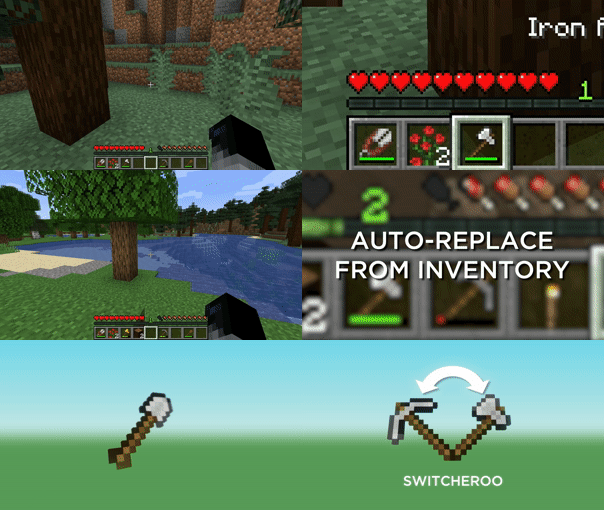
Switch your currently held item for an effective item when clicking on a block.
截图

介绍
中文介绍正在准备中,下面暂时显示原文。
Switcheroo






Switch your currently held item for an effective item when clicking on a block.
Usage
- Click on a block or entity to switch to the appropriate item
- Press _Sneak_ to prevent the switch from happening
- Press _Sprint_ to use the most effective item
Switcheroo will use the least effective tool that’s still effective to break blocks and the most damaging item per seconds to attack entities.
Features
- Switcheroo when clicking blocks
- Switcheroo when clicking mobs
- Uses max damage per seconds for mobs
- Uses max attack damage for players
- Blacklist
- Accessible via
/switcheroo blacklist blocksand/switcheroo blacklist mobs - Compatible with ModMenu
- Doesn’t consider items when they have 5 durability or less
- Prefer Silk Touch on certain blocks
/switcheroo prefer silk_touch/switcheroo prefer silk_touch add dirt_path/switcheroo prefer silk_touch remove dirt_path- The Silk Touch selection is really shaky, though. Use at your own risk.
- Enable or disable it with
/switcheroo enableand/switcheroo disable
Installation


Downloads are available in Releases. You can also test development builds by downloading them form the Actions.
常见问题
Switcheroo 支持哪些 Minecraft 版本?
Switcheroo 支持 Minecraft Java 版 1.16.5–1.21.7,共 18 个版本,可用的加载器:Fabric。下载时注意选择和你游戏版本一致的文件。
Switcheroo 怎么安装?
先用 PCL2 或 HMCL 启动器安装对应版本的 Fabric,再把下载的 .jar 文件放进游戏目录的 mods 文件夹,重新启动游戏即可。开启了版本隔离的,mods 文件夹在 versions/版本名 下面。运行环境:仅客户端。
评论
登录后评论和评分