
截图

介绍
The vanilla attack cooldown indicator is a tiny icon sitting right at your crosshair — the exact spot you need to be watching your opponent. SwingSync moves that information out of the way and turns it into a proper bar on your HUD, so you always know when to swing without breaking your focus.
What it does
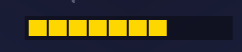
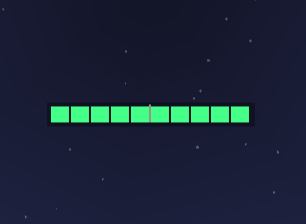
It shows your weapon cooldown as a clean horizontal bar that changes color as it charges. Red means not ready, yellow means charging, green means hit. When you hit full charge, the screen edges flash briefly so you feel it even in the middle of a hectic fight.
The bar only shows up when you are actually holding a weapon. Any other time it stays out of your way.
Why it helps
In sword or axe PvP, the difference between a full charge hit and a half charge hit is massive. Most players either stare at the crosshair icon and lose track of their opponent, or ignore it entirely and swing on feel. This gives you a third option — a bar that sits wherever you want on your screen and lets you track your cooldown without taking your eyes off the fight.
It is purely visual. Nothing is automated, nothing is modified. You still swing yourself, the game still runs exactly as normal. It just puts the information somewhere more useful.
Configuration
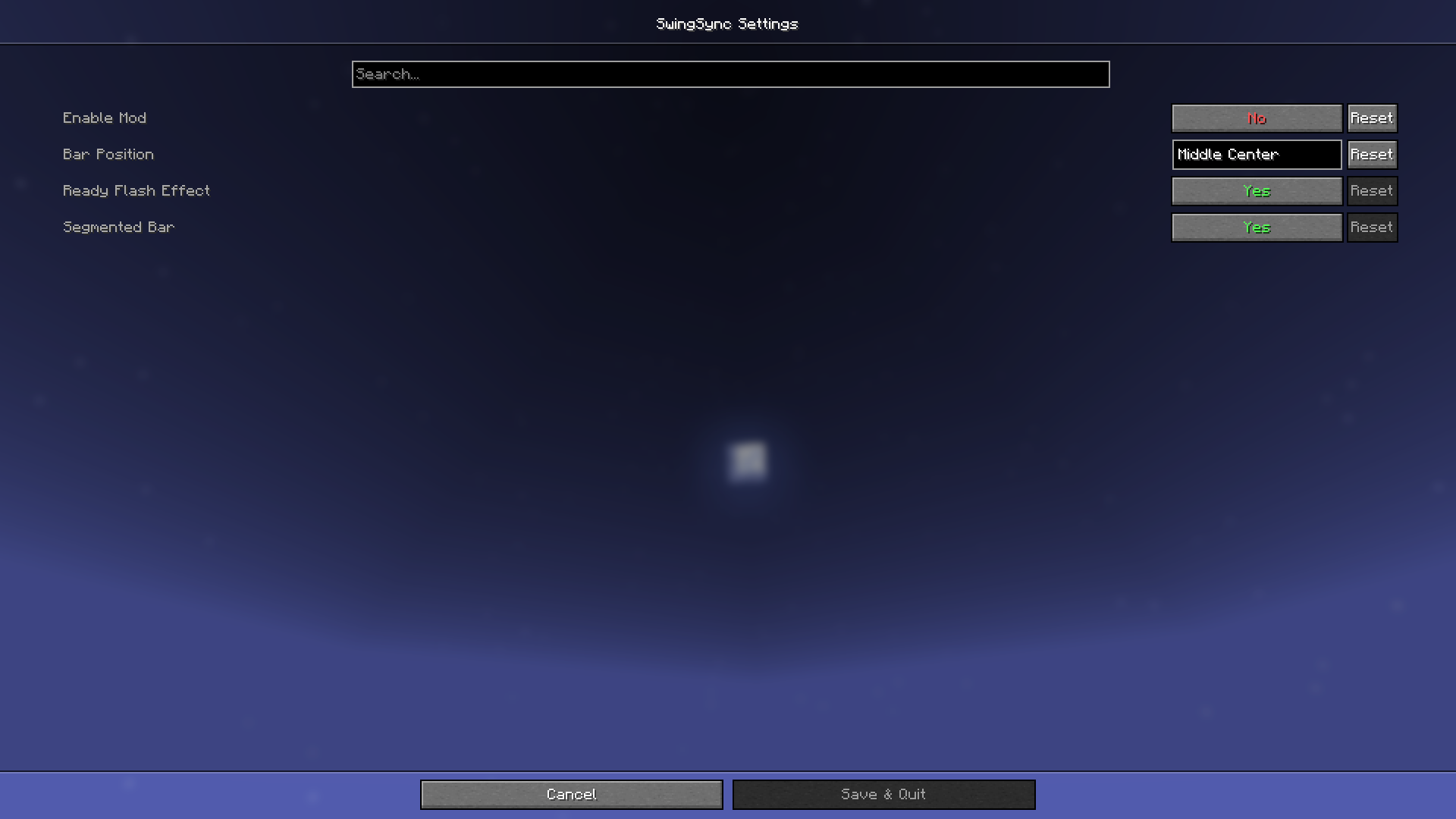
Press J in game to open the settings. You can move the bar anywhere on your screen, switch between a segmented or solid style, and toggle the flash effect on or off.
Compatibility
Works on any server. The mod only reads cooldown data the game already gives you and displays it differently. It does not touch packets, reach, or any game mechanic.
Requires Fabric API, Cloth Config, and Mod Menu.
Made by Muhammad Umair — All Rights Reserved
常见问题
SwingSync 支持哪些 Minecraft 版本?
SwingSync 支持 Minecraft Java 版 1.21.11,可用的加载器:Fabric。下载时注意选择和你游戏版本一致的文件。
SwingSync 怎么安装?
先用 PCL2 或 HMCL 启动器安装对应版本的 Fabric,再把下载的 .jar 文件放进游戏目录的 mods 文件夹,重新启动游戏即可。开启了版本隔离的,mods 文件夹在 versions/版本名 下面。运行环境:仅客户端。

评论
登录后评论和评分