截图
介绍
Mod Description
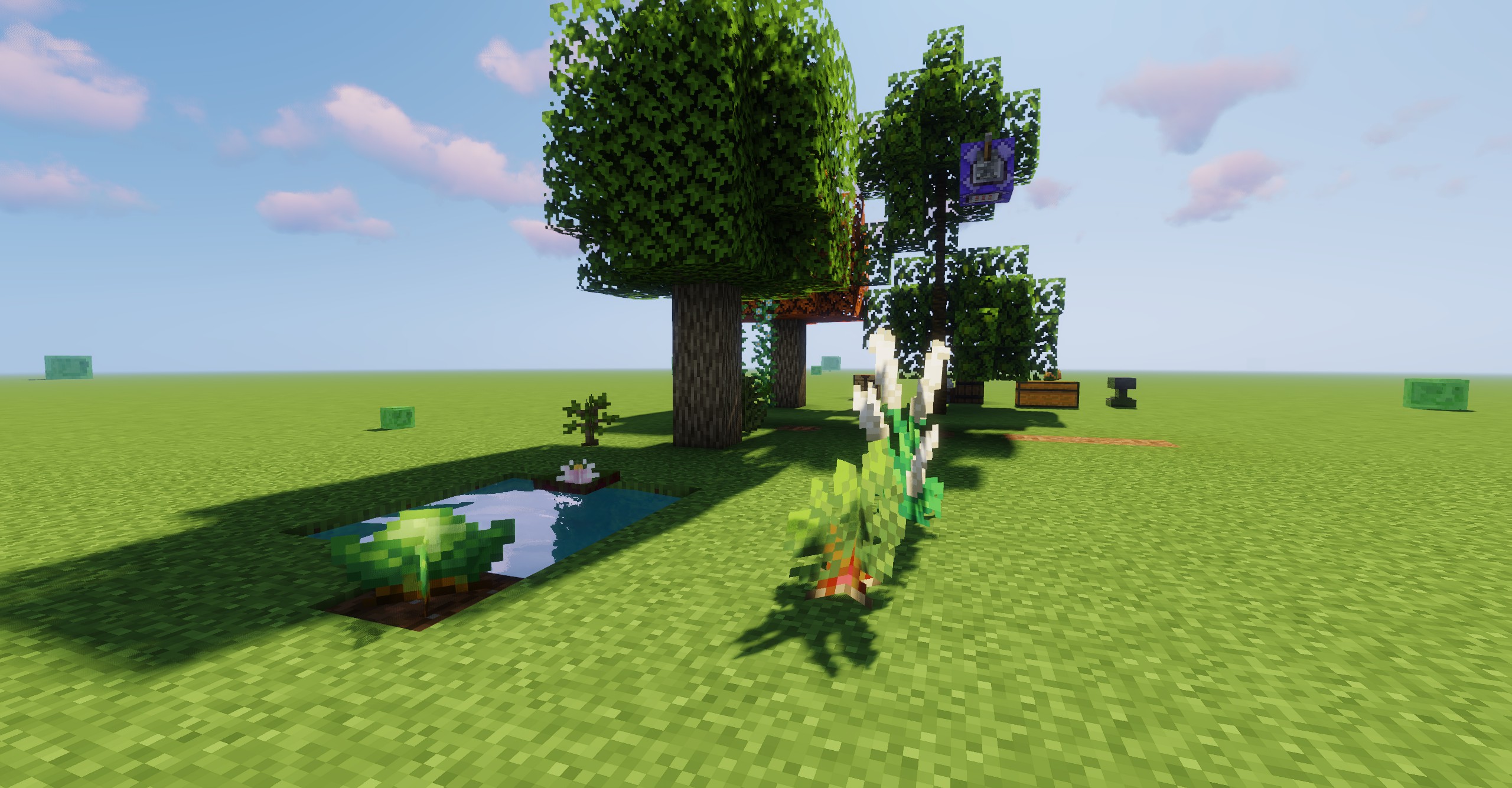
Applying shader effects to modded plant blocks often requires modifying files in the resource pack, which can be cumbersome and tedious, especially when you want to switch shaders easily. This mod simplifies the process by easily enabling modded plant blocks to sway with shader effects, creating a dynamic and immersive visual experience in your world—whether it’s flowers, saplings, or other plant-like blocks.
Features:
- Shader Support: Seamlessly integrates with Iris or Oculus, allowing modded plant blocks to be included as shader targets during runtime.
- Compatibility: Works with modded plant blocks, making it simple for players or modpack creators to apply swaying effects without complex setups.
- Customizable: Easily adjust the application targets via Block Tags, IDs (using regex), attributes (using regex), block class names, or custom template objects.
- Convenience: Ready to use right out of the box, no special customization required for most plant blocks.
Water Lilies Floating in Sildurs Shader
Water lilies from Region Unexplored float gracefully on the water, showcasing the unique effects of the Sildurs shader.

Flower Field in BSL Shader
The flower field in Region Unexplored comes to life with soft, vibrant lighting and shadow effects, thanks to the BSL shader.

Wild Rice and Plum Trees in Bliss Shader
Wild rice from Farmer Delight and Plum trees from Environmental are nestled together, creating a tranquil and harmonious natural scene rendered beautifully by the Bliss shader.

Guide
Currently, you only need to configure the mod’s TOML file, which can be found in the config folder as swaying_garden-client.toml. There are five methods to add blocks:
- Direct Block ID: You can directly write the block’s ID.
- Regex Matching: Use regular expressions like ".*berry_bush", which will match all block IDs ending with berry_bush.
- Tags: Use the # prefix for tags, such as "#minecraft:small_flowers", which will match all small flower blocks.
- Class Names: Use the class name with a ! prefix, such as "!net.minecraft.world.level.block.CropBlock", which will match all blocks of that class.
- Subclasses: Use ~ to match subclasses, such as ~net.minecraft.world.level.block.CropBlock, which will match subclasses like carrots, etc.
Additionally, you can perform blockstate checks with %, for example, "#minecraft:tall_flowers%half:upper", or "#minecraft:tall_flowers%half:upper:age:0". You can also use regular expressions for properties and values.
At the end of the config file, there’s a custom state matching feature. You can separate templates and matches using @, which allows special types, like "minecraft:vine@teastory:rice_plant". This will apply the vine’s state to the rice plant from the teastory mod.
Credits
YurisCat create the icon and also Loci_Natit
help so.
常见问题
Swaying Garden 支持哪些 Minecraft 版本?
Swaying Garden 支持 Minecraft Java 版 1.16.5–26.3,共 11 个版本,可用的加载器:Fabric / Forge / NeoForge。下载时注意选择和你游戏版本一致的文件。
Swaying Garden 怎么安装?
先用 PCL2 或 HMCL 启动器安装对应版本的 Fabric / Forge / NeoForge,再把下载的 .jar 文件放进游戏目录的 mods 文件夹,重新启动游戏即可。开启了版本隔离的,mods 文件夹在 versions/版本名 下面。
joe_vettek 的其他作品
查看全部 →
Fluid Drawers Legacy
高版本的流体储物抽屉。

Dynamic Trees for Nature’s Spirit
Dynamic trees grow in nature.

Ecliptic Seasons: MultiMod Patch
Improves compatibility between other mods and Ecliptic Seasons by adding seasonal and weather behavior.

Better One Block
Mine a block in void or other places at the same position over and over, get better and better.
评论
登录后评论和评分