
Surving’s GUI Library (SGL)
Customizable GUI themes, shared menus and live Player Stats. Works independently and supports mod integrations.
截图
介绍
SGL — Surving’s GUI Library
Shared themes, modular menus, live Player Stats, notifications, centered popups and HUD trackers.
SGL is an independent, client-side GUI library for Minecraft 26.3 on Fabric. Use its built-in themes and Player Stats on their own, or install compatible mods that supply their own pages and information. SGL provides presentation and navigation; integrations retain their gameplay rules and permissions.
Release 1.0.0. Custom interfaces, resource packs and third-party HUD layouts can still expose rendering issues. Some optional integrations remain alpha or development builds; their unfinished features are separate from SGL’s release status.
Features
Themes and native screens
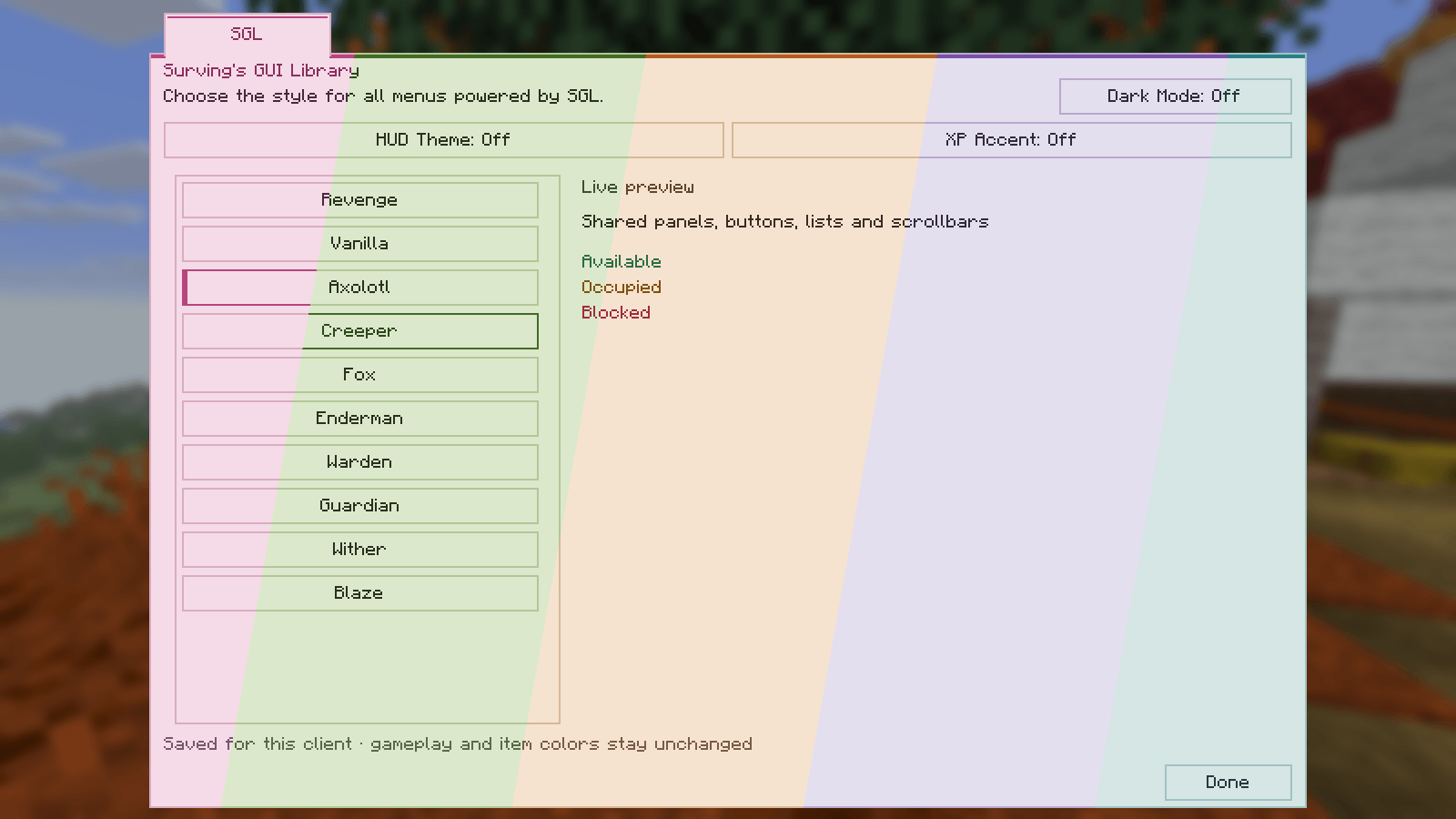
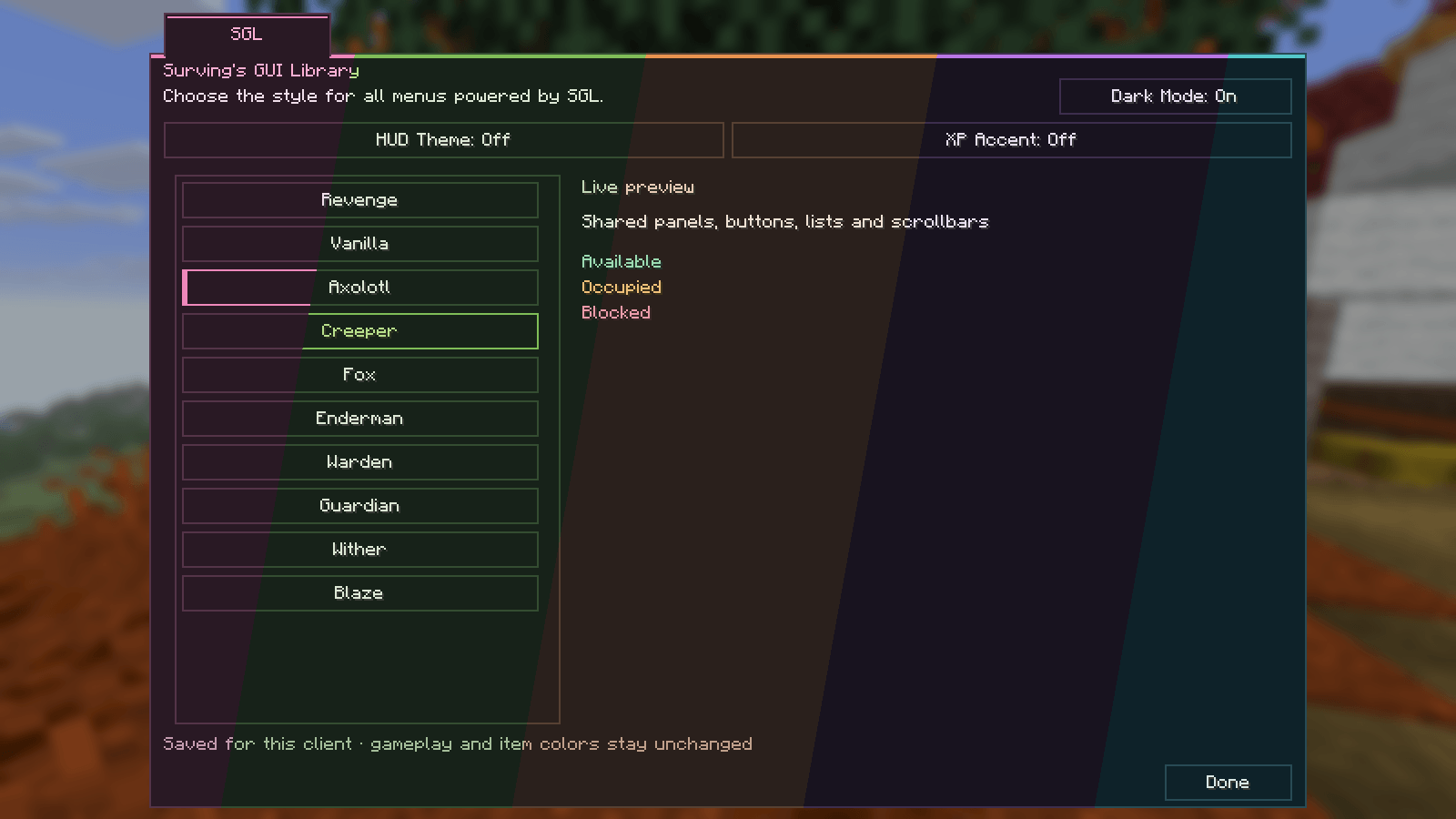
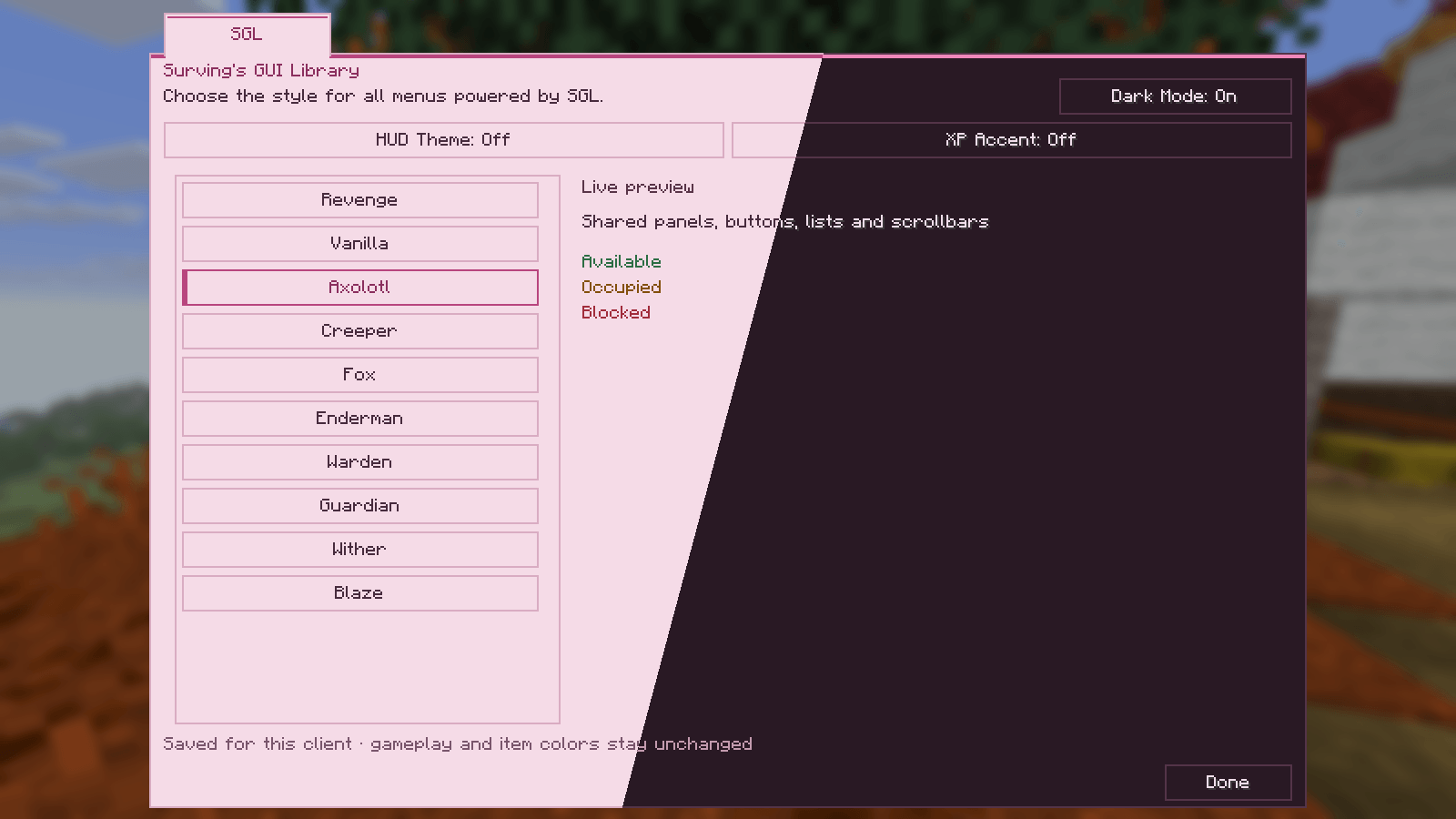
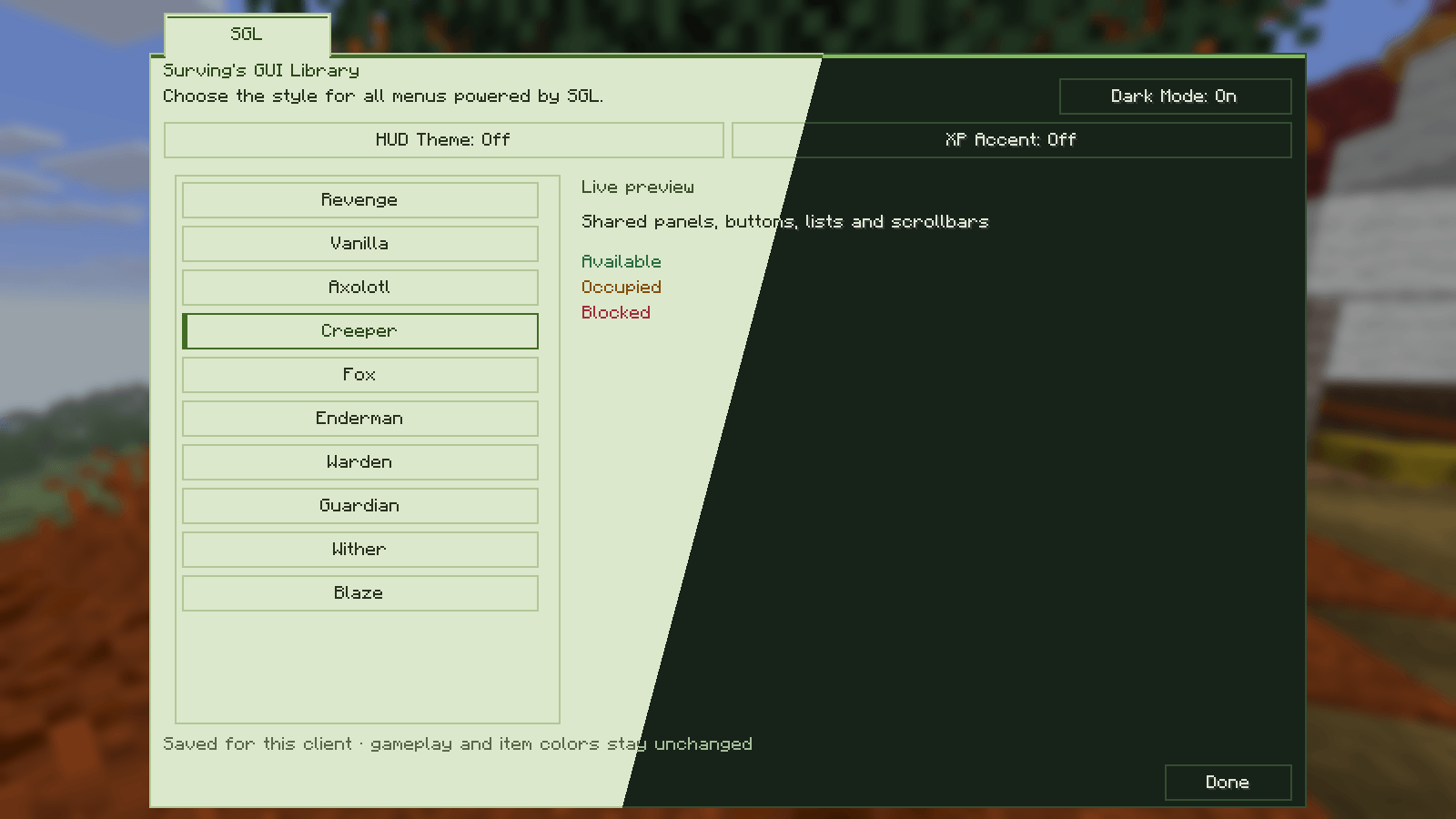
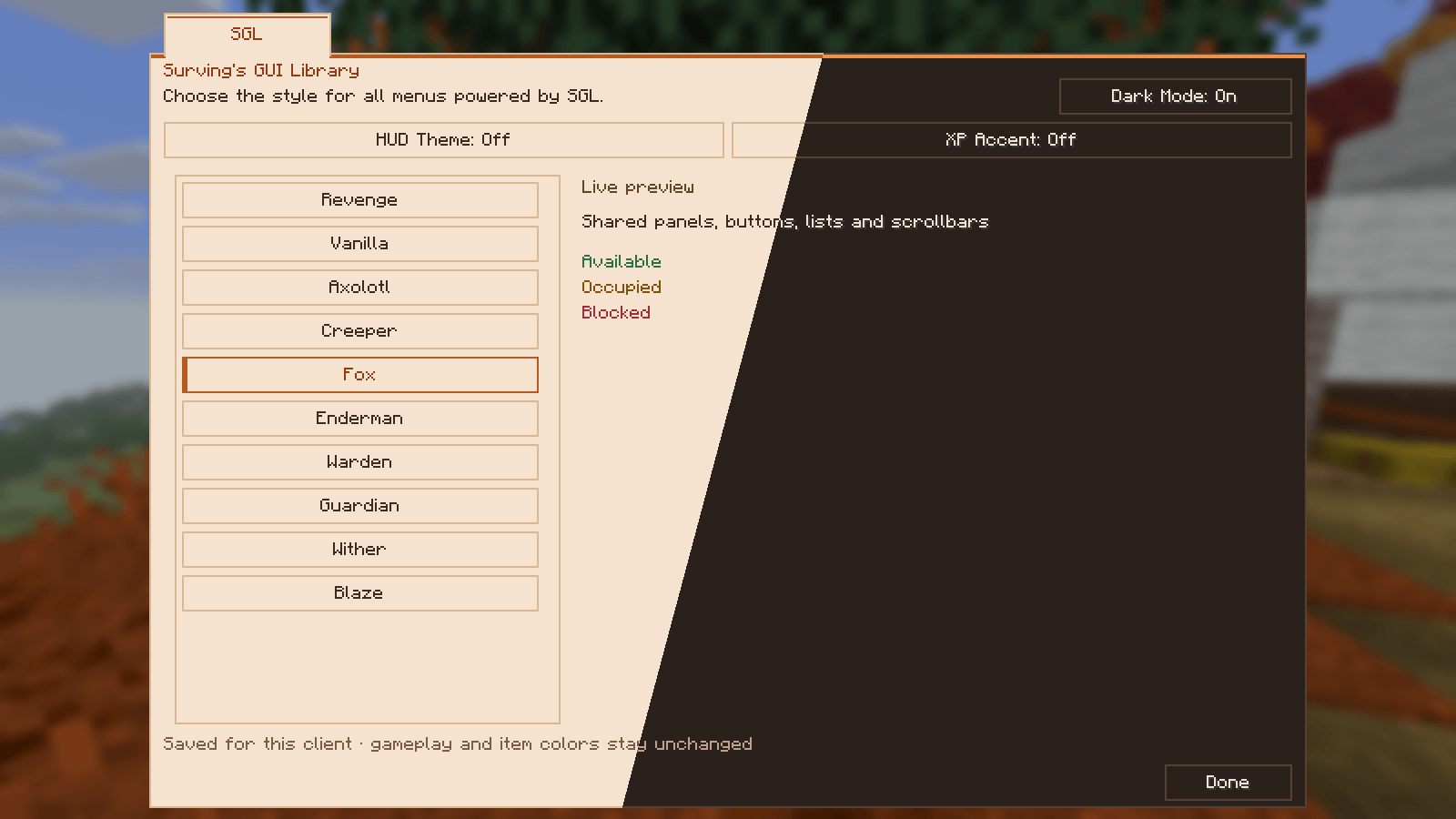
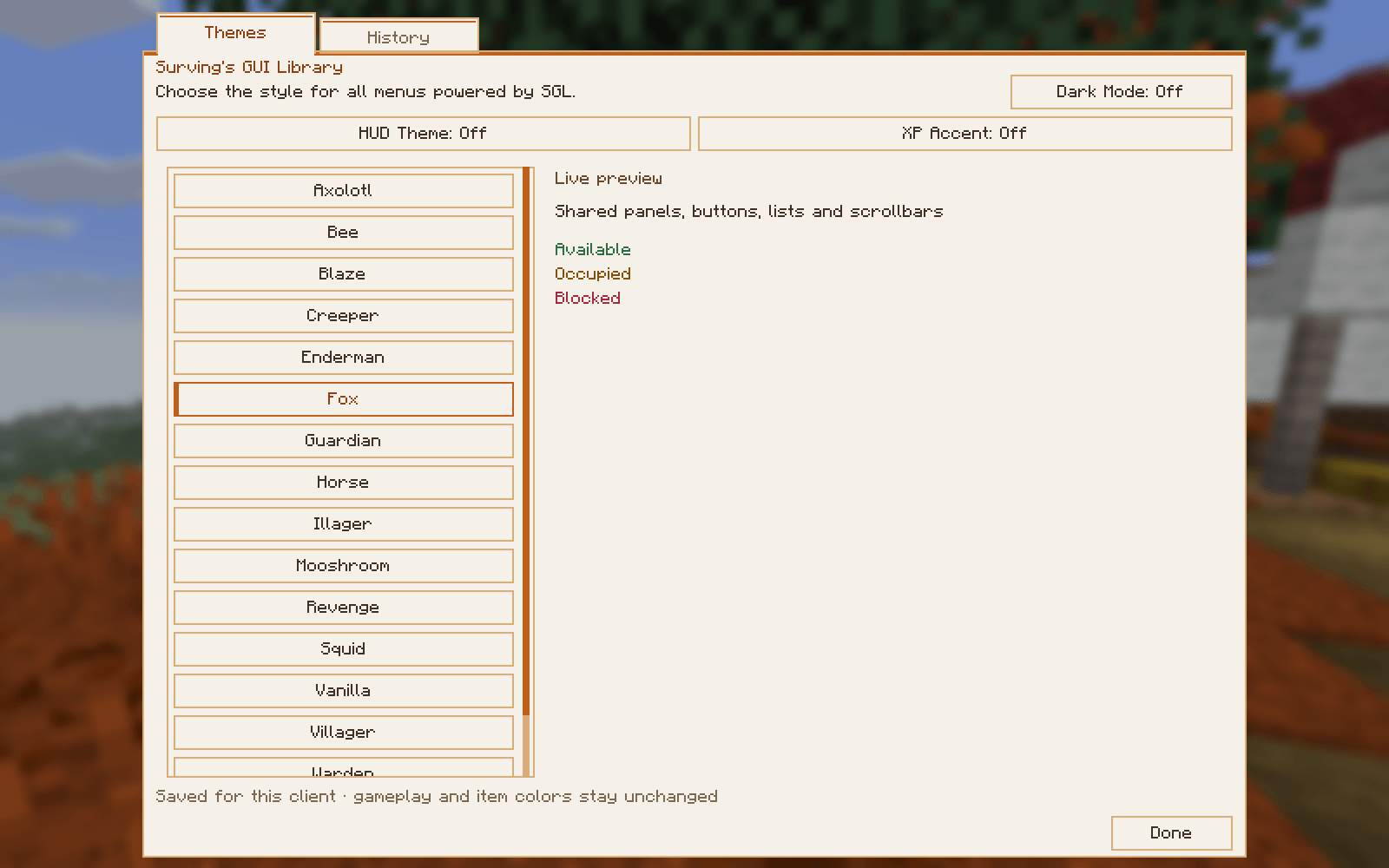
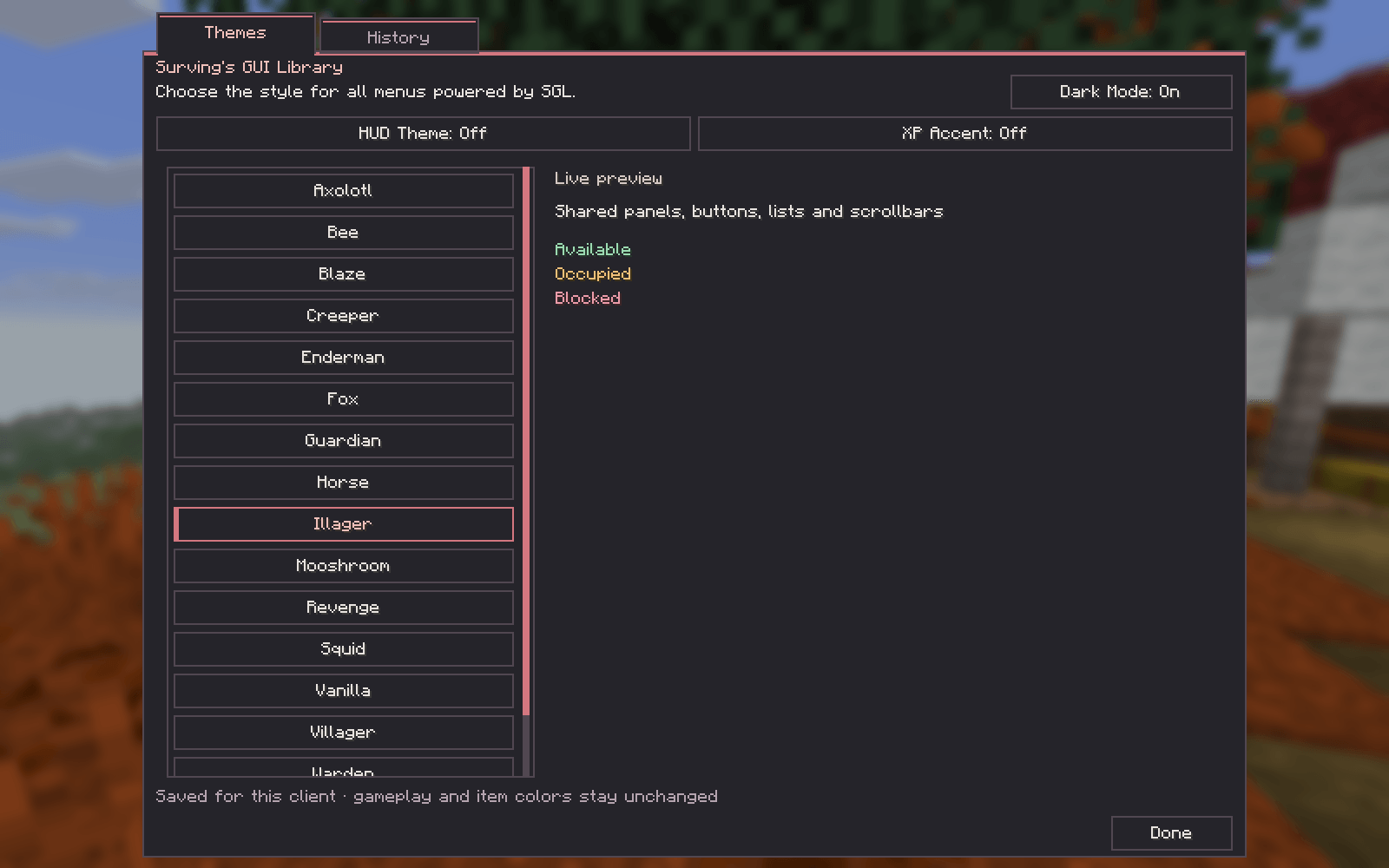
Choose Axolotl, Bee, Blaze, Creeper, Enderman, Fox, Guardian, Horse, Illager, Mooshroom, Revenge, Squid, Vanilla, Villager, Warden or Wither, each with light and dark modes. The scrollable theme catalogue sorts displayed names alphabetically, including themes added by integrations. Your selection is saved locally and updates open menus.
Clean buttons and panels use distinct palettes: Fox pairs orange with warm white, Horse uses leather brown and beige, Bee uses honey yellow, and Mooshroom combines mushroom red, brown and cream. Squid uses ink blue, Illager gray and muted red, Villager olive and emerald, Blaze ember and flame colors, and Warden sculk blue-black and turquoise. Custom themes remain supported.
Shared styling covers supported native menus, settings, lists, dialogs, Advancements, inventories, containers and compatible mod controls. Vanilla with Dark Mode off preserves native styling. Item artwork, icons, gameplay indicators and world-backdrop shading retain their original appearance. Furnace, Smoker and Blast Furnace flames keep their Minecraft colors; only the filled progress-arrow pixels use the theme accent.
Independent HUD Theme and XP Accent options can style hotbar frames and the XP bar/level number. Both are off by default. Health, hunger, armor and air indicators retain their native colors.
Live Player Stats
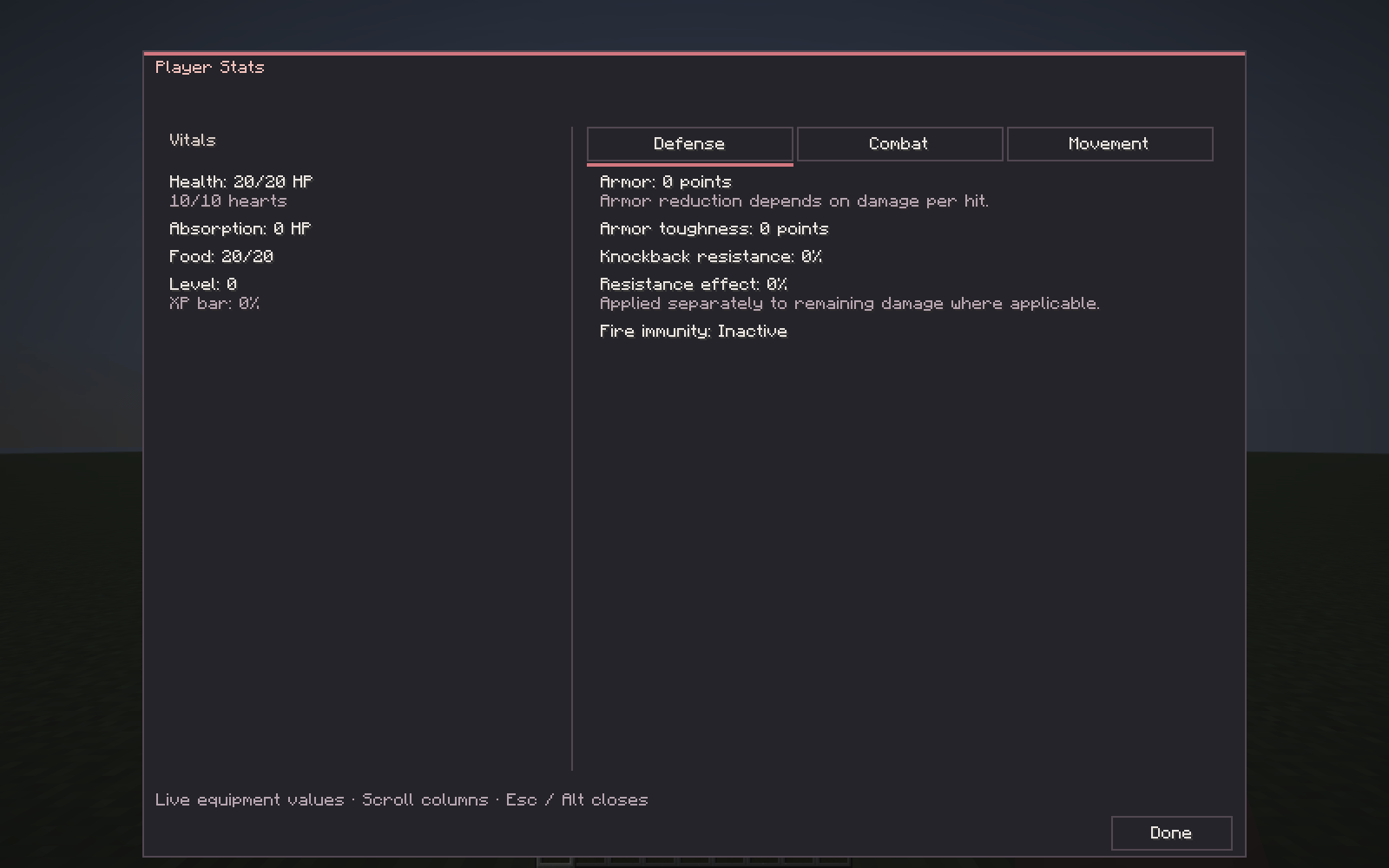
The inventory’s Player Stats tab shows health, absorption, hunger, XP, armor, toughness, knockback resistance, attack attributes, luck, movement and interaction reach. Values follow your equipment and effects. Armor is shown as points, and base attack damage excludes target-dependent enchantment bonuses. Compatible integrations can supply additional calculated values.
Modular menus
Mods can register namespaced pages, availability checks and explicit inventory shortcuts. Each menu has its own tabs; Player Stats stays separate from SGL settings and other mods’ menus. Large tab groups use bounded navigation. Shared screens support scrolling, fields, item previews, search, fixed title-bar groups and actions. Missing or removed registrations do not leave empty integration tabs.
Notifications, Popups and Trackers
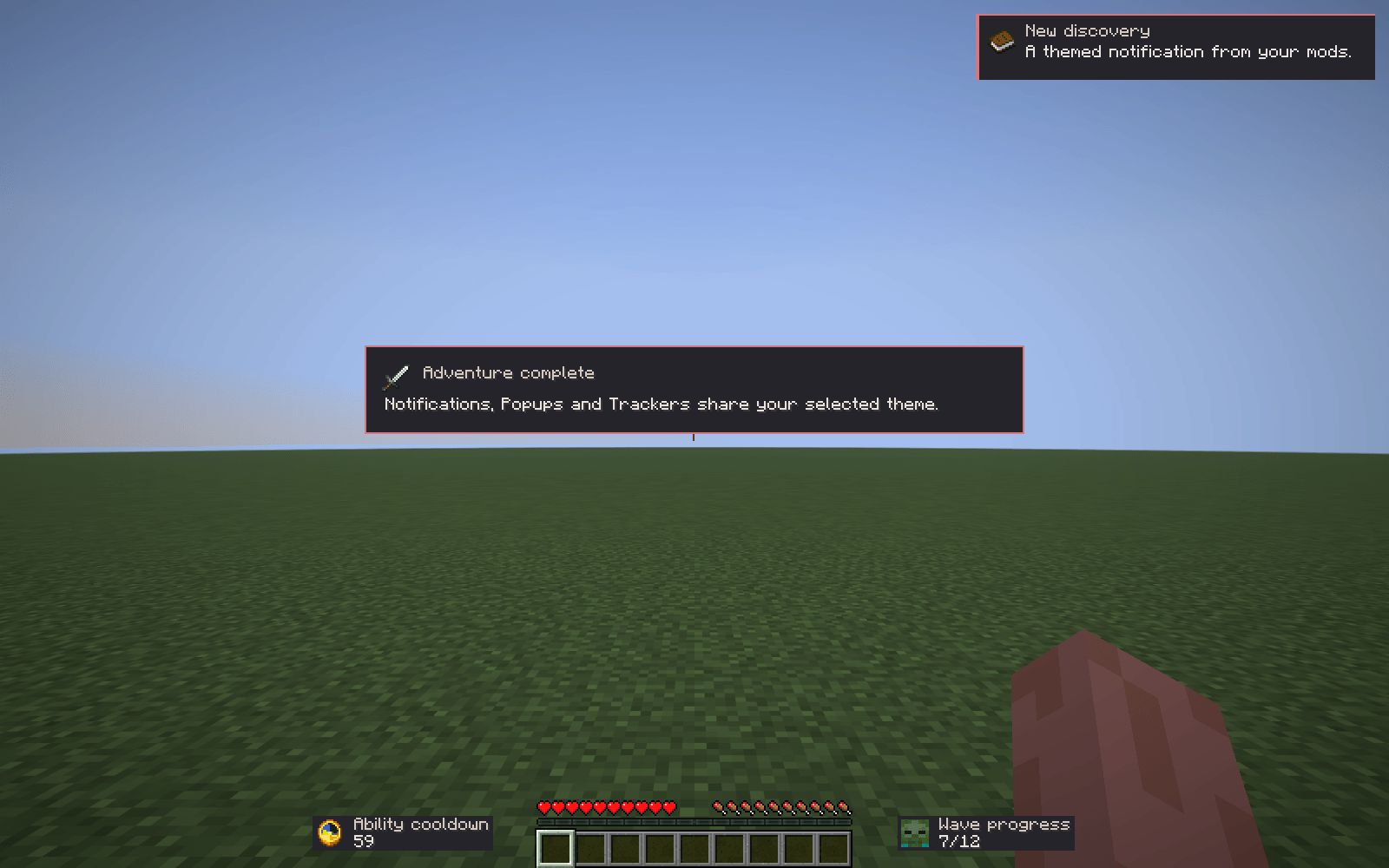
Notifications are brief top-right messages. Up to three appear together; queued cards retain their full display time. Priority orders waiting messages without interrupting visible cards. HIGH and CRITICAL cards use contrasting accent-colored backgrounds. Integrations can supply icons, sounds, categories, animation choices and accent colors.
Popups are centered, non-modal announcements with their own queue and a complete themed border. They can appear over an open in-world menu. Popup bodies display at most eight wrapped lines; integrations should keep them concise.
Trackers are ongoing HUD indicators beside the hotbar, with Timer Up/Down and Counter Up/Down modes, left/right placement and item, symbol, texture or mob-portrait icons. Integrations control their values and lifecycle. Gameplay timers remain authoritative in the owning mod. Trackers hide while menus are open; simulation timers continue unless the game is paused.
Notification history and local visual tools
History keeps accepted Notifications with their complete text, icon, source, category, timestamp and unread state. Read long messages with scrolling, filter by source, mark entries read, clear the history or silently replay the latest message visually. Replay does not repeat gameplay events or add another history entry. Centered Popups are separate and do not automatically enter History.
History is held only for the current client session, including across world disconnects. Nothing is saved to disk or sent to a server. The default limit is 100 entries.
Local presentation commands cover notifications, popups and trackers. Additional /sgl test commands require /sgl debug true and provide queue, history, theme and temporary-tab tests plus an optional widget-boundary overlay. They do not require operator rights or change gameplay.
Getting started
Install the client requirements below and open SGL through its small logo in the main-menu or pause-menu icon row. This menu contains Themes and History.
In your survival inventory, open Player Stats beside the equipment slots. Compatible mods can add separate shortcuts: for example, recent SEEF integrations provide Curiosity and recent Revenge integrations provide their own menu. These entries depend on the installed companion version.
Configuration
Theme, Dark Mode, HUD Theme and XP Accent preferences are saved locally in config/sgl.json.
The optional historyLimit setting accepts 0–1000, defaults to 100, and disables history collection at 0. History itself is never written to this file.
Compatibility and integrations
- Fabric API is required. SEEF, SNE, Revenge and JEI are optional; SGL’s built-in features work without them.
- Surving’s Enchantment & Equipment Fixes (SEEF): supplies equipment/enchantment panels, category information and additional Player Stats values. Public 0.3.0-alpha.1 supports the earlier shared popup/countdown calls. Its newer 0.3.0-alpha.1-dev.5 integration uses Notifications and Trackers and adds the Curiosity inventory shortcut. SEEF remains responsible for server data and research rules.
- Surving’s New Enchantments (SNE): supplies supported enchantment cooldown displays through SEEF’s adapter. Public 0.3.0-alpha.1 uses the earlier shared HUD interface; the newer 0.3.0-alpha.1-dev.7 works through the updated SEEF integration. SNE requires SEEF for its own gameplay; neither is an SGL dependency.
- Revenge — Mobs Fight Back: existing Fabric 26.3 0.1.0-beta.1 menus receive limited theme adaptation. The modular menu, dedicated inventory shortcut, centered event announcements and shared Trackers require Revenge’s newer development integration, such as 0.1.0-beta.1-dev.25. These features are not supplied by installing SGL beside the older public Revenge JAR alone. Revenge owns rewards, events, settings and permission checks.
- Just Enough Items (JEI), Fabric 26.3: optional ingredient browsing beside SGL panels, recipe-return navigation, input handling and theme adaptation for supported search/recipe/navigation chrome. The supported target is 31.14.0.72. The bridge uses JEI internals; other versions are not guaranteed. Some outer frames can retain native styling. Item images and recipe illustrations keep their own colors.
API migration: existing Popups.show(...) calls now display centered announcements. Integrations must use Notifications for top-right messages and automatic History. Existing Countdown calls remain supported through Timer Down Trackers. Older companion integrations do not automatically gain new menu pages or notification history.
Support is limited to the interfaces described above. It does not guarantee every screen, custom renderer, resource pack or HUD combination. This SGL build has no Forge, NeoForge or Fabric 1.21.1 port; an optional mod’s availability on those platforms does not extend SGL support to them.
Requirements and installation
- Minecraft 26.3 and Fabric Loader 0.20.1 or newer.
- Java 25 or newer.
- Fabric API 0.165.0+26.3 or newer compatible 26.3 build.
Place sgl-1.0.0.jar and Fabric API in the client’s mods folder, with only one SGL version installed. SGL is client-only and is not required on a dedicated server. Optional gameplay integrations may require their own mods on both server and client.
常见问题
Surving’s GUI Library (SGL) 支持哪些 Minecraft 版本?
Surving’s GUI Library (SGL) 支持 Minecraft Java 版 26.3,可用的加载器:Fabric。下载时注意选择和你游戏版本一致的文件。
Surving’s GUI Library (SGL) 怎么安装?
先用 PCL2 或 HMCL 启动器安装对应版本的 Fabric,再把下载的 .jar 文件放进游戏目录的 mods 文件夹,重新启动游戏即可。开启了版本隔离的,mods 文件夹在 versions/版本名 下面。
Surving 的其他作品
查看全部 →
Naturalist x Farmer’s Delight Compat
通过添加新配方、扩展烹饪选项以及处理动物掉落物的实用方式,增强Naturalist、农夫乐事及部分附属模组之间的兼容性——不引入新物品或方块。

MWC Together
A feature-rich multiplayer modpack combining exploration, technology, farming, building, new animals, and quality-of-life improvements.
Revenge — Mobs Fight Back
A revenge system with modded mob support, escalating attack waves, chaotic modifiers, and rewards—built for solo and party play.

Surving’s Enchantment & Equipment Fixes (SEEF)
Consistent enchantments, shared equipment categories, predictable XP costs and clearer protection rules.
评论
登录后评论和评分