Supplementary HUD
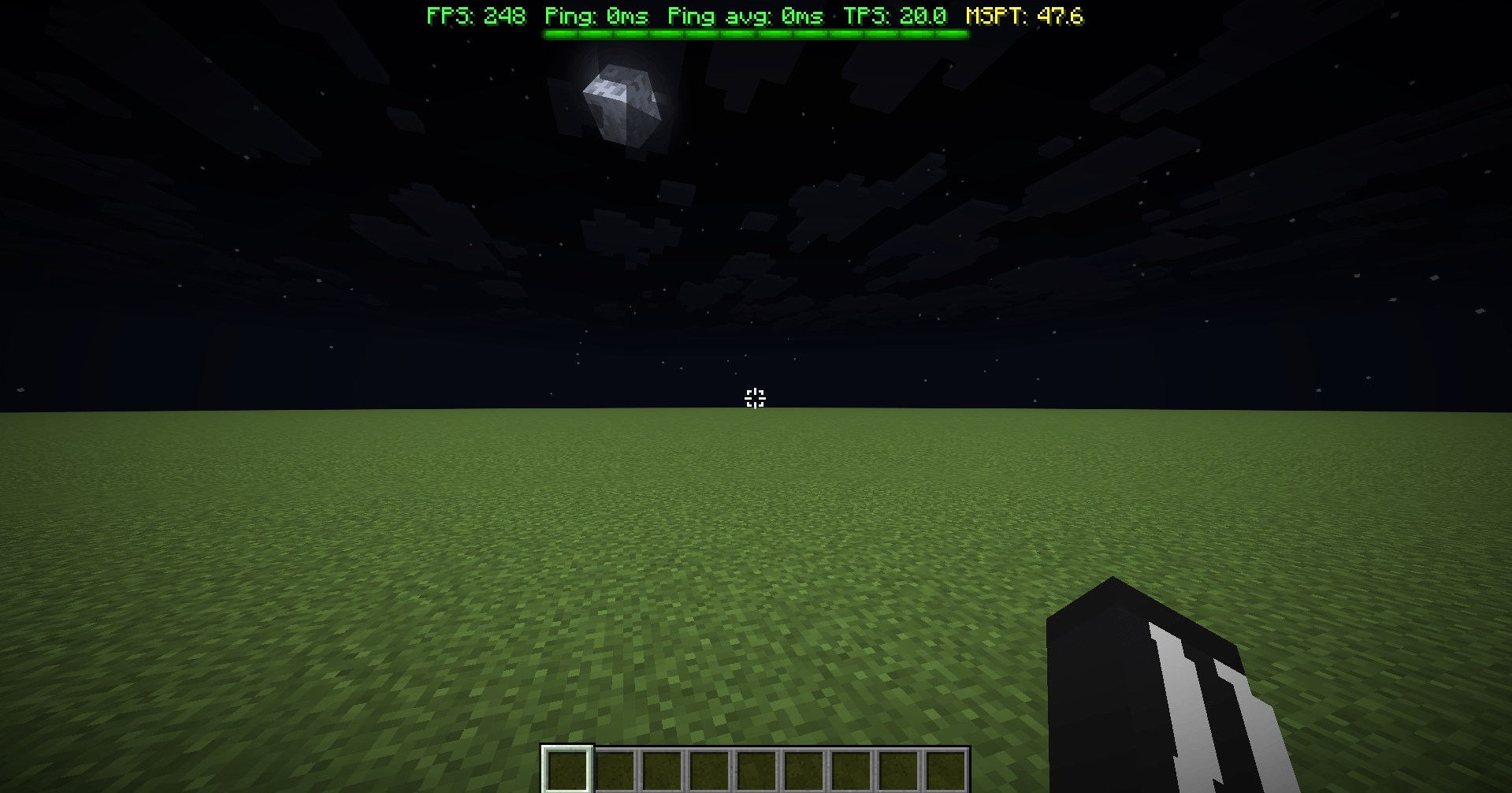
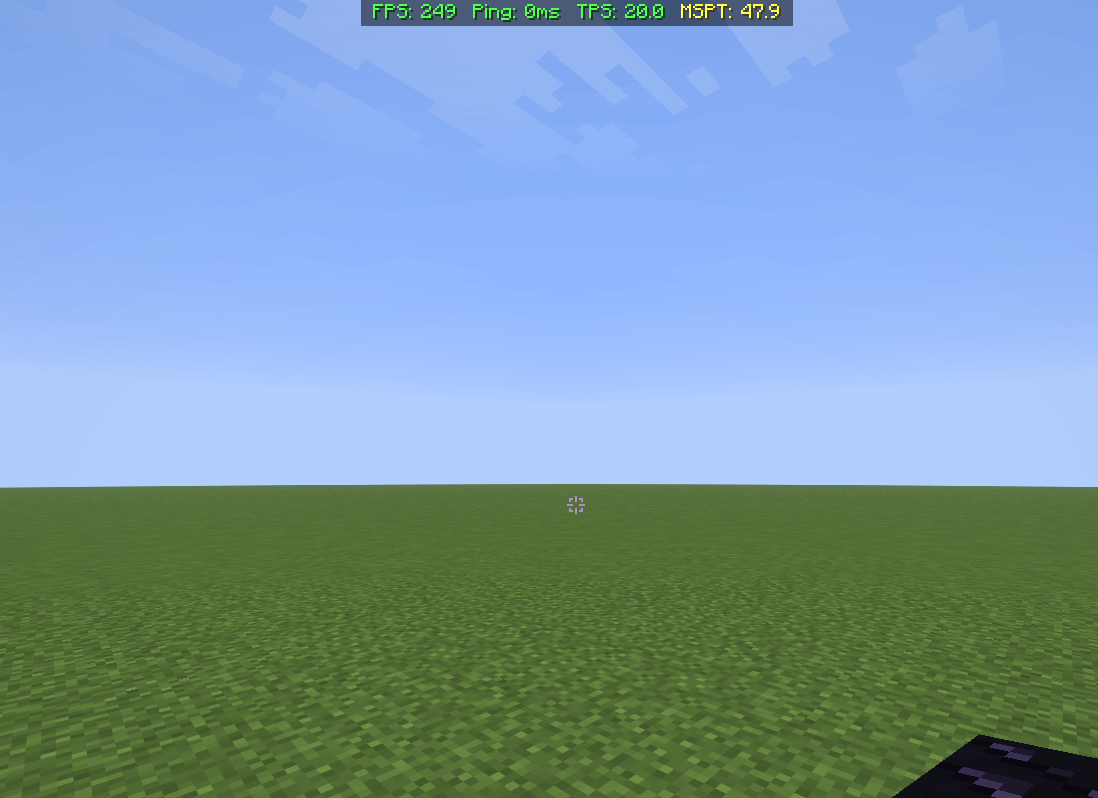
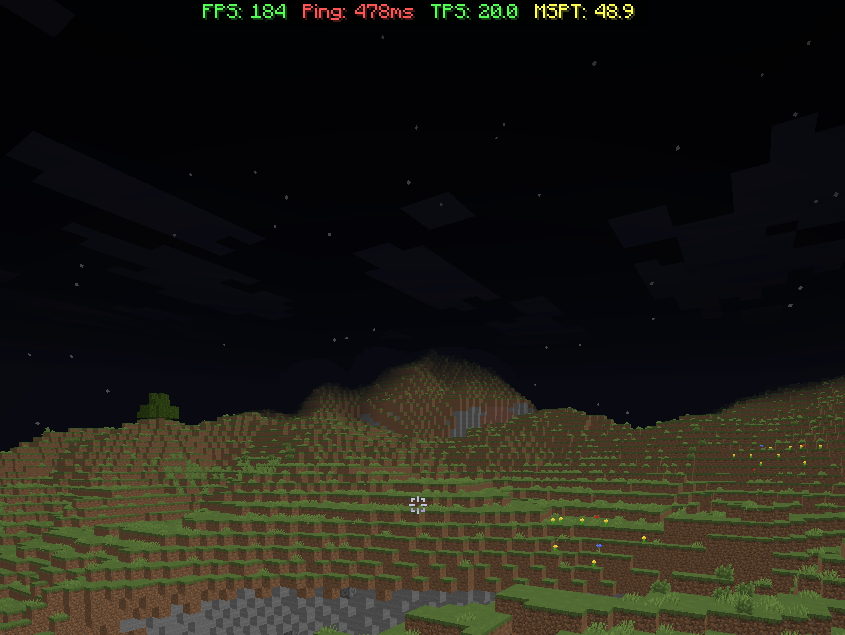
Supplementary HUD is a lightweight, fully client-side Fabric/Neoforge mod that adds a real-time performance overlay to your Minecraft screen. Monitor your FPS, network ping, TPS, and MSPT without requiring any server-side mods or plugins.
截图
介绍
Supplementary HUD
Supplementary HUD is a lightweight, fully client-side Fabric/Neoforge mod that adds a real-time performance overlay to your Minecraft screen. Monitor your FPS, network ping, TPS, and MSPT without requiring any server-side mods or plugins.
Features
- 100% Client-Side — Works on singleplayer, vanilla servers, modded servers, and Realms. No server installation or permissions required.
- FPS Monitoring — View your current client FPS in real time.
- Network Ping — Monitor your connection latency to the server.
- TPS & MSPT Monitoring — Estimates server tick performance from network packet timing, providing useful information for identifying potential server-side lag.
- Configurable HUD — Customize the overlay’s position, layout, and displayed information.
- Lightweight — Designed to provide performance information without noticeably affecting gameplay.
How It Works
Supplementary HUD observes incoming network traffic on the client and uses packet timing to estimate server tick intervals. These measurements are used to display estimated TPS and MSPT values alongside your FPS and network latency.
Because these values are calculated entirely on the client, Supplementary HUD does not require any modifications to the server and does not alter gameplay or send additional monitoring data to the server.
Note: TPS and MSPT values are client-side estimates based on network timing and may not exactly match the server’s internal tick measurements.
Requirements
- Minecraft: [your supported versions]
- Loader: Fabric, Neoforge
- Dependency: Fabric API (if you use fabric mod loader)
常见问题
Supplementary HUD 支持哪些 Minecraft 版本?
Supplementary HUD 支持 Minecraft Java 版 1.21.11–26.3,共 5 个版本,可用的加载器:Fabric / NeoForge。下载时注意选择和你游戏版本一致的文件。
Supplementary HUD 怎么安装?
先用 PCL2 或 HMCL 启动器安装对应版本的 Fabric / NeoForge,再把下载的 .jar 文件放进游戏目录的 mods 文件夹,重新启动游戏即可。开启了版本隔离的,mods 文件夹在 versions/版本名 下面。
评论
登录后评论和评分