
截图
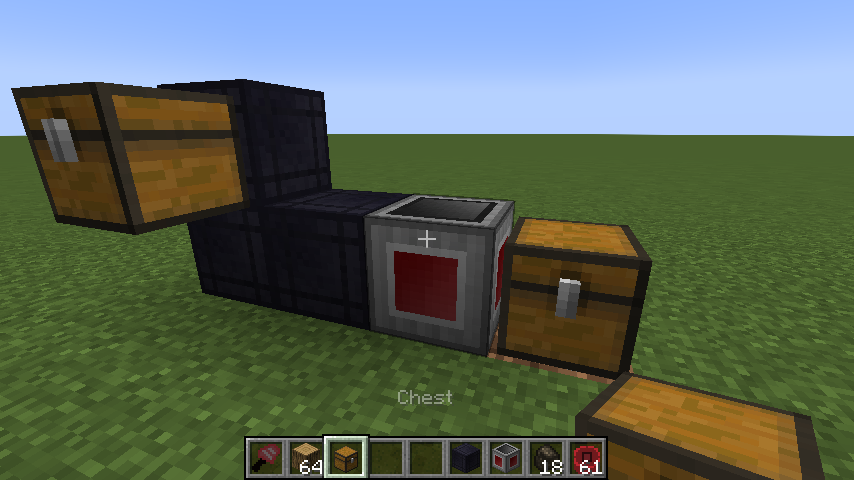
介绍
Super Factory Manager 4
SuperFactoryManager 4 brings a whole new way to use SFM. Instead of using flowchart GUIs, a new scripting language has been added.
Getting Started
You will need:
1x Factory Manager
1x Program Disk
1x Label Gun
(optional) Inventory Cables
Place your Factory Manager in the world, and connect it to your inventories using Inventory Cables
Place the Program Disk inside the Manager’s GUI
Paste your script into the manager GUI using the buttons or by using Ctrl+V
The manager should tell you that the script was loaded
Hover over the disk to see the warnings and errors for your program
Shift-right-click the manager with the label gun in your hand to load the labels from your program
You can now use the scroll wheel while holding shift to change the active label.
Right click blocks in the world to apply or remove the label.
There is also a right-click menu for entering a custom label that may not be in your program yet.
Once you’ve assigned the labels, right click the manager while NOT holding shift to save the labels to the Program Disk
Your program should now be running without any issues
Original textures by VSWE
In possession of the source of my mc mods? You're allowed to distribute it, update it, tweak it and release it. Just credit me for my work.
— Vswe (@Steves_Carts) November 6, 2016
常见问题
Super Factory Manager 支持哪些 Minecraft 版本?
Super Factory Manager 支持 Minecraft Java 版 1.19.2–26.1.2,共 10 个版本,可用的加载器:Forge / NeoForge。下载时注意选择和你游戏版本一致的文件。
Super Factory Manager 怎么安装?
先用 PCL2 或 HMCL 启动器安装对应版本的 Forge / NeoForge,再把下载的 .jar 文件放进游戏目录的 mods 文件夹,重新启动游戏即可。开启了版本隔离的,mods 文件夹在 versions/版本名 下面。运行环境:客户端和服务端都要装。
TeamDman 的其他作品
查看全部 →
Super Factory Manager ( SFM )
一款强化物流模组,实现高精度、高吞吐量的资源运输

xXx_MoreToolMats_xXx (a PlusTiC fork without the evil, and apparently some new bugs idk)
为匠魂添加新工具,并整合多个模组的 Minecraft 模组

Zen Summoning
允许使用 CraftTweaker 自定义生物召唤

Superior Placement
Allows placing blocks smoothly while moving
评论
登录后评论和评分