
截图
介绍
Studycraft
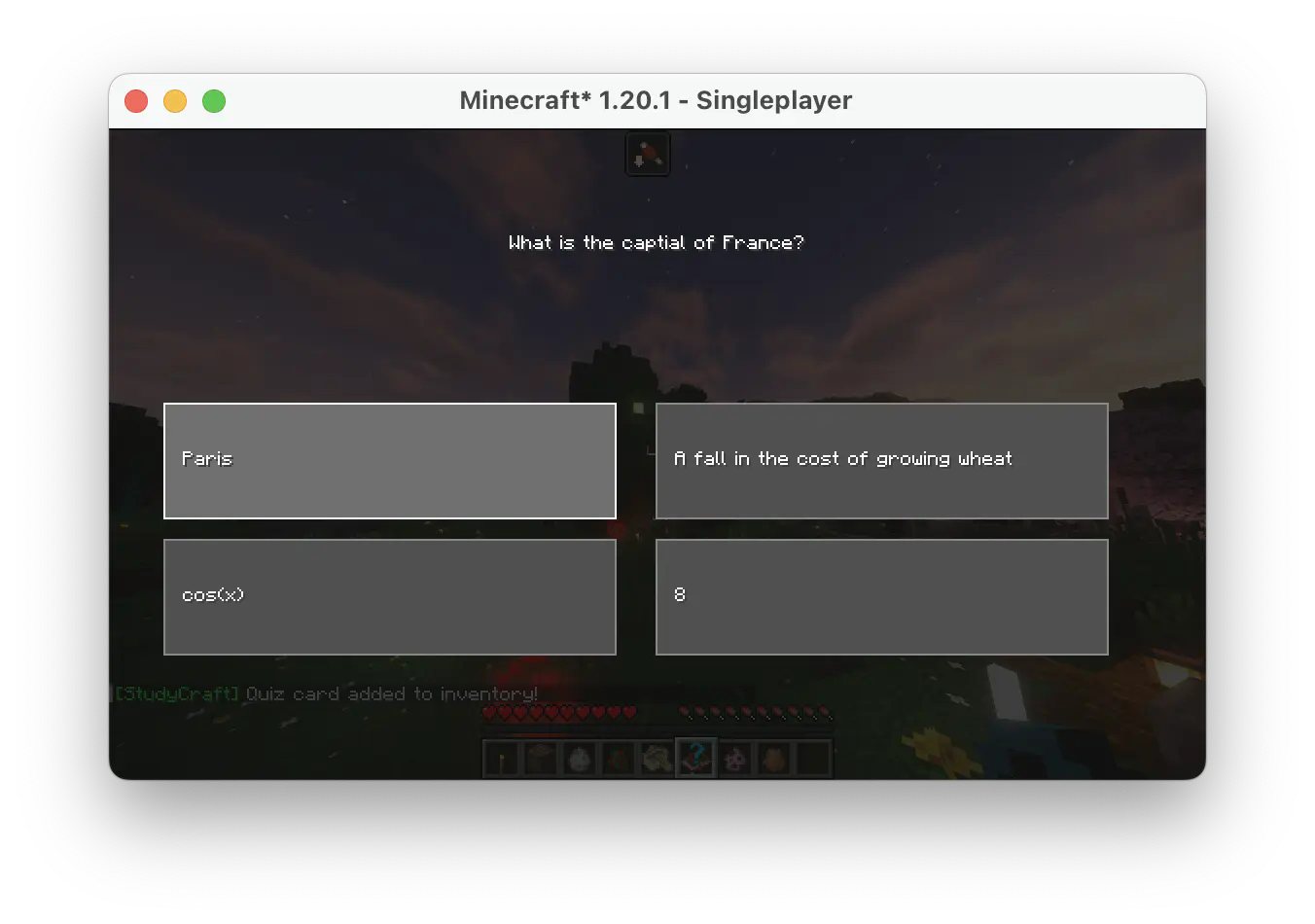
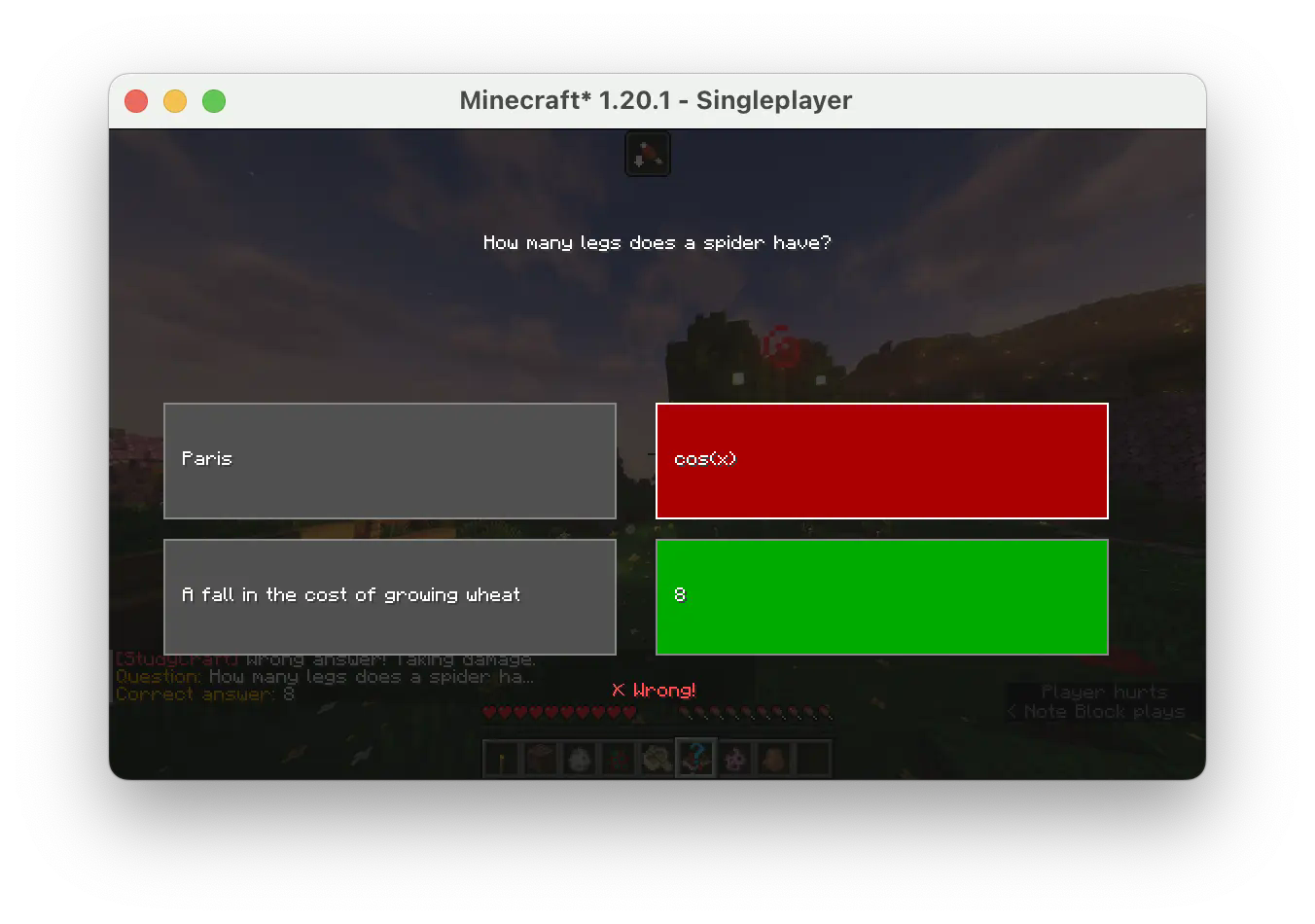
This mod allows you to use a custom **Quizlet flashcard set** and answer questions in-game. It introduces a new survival mechanism by increasing the time for hunger to deplete, but earning back hunger points for each correct answer.
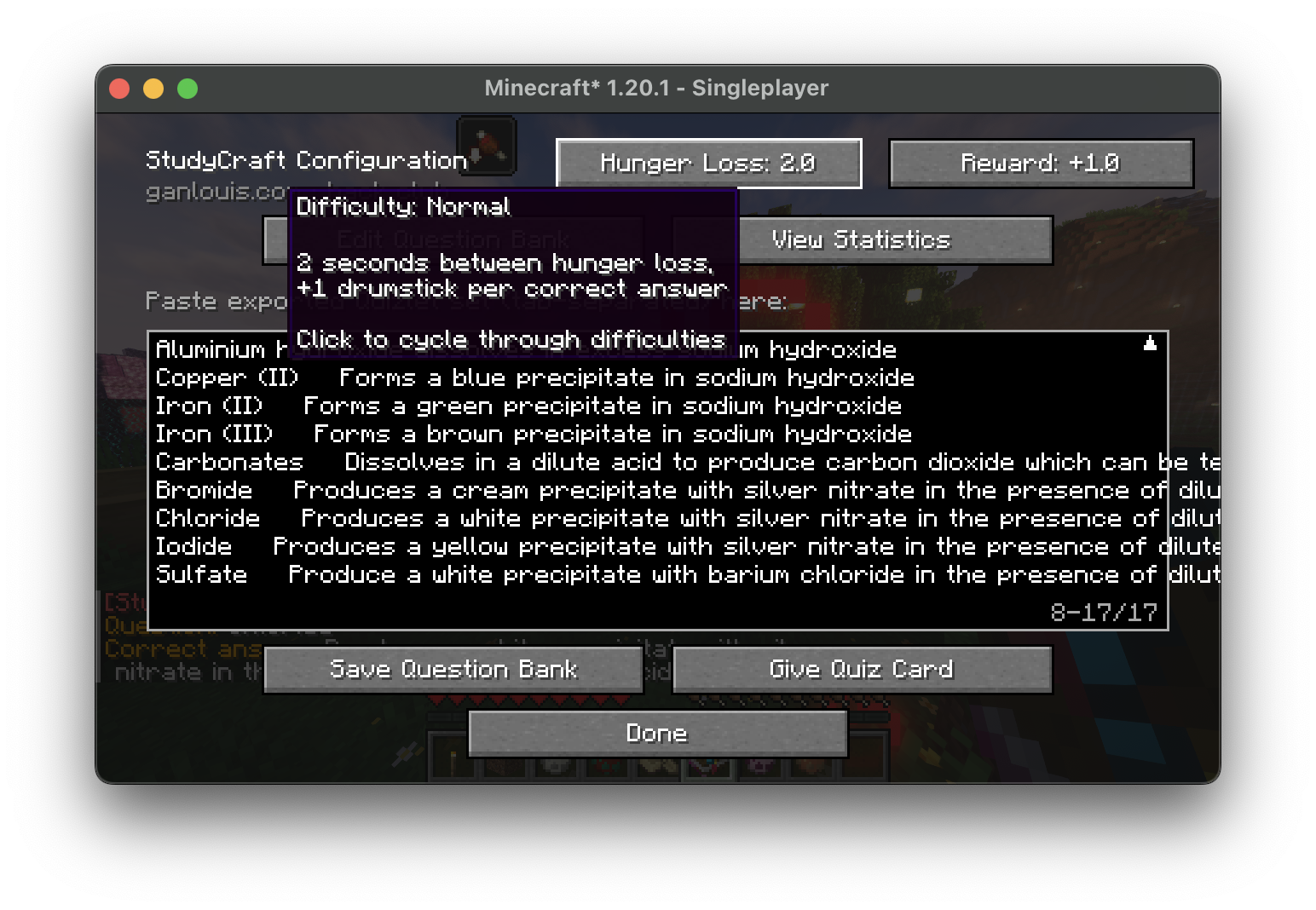
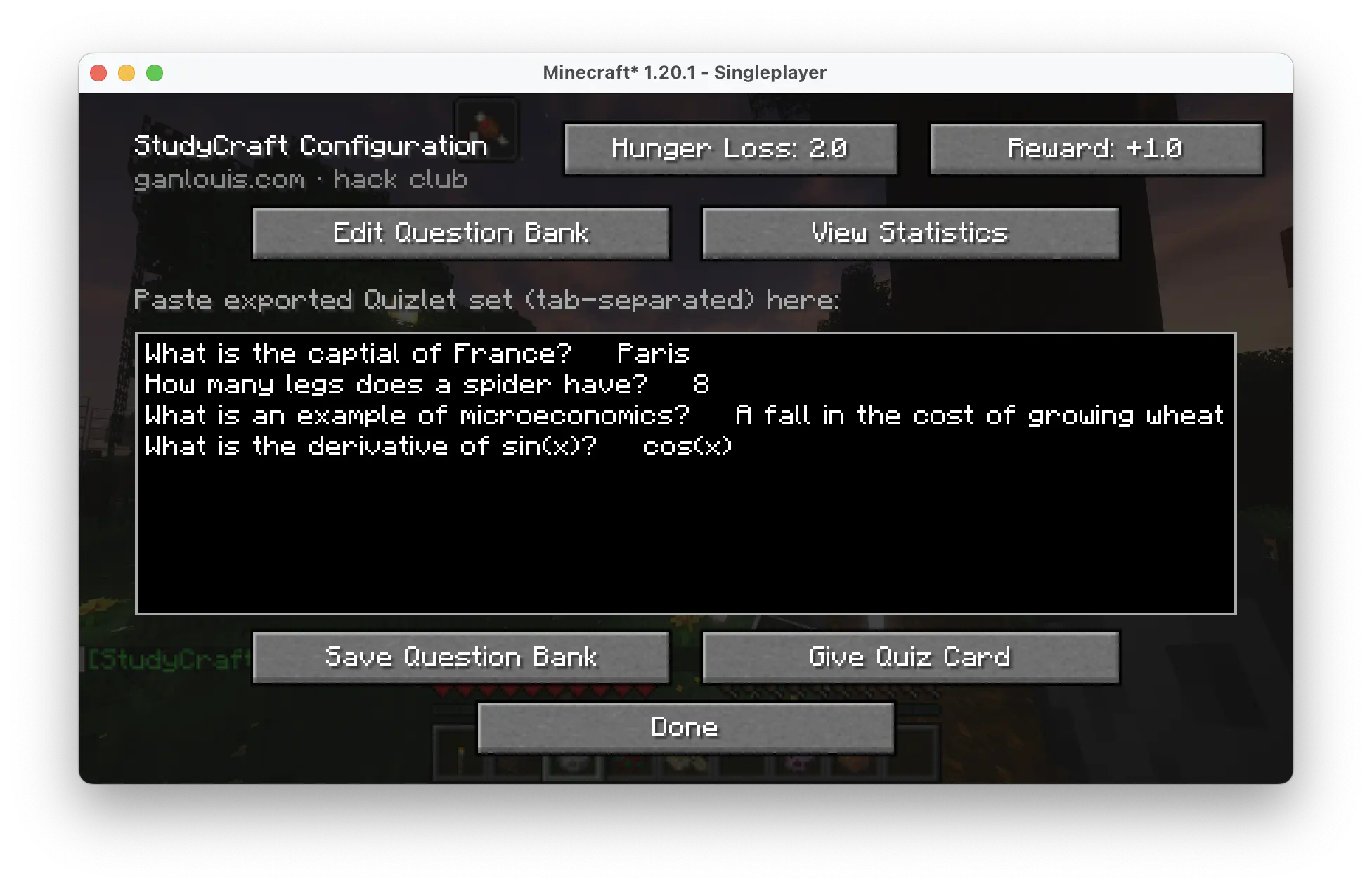
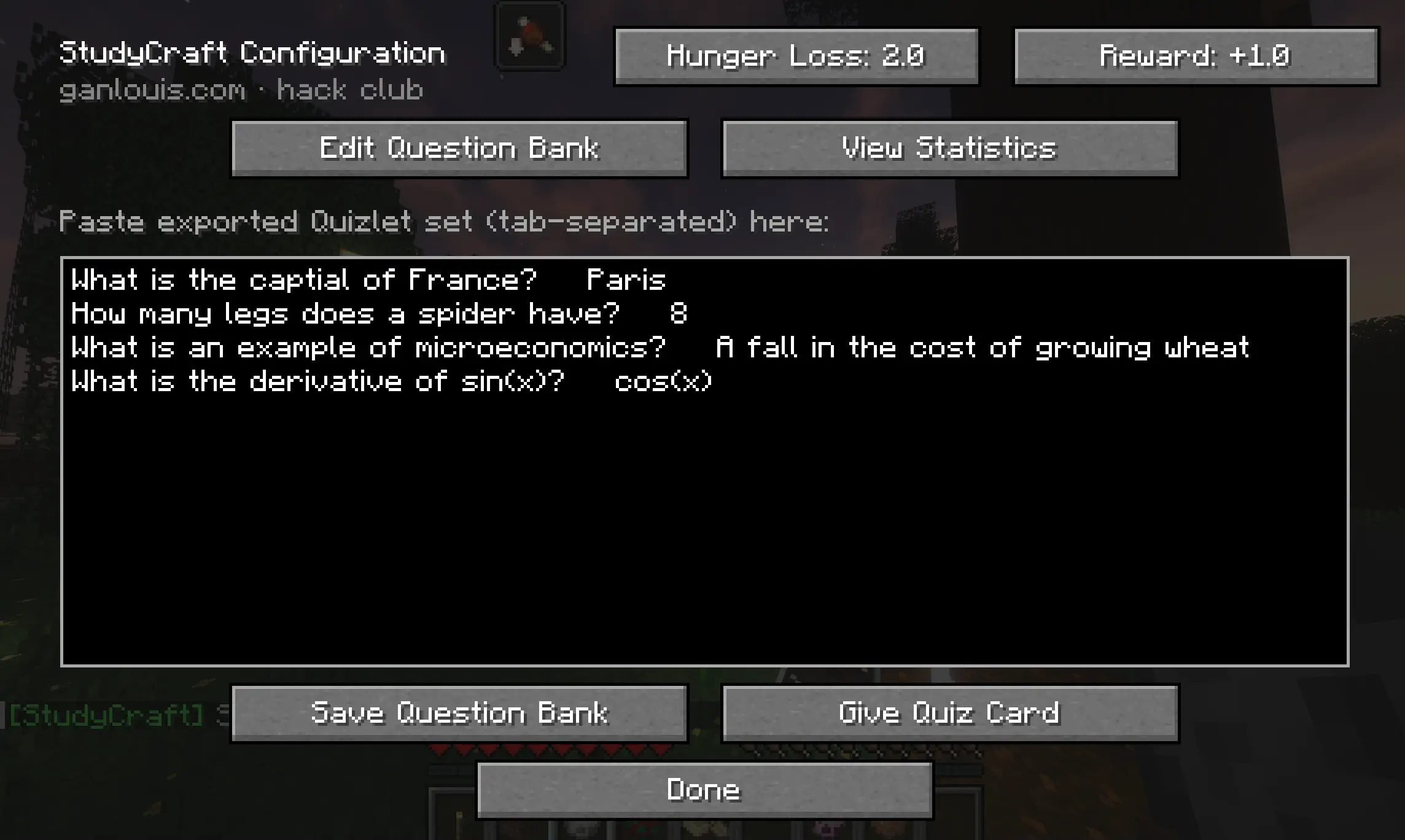
Open the Studycraft configuration screen
By default, press Y to open the screen. You can also change the hotkey in the settings.
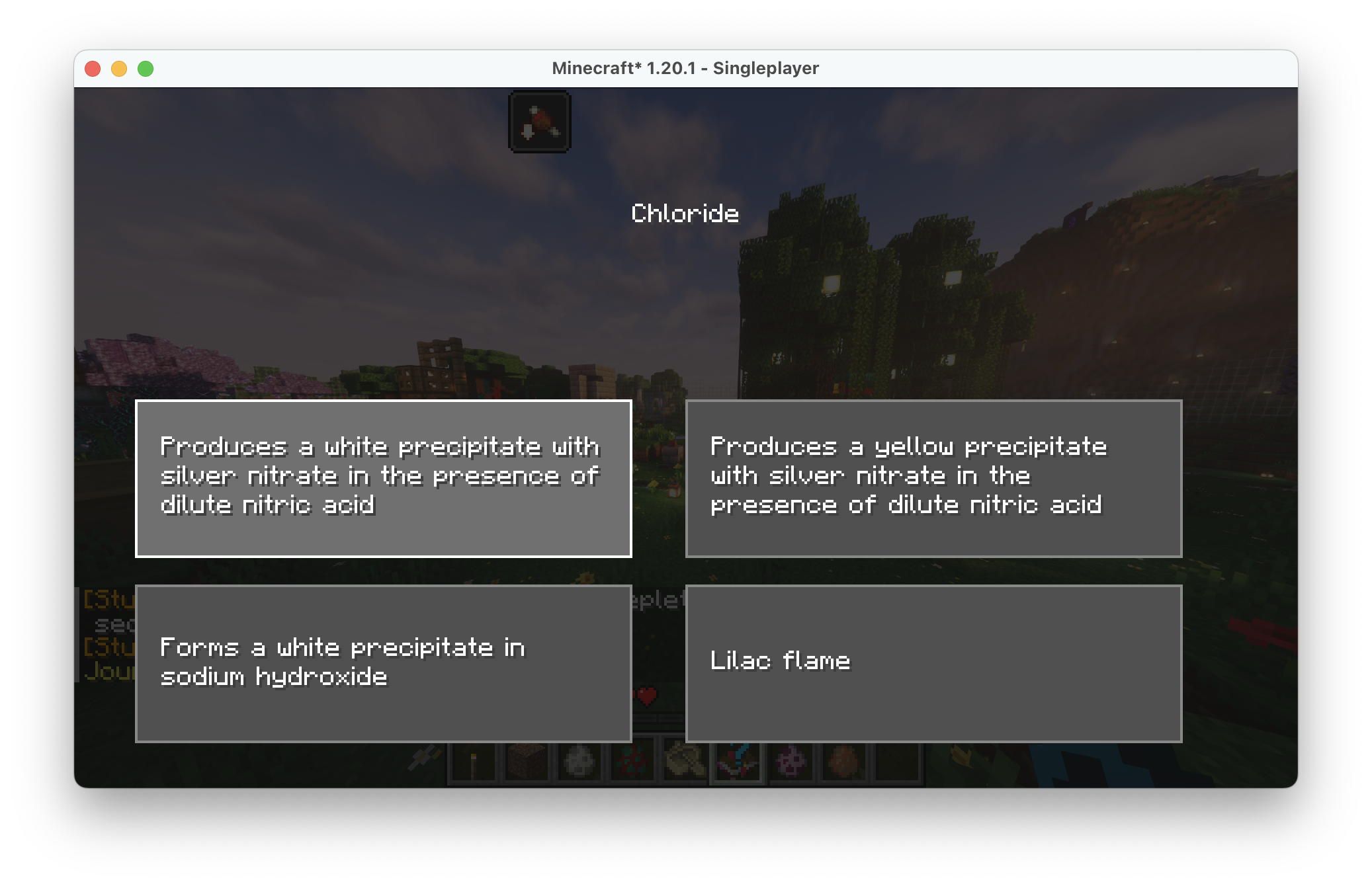
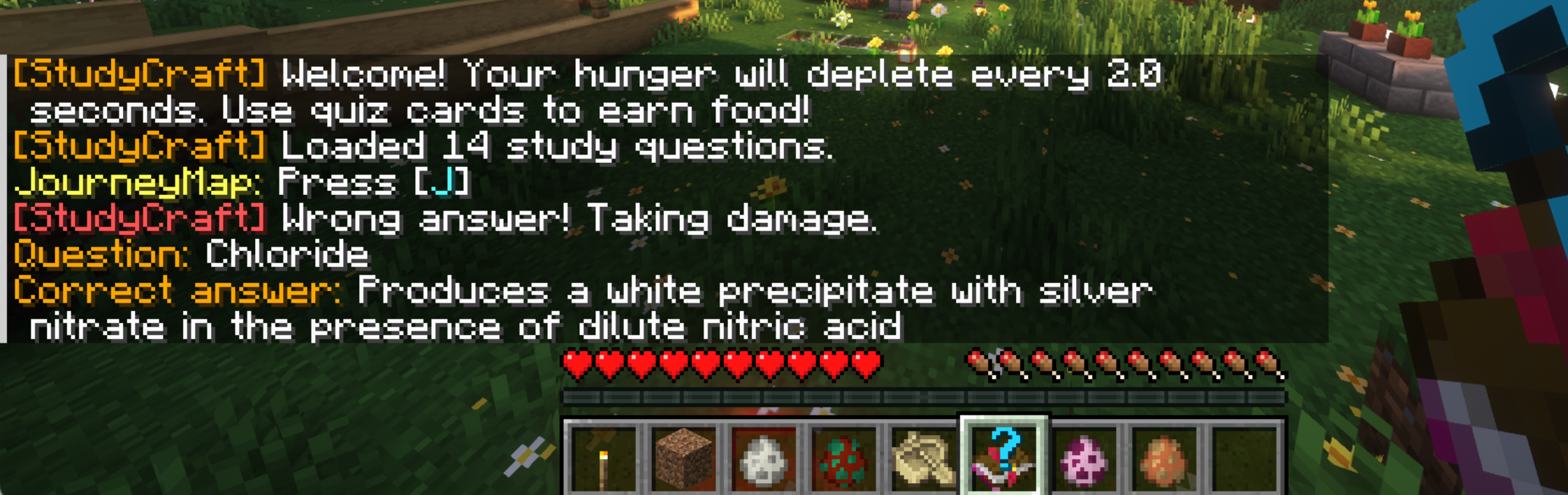
To answer a question, give yourself a Quiz Card and right-click to use it in game.
Depending on the difficulty set in the config screen, you will gain hunger points for each correct answer and get damage for every incorrect answer.
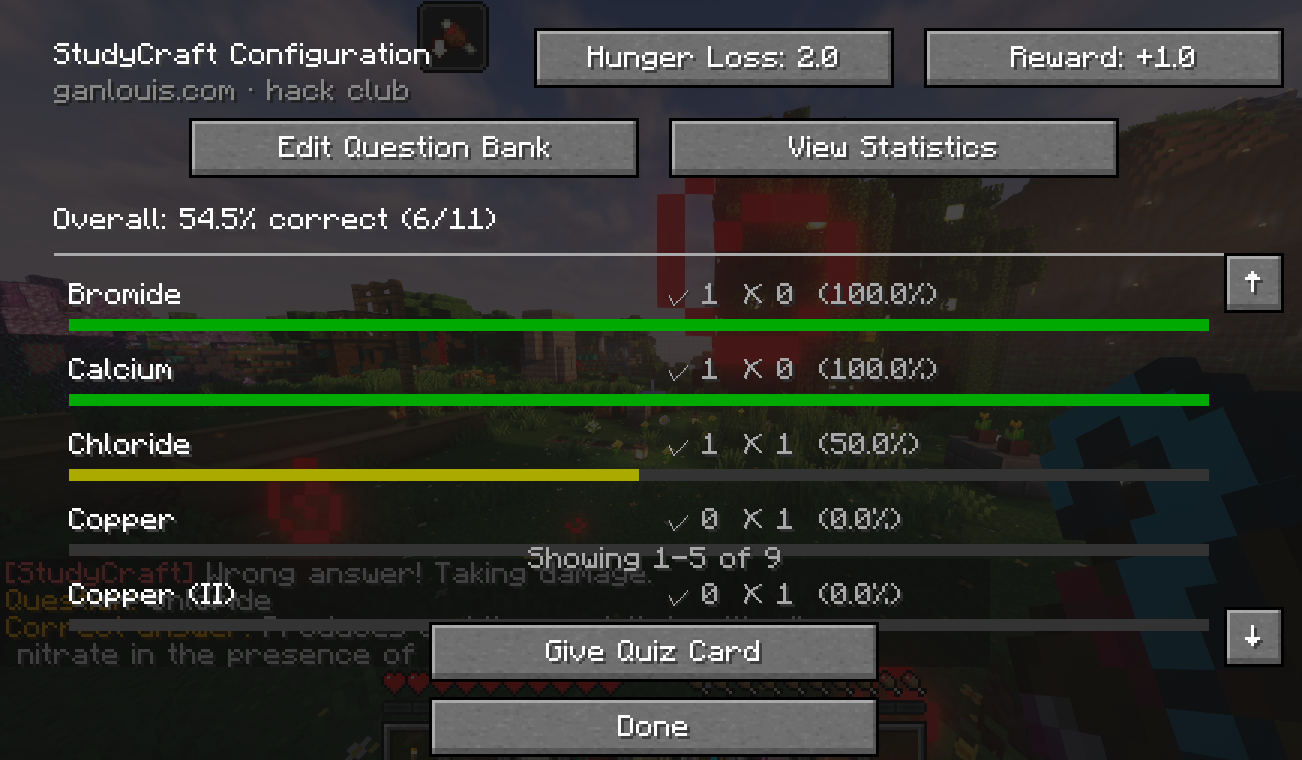
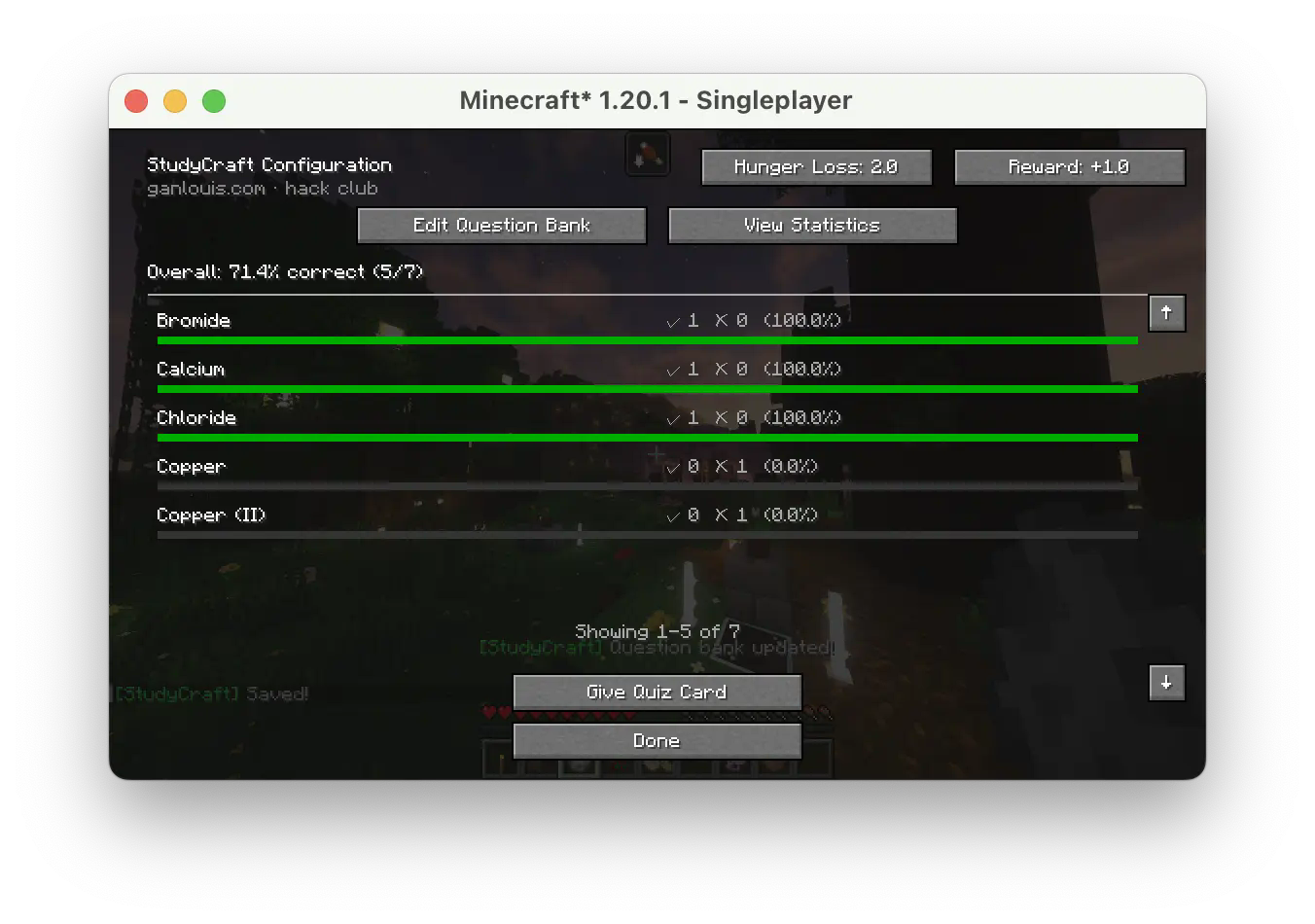
Answer statistics
You can view your ratio of correct answers for each question in real-time by going to the View Statistics menu.
Writing questions
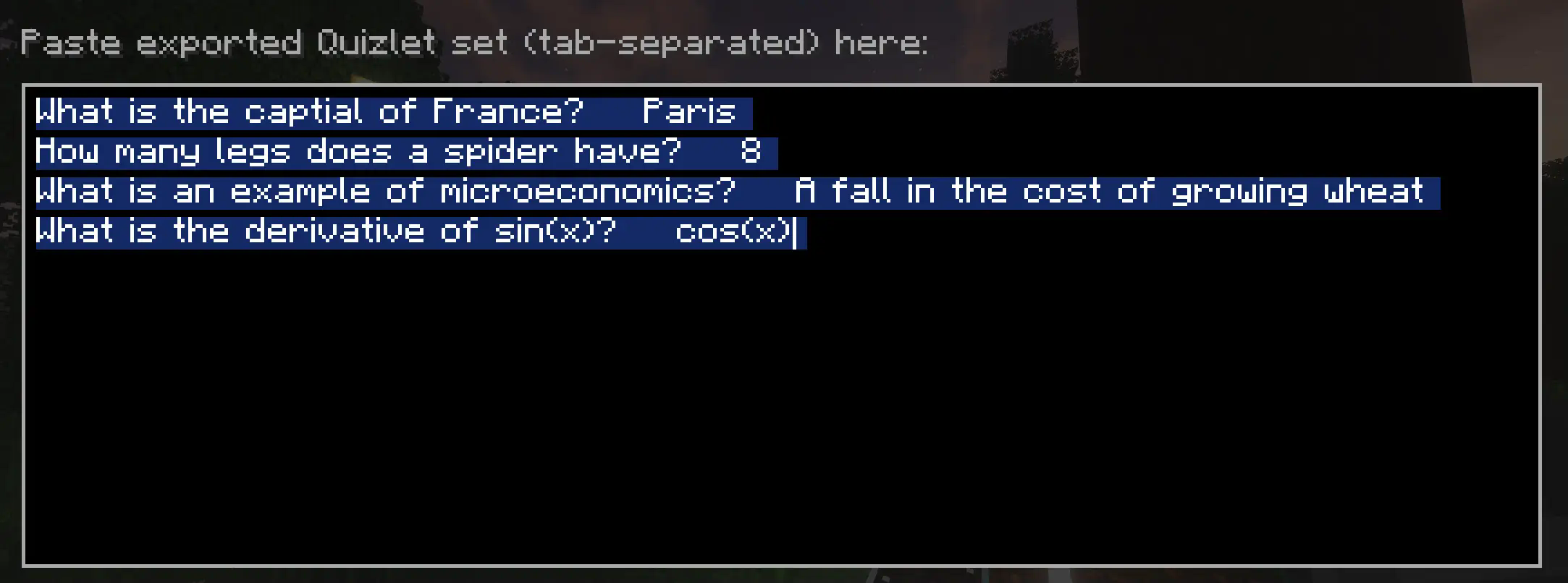
Each question can be added manually using this format:
Question 1[TAB]Answer
Question 2[TAB]Answer
Insert a tab between the question and the answer and a newline for another question
Using Quizlet to import questions
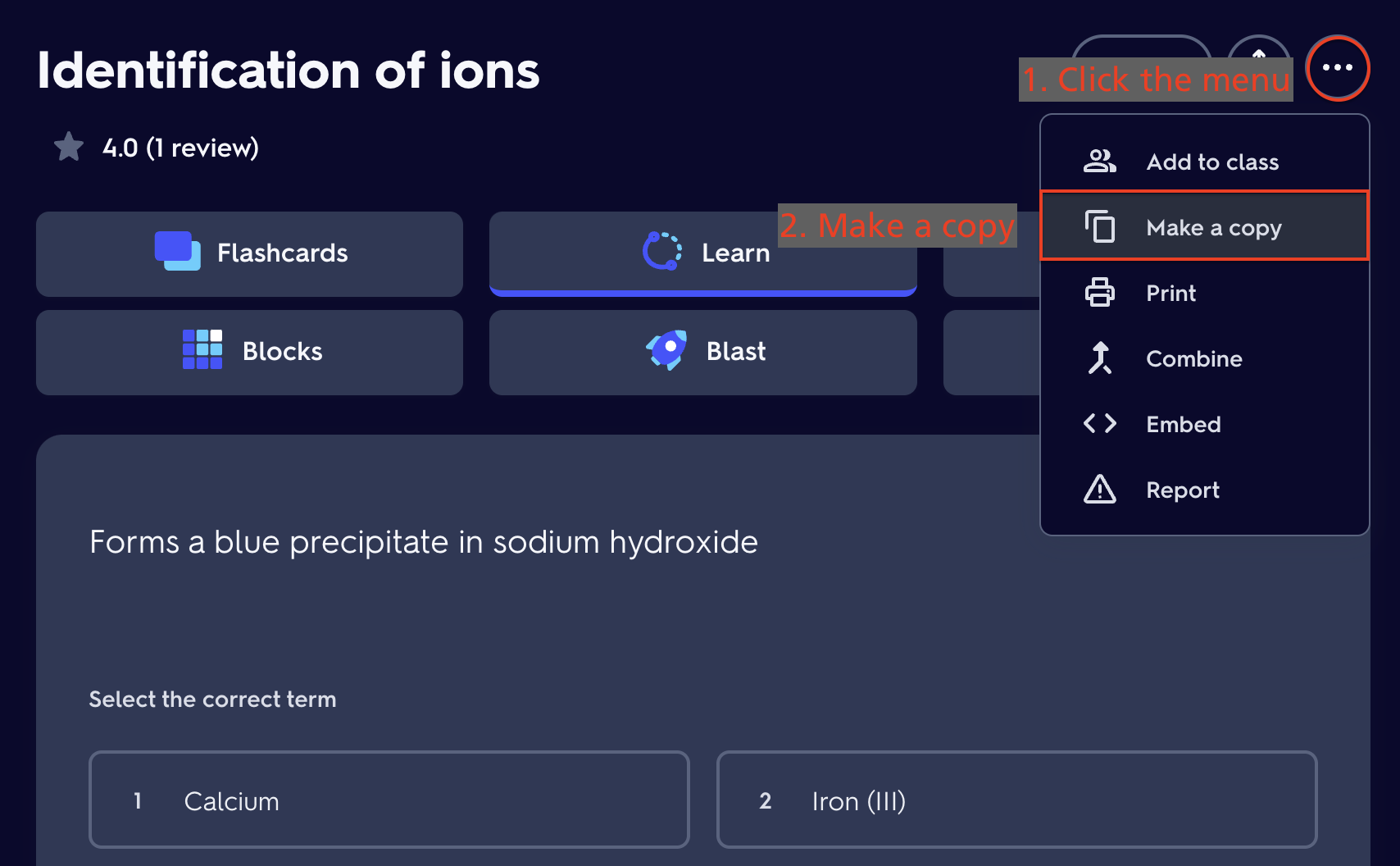
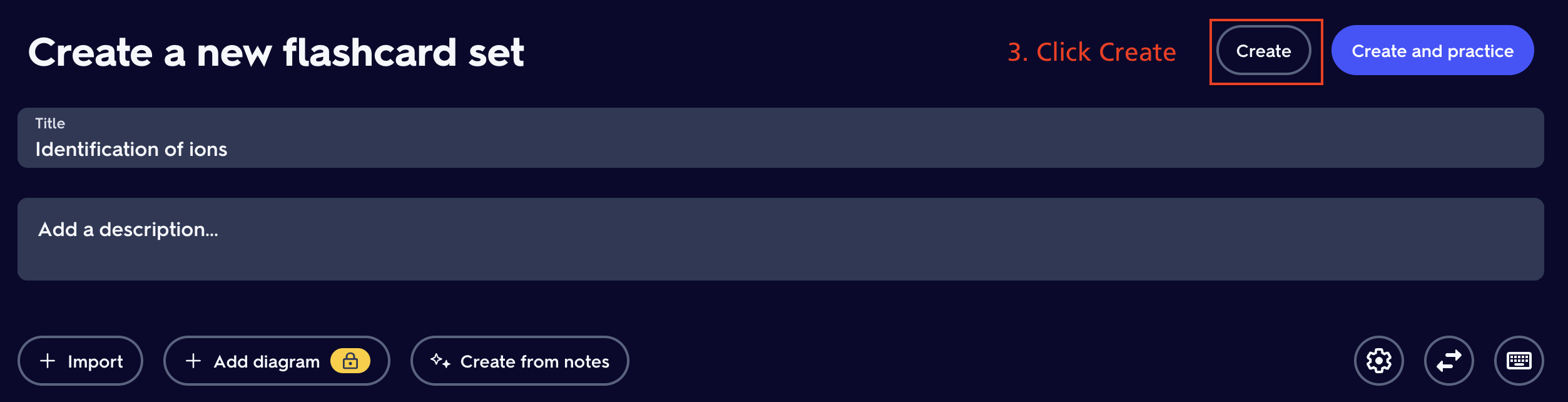
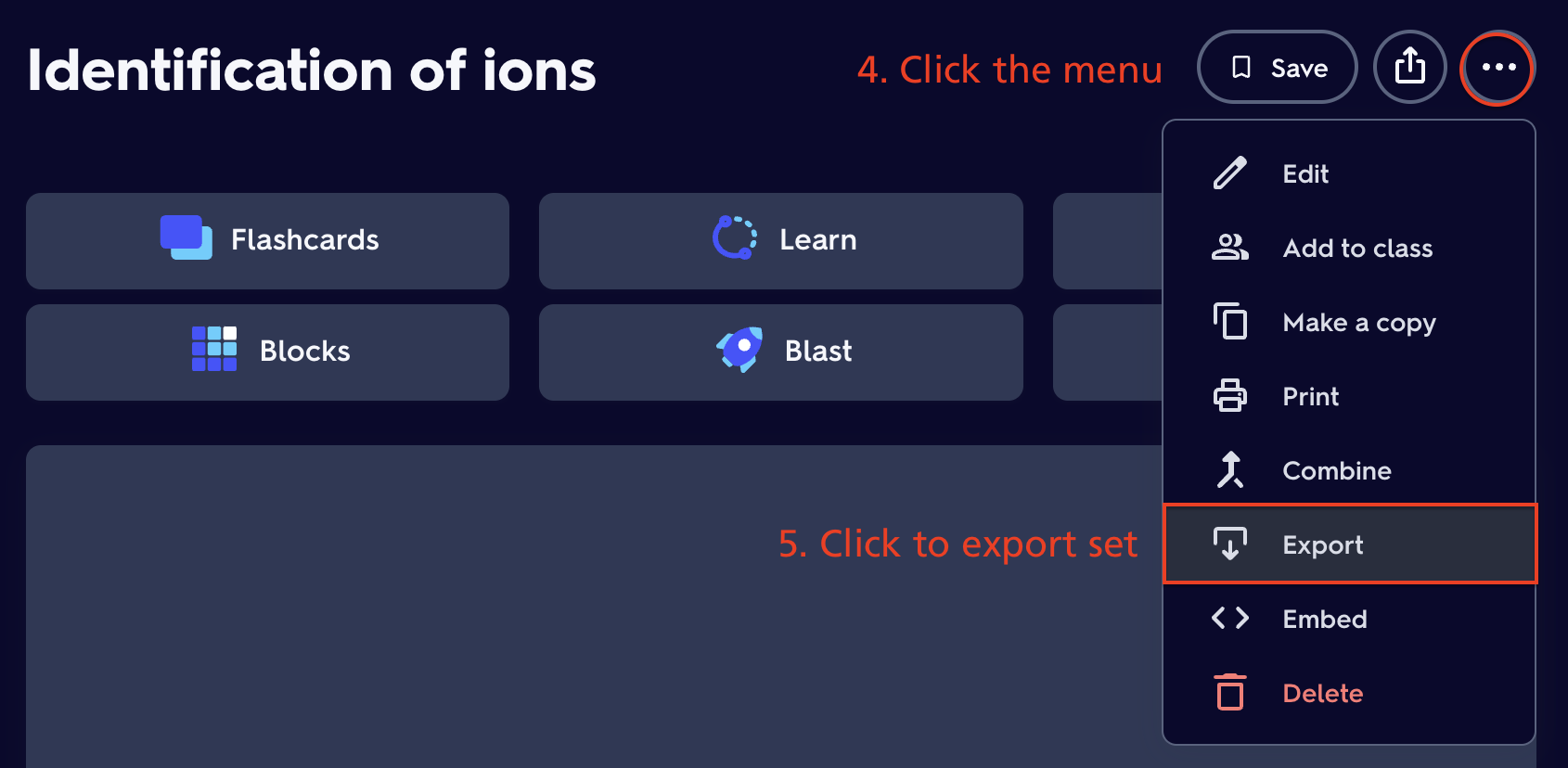
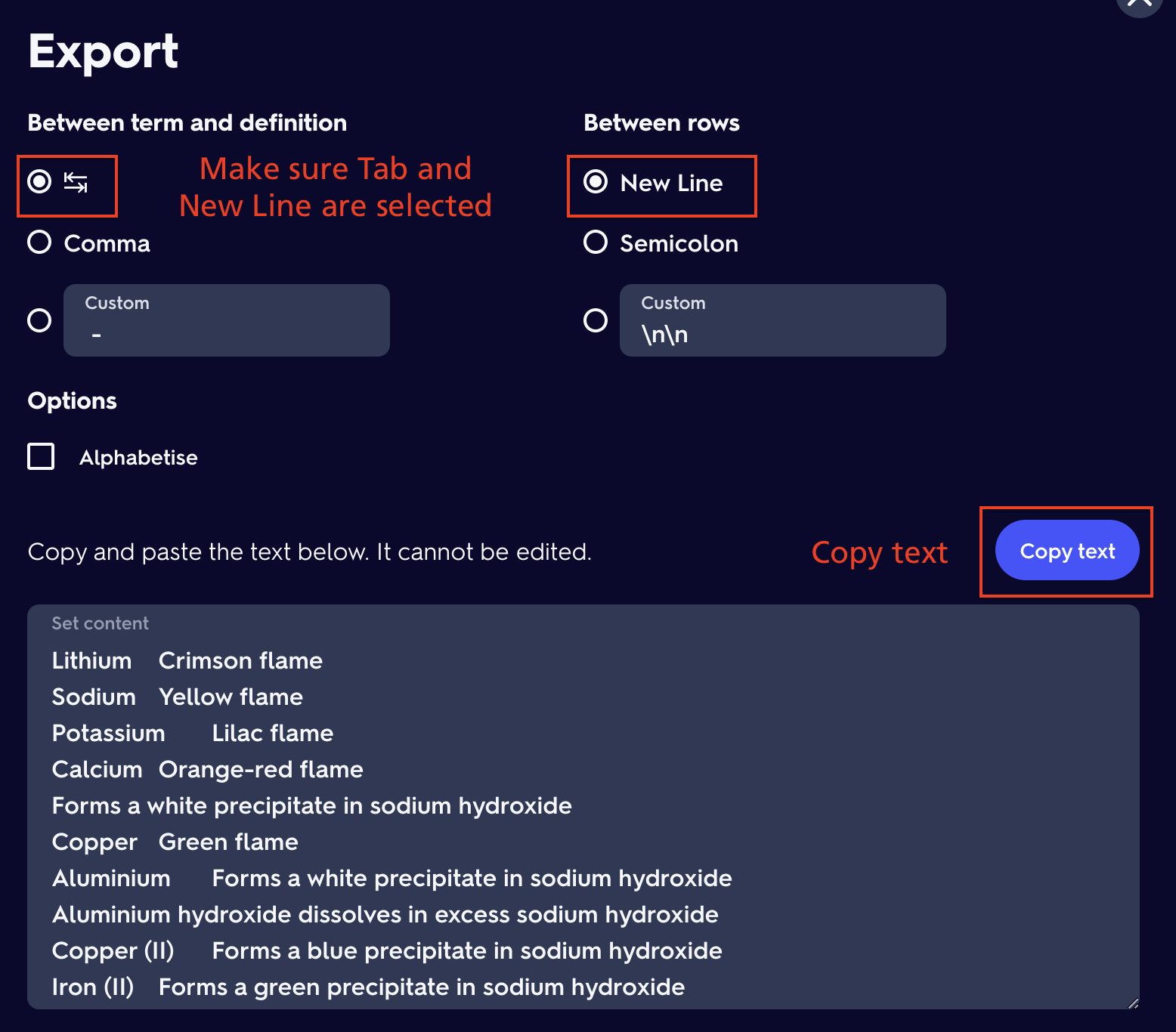
常见问题
Studycraft 支持哪些 Minecraft 版本?
Studycraft 支持 Minecraft Java 版 1.20.1–1.21.11,共 13 个版本,可用的加载器:Fabric。下载时注意选择和你游戏版本一致的文件。
Studycraft 怎么安装?
先用 PCL2 或 HMCL 启动器安装对应版本的 Fabric,再把下载的 .jar 文件放进游戏目录的 mods 文件夹,重新启动游戏即可。开启了版本隔离的,mods 文件夹在 versions/版本名 下面。运行环境:客户端和服务端都要装。
评论
登录后评论和评分