
Studious Keybinds
A Keybind Mod That Displays Your Keyboard And Allows You To Make Changes Directly!
截图
介绍
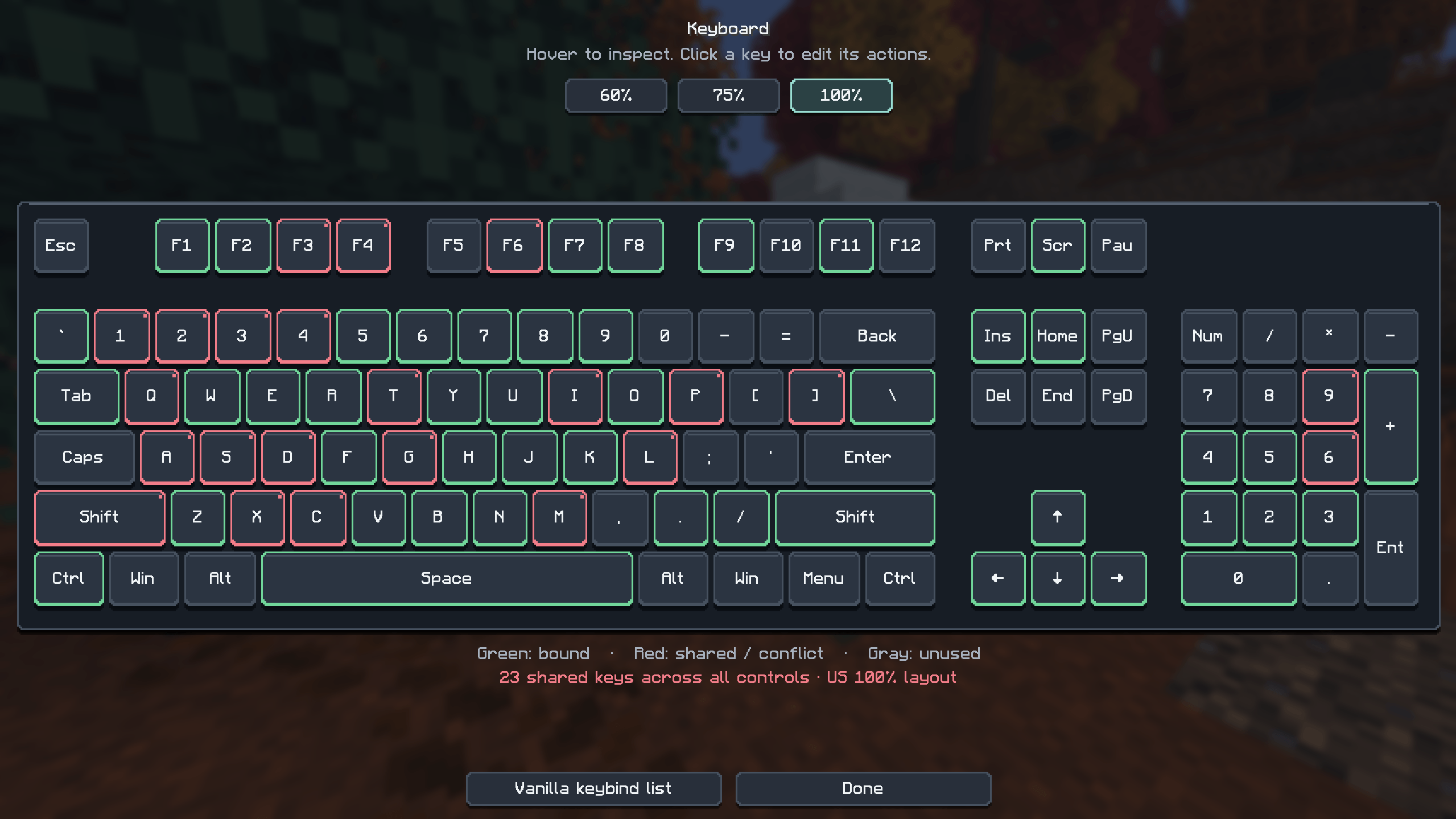
Studious Keybinds adds an interactive keyboard to Minecraft’s Controls menu, making it easy to see your bindings and customize them with a click. Choose a 60%, 75%, or 100% keyboard layout, hover over any key to see its assigned actions, and click to edit them. Your preferred layout is remembered between sessions.
- Color-coded outlines: Green for a single binding, red for shared bindings that may conflict, and gray for unused keys.
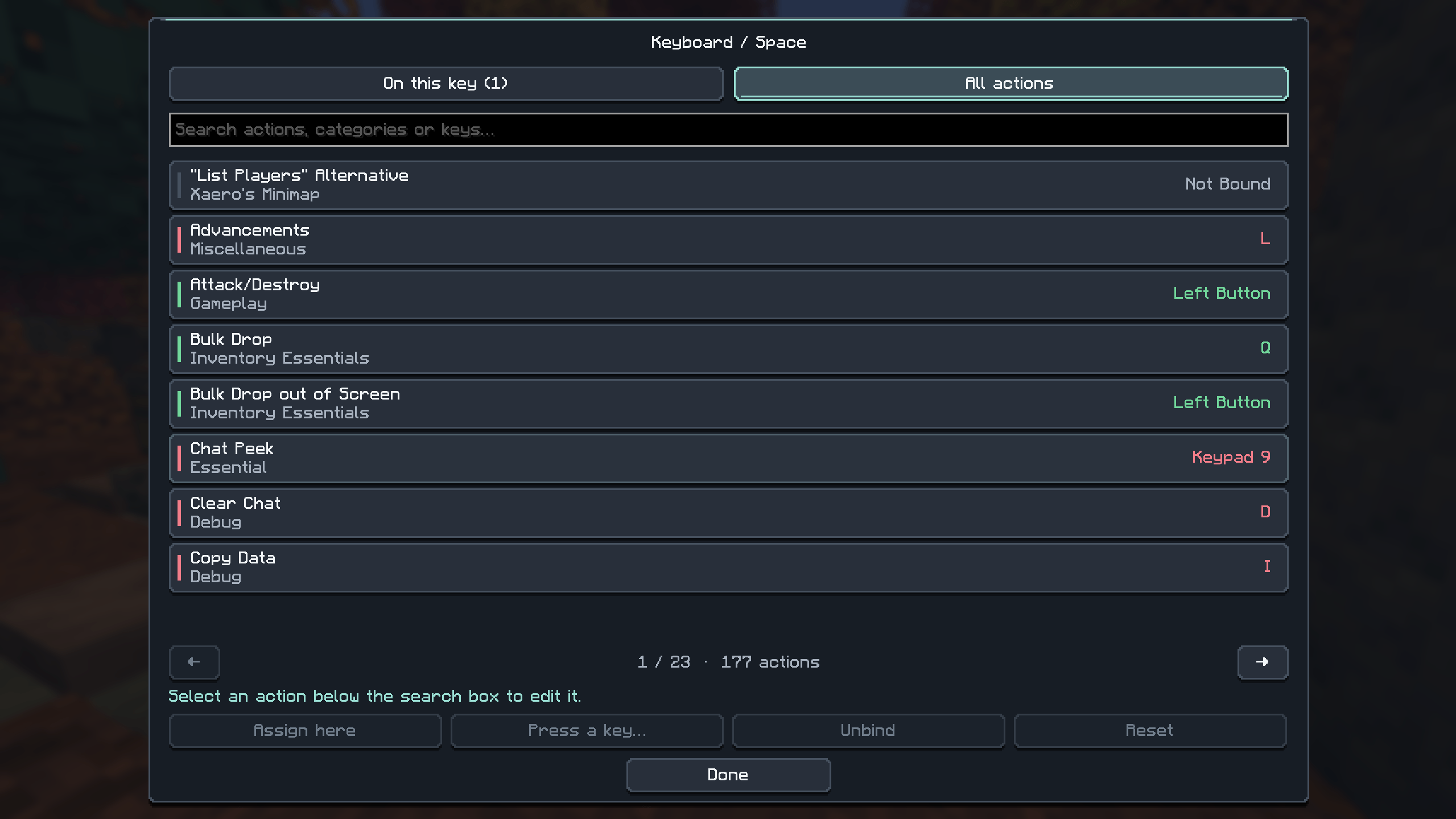
- Easy rebinding: Assign actions to a selected key or press a new keyboard key or mouse button.
- Searchable actions: Find bindings by action, category, or assigned key—including other mods’ controls registered with Minecraft.
- Flexible controls: Keep multiple actions on one key, unbind individual actions, or restore their defaults.
- Modern interface: Solid graphite keycaps, rounded buttons, and smooth animations alongside Minecraft’s familiar font and backgrounds. Open Options → Controls → Keyboard to get started.
常见问题
Studious Keybinds 支持哪些 Minecraft 版本?
Studious Keybinds 支持 Minecraft Java 版 1.20.1–26.3,共 5 个版本,可用的加载器:Fabric / Forge / NeoForge。下载时注意选择和你游戏版本一致的文件。
Studious Keybinds 怎么安装?
先用 PCL2 或 HMCL 启动器安装对应版本的 Fabric / Forge / NeoForge,再把下载的 .jar 文件放进游戏目录的 mods 文件夹,重新启动游戏即可。开启了版本隔离的,mods 文件夹在 versions/版本名 下面。
StudiousGoose 的其他作品
查看全部 →
Vanilla Progression Chaos Cubed Edition
A vanilla-style progression mod that locks advancement behind quests, auto-tracks objectives, rewards XP by difficulty, and guides players through every age from Wood to Post-End.

Vanilla Progression Chaos Cubed Edition
Vanilla Progression turns Minecraft’s normal progression into a structured quest-based adventure while keeping the game feeling close to vanilla.

Vanilla Progression: Wilderness Bound Edition
Overhaul Minecraft’s progression with 300 quests across nine Ages, shared team progress, quest rewards, and age-based unlocks.

StudiousGoose’s SMP Additions
StudiousGoose's Vanilla Plus improves Minecraft with better performance, enhanced visuals, immersive sounds, and useful quality-of-life features all while keeping the classic vanilla experience simple, balanced, and familiar.
评论
登录后评论和评分