
截图
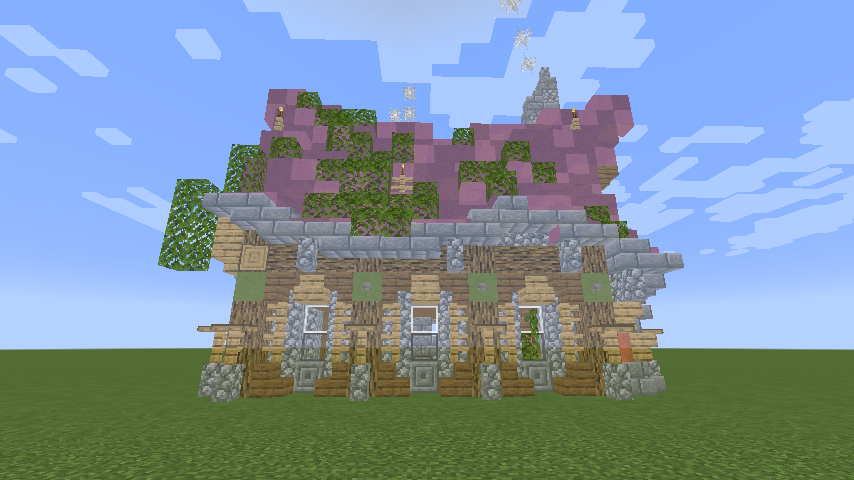
介绍

Using this mod you can visualize structure files (.nbt) in the world to aid with building.
By default the mod comes with 9 keybinds:
- Open Structure Menu (defaults to Numpad 9)
- Move X Up (defaults to Numpad 8)
- Move X Down (defaults to Numpad 7)
- Structure Coordinates (defaults to Numpad 6)
- Move Y Up (defaults to Numpad 5)
- Move Y Down (defaults to Numpad 4)
- Toggle Render (defaults to Numpad 3)
- Move Z Up (defaults to Numpad 2)
- Move Z Down (defaults to Numpad 1)
When you first launch the game you’ll have no structures to select. To add structures you have to add the structure files (.nbt) to your mods/structures folder.
Once in the structures folder the mod will see them and you’ll be able to select them.

Need a server? Get 20% off your first month by using promo code “mrbysco”
For questions feel free to join my Discord.
Want to support us?
 -Mrbysco
常见问题
Structure Visualizer 支持哪些 Minecraft 版本?
Structure Visualizer 支持 Minecraft Java 版 1.16.4–1.16.5,共 2 个版本,可用的加载器:Forge。下载时注意选择和你游戏版本一致的文件。
Structure Visualizer 怎么安装?
先用 PCL2 或 HMCL 启动器安装对应版本的 Forge,再把下载的 .jar 文件放进游戏目录的 mods 文件夹,重新启动游戏即可。开启了版本隔离的,mods 文件夹在 versions/版本名 下面。运行环境:仅客户端。
ShyNieke 的其他作品
查看全部 →
Just Enough Professions (JEP)
一个为 JEI 添加职业工作站的附属模组

Construction Sticks
让建造更轻松的木棍

Roughly Enough Professions (REP)
一个为 REI 物品管理器添加职业工作站的附属模组
Statues
一个小巧的装饰与实用模组
评论
登录后评论和评分