Stronghold Finder Ultimate
Client-side Fabric mod that triangulates strongholds from Eye of Ender directions, calculates Nether portal coordinates, and offers themes, custom palettes, and six languages.
截图
介绍
StrongholdFinderUltimate – SFU
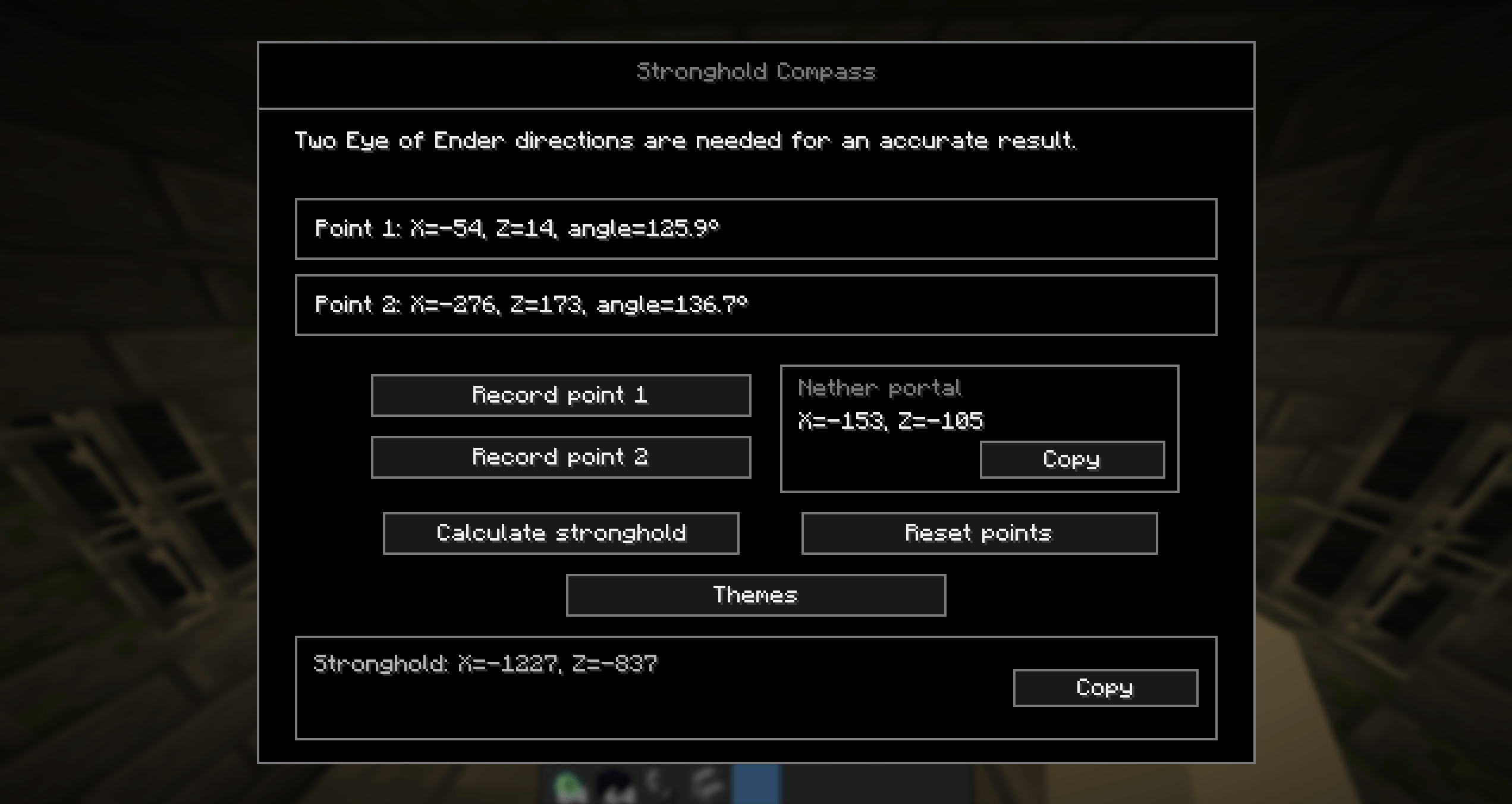
Stronghold Finder Ultimate is a lightweight client-side Fabric mod for Minecraft 26.2. It helps you find strongholds by triangulating two Eye of Ender directions directly in-game.
Record two observations, calculate their intersection, and get the estimated stronghold coordinates. The mod can also calculate matching Nether portal coordinates and copy both results with one click.
Features
– Fully client-side — works without installing anything on the server.
– Record Eye of Ender directions with the P key.
– Open the main menu with the K key.
– Accurate stronghold triangulation from two recorded directions.
– Nether portal coordinate calculation.
– Copy stronghold and Nether coordinates to the clipboard.
– Clear on-screen notifications without chat spam.
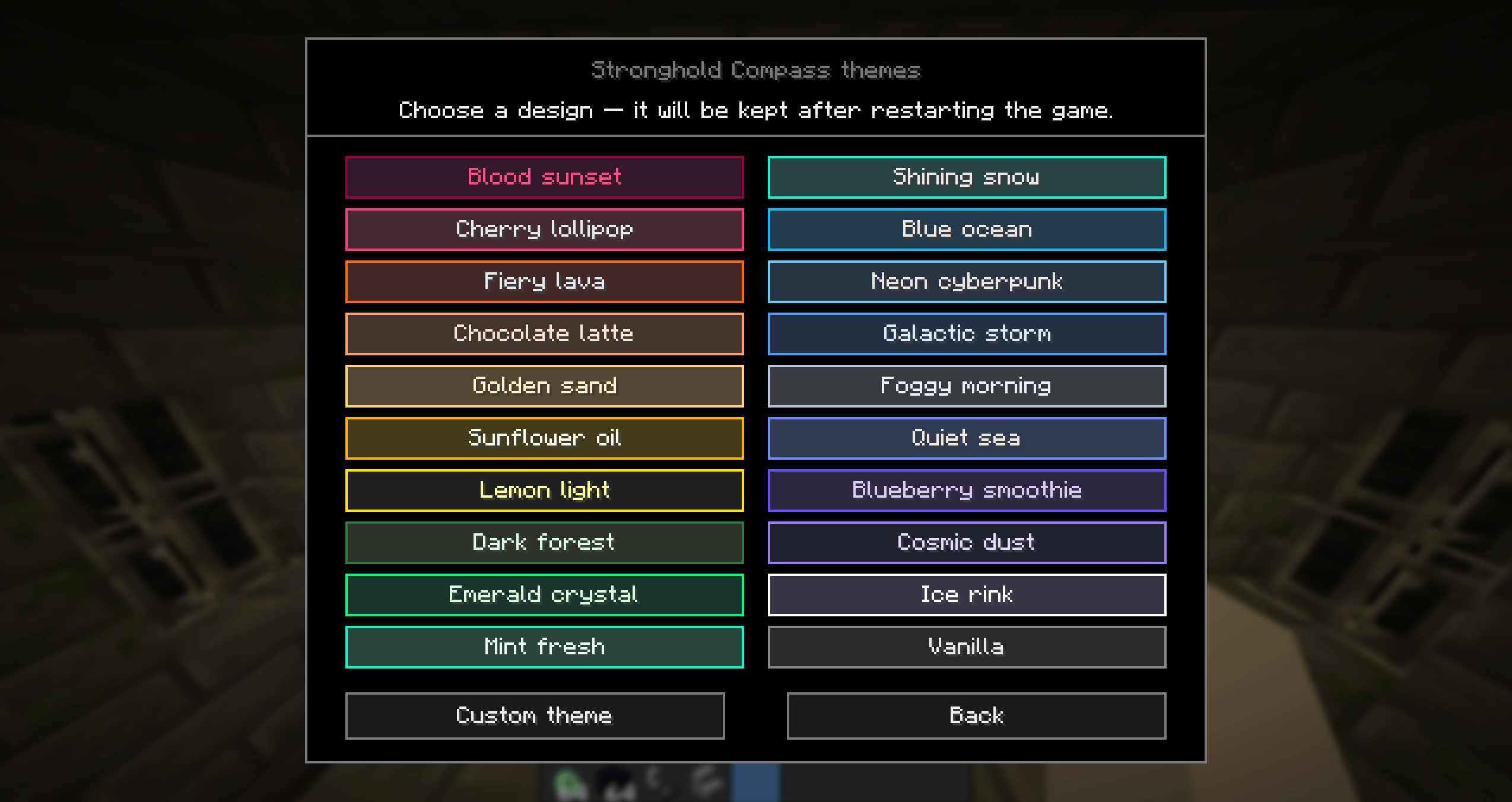
– 20 built-in colour themes.
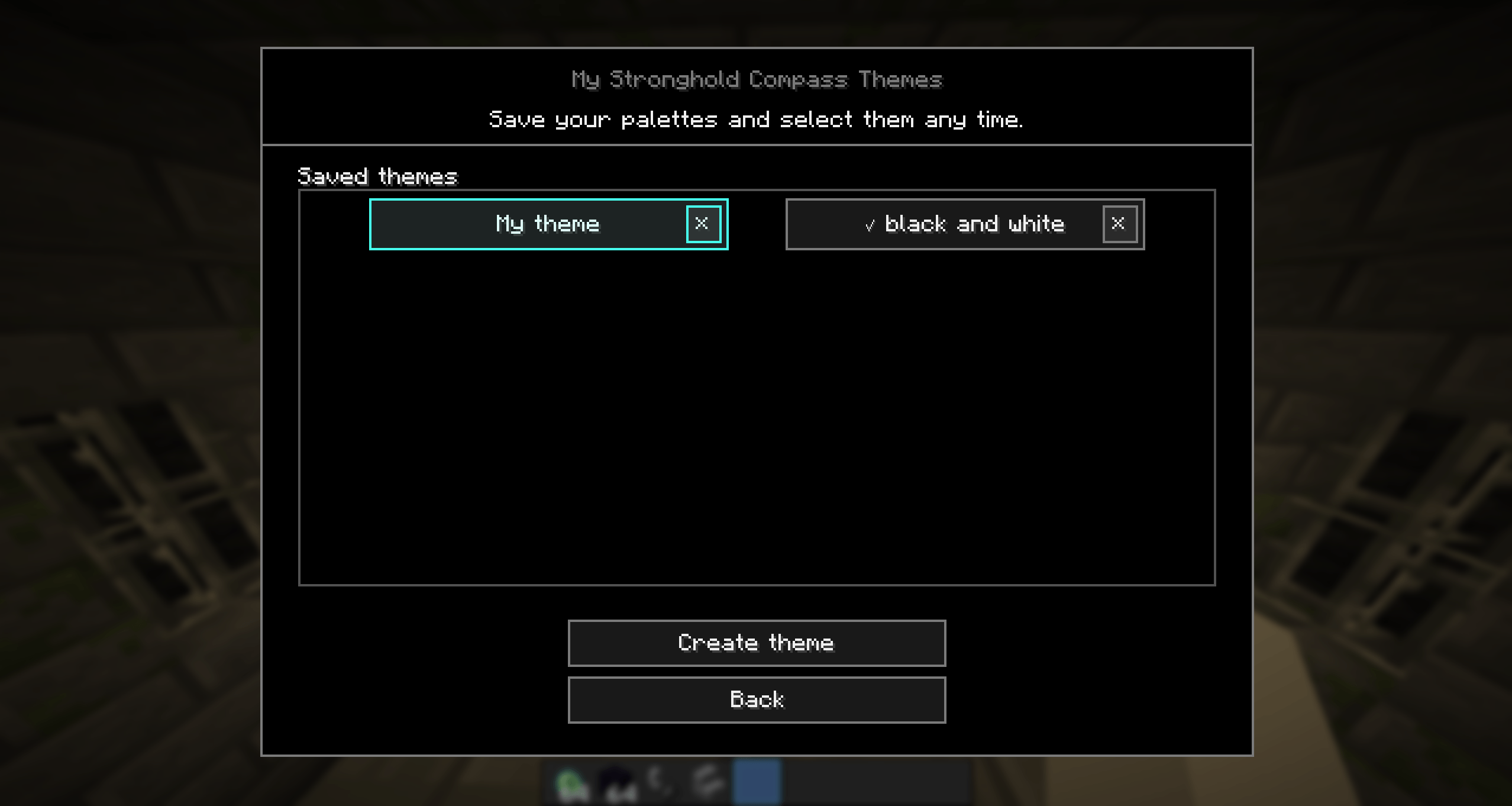
– Create, name, save, select, scroll through, and delete custom themes.
– Customise background, border, and text colours for each custom theme.
– Automatic language support: English, Russian, Spanish, Brazilian Portuguese, German, and Simplified Chinese. Unsupported Minecraft languages use English automatically.
– Keybinds can be changed in Minecraft controls.
How to use
1. Press K to open Stronghold Compass.
2. Throw an Eye of Ender.
3. Aim your crosshair along the Eye’s flight path and press P to save the first direction.
4. Move about 100–200 blocks perpendicular to the Eye’s flight path.
5. Throw another Eye of Ender, aim along its flight path, and press P again.
6. Click Calculate stronghold to see the estimated coordinates.
7. Use Copy to copy the stronghold coordinates or the suggested Nether portal coordinates.
For the best result, do not make the second measurement by walking along the Eye’s original path: that makes the two directions nearly parallel and reduces accuracy.
Requirements
– Minecraft 26.2
– Fabric Loader
– Fabric API
– Java 25
________________________________________________________________________________________________________________
StrongholdFinderUltimate – SFU
Запиши два наблюдения, рассчитай точку пересечения и получи примерные координаты крепости. Мод также показывает подходящие координаты для портала в Нижнем мире и позволяет скопировать оба результата одной кнопкой.
Возможности
– Полностью клиентский мод — на сервер ничего устанавливать не нужно.
– Запись направления Ока Края клавишей P.
– Открытие главного меню клавишей K.
– Расчёт координат крепости по двум направлениям.
– Расчёт координат портала в Нижнем мире.
– Копирование координат крепости и портала.
– Понятные уведомления на экране без сообщений в чате.
– 20 встроенных цветовых тем.
– Создание, название, сохранение, выбор, прокрутка и удаление собственных тем.
– Настройка цвета фона, рамок и текста для каждой своей темы.
– Автоматическая поддержка английского, русского, испанского, бразильского португальского, немецкого и китайского языков. Для остальных языков Minecraft включается английский.
– Клавиши можно изменить в настройках управления Minecraft.
Как пользоваться
1. Нажми K, чтобы открыть Stronghold Compass.
2. Брось Око Края.
3. Наведись по траектории его полёта и нажми P, чтобы записать первое направление.
4. Отойди примерно на 100–200 блоков поперёк траектории полёта Ока.
5. Брось Око ещё раз, наведи прицел по его траектории и снова нажми P.
6. Нажми «Рассчитать крепость», чтобы получить примерные координаты.
7. Используй кнопку «Копировать», чтобы скопировать координаты крепости или портала в Нижнем мире.
Для точного результата не записывай вторую точку, просто двигаясь вдоль первой траектории Ока: направления получатся почти параллельными, и точность снизится.
Требования
– Minecraft 26.2
– Fabric Loader
– Fabric API
– Java 25
常见问题
Stronghold Finder Ultimate 支持哪些 Minecraft 版本?
Stronghold Finder Ultimate 支持 Minecraft Java 版 26.2,可用的加载器:Fabric。下载时注意选择和你游戏版本一致的文件。
Stronghold Finder Ultimate 怎么安装?
先用 PCL2 或 HMCL 启动器安装对应版本的 Fabric,再把下载的 .jar 文件放进游戏目录的 mods 文件夹,重新启动游戏即可。开启了版本隔离的,mods 文件夹在 versions/版本名 下面。

评论
登录后评论和评分