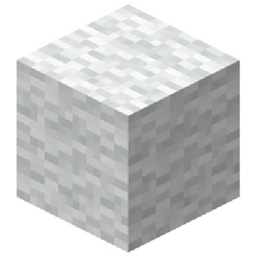
String to Colored Wool
Craft any of the 16 Minecraft wool colors using just 4 string! Requires Polymorph to select your desired color.
介绍
String to Colored Wool
Ever wanted to craft colored wool without needing dyes?
String to Colored Wool is a simple Fabric mod that allows you to craft any of Minecraft’s 16 wool colors using only 4 string!
Normally, crafting 4 string gives you white wool. This mod expands that recipe to include every wool color.
Features
-
Craft all 16 wool colors using just 4 string.
-
No dyes required!
-
Uses the original 2×2 string crafting recipe.
-
Works with Polymorph to let you select your desired wool color.
-
Simple and lightweight.
Crafting Recipe
Place 4 string in a 2×2 square in a crafting table.
Use Polymorph’s recipe selector to choose which of the 16 wool colors you want.
Output: 1 wool block of your selected color.
Supported Versions
-
Minecraft 1.20.1 — Fabric
-
Minecraft 1.20.4 — Fabric
-
Minecraft 1.21.1 — Fabric
Required Dependency
Polymorph is required to select between the different wool recipes.
Credits
Created by StormForgeStudios.
常见问题
String to Colored Wool 支持哪些 Minecraft 版本?
String to Colored Wool 支持 Minecraft Java 版 1.20.1,可用的加载器:Fabric。下载时注意选择和你游戏版本一致的文件。
String to Colored Wool 怎么安装?
先用 PCL2 或 HMCL 启动器安装对应版本的 Fabric,再把下载的 .jar 文件放进游戏目录的 mods 文件夹,重新启动游戏即可。开启了版本隔离的,mods 文件夹在 versions/版本名 下面。
StormForgeStudios 的其他作品
查看全部 →
CWSM Block Cluster Crafting
Craft using CWSM block clusters, inspired by Jesse's Formidi-Bomb crafting scene in Minecraft: Story Mode Episode 3!
Story Mode Blocks
Adds blocks from Minecraft: Story Mode! Made because no other mod focuses exclusively on bringing Story Mode blocks into Minecraft.

Story Mode – Prisoner’s Clothing
Adds the iconic prisoner's jail suit from Minecraft: Story Mode Season 2 as wearable, craftable Netherite-strength armor!

Old Cocoa Bean Recipe
Brings back the classic Minecraft Pocket Edition cocoa bean recipe using red dye, yellow dye, and an ink sac!
评论
登录后评论和评分