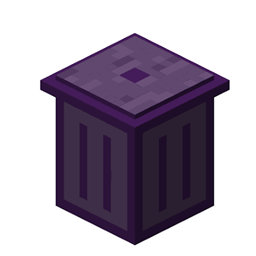
Strash
This Mod Adds The Ability To Throw Selected Items In a Blacklist all at once without Manually throwing them out
介绍
🗑️ Strash
Ever gone on a massive mining trip, opened your inventory, and realized your bags are completely flooded with Cobblestone, Diorite, Gravel, and other random blocks? Strash fixes that.
Strash is a client-side utility mod that lets you make a blacklist of items you don’t want, then instantly throw all of them out of your inventory when you’re ready to clean up.
✨ Features
- 📝 Simple Item Blacklist: Use
/ss addwhile holding an item to add it to your blacklist. - 🎯 Blacklist Whatever You Want: Add blocks like Cobblestone, Netherrack, Andesite, Gravel, or anything else you don’t want taking up inventory space.
- 💥 Instant Inventory Cleanup: Run
/ss runand every blacklisted item in your inventory gets dropped at once. - 🧹 Easy to Reset: Use
/ss clearto completely clear your blacklist and start over. - 🛡️ Your Other Items Stay Safe: Strash only drops items you’ve specifically added to the blacklist. Your tools, armor, ores, and other items are left alone.
🎮 Commands
/ss add
Adds the item you’re currently holding to the blacklist.
/ss run
Drops all blacklisted items from your inventory at once.
/ss clear
Clears the entire blacklist.
📖 How To Use
- Hold the item you want to get rid of.
- Type
/ss addto add it to your blacklist. - Keep adding any other items you don’t want.
- When your inventory gets full, use
/ss run. - All blacklisted items will be dropped at once.
If you want to start over, just use /ss clear.
⚙️ Installation
- Minecraft Version: 1.21.1
- Environment: Client-side only
- Mod Loader: Fabric
- Dependency: Fabric API
Do NOT install Strash on the server. Strash is designed to run entirely on the client.
常见问题
Strash 支持哪些 Minecraft 版本?
Strash 支持 Minecraft Java 版 1.21.11,可用的加载器:Fabric。下载时注意选择和你游戏版本一致的文件。
Strash 怎么安装?
先用 PCL2 或 HMCL 启动器安装对应版本的 Fabric,再把下载的 .jar 文件放进游戏目录的 mods 文件夹,重新启动游戏即可。开启了版本隔离的,mods 文件夹在 versions/版本名 下面。
评论
登录后评论和评分