
Strand Studio(DragonMine Z)
A DragonMineZ add-on for shaping hairstyles segment by segment with independent position, rotation, and color controls.
介绍
Strand Studio
Strand Studio expands DragonMineZ’s hair editor with precise, segment-by-segment customization. Adjust the position, rotation, shape, and color of individual hair segments to recreate anime-inspired hairstyles or design an original look.
Features
-
Segment shaping: Adjust each segment’s length, width, rotation, and bend.
-
Independent positioning: Fine-tune each segment’s offset along the X, Y, and Z axes.
-
Individual colors: Give each segment its own color using RGB sliders or a hex code, or let it inherit the strand’s color.
-
Scale and bend propagation: Control how adjustments carry through to later segments.
-
Physics and swing controls: Customize hair movement.
-
Texture options: Switch between HD and pixel-style hair textures.
-
Live preview: Rotate the character while editing to check the hairstyle from different angles.
How to use
-
Right-click with the Hair Salon Scissors to open the hair editor.
-
Select the hair strand you want to customize.
-
Press P to open the segment editor.
-
Choose a segment and adjust its shape, position, and color.
-
Save your hairstyle through the hair editor.
For best results, edit your hair while in your base form.
Requirements
Minecraft 1.20.1, Forge, DragonMineZ, and GeckoLib.
Example Hairstyles
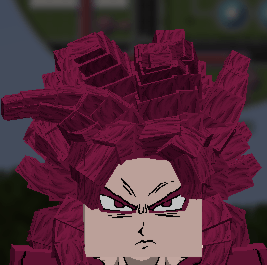
The screenshots below show examples of the hairstyles you can create with detailed segment editing and color customization.
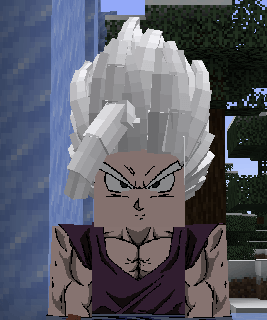
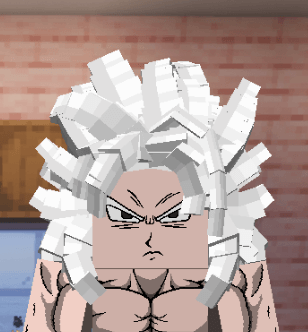
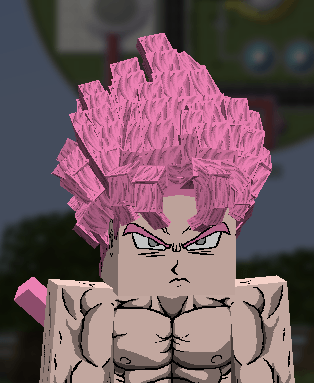
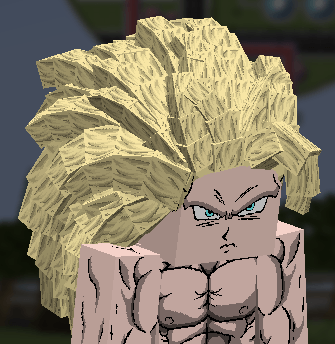
常见问题
Strand Studio(DragonMine Z) 支持哪些 Minecraft 版本?
Strand Studio(DragonMine Z) 支持 Minecraft Java 版 1.20.1,可用的加载器:Forge。下载时注意选择和你游戏版本一致的文件。
Strand Studio(DragonMine Z) 怎么安装?
先用 PCL2 或 HMCL 启动器安装对应版本的 Forge,再把下载的 .jar 文件放进游戏目录的 mods 文件夹,重新启动游戏即可。开启了版本隔离的,mods 文件夹在 versions/版本名 下面。
评论
登录后评论和评分