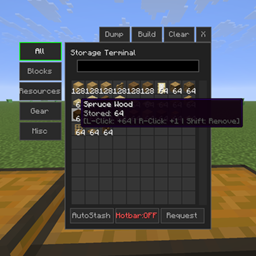
截图
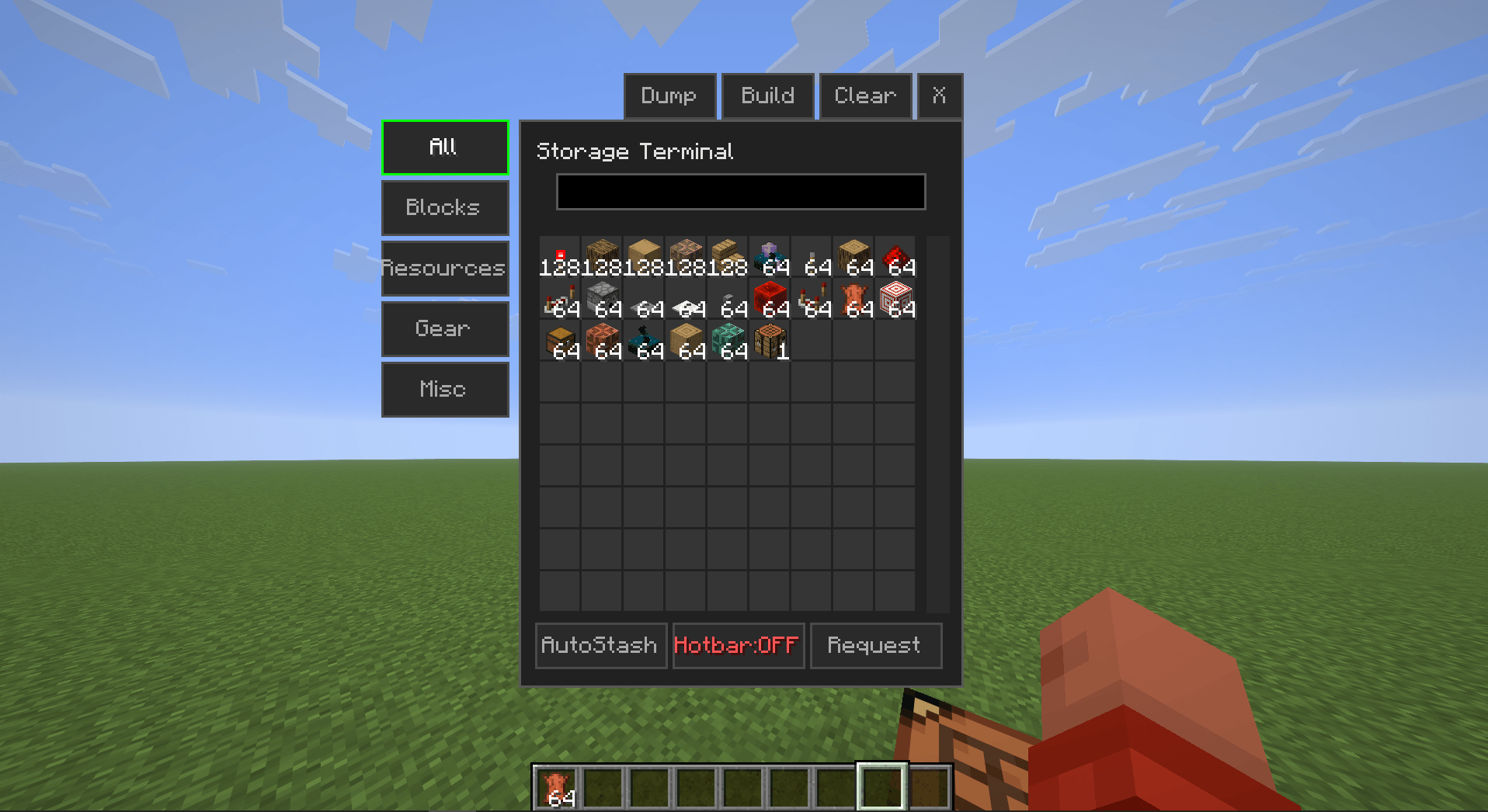
介绍
Storage Terminal – Client-Side Storage Management Mod
Have you ever seen Applied Energistics or Refined Storage?
Those storage systems are highly functional. This mod provides a comparable lightweight alternative.
Overview
Storage Terminal adds a client-side storage interface that enables store/request operations for all nearby chests from a single GUI.
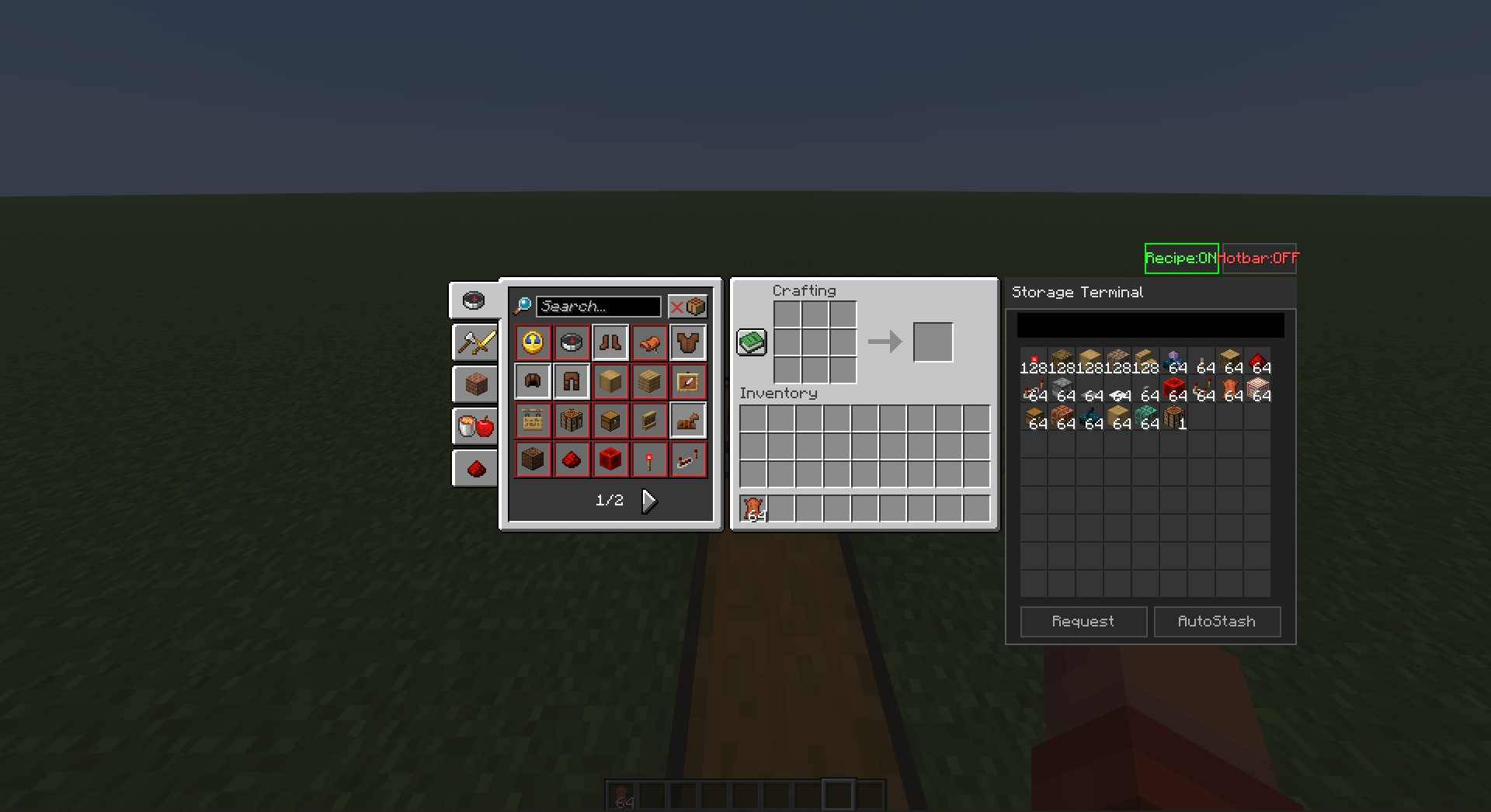
Key feature: In the vanilla crafting table, clicking any recipe automatically requests the required ingredients from connected chests.
The mod operates entirely client-side and is compatible with any vanilla or modded server without server-side installation.
Setup
- Press Right Shift to open the Keybind Configuration menu.
- Assign keys for:
- AutoStash
- Storage Manager
Alternatively, configure keys via Options → Controls.
Default keybinds
- AutoStash: B
- Storage Manager: V
Usage
Scanning Chests
- Press the Storage Manager key (V by default).
- Click BUILD.
- The mod will automatically scan and register all nearby chests.
- A chat notification confirms when the scan is complete.
Item Controls
| Action | Result |
|---|---|
| Right click | Request +1 item |
| Left click | Request +64 items (full stack) |
| Shift + Click | Subtract equivalent quantity |
While holding an item, clicking an empty slot in the terminal GUI stores it in the nearest registered chest.
Crafting Integration
| Action | Result |
|---|---|
| Click recipe | Request ingredients for 1 craft |
| Shift + Click recipe | Request ingredients for 1 full stack |
The mod automatically pulls exact quantities from connected chests and performs the craft.
Technical Specifications
- Side: Client-side only (no server installation required)
- Compatibility: Fabric and NeoForge
- Minecraft versions: 1.20+ / 1.21.1 / 1.21+ / 26.1+
- Performance: Lightweight, minimal impact on FPS or TPS
Download: CurseForge – Storage Terminal
Support: Discord
If you encounter any issues, please leave a comment or join the Discord server for assistance.
常见问题
Storage Terminal 支持哪些 Minecraft 版本?
Storage Terminal 支持 Minecraft Java 版 1.21.1–26.2,共 5 个版本,可用的加载器:Fabric / NeoForge。下载时注意选择和你游戏版本一致的文件。
Storage Terminal 怎么安装?
先用 PCL2 或 HMCL 启动器安装对应版本的 Fabric / NeoForge,再把下载的 .jar 文件放进游戏目录的 mods 文件夹,重新启动游戏即可。开启了版本隔离的,mods 文件夹在 versions/版本名 下面。
Duox29 的其他作品
查看全部 →
Stardew Fishing Auto
Automation mod for Stardew Fishing

Stardew Fishing Auto
Automation mod for Stardew Fishing
Stardew Fishing Auto
Automation mod for Stardew Fishing

Starcatcher Auto
Auto play Starcatcher's minigame for you
评论
登录后评论和评分