
截图


介绍
Storage Pots Mod
Overview
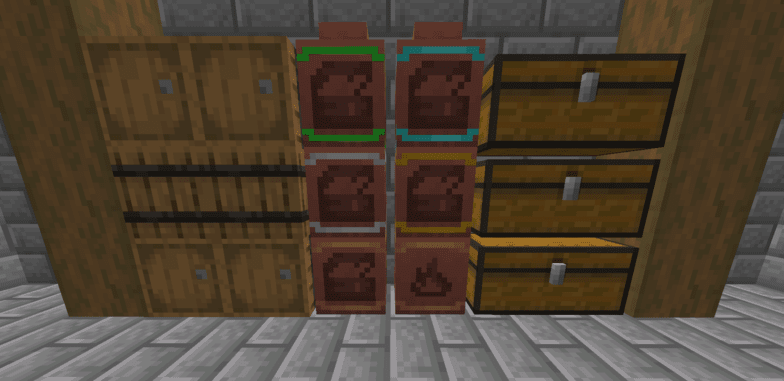
Quickly access your most frequently used or most plentiful items with a click of the mouse. Great for storing tons of the same items in order to tidy up your chests for an overabundance of identical items!
Usage
While the pots do not have a traditional inventory to them, you can still interact with the storage pots by right or left click.
- Right Click: Insert one item in hand into the pot
- Shift Right Click: Insert 64 of the item in hand into the pot (or all if you have less than 64 items)
- Left Click: Remove one item from the pot
- Shift Left Click: Remove 64 of the item from the pot (or all if the pot contains less than 64 items)
Items and item count will display on the front face of the pots which you can orient in all four cardinal directions.
Pots are Upgradeable!
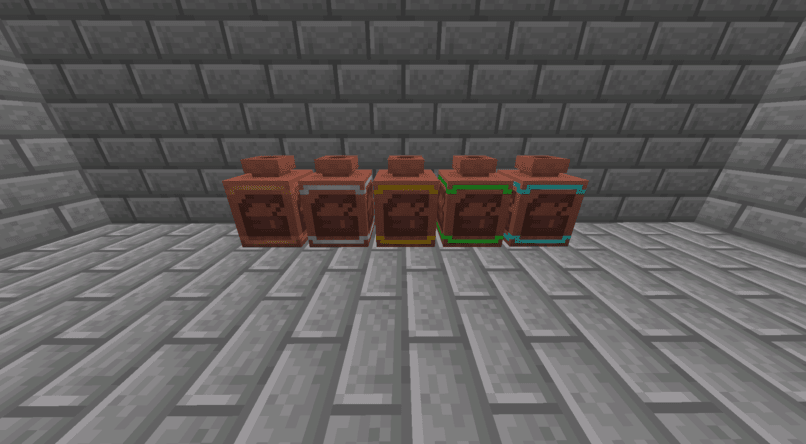
/ Emerald
Basic Storage Pot -> Iron -> Gold
\ Diamond
You can upgrade from the regular storage pot to iron, gold, and then emerald or diamond for greater feats of storage!
Trash Pots
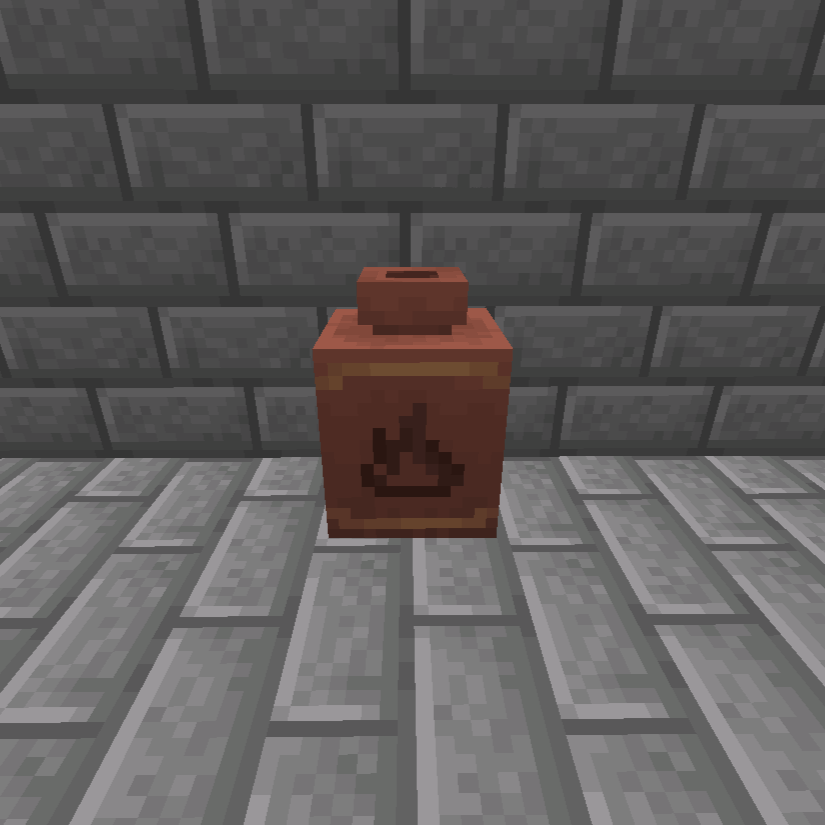
The trash pot is used to permanently delete excess items that are cluttering up your storage WITHOUT causing a gross pileup of items on the ground.
Feel free to use this mod in any modpack!
If you have any comments / suggestions / bugs I will be glad to read and respond in the comments!
常见问题
Storage Pots 支持哪些 Minecraft 版本?
Storage Pots 支持 Minecraft Java 版 1.20.1–1.21.1,共 2 个版本,可用的加载器:Forge / NeoForge。下载时注意选择和你游戏版本一致的文件。
Storage Pots 怎么安装?
先用 PCL2 或 HMCL 启动器安装对应版本的 Forge / NeoForge,再把下载的 .jar 文件放进游戏目录的 mods 文件夹,重新启动游戏即可。开启了版本隔离的,mods 文件夹在 versions/版本名 下面。

评论
登录后评论和评分