
Storage Container Labels
Displays labels above/around named storage containers like chests, barrels, Shulker boxes and more.
截图

介绍
Storage Container Labels
Displays labels above/around named storage containers like chests, barrels, Shulker boxes and more.
Available on Modrinth and CurseForge.
📖 Features
- Works with:
- Single and double chests
- Chest variants
- Barrels
- Shulker boxes
- Hoppers
- Droppers
- Dispensers
- Enable or disable per type
- Configurable render distance, color, size, opacity, offset, fading and visibility
- Option to only show label for the container you’re looking at
- Per container text color using
&Xcolor codes (e.g.&cFoodfor red,&cWeapons &f& &2Armorfor mixed colors)
📋 Usage
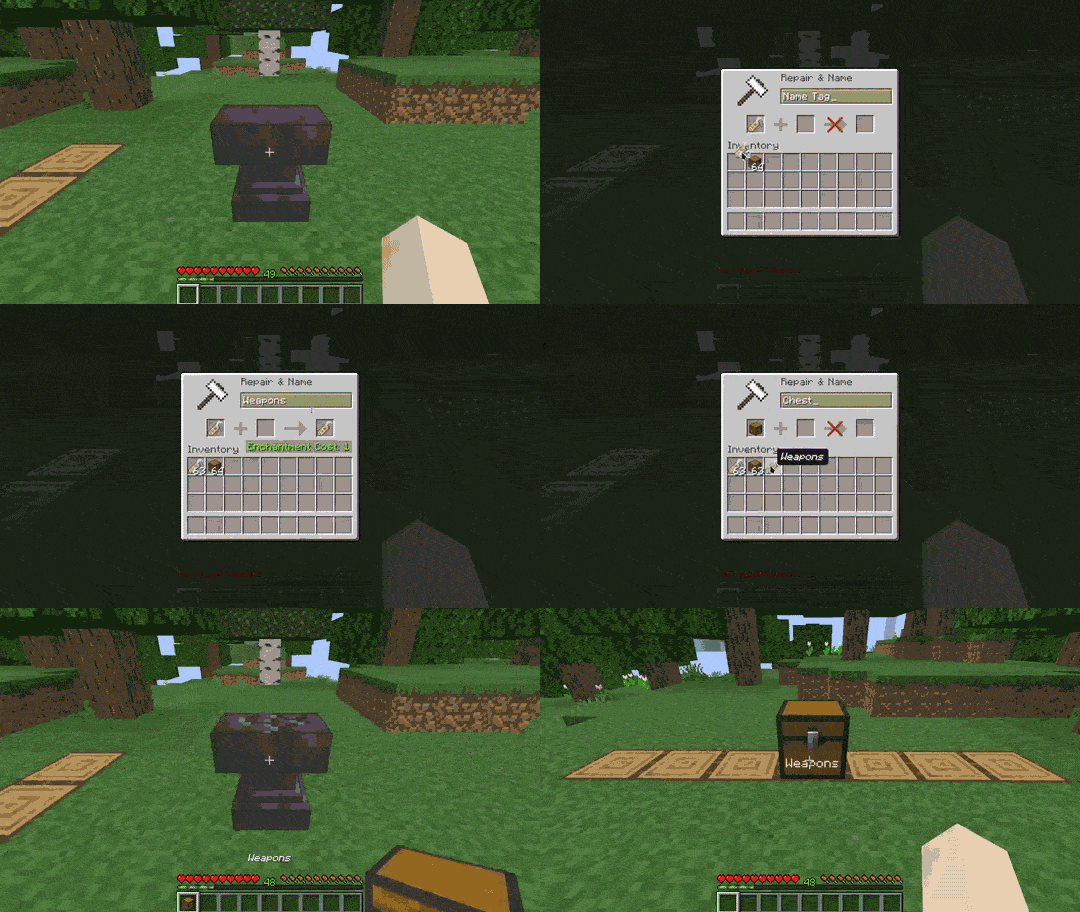
Naming a container
- Rename a name tag using an anvil.
- Combine the named tag with a container
- Place the container and its name will be displayed as a floating label attached to it.
Configuration
Open the config screen via Mod Menu or by running /storage-container-labels config in chat.
💡 Examples


🔗 Dependencies
Required
Optional
🏷️ Tags
minecraft, mod, fabric, storage, container, chests, names, labels, floating text, quality of life, qol, utility
常见问题
Storage Container Labels 支持哪些 Minecraft 版本?
Storage Container Labels 支持 Minecraft Java 版 26.1–26.3,共 5 个版本,可用的加载器:Fabric。下载时注意选择和你游戏版本一致的文件。
Storage Container Labels 怎么安装?
先用 PCL2 或 HMCL 启动器安装对应版本的 Fabric,再把下载的 .jar 文件放进游戏目录的 mods 文件夹,重新启动游戏即可。开启了版本隔离的,mods 文件夹在 versions/版本名 下面。运行环境:客户端 / 服务端。
medicalwhiskey 的其他作品
查看全部 →
Snap Leashed Entities
Snaps leashed entities back to you when they fall too far behind.

Faster Boats
Increases boat speed by 1.3x forwards and in reverse, with an additional speed boost for sustained straight-line travel.

Fuzzy Command History
Adds fuzzy search for your chat command history – find any previous command instantly.

Wolves Hunt Enemies
Enables wolves to proactively attack nearby hostile mobs.
评论
登录后评论和评分