SteamCraft P2P
作者:puchito22
Play Minecraft Java multiplayer with friends via Steam P2P (Spacewar AppID 480). No port forwarding, no Hamachi, zero config!
截图
介绍
中文介绍正在准备中,下面暂时显示原文。
SteamCraft – Minecraft P2P Multiplayer over Steam (Spacewar)
SteamCraft is an open-source Minecraft mod that allows you to play multiplayer with your friends using Steam’s Peer-to-Peer (P2P) network infrastructure via Spacewar (AppID 480).
Say goodbye to port forwarding headaches, Hamachi/Radmin VPN issues, and waiting in queues on free hosting services!
Key Features
- Zero Port Forwarding: No need to touch your router, open ports, or configure firewalls.
- No Third-Party VPNs: Forget about Hamachi, Radmin VPN, or ngrok.
- Direct and Secure: Traffic is encrypted and tunneled through Valve’s Steam Datagram Relay (SDR).
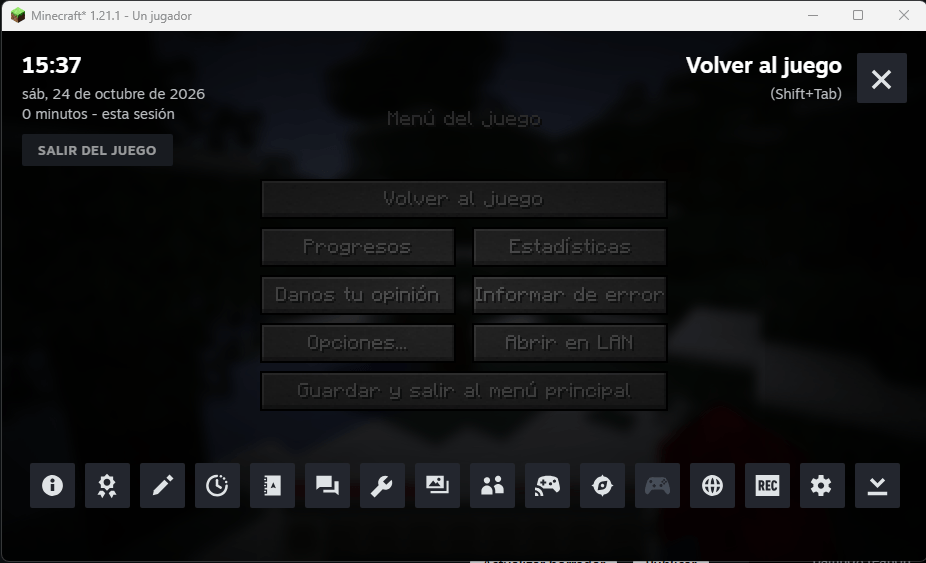
- Full Steam Integration: In-game Steam Friends list and native Steam Overlay (
Shift + Tab) invite support. - Batteries Included: Pre-bundled with native Steamworks libraries (
steam_api64.dll,steamworks4j64.dll, Linux.so, and macOS.dylib). No extra installation required!
How to Play
As Host (Opening your world):
- Make sure the official Steam client is running in the background.
- Launch Minecraft and load into your Singleplayer world.
- Press
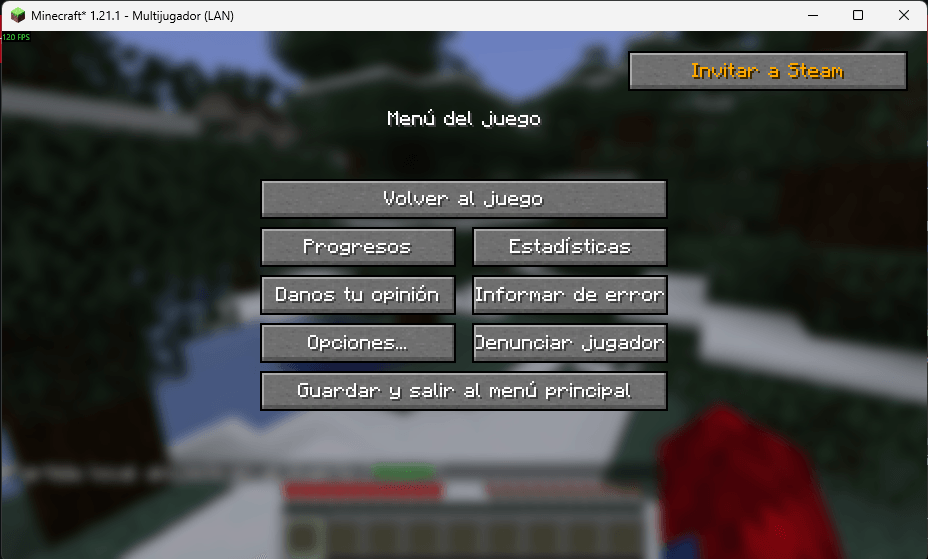
Escand select “Open to LAN” (or “Abrir en LAN”). - Configure your desired game settings and click “Start LAN World”.
- The mod will automatically register your session with Steam.
- Open your pause menu and click “Invite Steam Friends”, or open the Steam Overlay (
Shift + Tab), right-click any friend, and click “Invite to Game”.
As Guest (Joining a friend):
- Ensure you have Minecraft open on the same game version and modloader as the host.
- Head to the Multiplayer screen.
- Click the “Steam Friends” button at the top of the screen.
- Click “Join” next to your friend’s name.
- Alternative: If your friend sent you a Steam invite, simply accept it directly from your Steam chat notification!
Supported Platforms & Versions
Client (LAN Multiplayer):
- Fabric:
1.16.5,1.18.2,1.19.2,1.19.4,1.20.1,1.20.4,1.21.1,26.3(Requires Fabric API) - Forge:
1.7.10,1.12.2,1.16.5,1.18.2,1.19.2,1.19.4,1.20.1,1.20.4,26.3 - NeoForge:
1.20.4,1.21.1,26.3
Dedicated Servers (24/7 Hosting):
- Paper / Spigot: Universal plugin (
steamcraft-spigot.jar) compatible with 1.12.2 up to 26.3+. - Fabric / Forge / NeoForge Server: Dedicated server jars auto-detect headless servers and publish the port via Steam.
Installation
- Download the
.jarfile corresponding to your mod loader (Fabric, Forge, or NeoForge) and game version. - Place the
.jarinside your.minecraft/modsfolder. - Launch Minecraft with Steam open in the background
常见问题
SteamCraft P2P 支持哪些 Minecraft 版本?
SteamCraft P2P 支持 Minecraft Java 版 1.7.10–1.21.1,共 3 个版本,可用的加载器:Fabric / Forge。下载时注意选择和你游戏版本一致的文件。
SteamCraft P2P 怎么安装?
先用 PCL2 或 HMCL 启动器安装对应版本的 Fabric / Forge,再把下载的 .jar 文件放进游戏目录的 mods 文件夹,重新启动游戏即可。开启了版本隔离的,mods 文件夹在 versions/版本名 下面。
评论
登录后评论和评分