
截图
介绍
StatsSigns – Dynamic In-World Statistic Displays
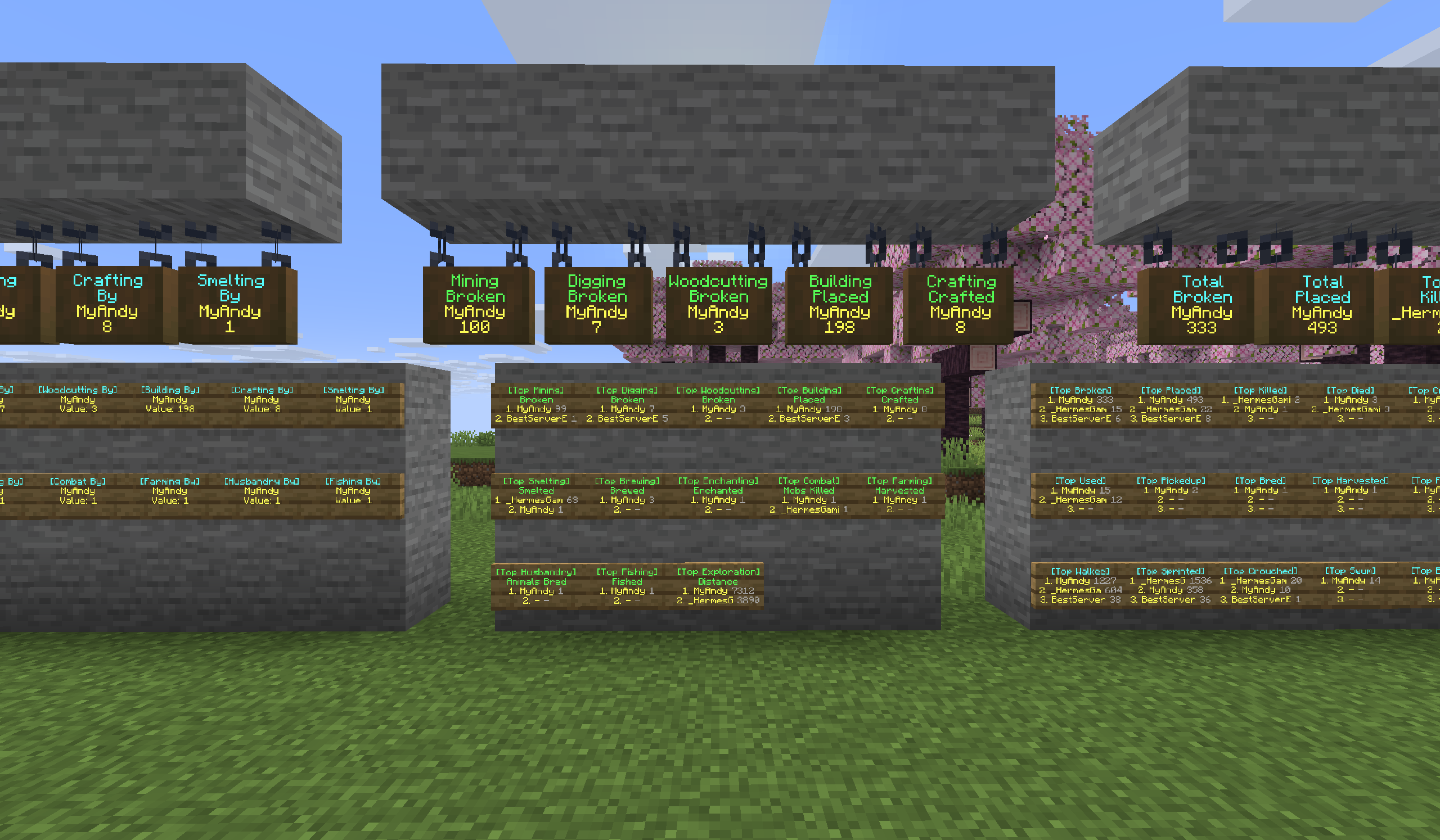
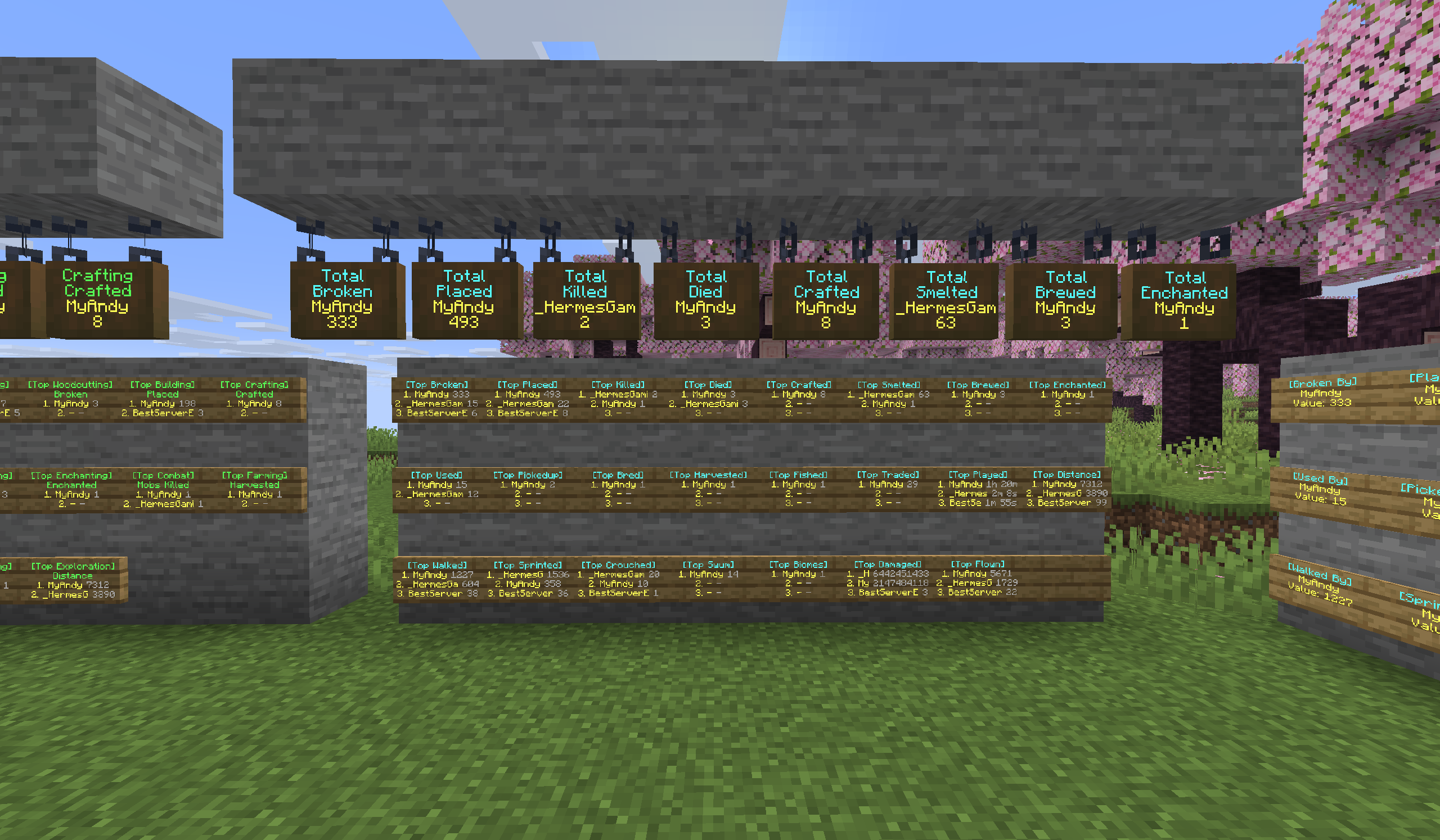
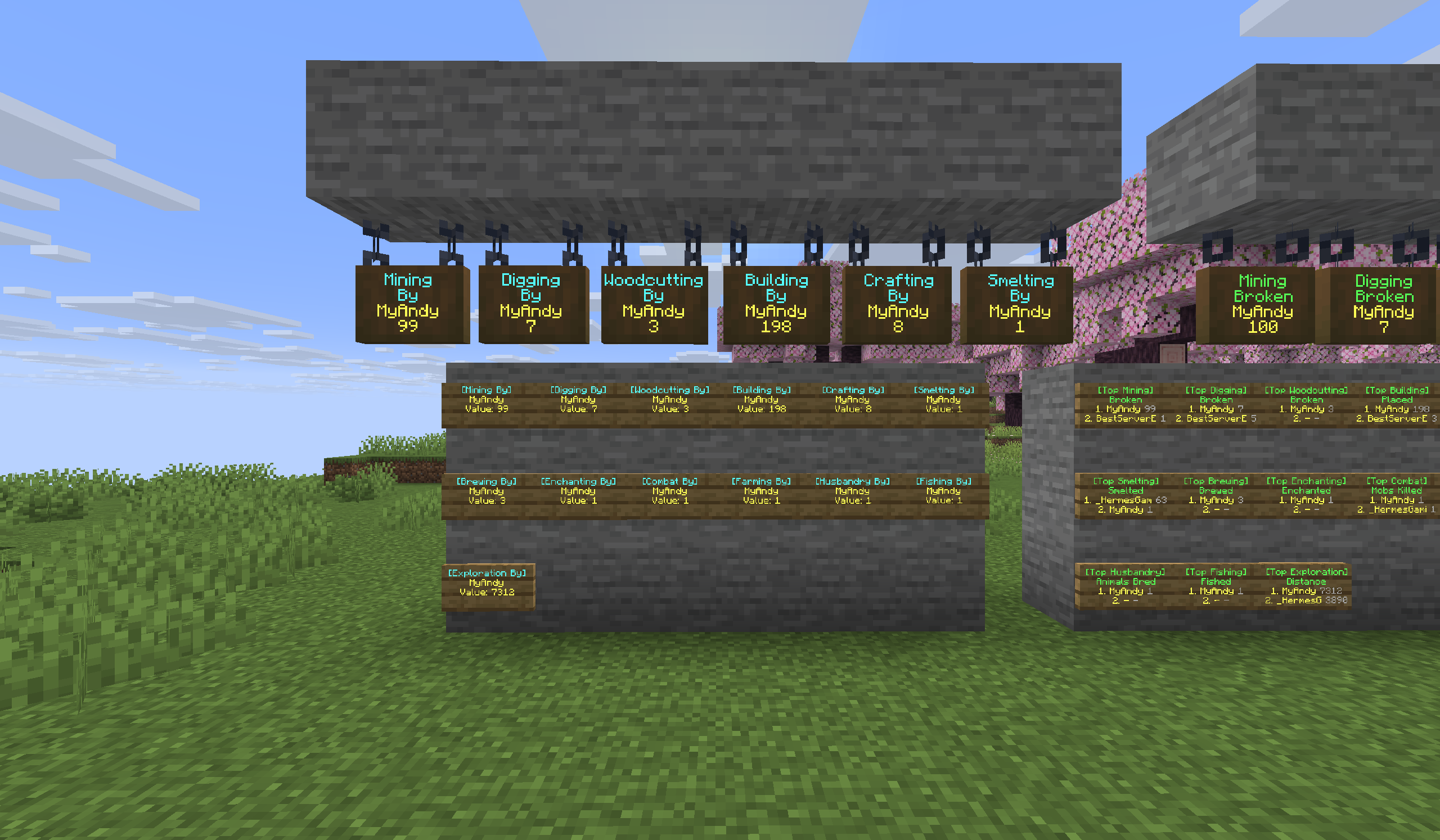
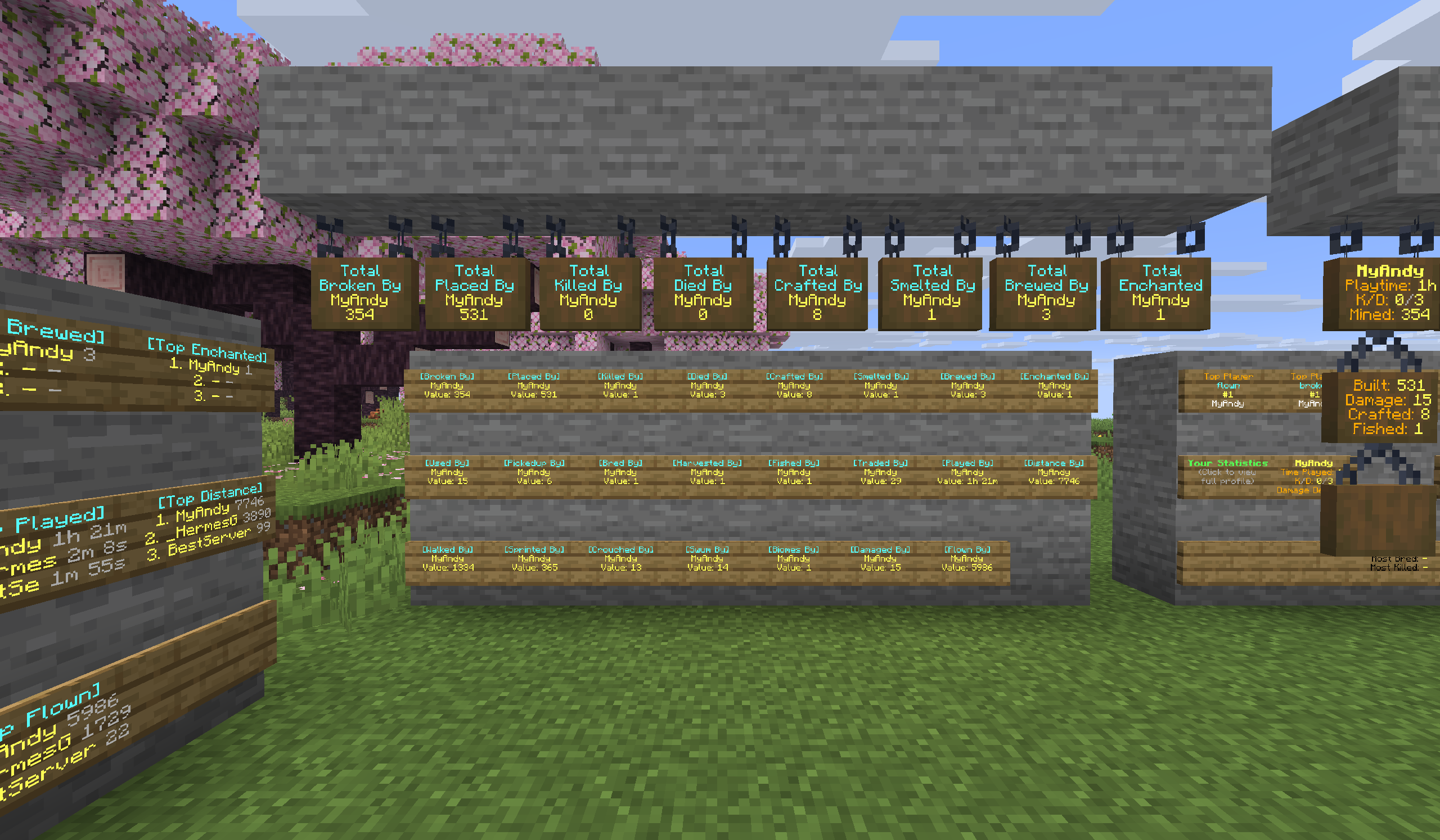
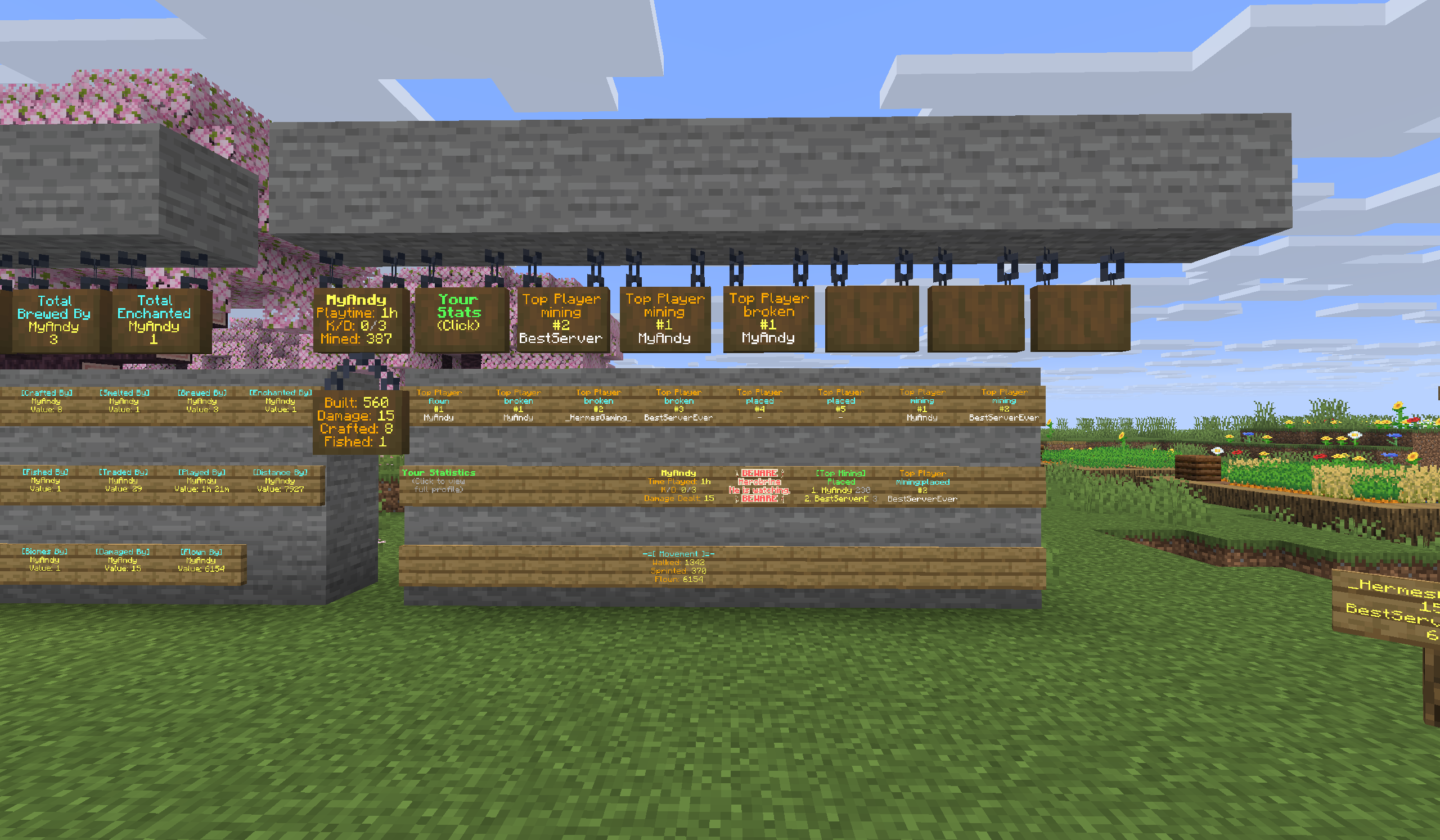
StatsSigns integrates seamlessly with StatsMod to bring your server’s detailed player statistics directly into the game world! This Fabric mod allows server owners to create highly customizable and interactive signs that display live leaderboards, individual player profiles, and specific stat totals. From showcasing the top miners to displaying a player’s total deaths, StatsSigns provides engaging visual data and clickable actions, enhancing the player experience and offering a powerful administrative tool for server analytics.
REQUIRES StatsMod
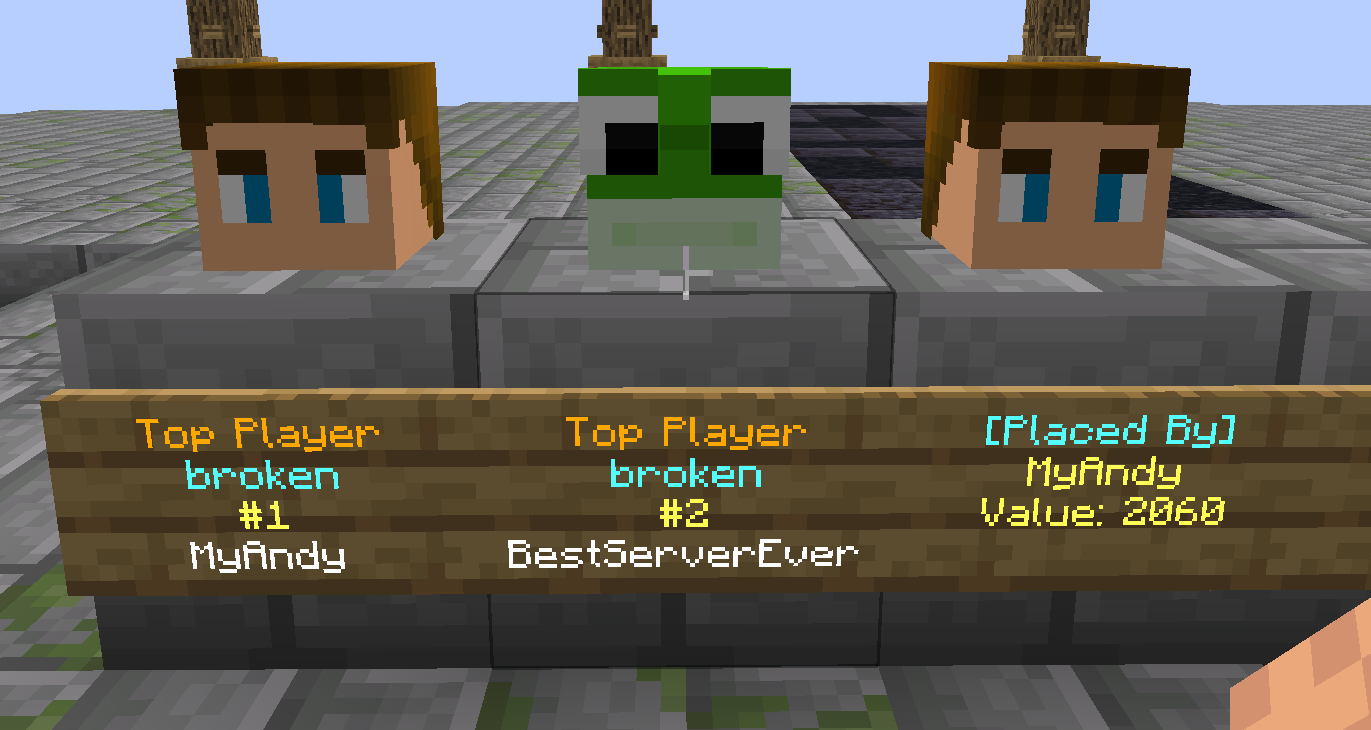
🔥 Key New Feature: Skull Linking
- Player Head Integration: Link any placed Player or Mob Skull to a StatsSign.
- Automatic Profile Update: When the sign updates, the linked skull automatically fetches and displays the profile of the player/rank shown on the sign.
- Recursive Deletion Protection: Breaking a linked StatsSign will also break the associated skulls. Conversely, breaking a linked skull requires permission and will unlink it from the sign.
Features
Dynamic & Customizable Sign Displays
- Live Updates: Signs automatically refresh with the latest statistics at a configurable interval (
update_interval_minutesinsettings.yml). - Extensive Stat Integration: Pulls any statistic tracked by StatsMod, including total broken/placed blocks, mobs/players killed, distance traveled, and playtime.
- Customizable Formats: Fully configure the appearance of each sign type using six distinct YAML configuration files, including separate files for standard and hanging signs.
- Standard & Hanging Sign Support: Supports both regular and hanging signs, with separate customizable formats for each.
Diverse Sign Types
- Leaderboard Signs: Display ranked lists of players for any StatsMod statistic, genre, or type.
- Player Profile Signs: Showcase various statistics for a specific player name defined on Line 3.
- Digit Rank Signs: Dedicate a sign to a single rank on a leaderboard (e.g.,
#1in Line 3). - Follower Signs: Extend leaderboards over multiple signs, linking to a “master” sign through directional path characters (e.g.,
>>,^). - Follower signs are also used to automatically sequence Digit Rank signs.
- Chains support a depth of up to 30 followers.
- A master sign can have up to 5 direct children/followers.
Interactive Elements & Placeholders
- Clickable Actions: Configure signs to execute commands (
/profile %player%), suggest commands, open URLs, copy text to clipboard, or change help pages when clicked. - Hover Text: Add rich hover-over text to sign lines using the
{hover text}syntax. - Color & Formatting: Full support for Minecraft color codes (
&c) and hex colors (&#RRGGBB). - Mirror Text: Add a
+on Line 4 of the master sign to mirror its updated text to the back of the sign. - Extensive Placeholders: Dynamic placeholders populate sign text with player names, stat values, ranks, and other contextual information.
Admin & Management Tools
- Easy Sign Creation Command: Create or convert any placed sign into a StatsSign using a simple command while looking at it:
/signstat [StatsMod] <line2> [line3] [line4]. - Glow Ink Sac Support: Toggle the glow effect on an existing StatsSign by right-clicking it with a Glow Ink Sac.
- Automated & Manual Updates:
- Configurable automatic updates for all signs.
- Force an immediate update of all signs with
/statssigns signupdate. - Persistent Storage: All sign data is saved persistently to
data/statssigns.jsonusing Gson serialization. - Reload Configs (
/statssigns reload): Apply changes to configuration files instantly. - README Generation: The mod automatically generates a
README.ymlwith a full reference guide for all placeholders and usage.
Commands
/statssigns,/ss: Displays the main help interface./statssigns page <number>: Navigates through help pages./statssigns reload: Reloads all StatsSigns configurations./statssigns signupdate: Forces an update on all stat signs./signstat [StatsMod] <line2> [line3] [line4]: Sets a sign’s text and updates its config.
Permissions
StatsSigns integrates with the Fabric Permissions API (v0), falling back to operator levels if no compatible permissions mod is found.
Click to view all permission nodes and their descriptions
statsmod.admin: Grants all permissions for StatsSigns.statsmod.createsign: Allows creating general, non-player-specific StatsSigns.statsmod.create.self: Allows creating any sign type that displays the creator’s own statistics.statsmod.create.others: Allows creating any sign type that displays another player’s statistics.statsmod.create.profile: Allows creating a Player profile sign for oneself.statsmod.create.profiles: Allows creating a Player profile sign for any player.statsmod.removesign: Allows breaking/removing a StatsSign or a linked Skull.statsmod.modifysign: Allows modifying a StatsSign (defaults to OP level 2).statsmod.glowsign: Allows toggling the glow effect on a StatsSign with Glow Ink Sacs.statsmod.signcommand: Allows executing a command by clicking a sign (defaults to OP level 0).statsmod.reloadsign: Allows usage of the/statssigns reloadcommand.statsmod.updatesign: Allows forcing a manual update of all stat signs.statsmod.skull: Parent permission for all skull-related actions.statsmod.skulls.player: Allows placing player skulls to link to signs.statsmod.skulls.mobs: Allows placing mob skulls to link to signs.
常见问题
StatsSigns 支持哪些 Minecraft 版本?
StatsSigns 支持 Minecraft Java 版 1.21.6–1.21.11,共 6 个版本,可用的加载器:Fabric。下载时注意选择和你游戏版本一致的文件。
StatsSigns 怎么安装?
先用 PCL2 或 HMCL 启动器安装对应版本的 Fabric,再把下载的 .jar 文件放进游戏目录的 mods 文件夹,重新启动游戏即可。开启了版本隔离的,mods 文件夹在 versions/版本名 下面。运行环境:客户端 / 服务端。
official.andy 的其他作品
查看全部 →
Shulker & Bundle
Shulkerbox shift click opening and picking up items when in offhand. Bundles shift click opening and picking up items no matter the inventory location.

SwordSight
SwordSight makes weapons ignore grass tall grass and so on!

ShopShelves
New advanced way of admin shops and playershops. ShopShelves and PlayerShelves

Mob Ignore Me
Make specific mobs ignore you like phantoms.
评论
登录后评论和评分