
截图
介绍
StatGraphMod
This mod adds simple in-game statistic graphs.
StatGraphMod records several world activity counts and displays them as compact bar graphs in a dedicated statistics screen.
The purpose of this mod is to make long-term Minecraft activity easier to see at a glance, without requiring external tools or log analysis.
How It Works
Press the StatGraph key to open the statistics screen.
By default, the screen shows 20 bars for each graph.
The display scale can be changed between the following modes:
| Scale | Displayed Range |
|---|---|
| 1 day/bar | 20 days |
| 3 days/bar | 60 days |
| 7 days/bar | 140 days |
In this mod, one day means one Minecraft day.
One Minecraft day is equal to 20 minutes of real time.
Statistics are stored on the server side and saved with the world.
Stat Pages
StatGraphMod currently provides three statistic pages.
- Combat
- Blocks
- Crafts
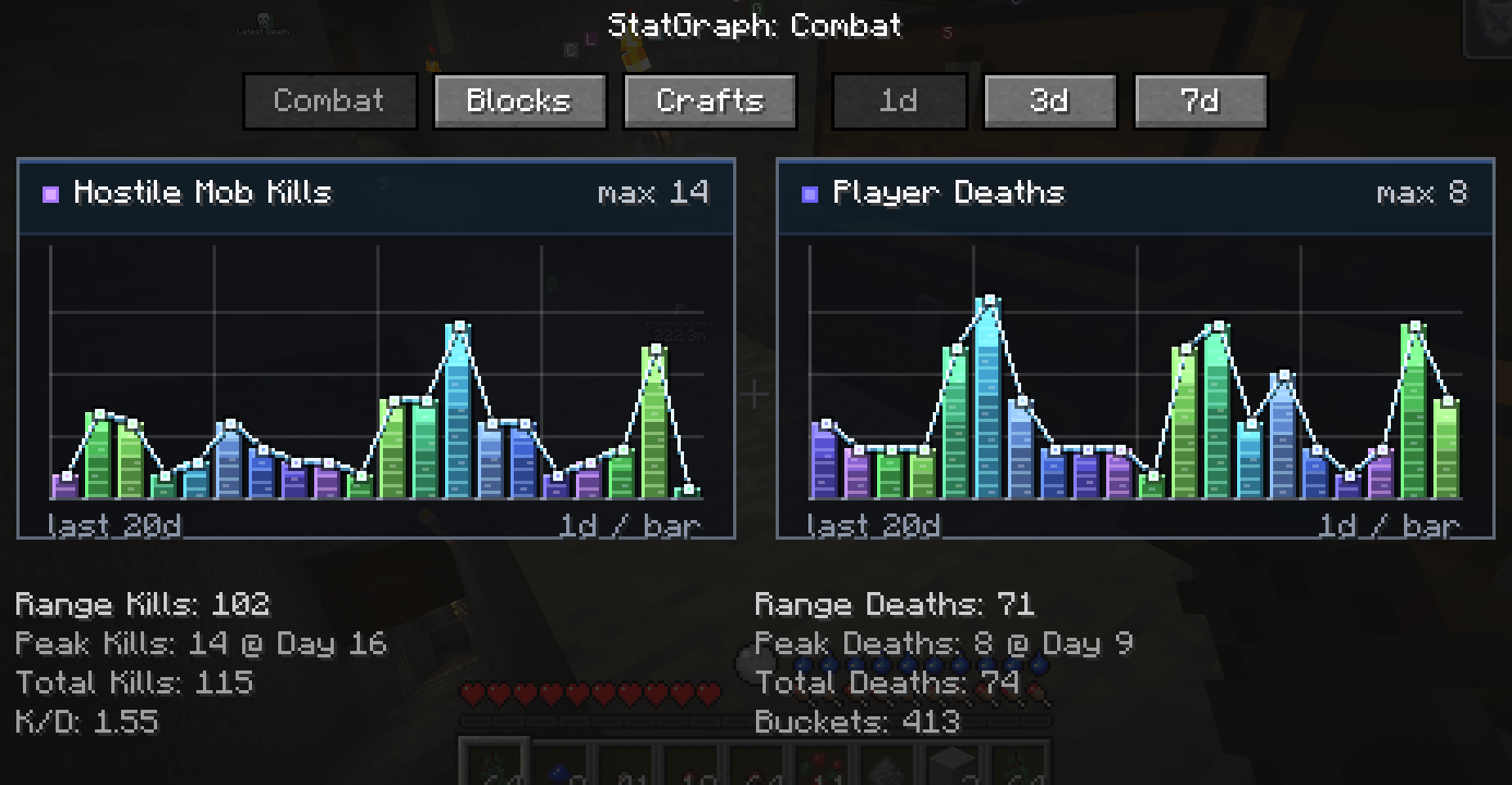
Each page contains two bar graphs and a small summary area.
Combat Stats
The Combat page records basic combat activity.
| Graph | Description |
|---|---|
| Hostile Mob Kills | Hostile mobs killed with player kill credit. |
| Player Deaths | Player deaths recorded in the world. |
Hostile mob kills use Minecraft’s kill credit system.
This means that kills caused by normal player combat, ranged attacks, and other player-attributed damage are counted.
Hostile mobs that die without player kill credit are not counted.
Block Stats
The Blocks page records direct player block activity.
| Graph | Description |
|---|---|
| Blocks Broken | Blocks directly broken by players. |
| Blocks Placed | Blocks directly placed by players. |
Only direct player actions are counted.
Blocks destroyed by explosions, mobs, machines, world generation, or other non-player causes are not counted.
Craft Stats
The Crafts page records player crafting activity.
| Graph | Description |
|---|---|
| Crafted Items | Items produced by player crafting events. |
| Consumed Items | Estimated ingredient items consumed by crafting. |
Craft stats are intended for normal player crafting, such as inventory crafting and crafting table recipes.
Furnaces, brewing stands, campfires, machines, and automatic crafting systems are not counted as Craft Stats.
Consumed Items are estimated from the crafting grid.
For most normal crafting recipes, this gives a useful input/output view of player crafting activity.
Data Storage
StatGraphMod stores statistics per world.
The server keeps the master statistics data, and clients only receive graph snapshots for display.
This makes the mod suitable for both singleplayer and multiplayer worlds.
Compatibility
StatGraphMod is designed for Minecraft Forge 1.20.1.
The current version focuses on vanilla-style player activity:
- Player-attributed hostile mob kills
- Player deaths
- Direct block breaking
- Direct block placing
- Player crafting events
Machine processing, automated crafting, smelting, brewing, and mod-specific production systems are not included in the current statistic pages.
常见问题
StatGraphMod 支持哪些 Minecraft 版本?
StatGraphMod 支持 Minecraft Java 版 1.20.1–26.2,共 5 个版本,可用的加载器:Fabric / Forge / NeoForge。下载时注意选择和你游戏版本一致的文件。
StatGraphMod 怎么安装?
先用 PCL2 或 HMCL 启动器安装对应版本的 Fabric / Forge / NeoForge,再把下载的 .jar 文件放进游戏目录的 mods 文件夹,重新启动游戏即可。开启了版本隔离的,mods 文件夹在 versions/版本名 下面。
suumani 的其他作品
查看全部 →
ProjectE Rebalanced -Adjustment-
Rebalances ProjectE transmutation progression and overpowered items.

Quarry Plus Addon
Quarry Plus Addon is a small addon mod for Additional Enchanted Miner / QuarryPlus.

LycanitesAlphaFixPatch
Lycanites Alpha Fix Patch is a small unofficial compatibility patch for **Lycanites Mobs 1.20.1 alpha**.

Zombie Power Ball
This mod adds special zombies and skeletons that use special abilities.
评论
登录后评论和评分