
截图
介绍
Watch the startup log inside Minecraft
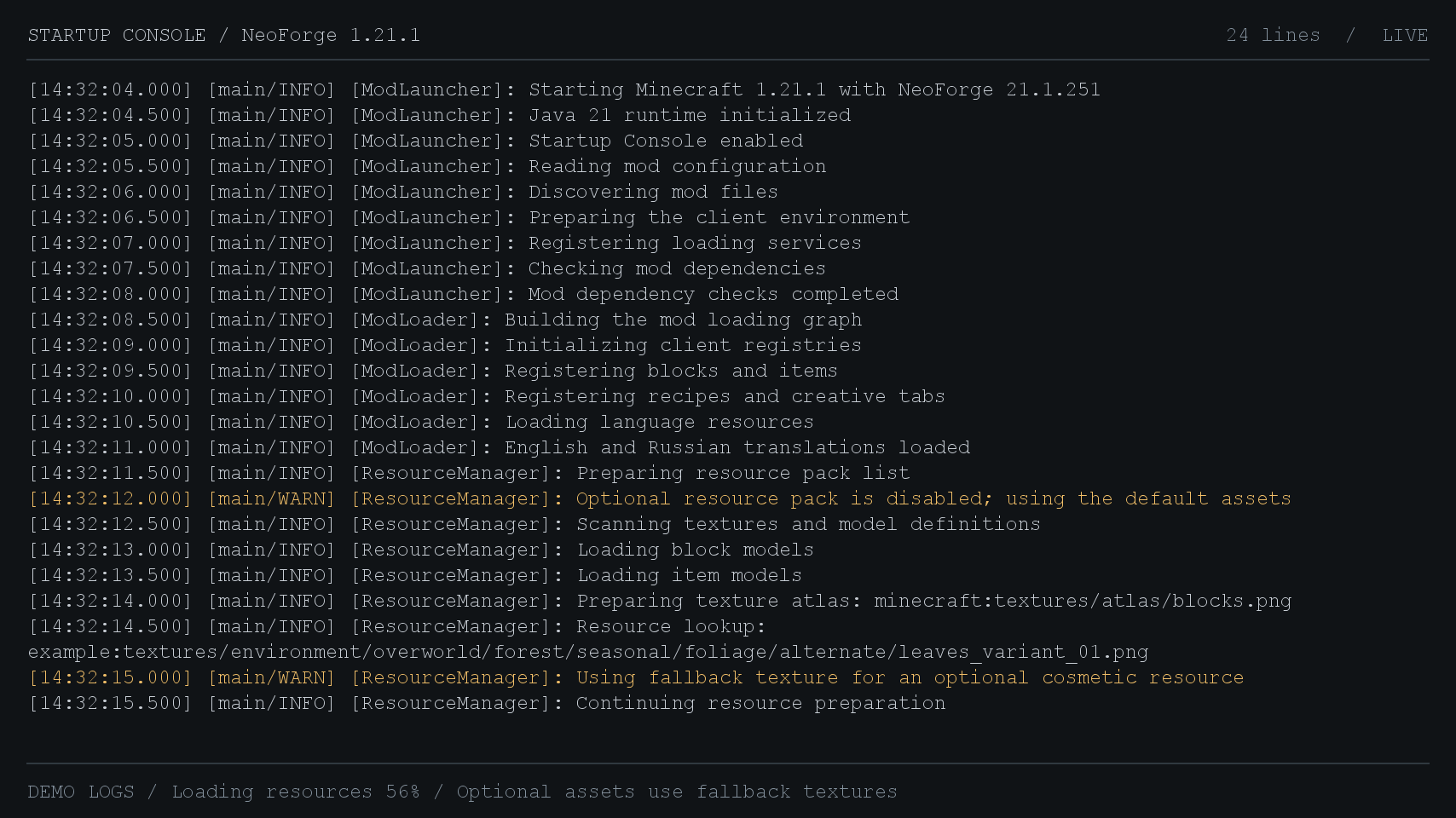
Startup Console shows game and mod messages while Minecraft loads. The dark screen displays incoming log lines and the current loading stage.
It captures Log4j messages from the moment the early loading screen initializes. Once resources finish loading, Minecraft proceeds to its normal main menu.
- Each entry includes a timestamp, thread, log level and logger name.
- Warnings appear in yellow. Errors and fatal errors appear in red, with exception traces and their causes.
- New lines scroll into view automatically. Long lines wrap, and Cyrillic text is supported.
- Set the title to your modpack’s name or hide it.
The console is a log viewer with automatic scrolling. Command input and manual scrollback are not available. It does not capture launcher messages or messages from before early screen initialization. Other early loading screen replacements need separate compatibility testing: only one provider controls this screen at a time.
常见问题
Startup Console 支持哪些 Minecraft 版本?
Startup Console 支持 Minecraft Java 版 1.21.1,可用的加载器:NeoForge。下载时注意选择和你游戏版本一致的文件。
Startup Console 怎么安装?
先用 PCL2 或 HMCL 启动器安装对应版本的 NeoForge,再把下载的 .jar 文件放进游戏目录的 mods 文件夹,重新启动游戏即可。开启了版本隔离的,mods 文件夹在 versions/版本名 下面。
Cat4blep 的其他作品
查看全部 →
B&W Shader
一款将游戏画面完全变成黑白的着色器

SeeU
让远处的玩家也能被看见,超出原版实体追踪范围。兼容 Voxy 和 Distant Horizons

Create Fly: Steam ‘n’ Rails Continued
适用于 Fabric、Minecraft 26.2 和 Create Fly 的 Steam 'n' Rails

Armor Chroma Refabricated
Armor Chroma 的 Fabric 分支版本。它会根据盔甲材质改变盔甲栏图标,还能显示已附魔物品的附魔光效。
评论
登录后评论和评分