
介绍
中文介绍正在准备中,下面暂时显示原文。
Features
- Client-Side Commands: Commands (
.stamp on,.stamp off,.stamp) are intercepted inside the client’s network handler before packets are constructed, making them completely invisible to server-side chat logs or plugins. - Vanilla-Compliant Packet Flow: Stamp modifies the GUI’s native
messagesarray during initialization. The text is submitted using Minecraft’s ownfinishEditingpipeline, maintaining perfect vanilla packet compliance to bypass strict anti-cheat heuristics. - Cooldown-Based Auto-Submit: Once the sign screen opens pre-filled, the mod waits 500ms before triggering submission. This delay prevents rapid-packet rate-limit kicks on high-frequency server filters.
- Survival Hand Detection: Intelligently handles survival placing where placing the last sign in a stack leaves the hand empty before the GUI initializes, ensuring the auto-signer does not deactivate prematurely.
Usage
- Type
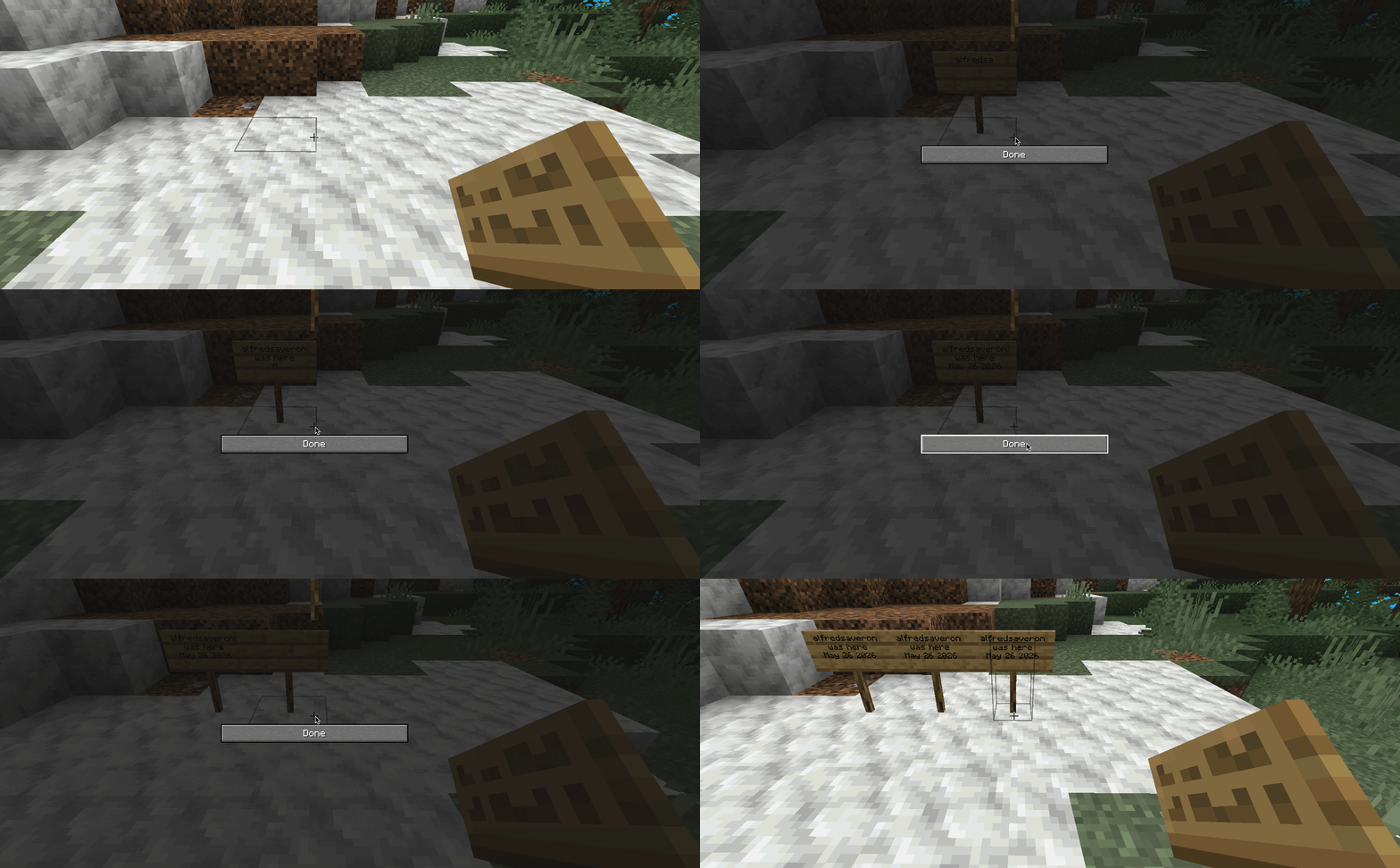
.stamp onin chat to enable the utility. - Place a sign and write your text manually. Pressing Done caches the lines.
- Every next sign placed will open pre-filled with the cached text and automatically submit after a 500ms delay.
- Type
.stamp offto disable the mod and clear the cache. Re-enabling starts with a fresh cache.
Chat Commands
.stamp on– Enables the mod and readies the cache..stamp off– Disables the mod and clears the active cache..stamp– Prints the help usage locally.
常见问题
Stamp 支持哪些 Minecraft 版本?
Stamp 支持 Minecraft Java 版 1.21.1–1.21.11,共 11 个版本,可用的加载器:Fabric。下载时注意选择和你游戏版本一致的文件。
Stamp 怎么安装?
先用 PCL2 或 HMCL 启动器安装对应版本的 Fabric,再把下载的 .jar 文件放进游戏目录的 mods 文件夹,重新启动游戏即可。开启了版本隔离的,mods 文件夹在 versions/版本名 下面。运行环境:仅客户端。
评论
登录后评论和评分