
Staffs of Transportation
Add two craftable staffs to your world, each allowing you to teleport forward! Traverse dangers, reach new heights, or make quick escapes with ease as you master the art of teleportation!
截图
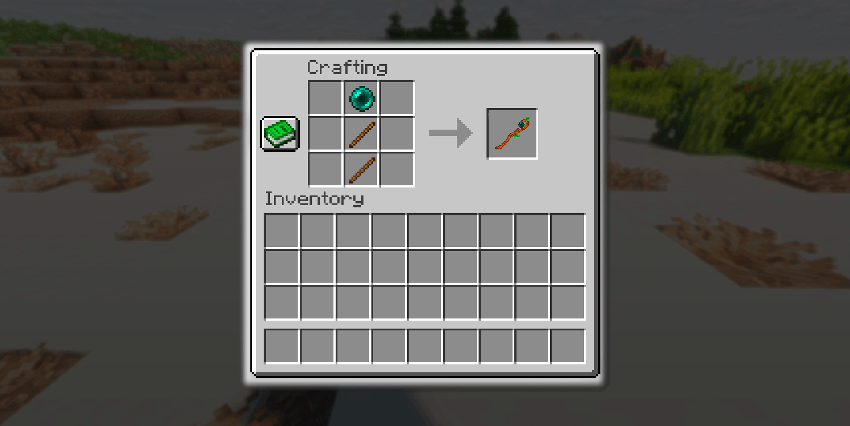
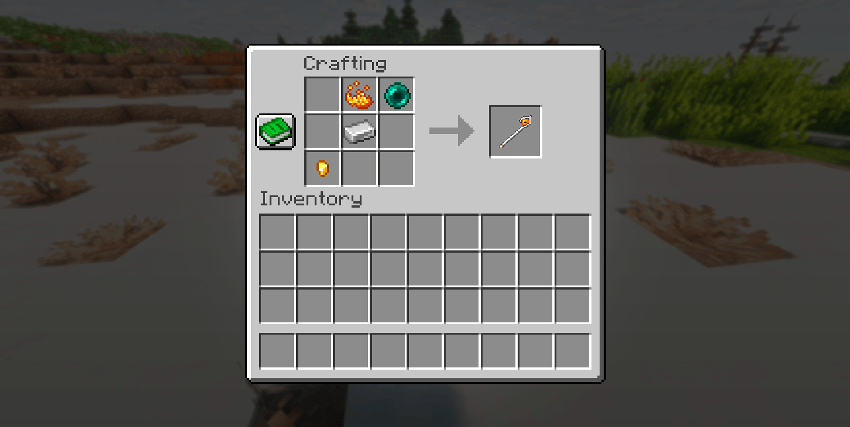

介绍
In a world filled with perils and mysteries, two ancient staffs have resurfaced, each imbued with the power to alter the very fabric of space itself. These mystical tools grant their wielder the ability to teleport to the spot their gaze falls upon, offering both escape from danger and access to otherwise unreachable places.
The first of these staffs, crafted from humble wood, is simple to forge. A tool for any adventurer, its charm lies in its accessibility. Yet, as with all things, it comes with a price. Though easy to craft, its power is limited. It will teleport you no more than 7 blocks ahead, and its durability is fleeting, shattering after only a few uses.
The second staff, a relic of rare components and powerful magic, demands more from those who wish to wield it. Its creation is no simple task, requiring the gathering of elusive materials scattered across the lands. But for those brave enough to undertake its crafting, the reward is immense. This staff, stronger and more durable, allows you to traverse 12 blocks with a single blink, its power enduring through countless journeys.
Choose your staff wisely, adventurer. The path before you is perilous, but with these tools in hand, you may just master the very essence of teleportation itself.
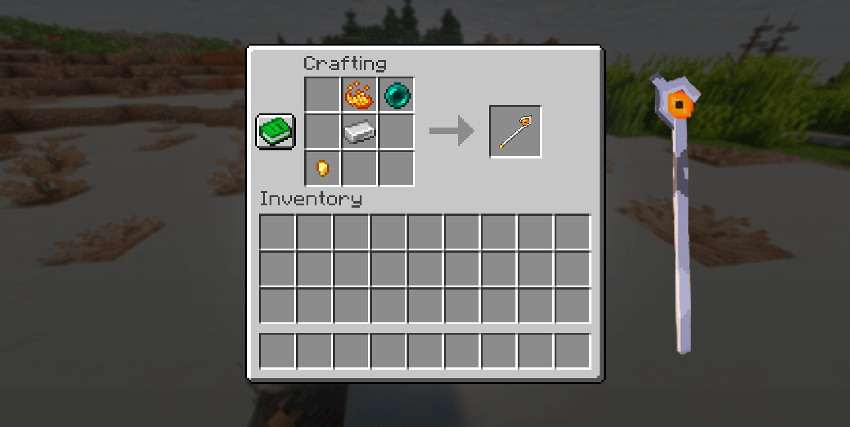

Hello! It’s the developer talking, i unfortunatly am not an artist, so if you don’t like how to staffs look, or the design, and you think you can do better, please do ! I would love to receive your designs for the staffs ( or for future ones! ) so if you have an idea, send it to me!
常见问题
Staffs of Transportation 支持哪些 Minecraft 版本?
Staffs of Transportation 支持 Minecraft Java 版 1.20.1,可用的加载器:Fabric。下载时注意选择和你游戏版本一致的文件。
Staffs of Transportation 怎么安装?
先用 PCL2 或 HMCL 启动器安装对应版本的 Fabric,再把下载的 .jar 文件放进游戏目录的 mods 文件夹,重新启动游戏即可。开启了版本隔离的,mods 文件夹在 versions/版本名 下面。
评论
登录后评论和评分