截图
介绍
中文介绍正在准备中,下面暂时显示原文。
What is Stackpack?
I originally made Stackpack back in 2013, as a way of easily compressing vanilla blocks and items together.
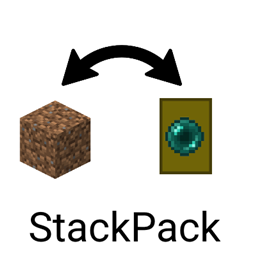
This new Stackpack follows the same principal by acting as a hand-held storage drawer.
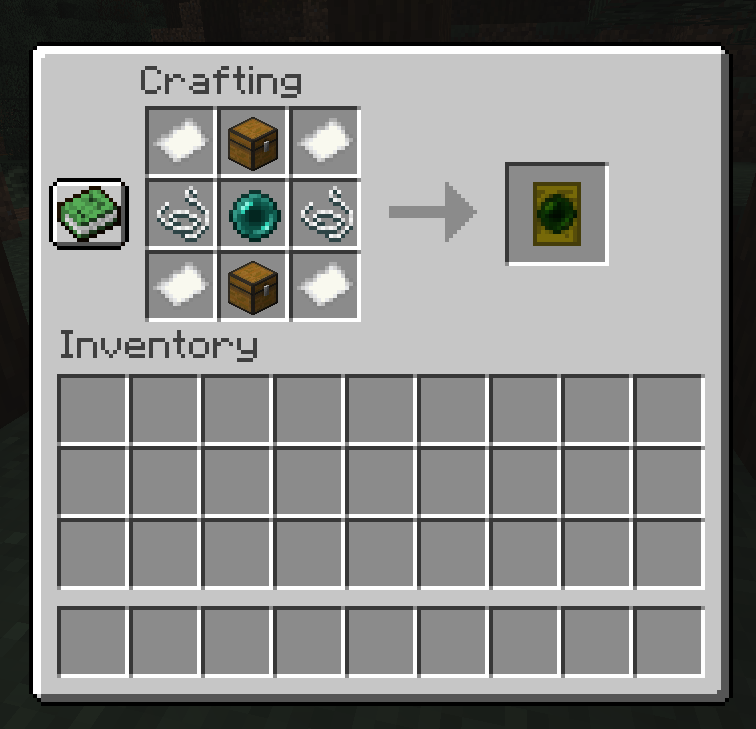
Recipe
How to use
Once you have a packer, it will start out in "Configure" mode.
Hold an item or block in your off-hand, then place your packer in your main hand, then right click.
This will bind the packer to that specific item or block.
Then, use Shift-Right-Click to switch between modes.
For the "Pack" and "Unpack" mode, simply right click while holding the packer, and they’ll do their thing.
常见问题
Stackpack 支持哪些 Minecraft 版本?
Stackpack 支持 Minecraft Java 版 1.15.2,可用的加载器:Forge。下载时注意选择和你游戏版本一致的文件。
Stackpack 怎么安装?
先用 PCL2 或 HMCL 启动器安装对应版本的 Forge,再把下载的 .jar 文件放进游戏目录的 mods 文件夹,重新启动游戏即可。开启了版本隔离的,mods 文件夹在 versions/版本名 下面。
评论
登录后评论和评分