
SSkins Mouth
🎨 Custom Skin Servers — 64-2048px! Now supports custom mouths for truly unique faces!
截图


介绍
🗣️ Dimension Studio – Mouth Animation Mod
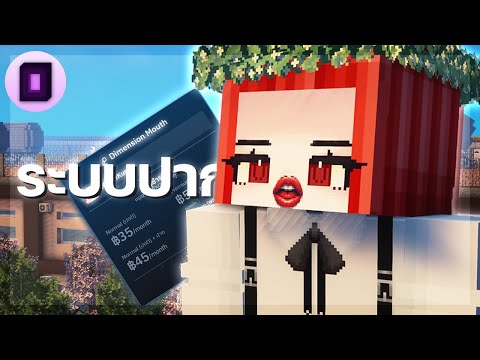
Bring your character to life with our mouth open/close system — now available for rental through Dimension Studio!
This mod enables players to toggle a visible mouth animation on their Minecraft character, enhancing roleplay realism, visual storytelling, and more.
🛠️ Setup Instructions
- Download and install the mod (Fabric 1.20.1+ required).
- Launch the game once to initialize the mod.
- After launching, go to our official pricing & plan selector: 👉 https://mouth.dimension-studio.net
- Search for your Minecraft username in the input field.
- Select your desired plan (e.g. Normal, Premium, with or without mouth).
- Your selection will be applied and synced with the mod automatically.
- In-game, press K to open the skin management UI.
- Drag and drop your skin to enable or disable the mouth animation.
🧠 Full user guide:
https://sskins-docs.dimension-studio.net/guide-mouth/how-to-use
💸 Pricing (Solo Use)
| Package | Price (THB) | Skin Resolution | Mouth System |
|—————–|————-|——————|—————|
| Normal | 35฿ | 64–512px | ❌ No |
| Normal + Mouth | 45฿ | 64–512px | ✅ Yes |
| Premium | 50฿ | 64–2048px | ❌ No |
| Premium + Mouth | 60฿ | 64–2048px | ✅ Yes |
For group or RP project rentals, please contact us for custom pricing based on player count.
🌐 Plan selection: https://mouth.dimension-studio.net
📺 Preview
📬 Contact & Support
- 🧩 Discord: https://discord.dimension-studio.net
- 📖 Documentation: https://sskins-docs.dimension-studio.net
常见问题
SSkins Mouth 支持哪些 Minecraft 版本?
SSkins Mouth 支持 Minecraft Java 版 1.18.2–1.21.3,共 12 个版本,可用的加载器:Fabric / Forge / NeoForge。下载时注意选择和你游戏版本一致的文件。
SSkins Mouth 怎么安装?
先用 PCL2 或 HMCL 启动器安装对应版本的 Fabric / Forge / NeoForge,再把下载的 .jar 文件放进游戏目录的 mods 文件夹,重新启动游戏即可。开启了版本隔离的,mods 文件夹在 versions/版本名 下面。运行环境:客户端和服务端都要装。
评论
登录后评论和评分