
截图
介绍
🎵 SpotiHUD
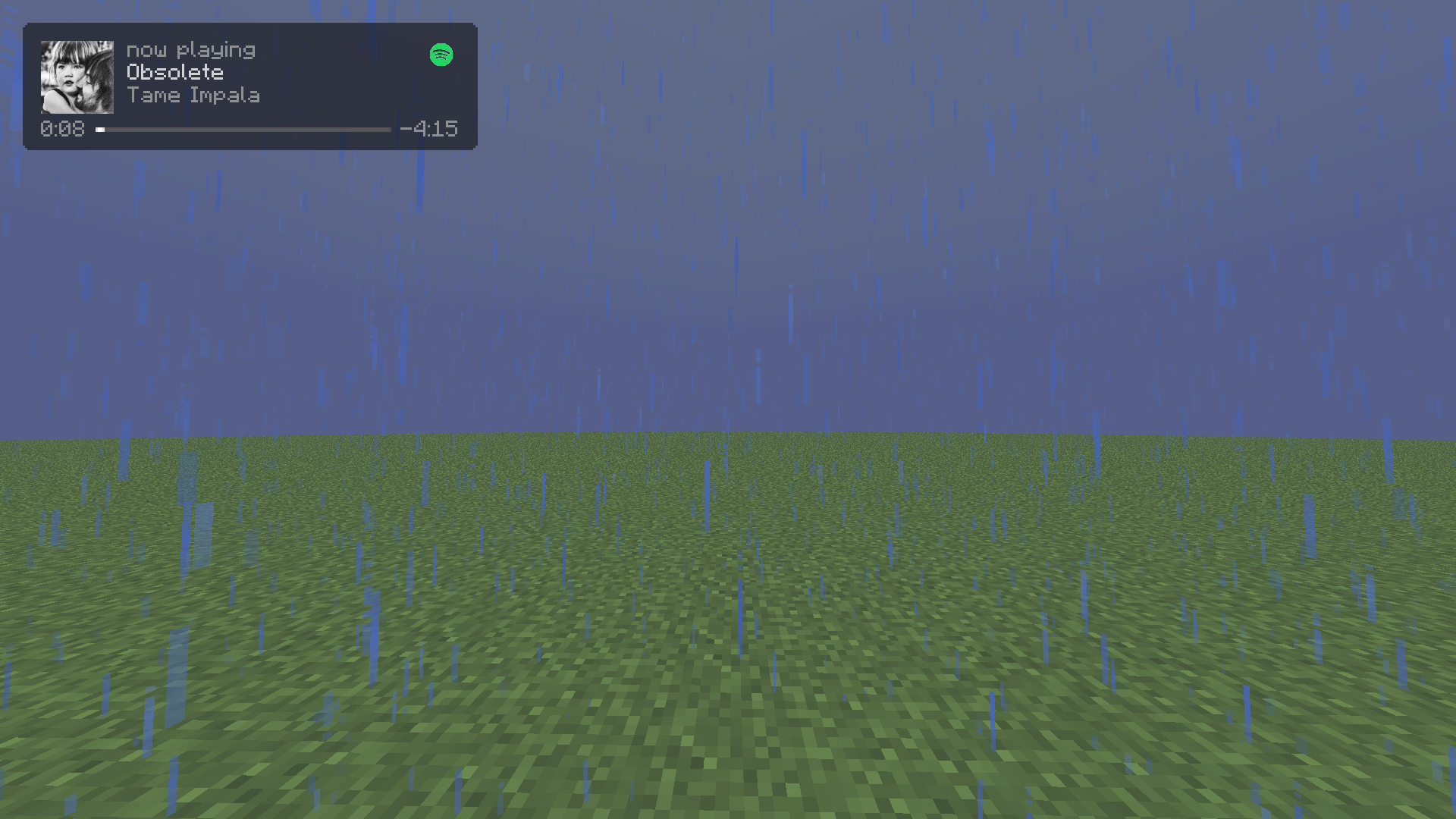
A sleek, highly customizable music overlay & controller for Minecraft!
SpotiHUD brings your favorite tunes directly into your Minecraft world. Say goodbye to constantly Alt-Tabbing just to see what song is playing or to skip a track. Whether you are jamming to your personal Spotify playlists or vibing to the native Minecraft soundtrack, SpotiHUD beautifully displays your music on a modern, customizable HUD right on your screen.
✨ Key Features
- 🎧 Full Spotify Integration: Connect your Spotify account to see live album art, track names, and artist info update in real-time as you listen.
- 🎹 Minecraft Native Music Support: Not using Spotify? SpotiHUD natively detects when the game plays built-in music (like C418 or Lena Raine) and beautifully displays it on the HUD.
- 🎮 In-Game Media Controls: Pause, play, skip, or go back to the previous track using fully customizable Minecraft keybinds.
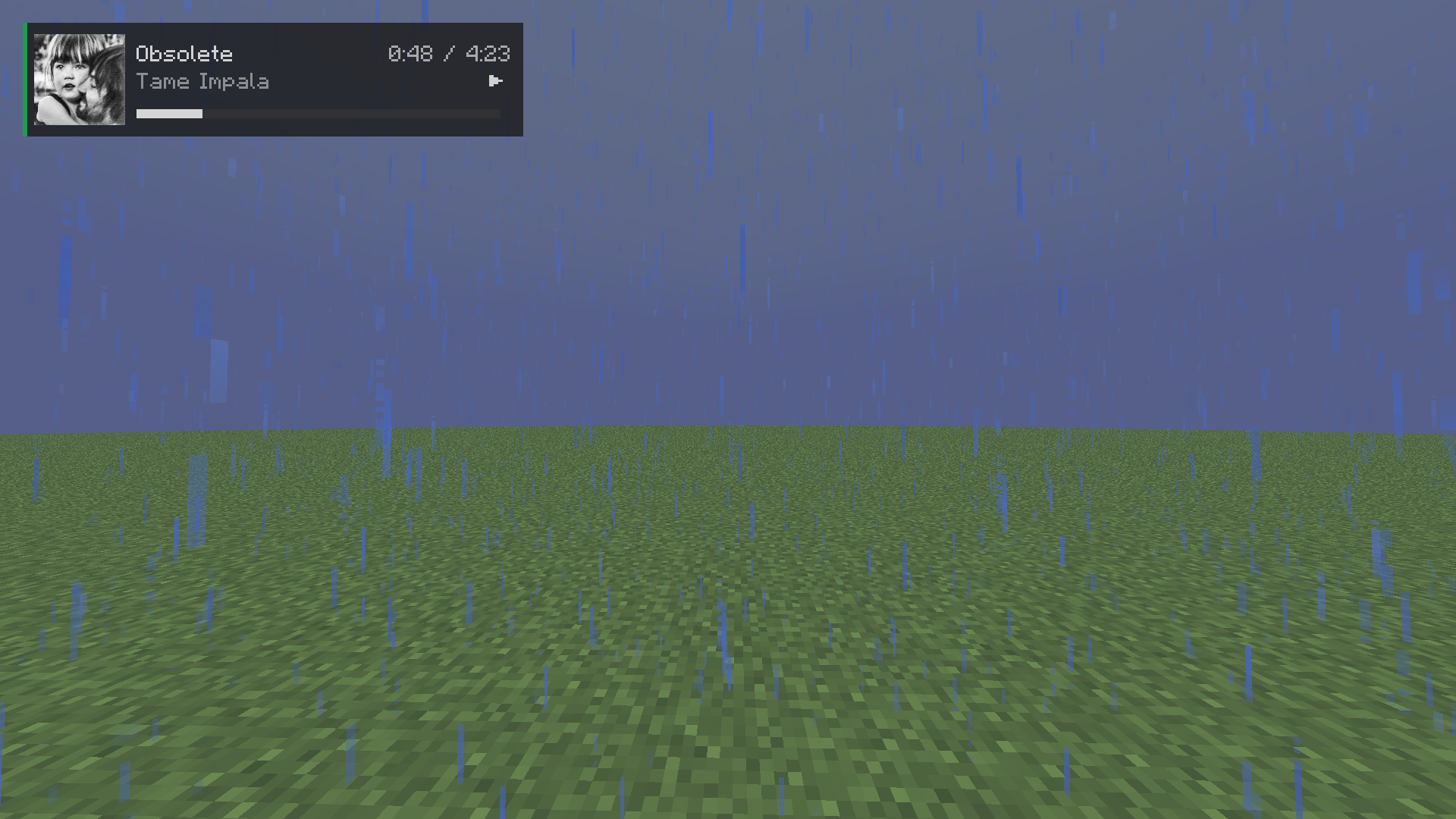
- 🎨 Premium UI Styles: Choose between two custom-designed aesthetics:
- Compact: A clean, minimalistic text-based player that stays out of your way.
- Liquid Glass: A modern, frosted glass background with rounded corners and high-res album art.
- ✨ Interactive Setup Wizard: A gorgeous, user-friendly setup wizard will greet you on your first launch to easily authenticate your Spotify account and pick your favorite HUD style.
⚙️ Ultimate Customization
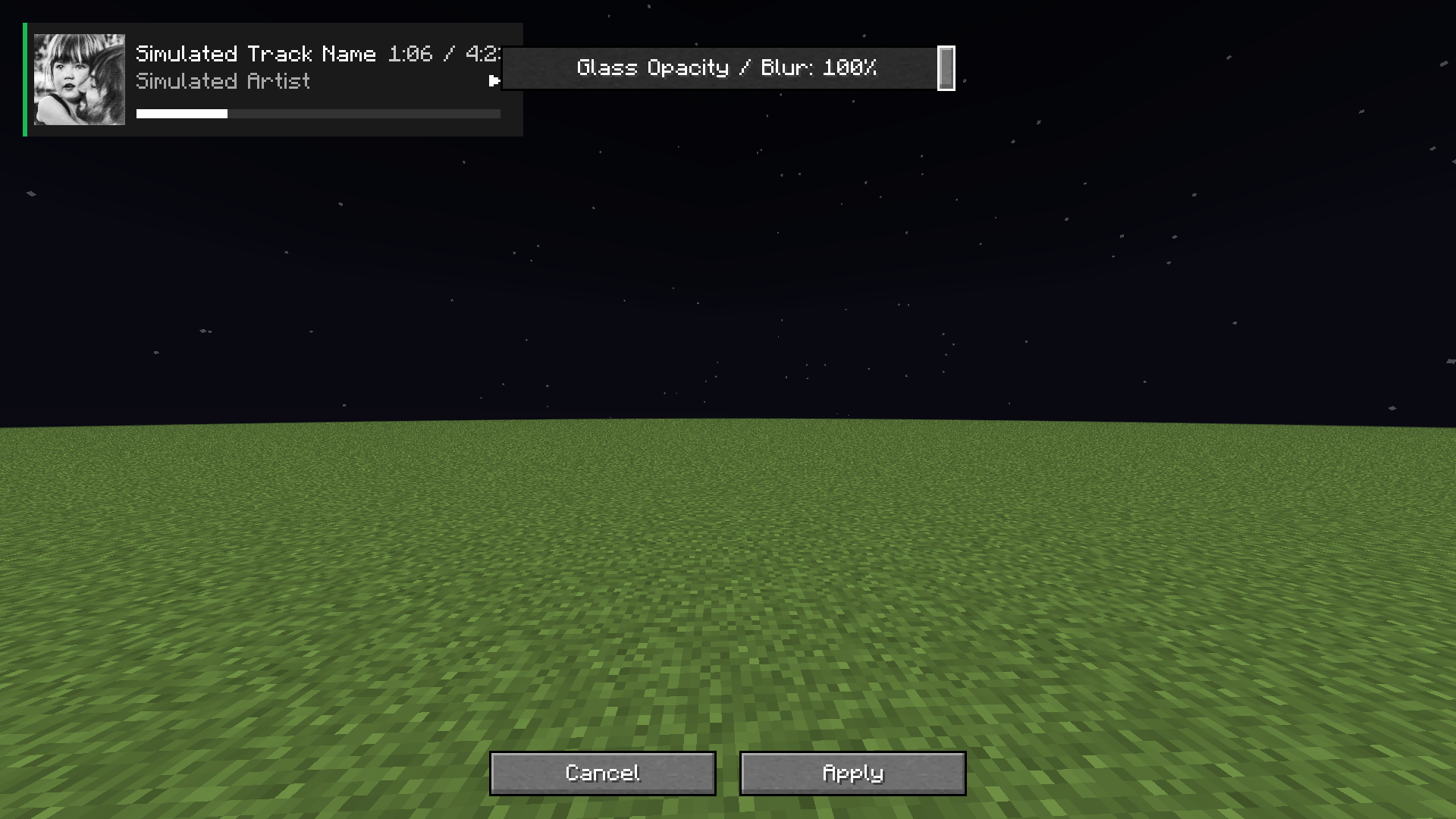
Your HUD, your rules. SpotiHUD features a fully interactive visual editor:
- Drag & Drop: Simply click and drag the HUD anywhere on your screen.
- Scale & Resize: Adjust the size to fit your specific GUI scale.
- Glass Opacity & Blur: Use a buttery smooth slider to precisely adjust the transparency of the frosted glass background without hiding your text.
- Toggle Information: Don’t want to see the album art? Want to hide the progress bar? Everything can be toggled via the ModMenu settings!
📖 How to Setup Spotify (One-Time Setup)
Because SpotiHUD connects to your personal Spotify account securely, you’ll need to provide it with a free “Developer App” key so it can read what you’re listening to. The Setup Wizard walks you through this, but here is the process:
- Go to the Spotify Developer Dashboard and log in.
- Click “Create app”.
- Name it
SpotiHUD(or anything you like) and set the Redirect URI exactly to:http://localhost:8080/callback. - Once created, click on Settings to find your Client ID and Client Secret.
- Launch Minecraft, and when the SpotiHUD Setup Wizard asks, paste both codes in.
- The mod will automatically open a browser window for you to click “Agree”. Done!
📦 Requirements & Dependencies
To run SpotiHUD, you will need the following installed in your mods folder:
- Fabric API
- ModMenu (Required to access the settings configuration screen)
- Cloth Config API (Required for rendering the settings menu)
Made with ❤️ by RoyalKala
常见问题
SpotiHUD 支持哪些 Minecraft 版本?
SpotiHUD 支持 Minecraft Java 版 1.21.11,可用的加载器:Fabric。下载时注意选择和你游戏版本一致的文件。
SpotiHUD 怎么安装?
先用 PCL2 或 HMCL 启动器安装对应版本的 Fabric,再把下载的 .jar 文件放进游戏目录的 mods 文件夹,重新启动游戏即可。开启了版本隔离的,mods 文件夹在 versions/版本名 下面。运行环境:仅客户端。
评论
登录后评论和评分