
Spotify Displayer
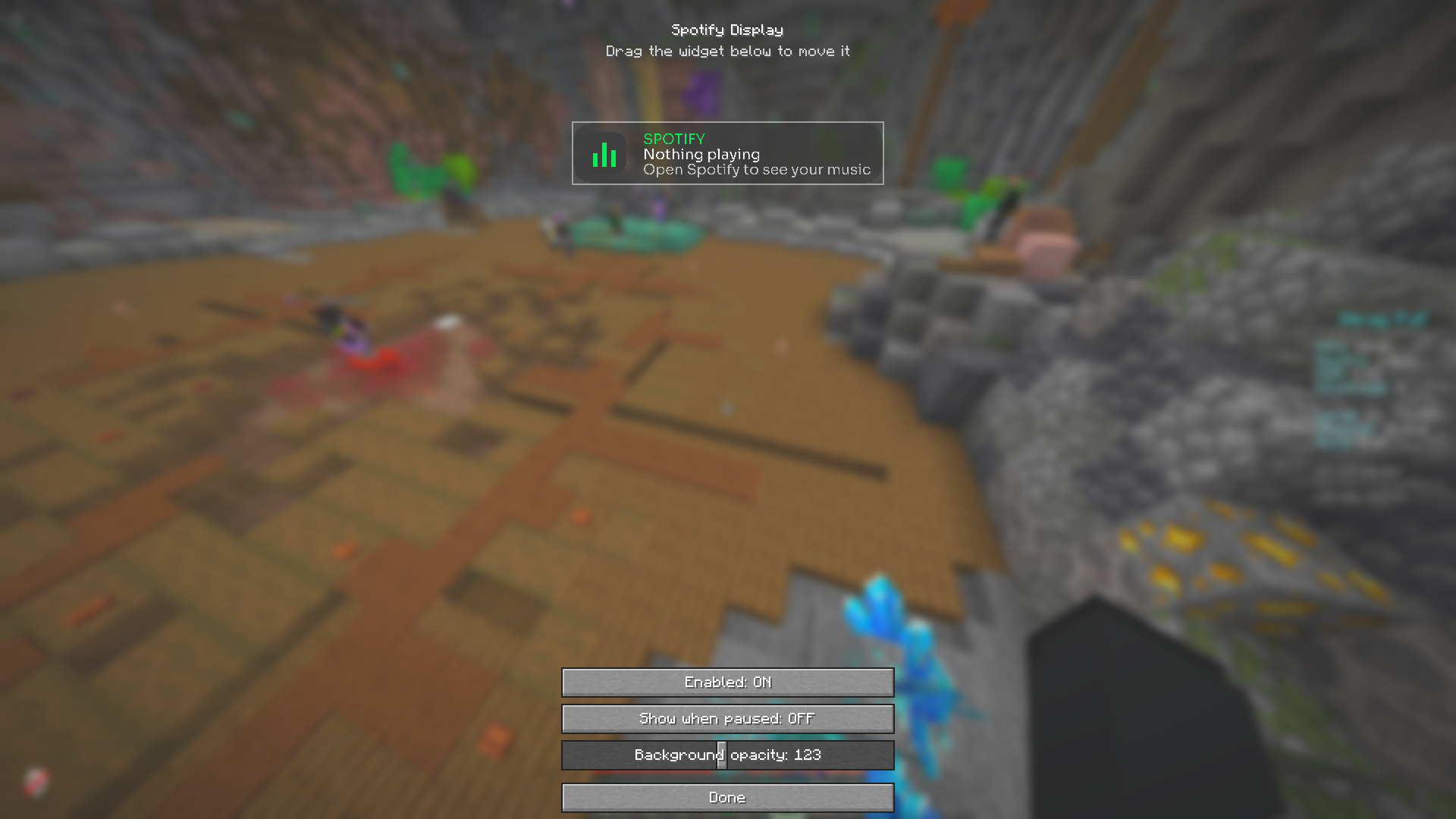
Show the song currently playing in your Spotify desktop app as a sleek, movable in-game HUD — with real album art. No account or login needed.
截图
介绍
Spotify Display
See what’s playing on Spotify without ever leaving your game. Spotify Display shows your currently-playing track as a clean, modern HUD — complete with the real album cover, track title, and artist — right on top of your Minecraft screen.
No account, no login, no OAuth. It simply reads your Spotify desktop app locally, so setup is zero: install, play music, done.
✨ Features
- 🎵 Now-playing HUD — artist, song title, and a live NOW PLAYING indicator
- 🖼️ Real album cover — fetched automatically and rendered crisp (pixel-perfect at any size)
- 🎨 Modern design — soft anti-aliased rounded corners, Spotify-green accents, clean custom Sora font
- 🖱️ Fully movable — drag the HUD anywhere on screen
- 📏 Adjustable size — scale the whole widget from 50% to 250%
- 🎚️ Customizable — background opacity, “show when paused”, enable/disable
- 🔒 No login required — reads the local Spotify desktop app; no Spotify account, token, or API key
⚙️ How to use
- Install Fabric Loader + Fabric API (and optionally Mod Menu).
- Open the Spotify desktop app and play a song.
- The HUD appears in-game. Open the settings (keybind or Mod Menu) to drag it, resize it, and tweak the look.
📌 Requirements & notes
- Fabric API required · Mod Menu recommended (for the settings screen)
- Client-side only — works on any server, no server install needed
- Reads the Spotify desktop app (currently Windows); idle on other systems
- An internet connection is used only to fetch album art (via the public iTunes artwork lookup)
🧩 Supported versions
1.21 · 1.21.1 · 1.21.4 · 1.21.8 · 1.21.11 · 26.1
Made by x1eqn
常见问题
Spotify Displayer 支持哪些 Minecraft 版本?
Spotify Displayer 支持 Minecraft Java 版 1.21–26.1.2,共 8 个版本,可用的加载器:Fabric。下载时注意选择和你游戏版本一致的文件。
Spotify Displayer 怎么安装?
先用 PCL2 或 HMCL 启动器安装对应版本的 Fabric,再把下载的 .jar 文件放进游戏目录的 mods 文件夹,重新启动游戏即可。开启了版本隔离的,mods 文件夹在 versions/版本名 下面。运行环境:仅客户端。
x1eqn 的其他作品
查看全部 →
Colorly
Real-time display color grading — tune Hue, Saturation, Brightness & Contrast for the whole game.

Fullbright+Lowfire+Lowshield
Three classic PvP/visibility tweaks in one: Fullbright, Low Fire and Low Shield.

Better CPS
A customizable CPS counter with an optional WASD + mouse keystrokes overlay.

Better Crosshair
Draw your own crosshair and recolour or reveal it when you aim at an entity.
评论
登录后评论和评分