
Spawn Distance
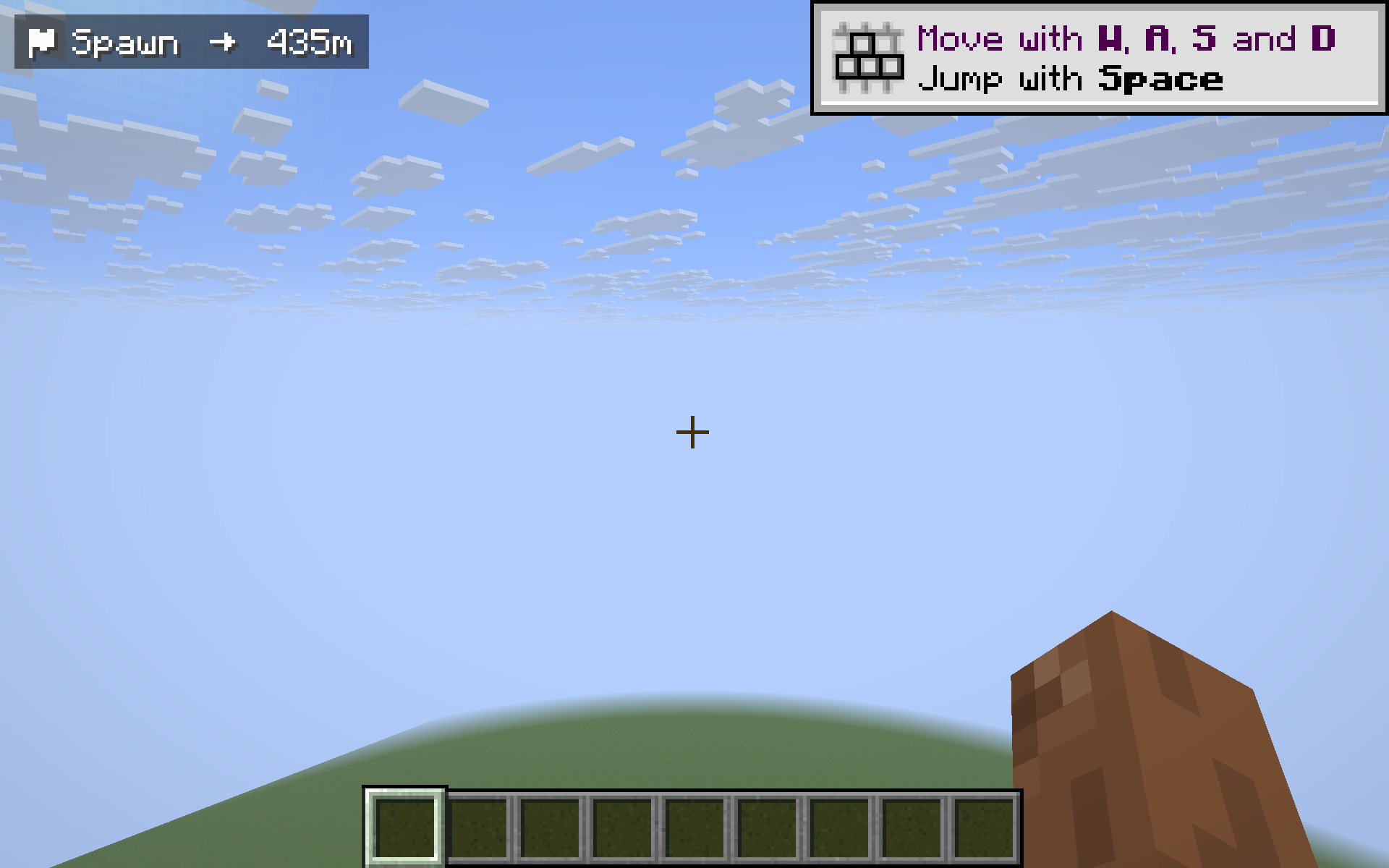
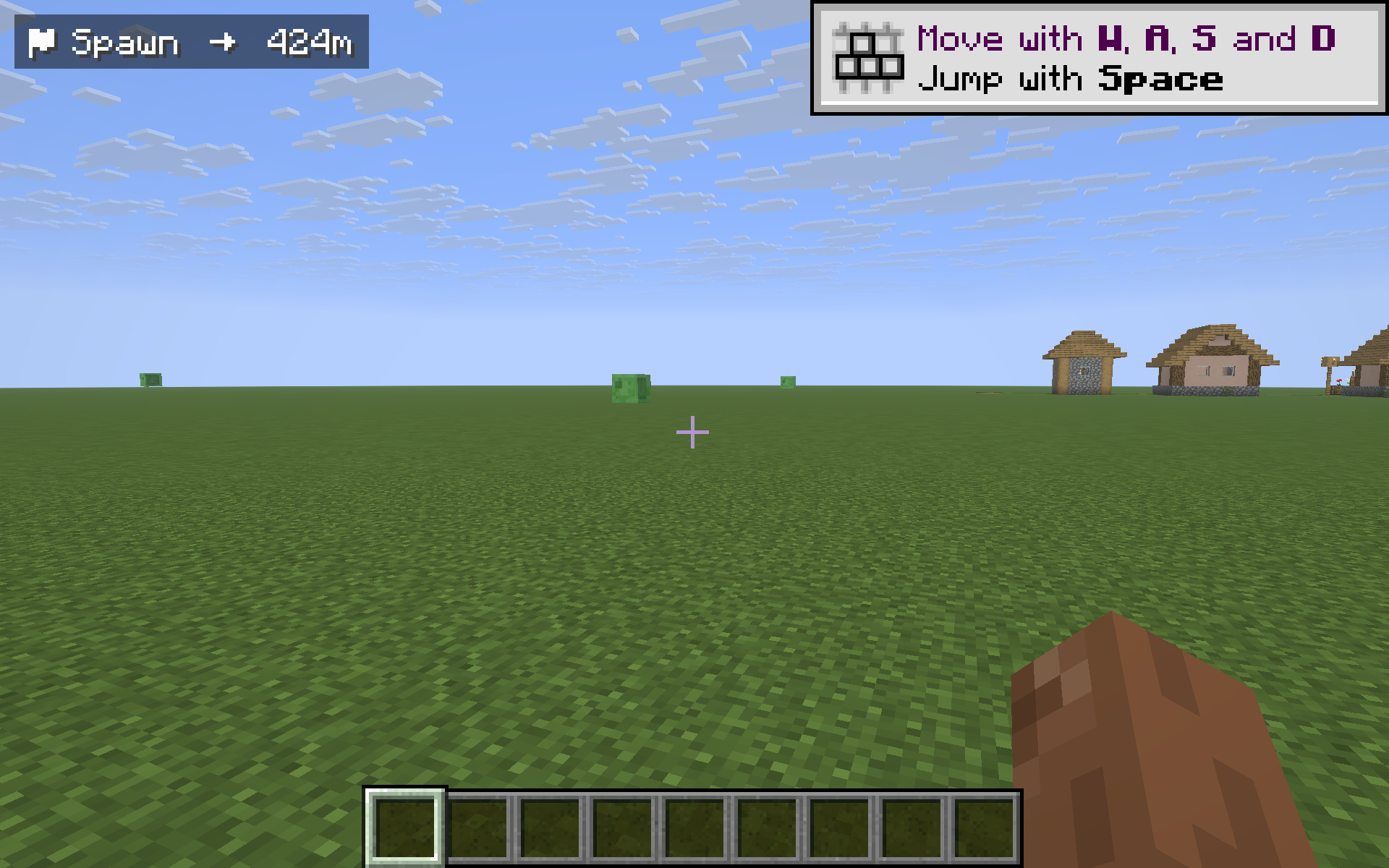
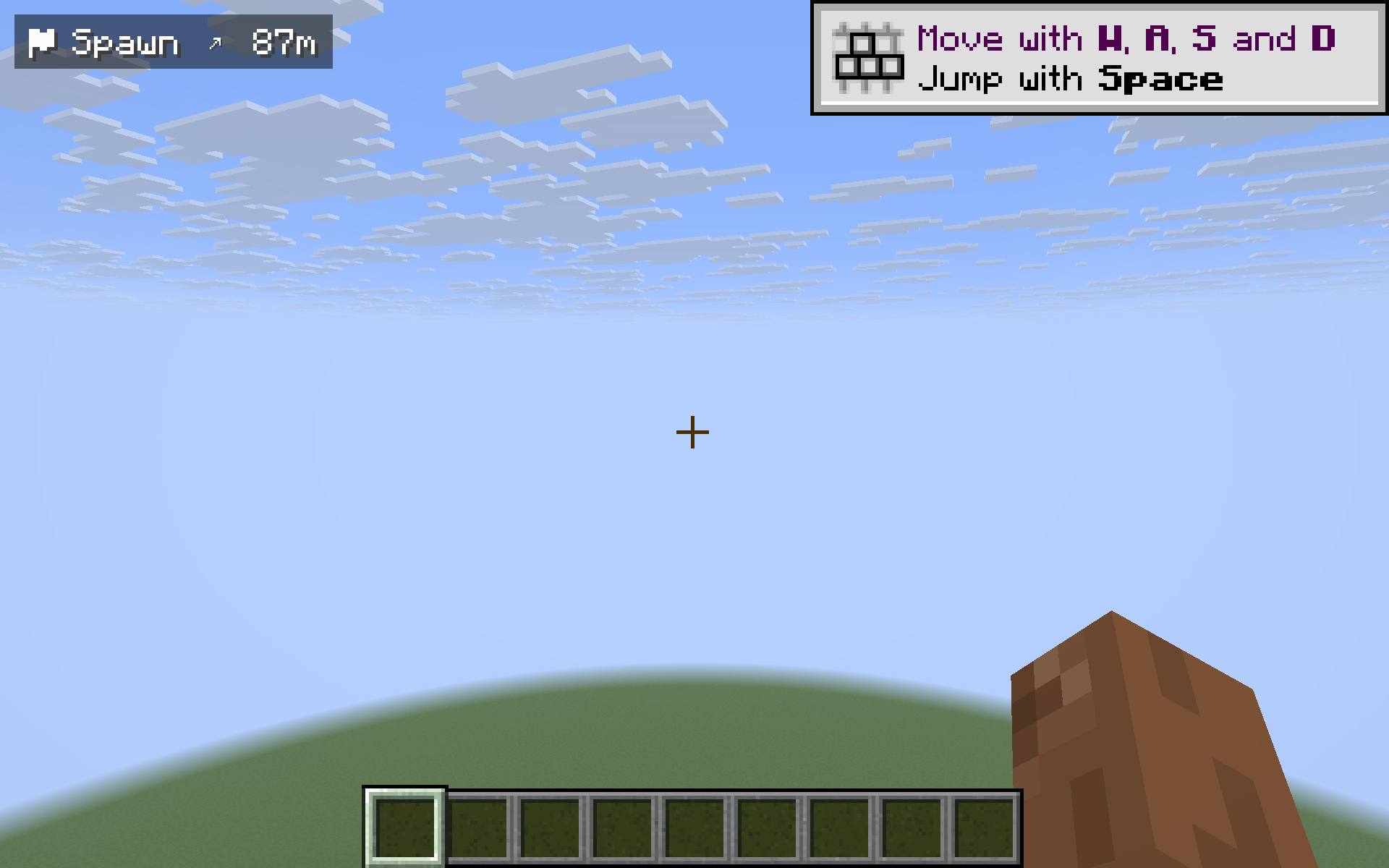
Tiny HUD with 3D distance and a directional arrow back to your world spawn — handy when you wander far from base and want a quick way home.
截图
介绍
Spawn Distance adds a small, unobtrusive HUD in the top-left corner that shows you the 3D distance to your world spawn point, together with a directional arrow that rotates with your view. When you wander deep into caves, far across the seas, or get lost during night-time exploration, one glance at the HUD tells you both how far home is and which way to walk.
Features
- 3D distance to world spawn (including elevation difference), displayed in meters and switching to kilometers once you cross 1 km.
- Compass arrow that always points back to spawn from your current facing direction — eight cardinal/intercardinal arrows (
up uright right dright down dleft left uleft). - Dimension-aware: in the Nether or the End the HUD says “in Overworld” instead of guessing nonsense coordinates.
- Toggle with the
Okey (single press). - Client-side only — works on any vanilla server, no server install required, doesn’t touch gameplay or world data.
- Cross-version: one JAR runs on Minecraft 1.21.8 -> 1.21.11 on Fabric.
Why use it
Vanilla gives you F3 for coordinates, but no quick “how far is home” answer without arithmetic. Dedicated minimaps are overkill if you only want one landmark. Spawn Distance is a single line of HUD text with a directional arrow — minimal, unobtrusive, and exactly enough information to navigate back to base.
Controls
O— toggle the HUD on / off
Compatibility
- Minecraft: 1.21.8, 1.21.9, 1.21.10, 1.21.11
- Mod loader: Fabric (>=0.16.0)
- Fabric API: required
- Side: client (server install not required)
License
MIT — fork, modify, redistribute freely.
常见问题
Spawn Distance 支持哪些 Minecraft 版本?
Spawn Distance 支持 Minecraft Java 版 1.21.8–1.21.11,共 4 个版本,可用的加载器:Fabric。下载时注意选择和你游戏版本一致的文件。
Spawn Distance 怎么安装?
先用 PCL2 或 HMCL 启动器安装对应版本的 Fabric,再把下载的 .jar 文件放进游戏目录的 mods 文件夹,重新启动游戏即可。开启了版本隔离的,mods 文件夹在 versions/版本名 下面。运行环境:仅客户端。
kvapilvaclav0 的其他作品
查看全部 →
Verity dog
This mod turns your dog into Verity.

TargetLock
Press J to instantly aim your camera at the nearest living entity within 10 blocks. If no entity is in range, a message will appear on your screen letting you know.
TargetLock
Press J to instantly aim your camera at the nearest living entity within 10 blocks. If no entity is in range, a message will appear on your screen letting you know.

HorseStats
Ride any horse, donkey, mule or llama and a small top-left HUD shows the mount's health, top speed (m/s) and jump height (blocks) live - no need to open its inventory. Toggle with H.
评论
登录后评论和评分