
Soundtrack Block
A minecraft mod adding a soundtrack block capable of playing Minecraft's soundtrack
介绍
Soundtrack Block
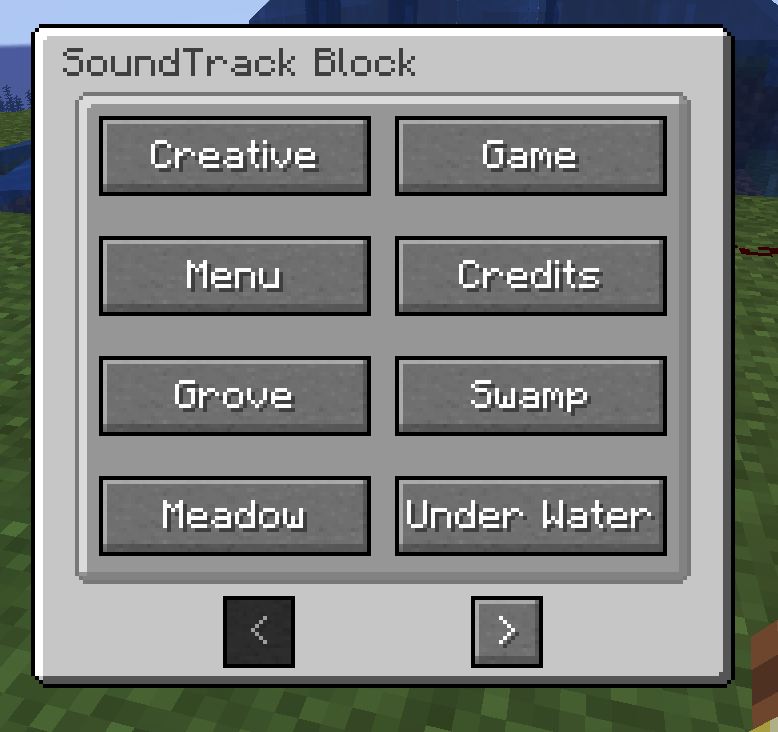
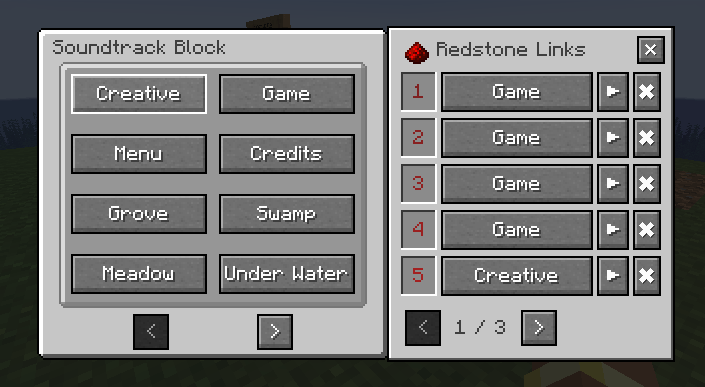
This mod adds a soundtrack block to the game The soundtrack block can play different Minecraft songs by opening it and clicking the sound buttons or mapping redstone signal strength to specific sounds.
This mod is good for players who enjoy the game’s soundtrack or those who want the game to be less quiet
You can also register your own sounds to the soundtrack block to allow players to set up their own music boxes (registering is explained below).
You may include this mod in your modpack.
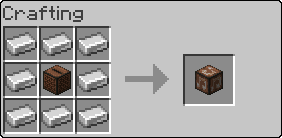
Recipes
How to modify dynamic sound list
To add or remove sounds from the Soundtrack Block place a JSON file at data/<pack_namespace>/soundtracks/<any_name>.json
With the following format:
{
  "replace": false, // boolean
  "sounds": [
    {
      "sound_event": "minecraft:music.overworld.cherry_grove", // Minecraft sound location
      "name": "Cherry Grove" // Button name (can be translation string)
    },
    {
      "sound_event": "twilightforest:music.bg",
      "translation_key": "sound.my_modpack.twilight_forest"
    }
  ]
}
常见问题
Soundtrack Block 支持哪些 Minecraft 版本?
Soundtrack Block 支持 Minecraft Java 版 1.20.1–1.21.1,共 2 个版本,可用的加载器:Forge / NeoForge。下载时注意选择和你游戏版本一致的文件。
Soundtrack Block 怎么安装?
先用 PCL2 或 HMCL 启动器安装对应版本的 Forge / NeoForge,再把下载的 .jar 文件放进游戏目录的 mods 文件夹,重新启动游戏即可。开启了版本隔离的,mods 文件夹在 versions/版本名 下面。


评论
登录后评论和评分