
Sound Reloader
Sound Reloader automatically reloads your audio whenever you reconnect your output device.
截图
介绍
Sound Reloader
Ever accidentally unplugged your headphones and Minecraft just didn’t reload the audio? Does that annoy the shit out of you because it should just do it by default?
Well I’ve got just the mod for you!
Sound Reloader makes sure your audio comes back AUTOMATICALLY whenever you plug your speakers or headphones back in!
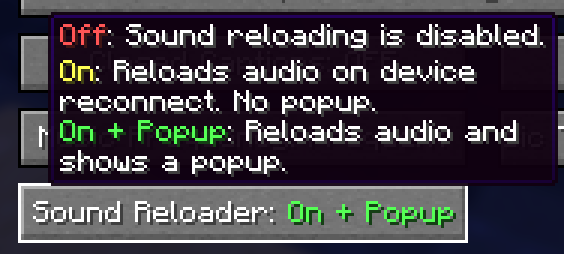
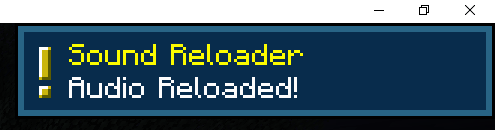
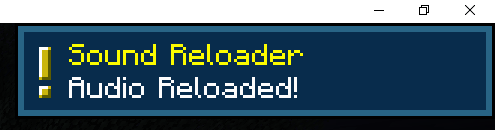
There’s even a litte popup when it does it. (WOW!!) (you can even turn off the popup in the Music & Sound menu WOWWOW!!)
Note
There’s a chance it wont detect when your audio device is reconnected. Replugging your device back in _should_ fix it.
How it works
Sound Reloader uses two detection paths to notice when your audio output changes.
First, it checks OpenAL every second via the ALC_EXT_disconnect extension to see if the current device has disconnected and then reconnected.
Second, a background thread polls Java’s AudioSystem every 2 seconds for new output mixers (e.g., when you plug in headphones or a USB DAC).
When either path detects a change, it waits 3 seconds for the device to stabilize, then calls Minecraft’s SoundManager.reloadSounds() to reinitialize the sound engine.
Tested on 1.21.1 and 1.21.11. Requires Fabric API.
常见问题
Sound Reloader 支持哪些 Minecraft 版本?
Sound Reloader 支持 Minecraft Java 版 1.21.1–1.21.11,共 11 个版本,可用的加载器:Fabric。下载时注意选择和你游戏版本一致的文件。
Sound Reloader 怎么安装?
先用 PCL2 或 HMCL 启动器安装对应版本的 Fabric,再把下载的 .jar 文件放进游戏目录的 mods 文件夹,重新启动游戏即可。开启了版本隔离的,mods 文件夹在 versions/版本名 下面。运行环境:仅客户端。
评论
登录后评论和评分