
截图

介绍
中文介绍正在准备中,下面暂时显示原文。

SoundBlocker
Simply blocks specific sound you don’t want.
Use /soundblocker in game to open the gui.
Configurable in game or in config file.
Features
- Block/unblock specific sounds with just simple clicks!
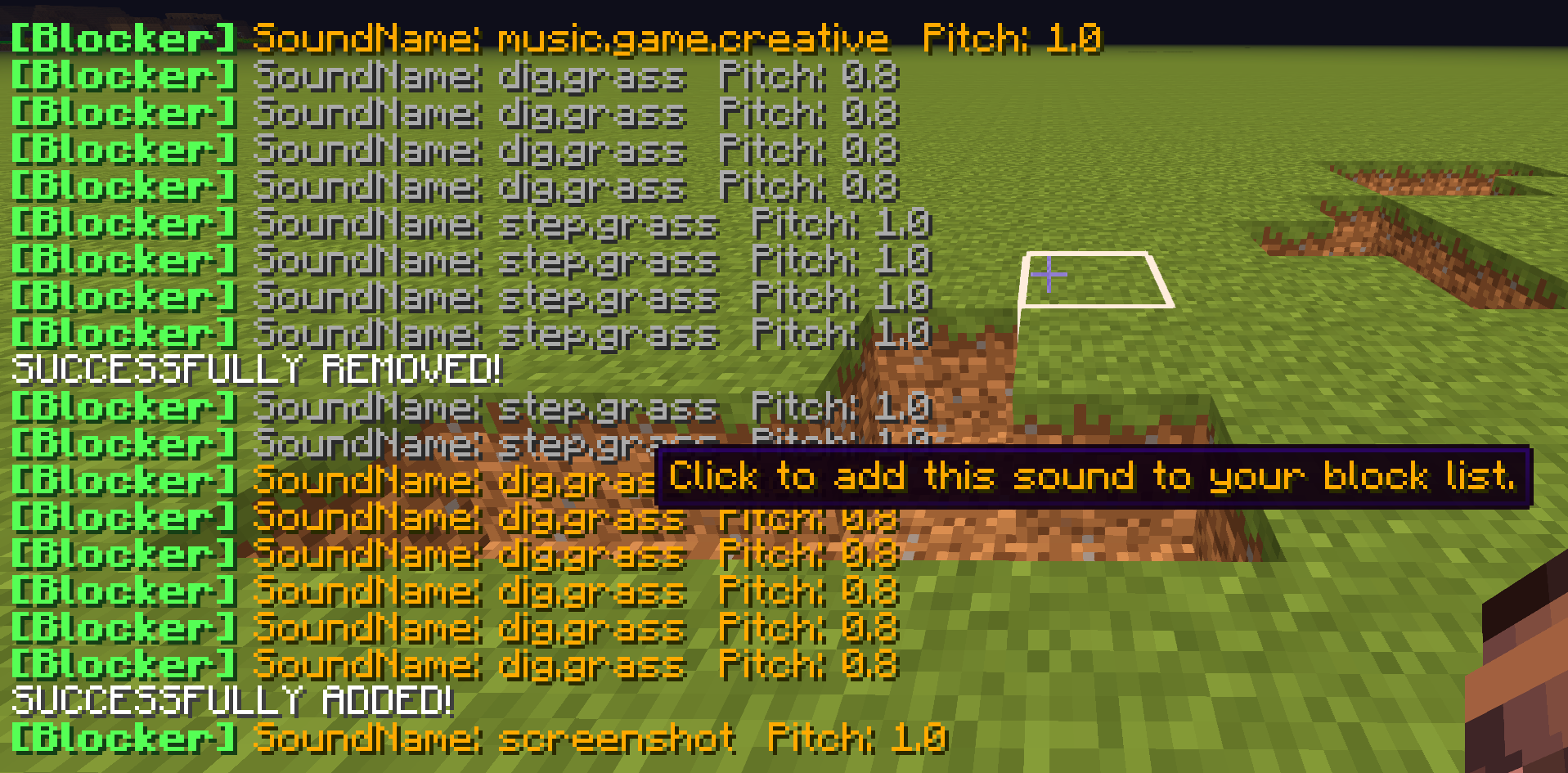

- Edit blocked sounds (in chat or config GUI)
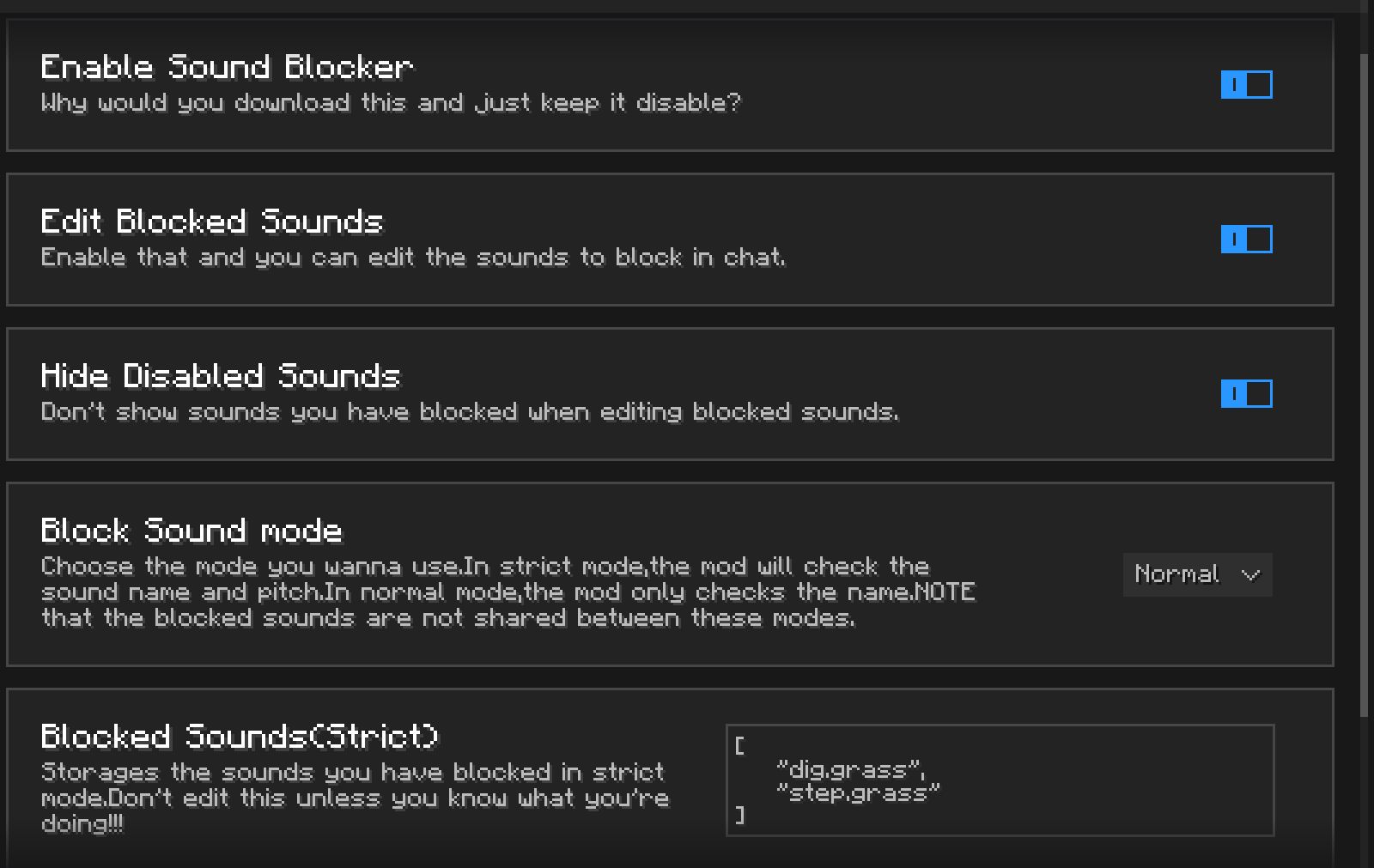
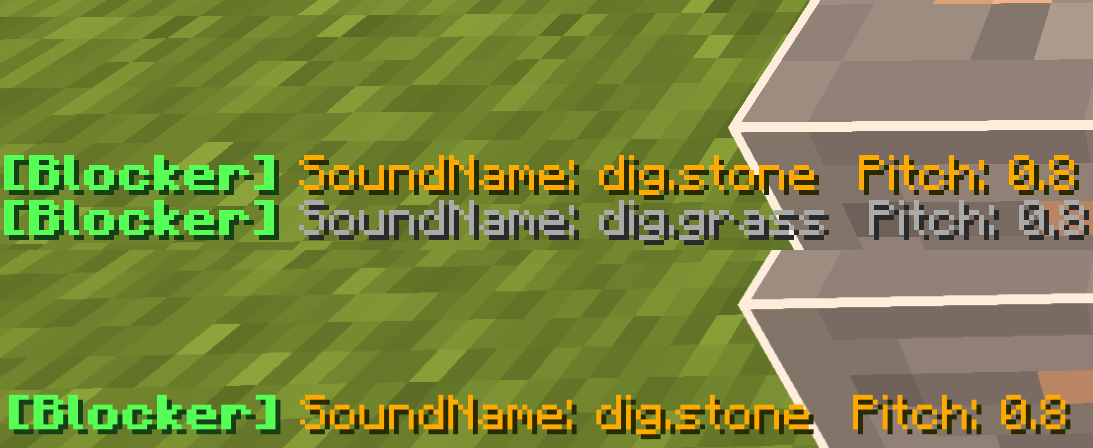
- Hide disabled sounds,allowing you to edit them clearly.
- Normal and strict mode
–Normal mode just blocks all the sounds with specific name.
–Strict mode also checks if the pitch matches.
—and,the sounds to block in different modes are not shared.
TODO
- A GUI to manage and play all the sounds you block.
- Multiple config profiles.
- Not only simply mutes them,but also allows you to change the volume and pitch,or even replacing them with a new one.
常见问题
SoundBlocker 支持哪些 Minecraft 版本?
SoundBlocker 支持 Minecraft Java 版 1.8.9,可用的加载器:Forge。下载时注意选择和你游戏版本一致的文件。
SoundBlocker 怎么安装?
先用 PCL2 或 HMCL 启动器安装对应版本的 Forge,再把下载的 .jar 文件放进游戏目录的 mods 文件夹,重新启动游戏即可。开启了版本隔离的,mods 文件夹在 versions/版本名 下面。运行环境:仅客户端。
评论
登录后评论和评分