
Sound Subtitle Colors
Vanilla subtitles are all white. This colors each line by sound type, using a palette chosen with color blindness in mind. No setup.
截图
介绍
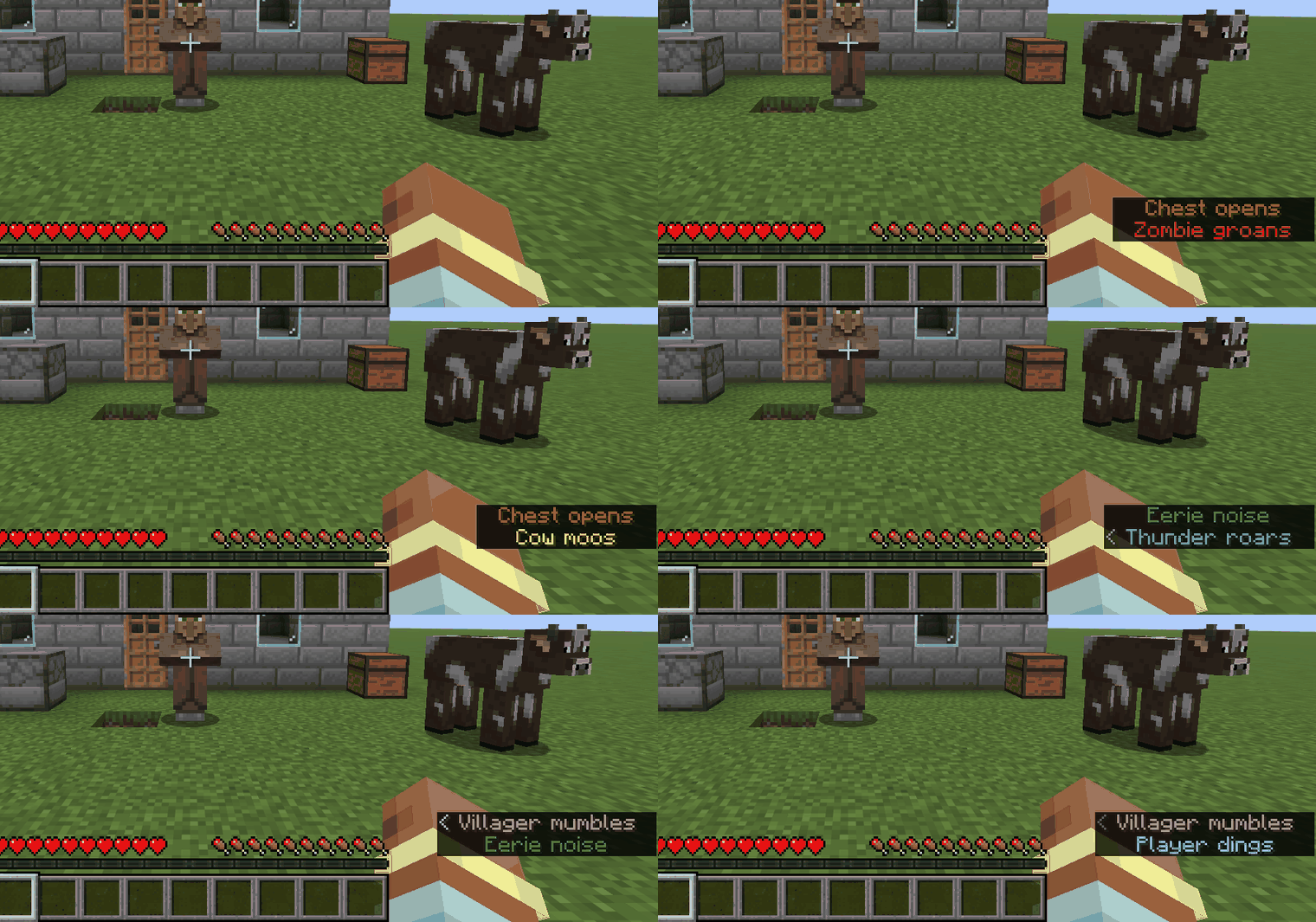
Vanilla subtitles show every sound in the same white text. In a busy cave or a fight, you read the words before you know whether it was a zombie, a cow, a chest or the rain.
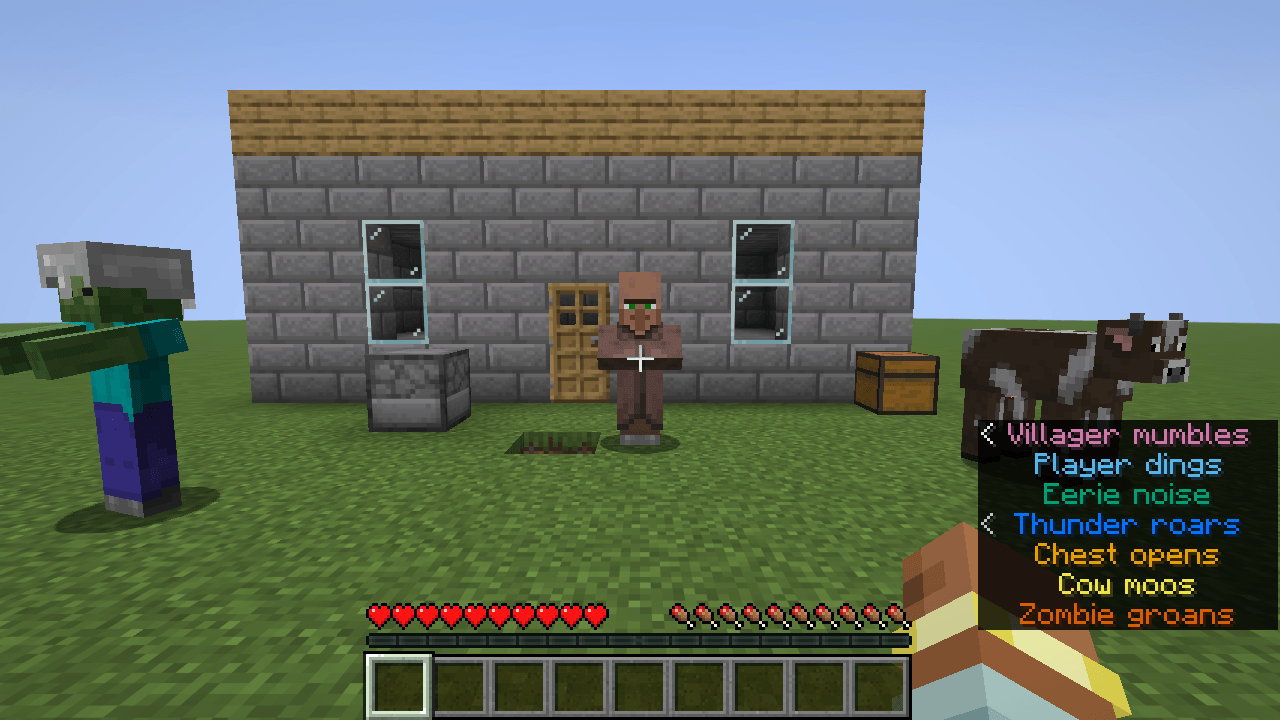
Sound Subtitle Colors changes the color of each subtitle line by what made the sound. Nothing else changes: no new overlay, no menu, no setting.
Where to look
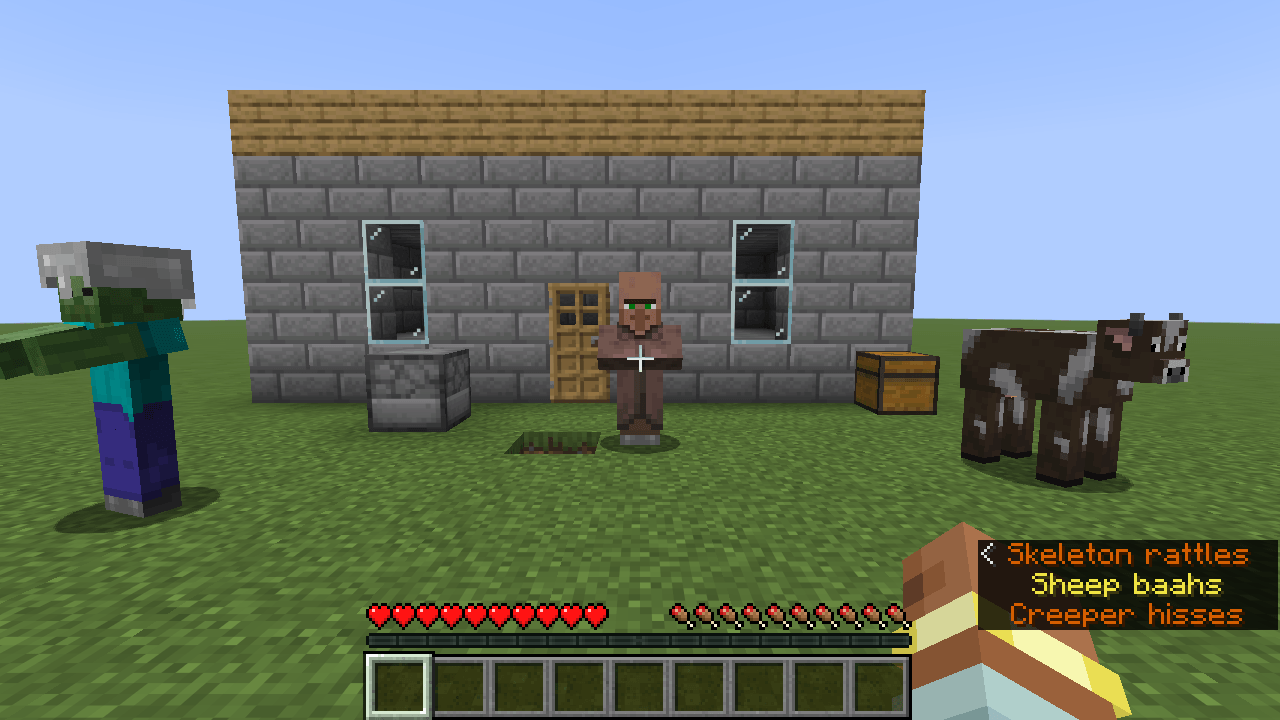
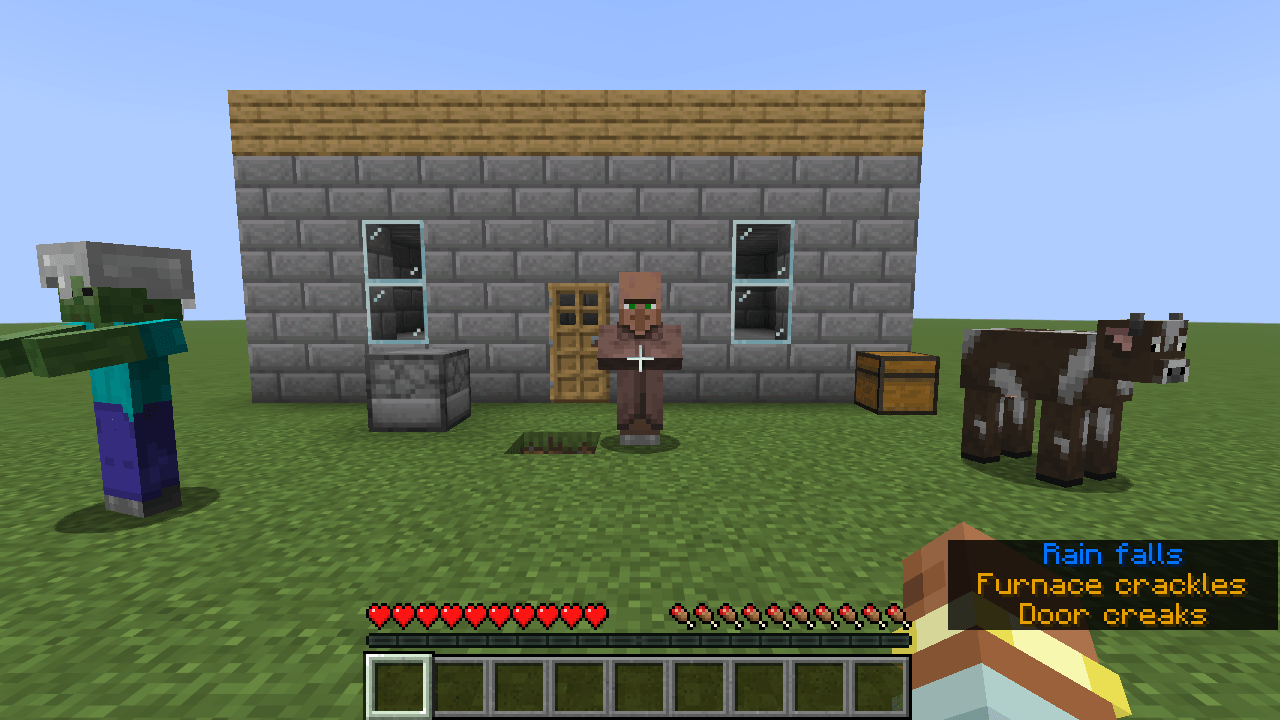
Turn on subtitles (Options > Accessibility Settings > Closed Captions on 1.21.11). They appear at the bottom right as usual. Each line, and the arrow beside it, now has the color of its sound type:
- Hostile (zombie, skeleton, creeper): vermillion
- Neutral (cow, sheep, most passive mobs): yellow
- Players: sky blue
- Blocks (chests, doors, furnaces): orange
- Weather (rain, thunder): blue
- Ambient (cave noises): bluish green
- Voice (sounds the game puts in its “Voice” group; rare in normal play): reddish purple
Example: a zombie and a cow walking nearby both say “Footsteps”, but one line is vermillion and the other is yellow. (Checked in game on Minecraft 1.21.11.)
What it does for you
- You can tell the kind of sound from the color first, and read the words only when you need to.
- The colors come from the Okabe-Ito palette, which is designed to be told apart by people with common forms of color blindness. The Weather blue is brightened for more contrast on the dark subtitle background. We checked by calculation that this brighter blue stays apart from the other six colors under normal vision, protanopia and deuteranopia. We have not tested the colors with players who have these conditions.
- Sounds that are not about “where did that come from” (master, music, records, UI) keep the normal white.
- It works with the normal subtitle display. Take the mod out and subtitles go back to white.
- Client-side only. Nothing to install on the server, no network connections.
What it does not do
- The colors are fixed. There is no config file or color picker. If you want to choose your own colors, use a subtitle mod that has a config.
- Villagers’ sounds are usually shown as Neutral (yellow), not as Voice, because of how the game classifies them.
- We have not tested it together with other subtitle mods.
Versions
Minecraft 26.3: version 0.1.1 (needs Java 25). Minecraft 1.21.11: version 0.1.1. Both have the same seven colors.
Requirements
Fabric Loader 0.19.0+ and Fabric API. Pick the file for your Minecraft version.
Source: https://github.com/hullspark/fabric-mods
Disclosure: this mod was developed with AI assistance (Claude) and reviewed by the author. It does not reuse code or assets from other mods. It does not collect or transmit any data.
常见问题
Sound Subtitle Colors 支持哪些 Minecraft 版本?
Sound Subtitle Colors 支持 Minecraft Java 版 1.21.11–26.3,共 2 个版本,可用的加载器:Fabric。下载时注意选择和你游戏版本一致的文件。
Sound Subtitle Colors 怎么安装?
先用 PCL2 或 HMCL 启动器安装对应版本的 Fabric,再把下载的 .jar 文件放进游戏目录的 mods 文件夹,重新启动游戏即可。开启了版本隔离的,mods 文件夹在 versions/版本名 下面。
Hullspark 的其他作品
查看全部 →
Death Point Marker
After you die, one HUD line keeps pointing you back to your loot: direction, distance and coordinates. No chat spam to scroll back to.

Hullspark Cat Dance
Cats near a playing jukebox hop, lean and swish their tails to the beat. Draw-only, client-side.

LastView
Your loading screen shows the place you left. Rejoin a world and its loading screen has your last view behind it instead of the menu panorama.

Hullspark Coordinate HUD
Always see where you are and how far you are from spawn. One line at the top of the screen, no minimap, no F3.
评论
登录后评论和评分