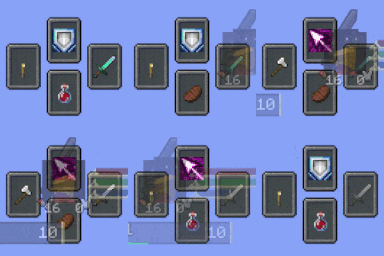
Souls Combat HUD
Adds a soulslike HUD featuring equipment slots, boss bar, status gauges and team display.
截图
介绍

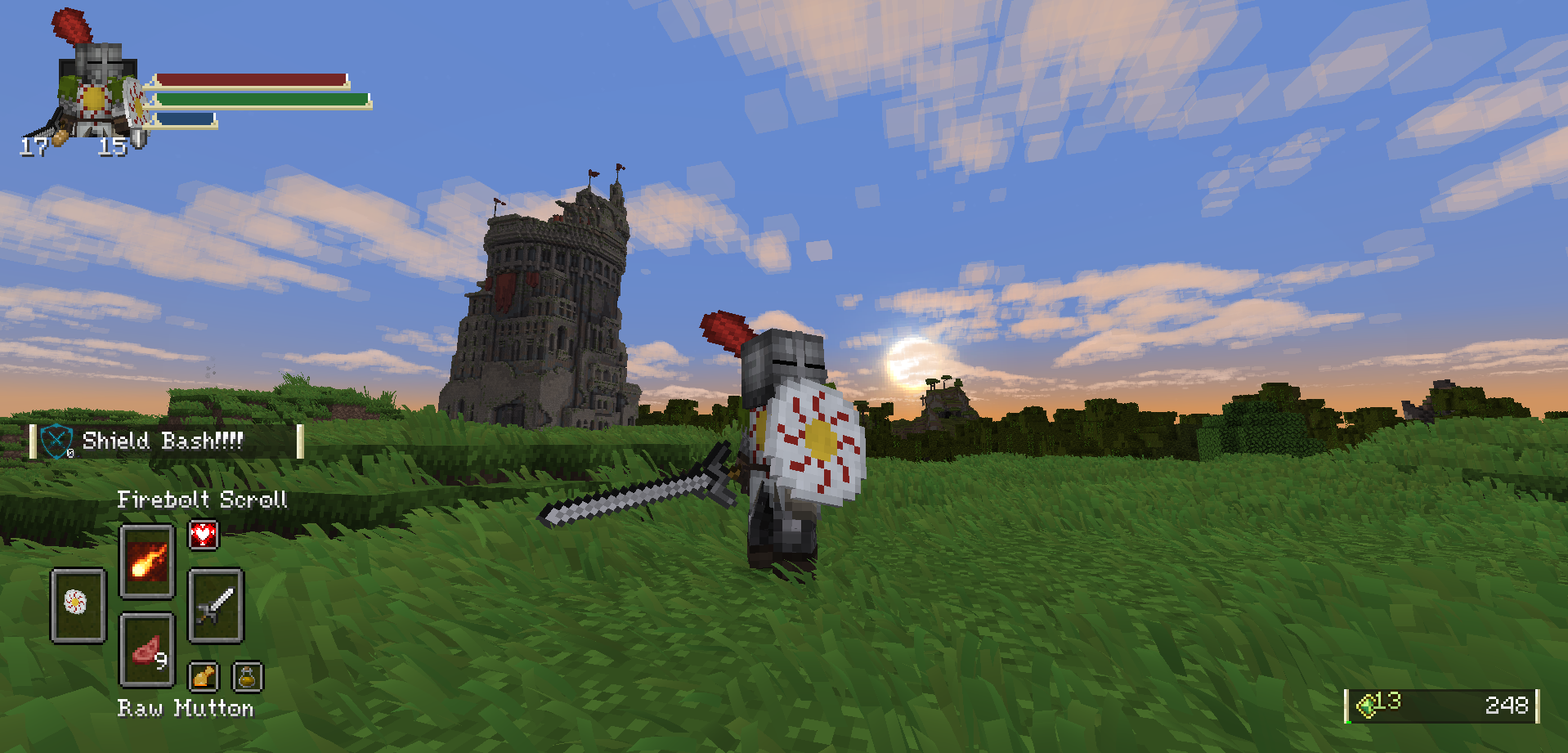
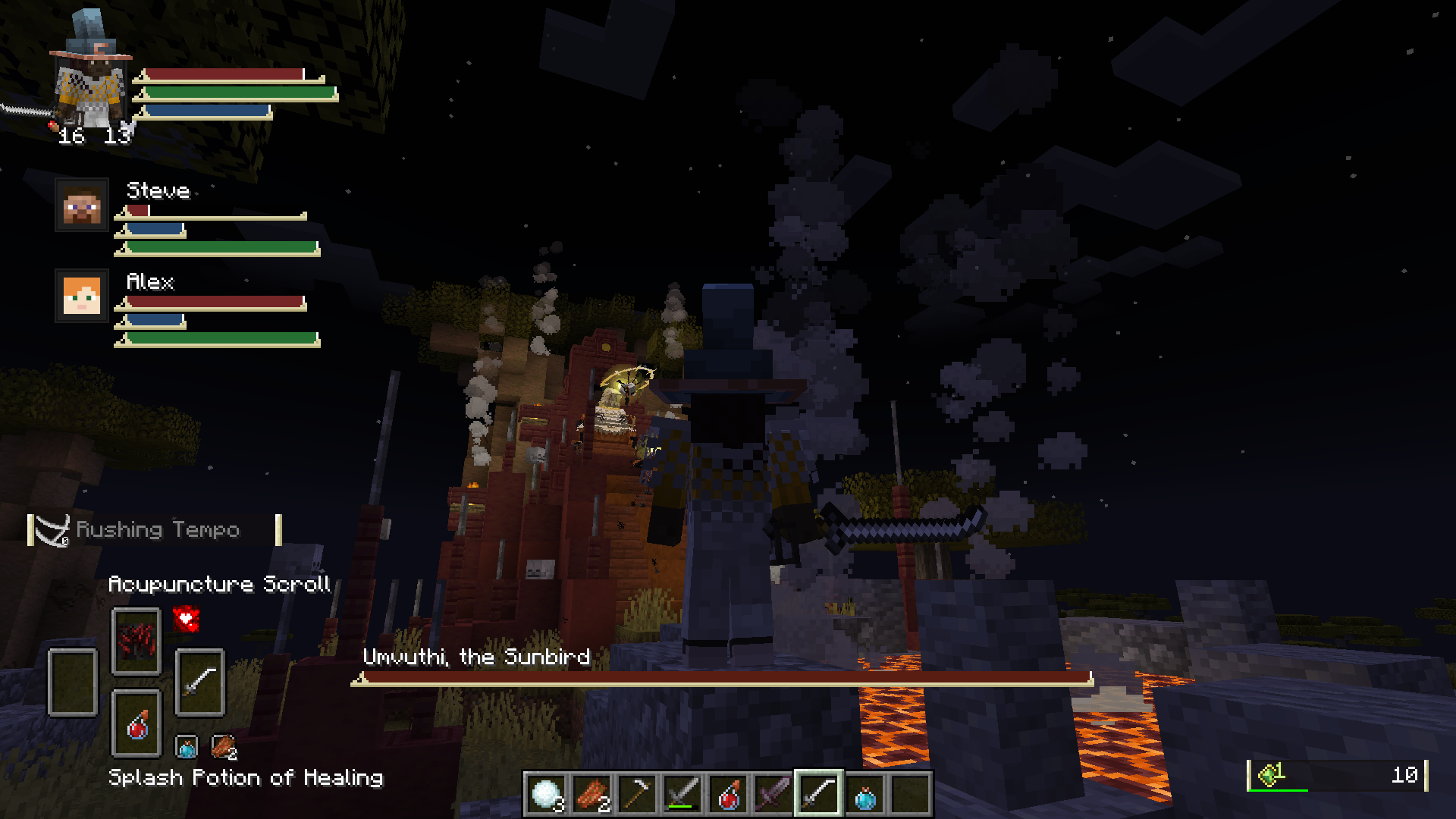
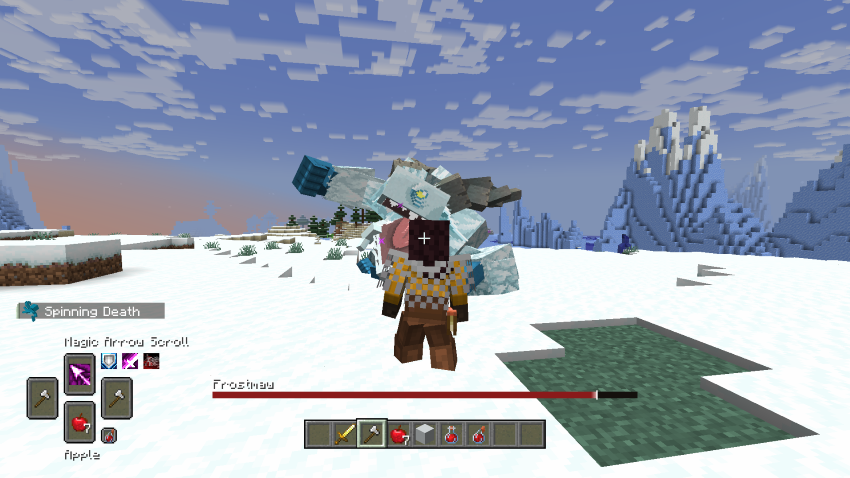
This client side mod adds a soulslike HUD found in FromSoftware games.
The mod includes:
- Equipment slots selector
- Compatability with Iron’s Spells n’ Spellbooks
- Compatability with MoreOffhandSlots
- Keep hotbar hidden with AutoHUD
- Status Gauges including status of your teammates.
- Alternative skill overlay UI for Epic Fight
- Custom bossbar
- Support for client only and client-server features.
Each feature can be disabled through the config.
Before using the mod I also recommend:
- Configurable mod to update config values without restarting.
- A mod that allows you to shift the chatbox, otherwise change the anchor.
- To disable existing UI of mods, such as Iron’s Spells spell bar.
Check out my partner mod, Souls Message Banners.
Equipment Slots
The equipment slots is essentially an extended hotbar selector. They can be cycled through your arrow keys.
Weapon slot – Indicates your selected weapon. By pressing your Right Arrow key, your main hand will cycle to weapons in your hotbar. If you are not currently holding a weapon, it will jump to the weapon it indicates.
- If Epic Fight is installed, items in Combat Preferred is included.
- Items can be added/removed through the config.
Offhand slot – Indicates your offhand slot. By pressing your Left Arrow key, you are able to cycle through your offhand items (only with MoreOffhandSlots).
Spell slot – Indicates your active spell. By pressing your Up Arrow key, you can cycle through your spells.
- This includes preview slots to see which spells you are cycling to.
Consumable slot – Indicates your food items. By pressing your Down Arrow key, you can cycle through your consumable items.
- This includes preview slots to see which items you are cycling to.
- The mod also adds a “Use Consumable key” (
Gkey), which will automatically jump to the item and consume without holding right click. - Thus cycling wont jump to your consumables unless configured.
- Iron’s Spells scrolls are included
Status Gauges

This replaces certain elements found in the vanilla hotbar.
Crest
- Displays player hunger and armor level
- Displays player character preview / paper doll
- Face Mode
- Model Mode
- Supports Epic Fight player model
Status bars
- Displays status of the player
- Stamina
- Epic Fight
- Parcool
- Paragliders
- Mine and Slash
- Mana
- Iron’s Spells
- Mine and Slash
- The bar widths dynamically change depending on how much the player’s stats have changed from the baseline max values.
- Server owners can set their baseline values and projected max/late game values in the server config
- Clients can do the same or override the server values, but they can also make the bar widths constant.
- Player gauge appearance can be customized in
assets/souls_combat_hud/souls_bars/player_gauge.json.
Party Gauges
<img
style=”float: right;”
src=”https://i.imgur.com/mPVTOM5.png”
alt=”Preview of Sort Party GUI”
width=”340″>
This displays the status of your teammates. This feature is only enabled if the mod is installed serverside.
- Supports vanilla teams and FTB teams.
- Team color will display as a crest outline.
- Sort party screen, open with
Okey - Certain stat tracking can be restricted via server config.
- Party gauge appearance can be customized in
assets/souls_combat_hud/souls_bars/party_gauge.json.
Bossbar

This replaces the vanilla bossbar with a soulslike bossbar.
- You can set a custom bossbar for certain bosses via translation keys (e.g.
entity.minecraft.ender_dragon) insideassets/<namespace>/souls_bars/entities. - You may need to see the config of your boss mods to disable custom bars if you wish to make it appear.
Vanilla HUD Changes

- Bossbar and certain parts of the hotbar are automatically hidden by default, configurable.
- A custom experience overlay replaces the experience bar, also includes total xp points.
- A custom oxygen bar replaces the air level meter.
- Item highlight name and record label are shifted closer to the hotbar, configurable.
- By default, the item name shifting when changing from/to creative is disabled.
- Cold Sweat mod repositions this text, make sure to disable
Custom hotbar layout. - No Hunger mod makes armor level reappear, make sure to disable
Render armor at hunger.
Notes
- Incase you are encountering “Payload may not be larger than 32767 bytes”, install Packet Fixer.
常见问题
Souls Combat HUD 支持哪些 Minecraft 版本?
Souls Combat HUD 支持 Minecraft Java 版 1.20.1,可用的加载器:Forge。下载时注意选择和你游戏版本一致的文件。
Souls Combat HUD 怎么安装?
先用 PCL2 或 HMCL 启动器安装对应版本的 Forge,再把下载的 .jar 文件放进游戏目录的 mods 文件夹,重新启动游戏即可。开启了版本隔离的,mods 文件夹在 versions/版本名 下面。运行环境:仅客户端。
tablesouls 的其他作品
查看全部 →
Souls Message Banners
Adds Elden Ring/Dark Souls style titles for various events

Souls Message Banners
Adds Elden ring/Dark Souls style titles for various events

Epic Fight Carry On Compat
Switches epic fight mode to vanilla whenever you are carrying.

Lenient Death Connector Fix
Fixes Lenient Death crashing with Sinytra Connector.
评论
登录后评论和评分