Sort Ease
Simplify inventory and container management in Minecraft. Organize with a single click.
截图
介绍
Sort Ease
Sort Ease makes inventory management faster, cleaner, and more satisfying by letting you organize your items in an instant.
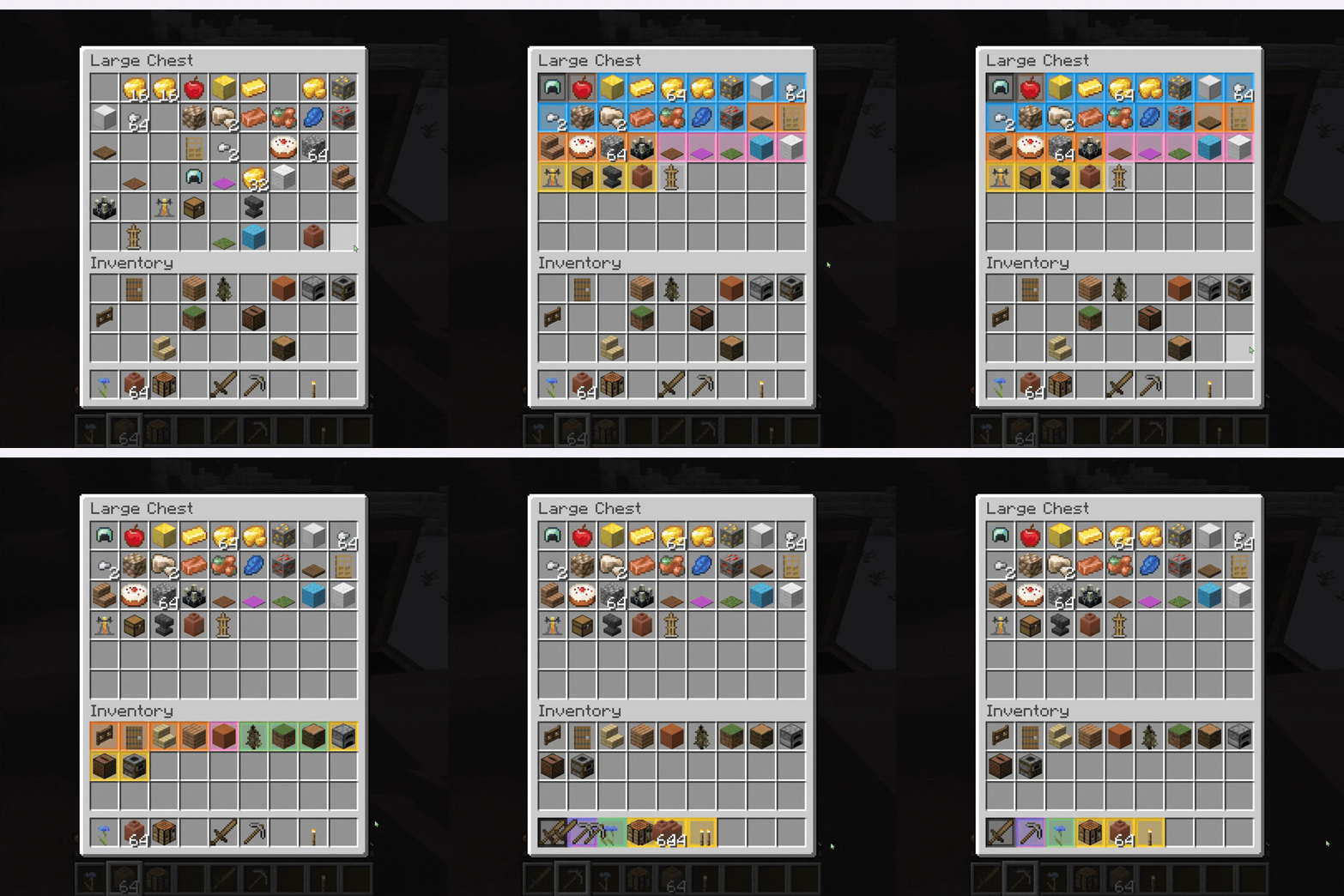
Instead of simply sorting everything alphabetically, Sort Ease organizes items into logical categories, keeping related items together while providing smooth animations and visual highlights.
🗂️ Smart Inventory Sorting
Sort Ease automatically organizes items into useful categories:
– ⚔️ Combat
– 🛠️ Tools & Utilities
– 🍖 Food & Drinks
– 💎 Ingredients & Resources
– 🧱 Building Blocks
– 🎨 Colored Blocks
– 🌿 Natural Blocks
– ⚙️ Functional Blocks
– 🔴 Redstone Blocks
– 🥚 Spawn Eggs
Items are also intelligently ordered inside their category.
For example, equipment is sorted according to its strength and durability, while resources and minerals are organized by value and form.
✨ Smooth Sorting Animations
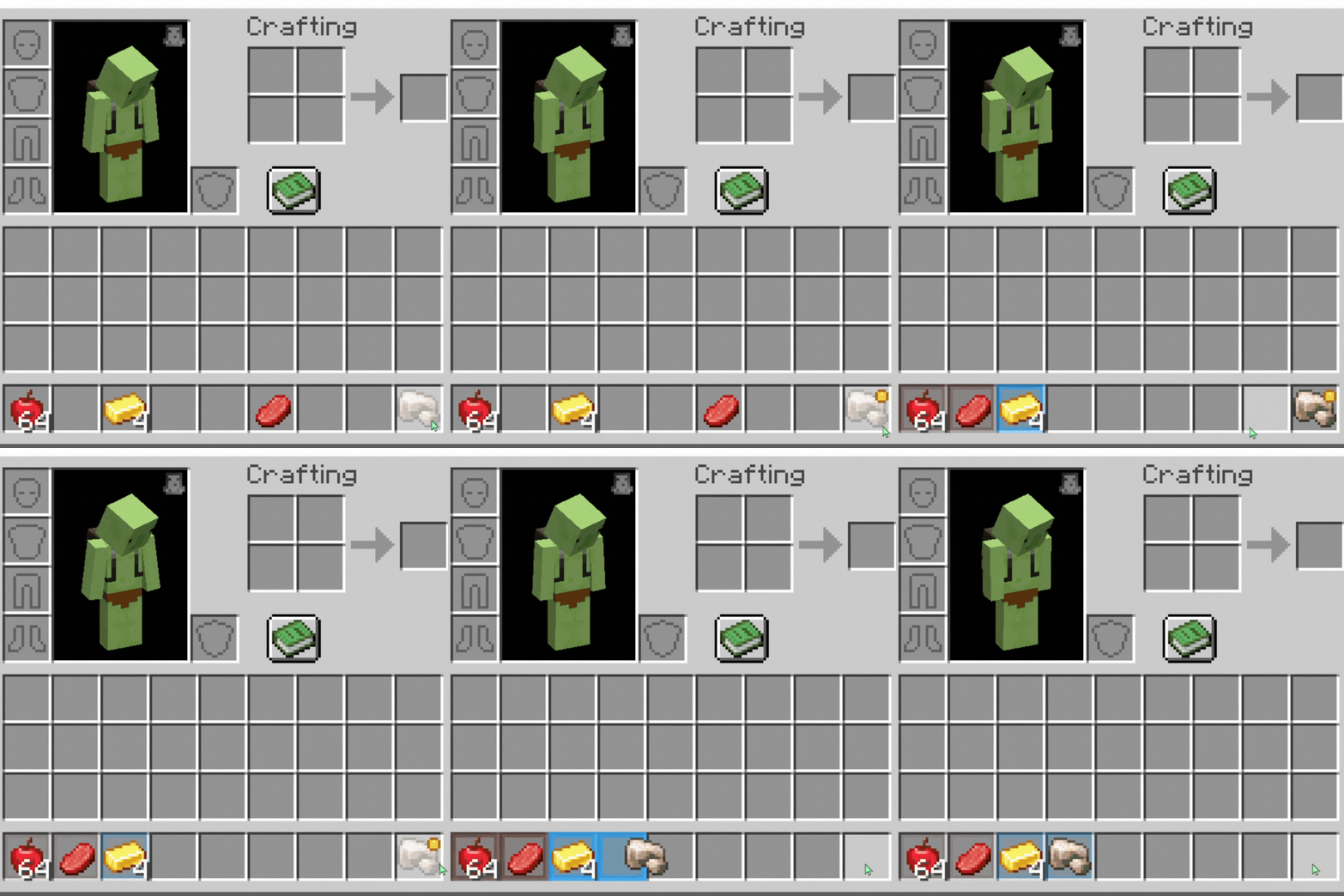
Sorting isn’t just instant — items smoothly move into their new positions.
Each category receives its own temporary color highlight, making it easy to understand how your inventory has been reorganized at a glance.
📦 Inventories & Containers
Sort Ease can organize:
- Player inventories
– Hotbars
– Chests
– Barrels
– Shulker Boxes
– Other compatible storage containers
– Compatible modded storage, including larger inventories and bags
⭐ Favorite Slots
To favorite an item, simply hold the Sort Key while hovering over it. Hold it again to remove it from favorites.
⚙️ Customization
With Mod Menu and Cloth Config, Sort Ease provides configurable options such as:
– Maximum Animated Items — Controls how many items can be animated at the same time.
– Animation Duration — Adjusts how fast sorting animations are played.
– Additional sorting and visual behavior options.
📋 Requirements
– Fabric Loader
– Fabric API
– Cloth Config
– Mod Menu for easy in-game configuration
常见问题
Sort Ease 支持哪些 Minecraft 版本?
Sort Ease 支持 Minecraft Java 版 1.21.1–1.21.11,共 11 个版本,可用的加载器:Fabric / NeoForge。下载时注意选择和你游戏版本一致的文件。
Sort Ease 怎么安装?
先用 PCL2 或 HMCL 启动器安装对应版本的 Fabric / NeoForge,再把下载的 .jar 文件放进游戏目录的 mods 文件夹,重新启动游戏即可。开启了版本隔离的,mods 文件夹在 versions/版本名 下面。

评论
登录后评论和评分