Sophisticated Matcher
Sophisticated Matcher adds a dedicated matcher item for Sophisticated Storage and Sophisticated Backpacks.
截图
介绍
Sophisticated Matcher
Sophisticated Matcher adds a matcher item (shown as NBT Matcher in game) for Sophisticated
Storage and Sophisticated Backpacks. Instead of storing a whole item, it stores one rule about
that item’s data, and Sophisticated filter upgrades then accept every item that satisfies the
rule – no item ID required.
What it does
- Right-click the matcher to open its GUI and put an example item into the preview slot.
- The preview is a ghost copy: it is never consumed and can only be replaced.
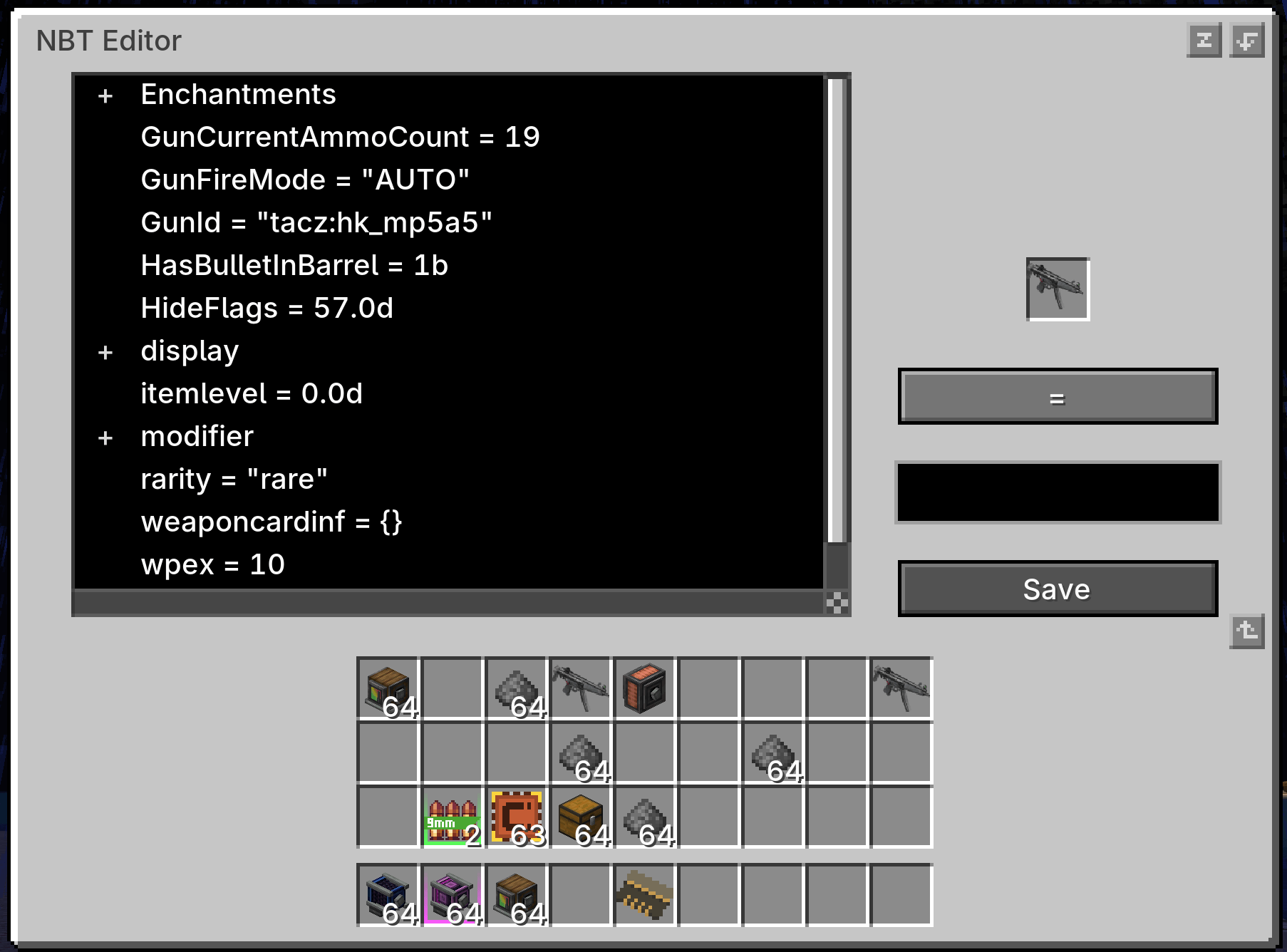
- Press Edit NBT to open the matcher editor and browse the preview item’s data as a tree.
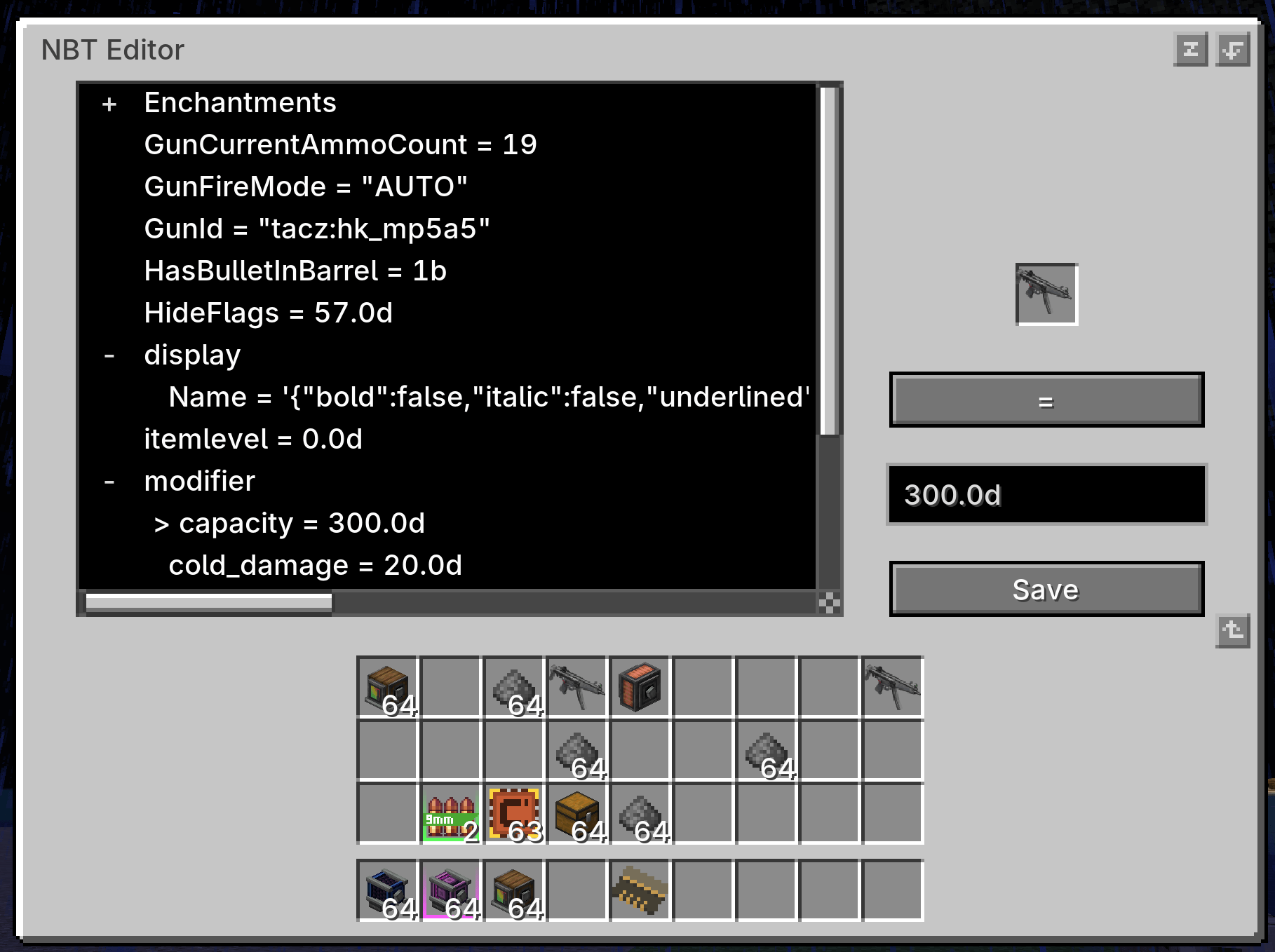
- Pick any entry as the match path – top level or nested, including entries inside lists.
- Choose an operator, edit the value, then press Save.
- Only the rule is written to the matcher item; the preview item itself is not kept.
- The saved rule is shown in the item tooltip.
Match rules
| Operator | Meaning | Example |
|---|---|---|
= |
value equals | display.Name = "Sword" |
!= |
value differs | display.Name != "Sword" |
> >= < <= |
numeric comparison | Damage > 100 |
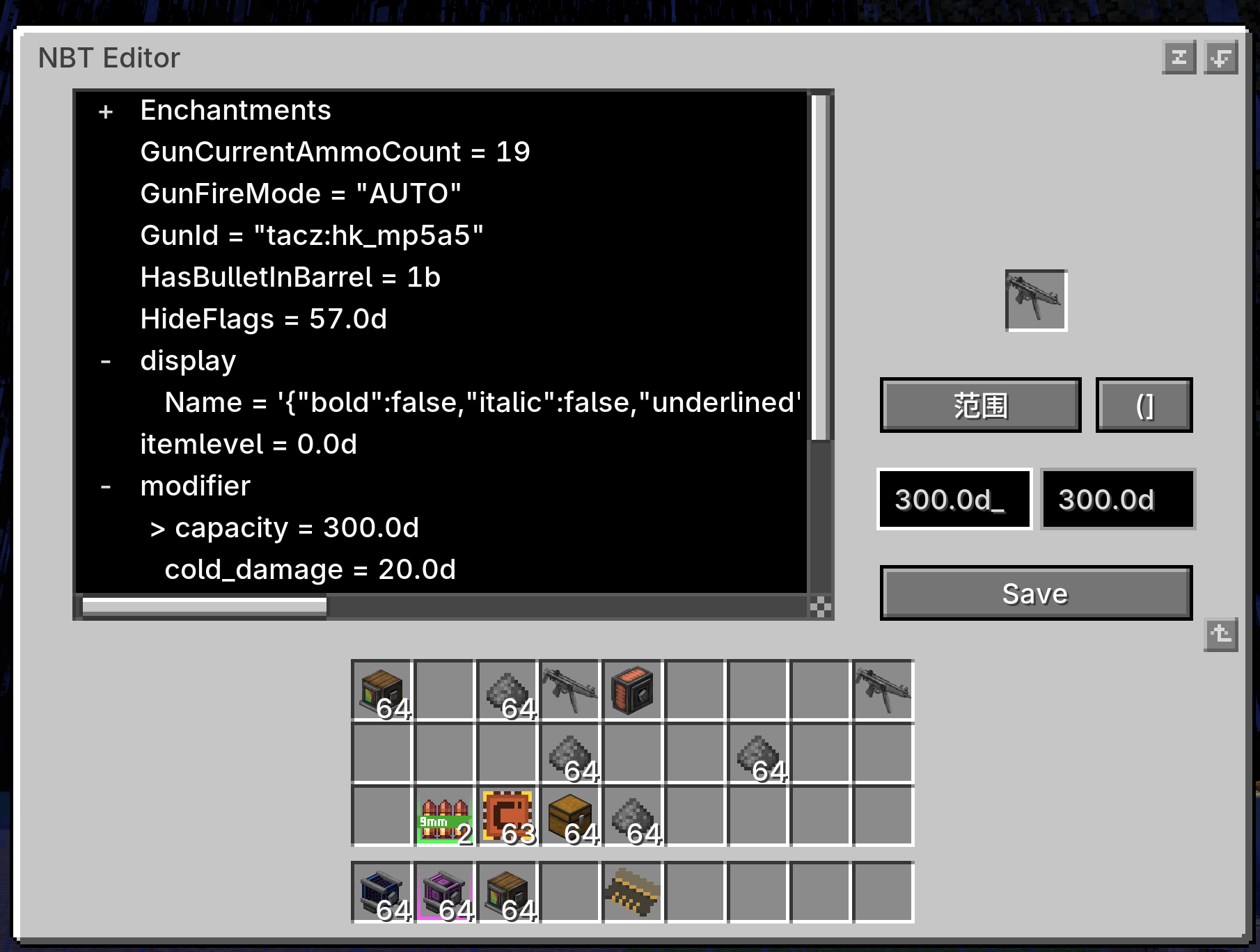
[min, max] / (min, max) |
numeric range, each bound can be inclusive or exclusive | [10, 20) |
exists / not exists |
entry is present / absent | Enchantments exists |
- Paths may be nested and may contain list indexes, for example
Items[0].Count. - Numeric operators require a numeric entry and compare the values numerically.
- Equality compares the stored value exactly, so text, numbers and booleans stay distinct.
Using it with Sophisticated filters
- Right-click the matcher item.
- Put an example item into the preview slot.
- Press Edit NBT to open the editor.
- Expand the tree and click the entry you want to match.
- Choose the operator, adjust the value, then press Save.
- Put the matcher into a Sophisticated Storage or Sophisticated Backpacks filter upgrade.
- Disable item ID matching and enable NBT / component matching in that upgrade.
Every item that satisfies the saved rule then passes the filter. On 1.21.1 and newer the path
starts at the component ID, so a rule on minecraft:rarity = "rare" matches rare items of any
type; on 1.20.1 the same idea uses a legacy NBT path such as display.Name.
Editor controls
- Click the
+/-markers in the tree to expand or collapse branches. - Scroll the tree with the mouse wheel, drag the vertical or horizontal scrollbar, or hold Shift
while scrolling to move sideways through long paths. - The operator button cycles through the operators that fit the selected entry. Numeric entries
also offer>,>=,<,<=and a range; other entries offer=,!=,existsand
not exists. - In range mode the value field becomes Min and Max, and the bracket button cycles the bounds
through[],(],()and[).
Compatibility
| Minecraft | Loader | Sophisticated Core |
|---|---|---|
| 1.20.1 | Forge 47.x | 1.3.6.1514 or newer |
| 1.21.1 | NeoForge 21.1.x | 1.5.1.2341 or newer |
| 26.1.2 | NeoForge 26.1.x | 1.5.0.2334 or newer |
Minecraft 1.21.1 and newer keep item data as components instead of legacy NBT. Those builds list
component entries in the same editor and use the same rule syntax.
Dependencies
- Sophisticated Core – required.
- Sophisticated Storage and/or Sophisticated Backpacks – provide the filter upgrades that
consume the matcher.
License
All Rights Reserved. Redistribution, modification, rehosting, sublicensing, and commercial use
require prior written permission from the author.
常见问题
Sophisticated Matcher 支持哪些 Minecraft 版本?
Sophisticated Matcher 支持 Minecraft Java 版 1.20.1–26.1.2,共 3 个版本,可用的加载器:Forge / NeoForge。下载时注意选择和你游戏版本一致的文件。
Sophisticated Matcher 怎么安装?
先用 PCL2 或 HMCL 启动器安装对应版本的 Forge / NeoForge,再把下载的 .jar 文件放进游戏目录的 mods 文件夹,重新启动游戏即可。开启了版本隔离的,mods 文件夹在 versions/版本名 下面。
DxEVIL 的其他作品
查看全部 →
puffish apothic attributes fix
修复 Apothic Attributes 界面中 Pufferfish 的动态属性,并为 Pufferfish 的技能属性修正显示对应的技能图标。
Q Shop
适用于 Forge 1.20.1、NeoForge 1.21.1 和 NeoForge 26.1.2 的灵活服务器商店,支持买卖、以物易物和命令交易、自定义货币、交易限制、游戏内编辑,以及面向构建者的 KubeJS API。
Advanced Mob Leveling
An unofficial Auto Leveling continuation featuring formula-based attributes, KubeJS level controls, LootJS compatibility, and improved configuration formatting.

Q Backpack
A standalone Curios backpack mod with four upgrade tiers, an integrated inventory screen, automatic pickup, and Quark-inspired sorting.
评论
登录后评论和评分