
截图

介绍
Welcome to SnowballsPlus Mod
What can it do?
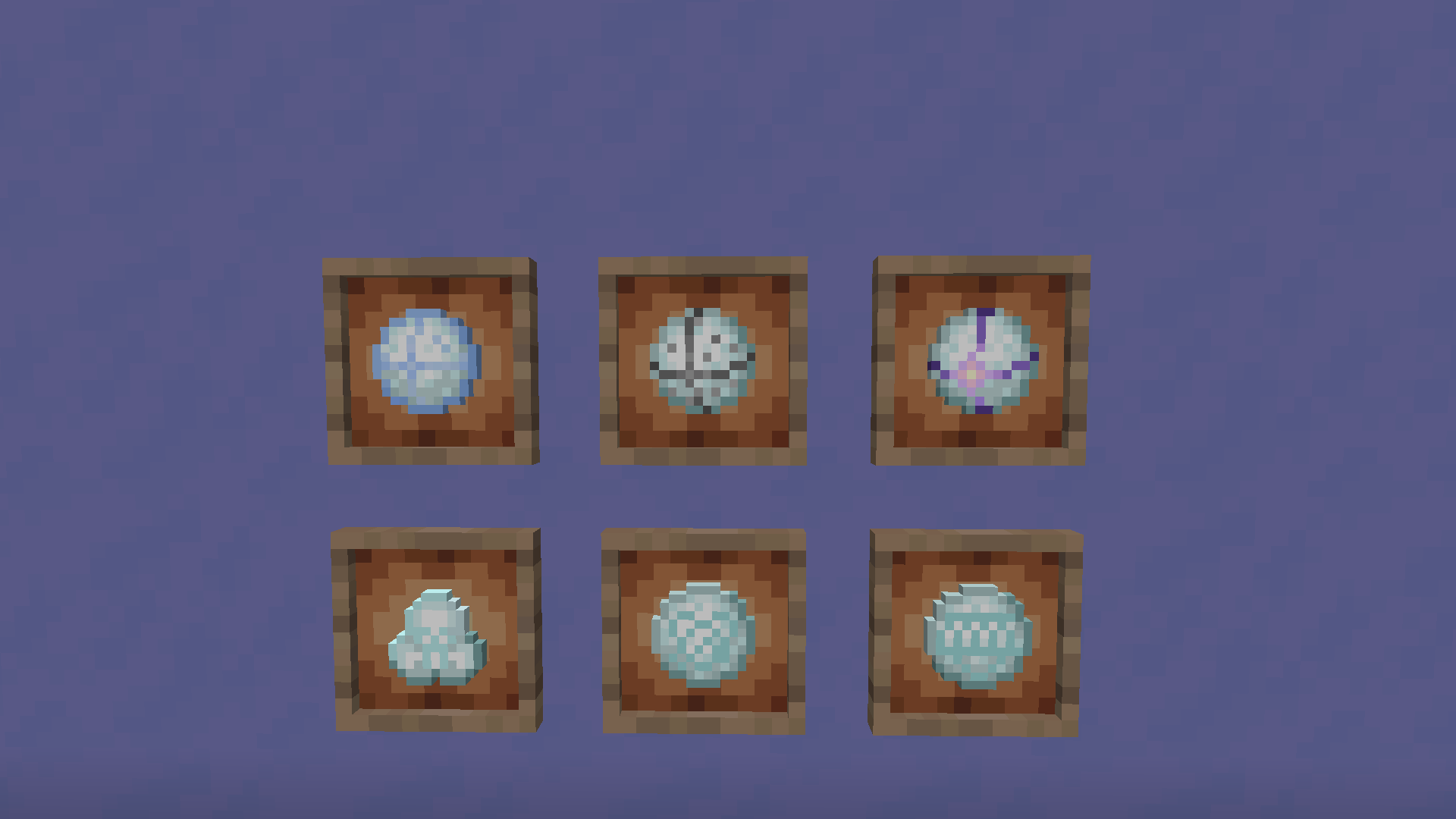
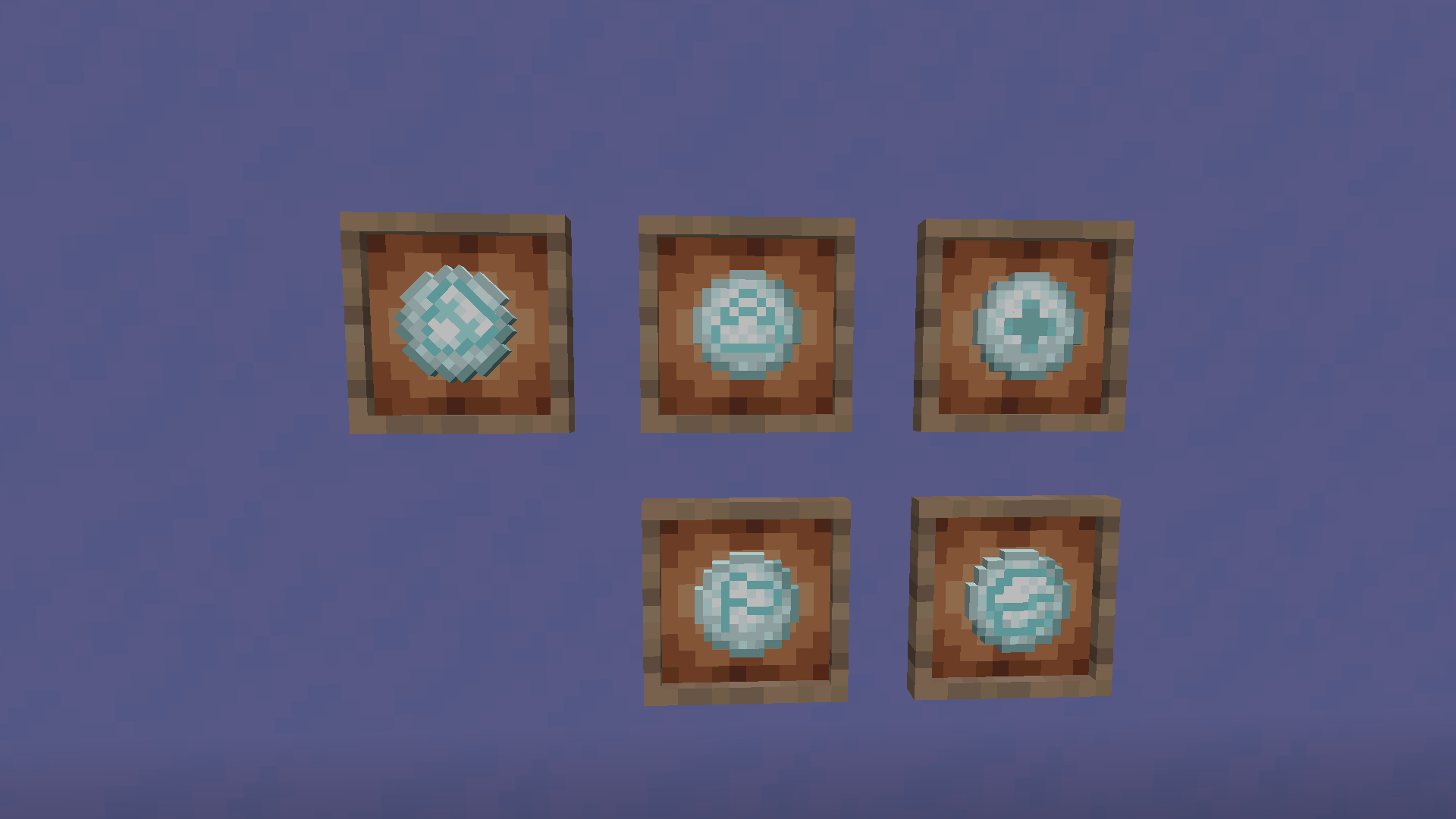
- More snowballs have been added, each with a different function.
- Each snowball has a recipe(You can use REI to find them)
- Make your game more lively
Snowball’s function
Aggressive snowball(The order is not in any particular order)
1. IceSnowball:2 damage to the player,5 damage to the Blaze
2. AmethystSnowball:Damage 4 to player,damage 5 to the Blaze,If the hit entity has less or equal to 10 HP, it will receive an additional 4 damage
3. BloodthirstySnowball:One-fifth of the Snowball owner’s HP = Damage to entities,tenth of the Snowball owner’s HP = Damage to the Snowball owner
4. FangsSnowball:Summon the Fang entity after hitting the entity
5. SmallSnowball:1 damage to the player,3 damage to the Blaze
6. StonesSnowball:2 damage to the player,5 damage to the Blaze,Additional damage to entities surrounding the hit entity
Auxiliary snowball(The order is not in any particular order)
1. FortressSnowball:A small fortress is generated after hitting an entity
2. HealthySnowball:If the player’s HP is less than 15.0, it reverts to 15 after hitting the player
3. MarkerSnowball:Set the target of the surrounding 8*8 entities to the hit entity
4. SuctionSnowball:Pull entities to the player
5. WallSnowball:Create a wall of ice
Notes
- Both 1.20.1 and 1.19.4 are now supported
- 1.19.4 is not supported in the next release
- The author allows you to put this mod in your modpack,but the author and source must be declared
- This mod will not be ported to Forge or lower versions
- If you have a better idea for adding more snowballs, please come GitHub Pages and tell to the author
常见问题
SnowballsPlus 支持哪些 Minecraft 版本?
SnowballsPlus 支持 Minecraft Java 版 1.19.4–1.20.1,共 2 个版本,可用的加载器:Fabric。下载时注意选择和你游戏版本一致的文件。
SnowballsPlus 怎么安装?
先用 PCL2 或 HMCL 启动器安装对应版本的 Fabric,再把下载的 .jar 文件放进游戏目录的 mods 文件夹,重新启动游戏即可。开启了版本隔离的,mods 文件夹在 versions/版本名 下面。运行环境:客户端 / 服务端。
MaoMao 的其他作品
查看全部 →
Barbeque‘s Delight
Grill skewers in minecraft, with several kinds of seasoning to make them taste better!
Sauces
Let's make food fun!

Colourarity
A rarity lib on Fabric Loader.

TreasureHunt
Welcome to the world of treasures !
评论
登录后评论和评分