
Smooth FreeCam
A smooth spectator-style freecam. Fly the camera freely while your player stays frozen, then glide back into gameplay with a smooth transition.
介绍
Smooth Freecam
Detach your camera and fly freely around the world. while your player stays frozen in place. When you’re done, the view smoothly glides back into your body instead of snapping instantly.
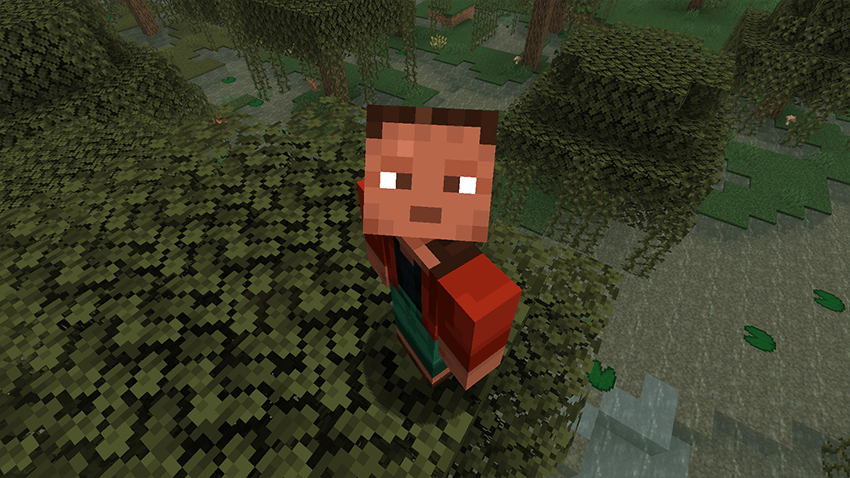
Perfect for cinematic shots, base tours, scouting terrain, or just exploring from a better angle.
Features
- Smooth freecam flight with acceleration and glide (spectator-like feel)
- Your player stays frozen at their original position while you fly the camera
- Smooth ease-in/out return when exiting freecam
- Adjustable speed with the mouse scroll wheel
- Sprint to boost freecam speed
- HUD is hidden while freecam is active
- Fully configurable movement feel via config
Controls
Toggle Freecam — F6 (default, remappable in Controls)
Move — WASD
Up / Down — Jump / Sneak
Look — Mouse
Speed Boost — Sprint
Change Speed — Mouse Scroll Wheel
Press Number 1 while you are in freecam you can lock the cam and move the player
Update 1.1

Configuration
All options are available in the Forge config:
- moveSpeed — Base freecam speed
- sprintMultiplier — Speed boost while sprinting
- acceleration — How quickly the camera reaches target speed
- friction — How quickly the camera slows down when you stop
- transitionTicks — Duration of the smooth return to gameplayNotes
Client-side freecam experience
Freecam cannot be toggled while dead, riding a vehicle, or with a GUI open
常见问题
Smooth FreeCam 支持哪些 Minecraft 版本?
Smooth FreeCam 支持 Minecraft Java 版 1.19.2–26.3,共 15 个版本,可用的加载器:Fabric / Forge / NeoForge。下载时注意选择和你游戏版本一致的文件。
Smooth FreeCam 怎么安装?
先用 PCL2 或 HMCL 启动器安装对应版本的 Fabric / Forge / NeoForge,再把下载的 .jar 文件放进游戏目录的 mods 文件夹,重新启动游戏即可。开启了版本隔离的,mods 文件夹在 versions/版本名 下面。运行环境:仅客户端。
Zerw 的其他作品
查看全部 →
No Totem Pop Animation & Particles
Keep your screen clear when a Totem pops. Perfect for PvP, Hardcore, and creators who want clean footage.

No Totem Pop Animation & Particles
Keep your screen clear when a Totem pops. Perfect for PvP, Hardcore, and creators who want clean footage.

No Rain & Particles
This resource pack removes rain visuals and completely mutes the rain sound.

No Kill Effects
Removes kill effects: when you kill any mob or player, no death effects will appear. This is great for PvP.
评论
登录后评论和评分