Smithing Progression
Expand Minecraft’s smithing progression with craftable Tiered templates, whetstones, material processing, and new Smithing Table upgrades.
截图
介绍
Smithing Progression
Smithing Progression transforms Minecraft’s equipment progression, survival, combat, and crafting into a deeper, more challenging experience.
Start with primitive tools, gather materials, create smithing templates, and gradually upgrade your equipment through increasingly powerful tiers. Explore dangerous structures, defeat powerful enemies, discover rare materials, and work toward the ultimate goal of permanently Unbreakable equipment.
But Smithing Progression is more than an equipment upgrade mod. It also introduces interactive survival mechanics, physical equipment repairing, new creatures, improved combat, medical supplies, custom armor bonuses, ore-detecting lanterns, and a multiplayer revival system.
Your equipment is meant to stay with you throughout your adventure. Instead of permanently losing your favorite weapons and armor when their durability runs out, repair and maintain them as you progress.
Smithing and Equipment Progression
Progress through an expanded equipment system that changes how tools, weapons, armor, shields, bows, and crossbows are obtained and upgraded.
Equipment progression includes:
-
Primitive and Flint equipment
-
Stone
-
Copper
-
Chainmail armor
-
Iron
-
Gold
-
Diamond
-
Netherite
-
Echo equipment
Equipment progresses through upgrade paths rather than relying entirely on vanilla crafting recipes.
Smithing Templates
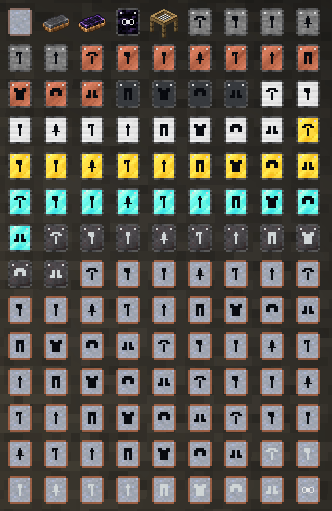
Create specialized smithing templates for individual weapons, tools, armor pieces, and other equipment.
-
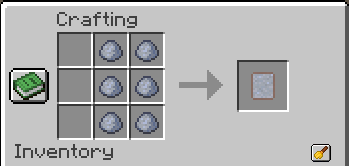
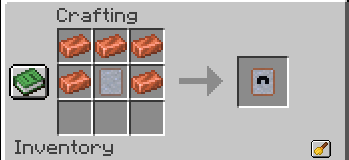
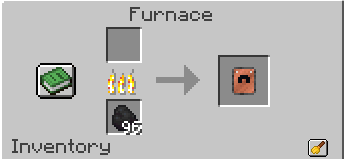
Craft clay-based unfinished templates.
-
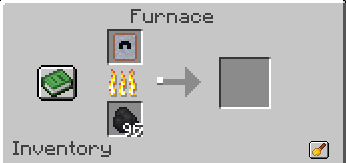
Fire unfinished templates into usable versions.
-
Use the Primitive Smithing Table for early equipment progression.
-
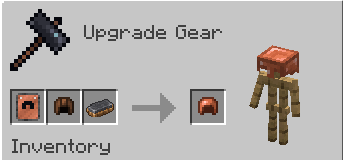
Use the regular Smithing Table for advanced upgrades.
-
Collect the appropriate materials and progression cores to unlock stronger equipment.
Higher tiers become increasingly tied to exploration and combat.
Adventure-Based Upgrade Materials
Obtain materials from dangerous enemies, structures, and bosses, including:
-
Pillager Captains and Pillager Outposts
-
Elder Guardians and Ocean Monuments
-
Wither Skeletons and Nether Fortresses
-
Piglin Brutes and Bastion Remnants
-
The Wither
-
The Ender Dragon
-
Deep Dark and Ancient City challenges
Special progression materials include the Molten Iron Core, Prismatic Core, Ancient Carbon, Netherforged Core, Dragon Heart, Eternal Core, and other unique components.
The Ultimate Unbreakable Upgrade
Defeat the Wither and Ender Dragon to collect the endgame materials needed to create an Eternal Core.
Use the Eternal Core and the appropriate smithing template to give eligible equipment the permanent Unbreakable property.
Primitive Survival and Crafting
Surviving the early game requires more preparation than ordinary Minecraft.
Flint Knapping
Create primitive Flint equipment through an interactive knapping system.
Use Flint against suitable stone blocks to open the knapping interface and shape Flint into tool heads.
Create Flint versions of:
-
Pickaxe
-
Axe
-
Shovel
-
Hoe
-
Sword
-
Spear
Combine the finished heads with the necessary materials to create usable equipment.
Plant Fiber
Gather Fiber from eligible plants, leaves, vines, and crops.
Fiber can be turned into crafting materials such as Fiber String and used in early survival recipes, including medical supplies.
Sieve
The craftable Sieve provides another way to obtain early resources.
-
Process Gravel to obtain Flint.
-
Process Dirt to obtain Clay Balls.
-
Physically interact with the Sieve to process materials.
-
Receive occasional bonus output depending on the result.
Fire Starter
Create and use a primitive Fire Starter with a two-handed bow-drill animation.
It can be used to:
-
Start a campfire using dropped logs.
-
Ignite unlit campfires.
-
Attempt to ignite TNT.
Fire starting has a configurable success chance and consumes durability.
Clay Kiln
Build a Clay Kiln for primitive smelting and firing.
The kiln is heated by a lit campfire and processes materials before players have access to more advanced furnaces.
By default, players must collect 25 processed items from the Clay Kiln to unlock normal Furnace and Blast Furnace usage.
Smoker Rack
The Smoker Rack expands campfire cooking and resource processing.
-
Cook food using its campfire functionality.
-
Smoke Rotten Flesh into Leather Scraps.
-
Use Leather Scraps in additional crafting recipes.
-
Watch items physically cook or smoke on the rack.
Additional Foods
New food items include:
-
Fried Egg
-
Egg Sammich
-
Jelly Bread
-
Toast
-
Jelly Toast
-
Toasted Egg Sammich
-
Roasted Pumpkin
Equipment Durability, Repairing, and Salvaging
Equipment maintenance is a major part of Smithing Progression.
Equipment Retention
Weapons, tools, armor, and other supported equipment no longer disappear when their durability is exhausted.
Instead:
-
Equipment is retained at its final durability point.
-
Exhausted equipment enters a broken state.
-
Broken equipment loses its normal functionality and benefits.
-
Fully repairing the equipment restores its functionality.
-
Names, enchantments, and other supported item properties remain preserved.
Equipment becomes less effective as its condition deteriorates. Damaged weapons lose combat effectiveness, while worn armor provides reduced protection.
This encourages players to maintain their equipment rather than constantly replacing it.
Physical Grindstone Repairing
Repair tools and weapons directly at a Grindstone.
Sneak and hold right-click with damaged equipment against a Grindstone to begin repairing it.
Repairing takes time, with the Grindstone gradually restoring durability through a physical grinding animation.
Anvil Equipment Repairing
Anvils provide physical repairs for armor and other supported equipment, including bows, crossbows, shields, and fishing rods.
-
Place damaged equipment onto an Anvil.
-
Equip a Smithing Hammer.
-
Hold right-click to hammer and repair the equipment.
-
Retrieve the repaired item when finished.
Equipment remains visibly placed at the station during the repair process.
Smithing Hammers
Upgrade through six Smithing Hammer tiers:
Copper → Iron → Gold → Diamond → Netherite → Echo
Higher-tier hammers repair equipment faster.
Smithing Hammers also function as mining tools, with a 3×3 single-layer area-mining ability when mining eligible blocks.
Whetstones
Additional repair and salvaging tools include:
-
Flint Whetstone
-
Obsidian Whetstone
-
Diamond Whetstone
-
Echo Whetstone
Whetstones provide portable repair options and can be used in Grindstone operations.
Higher-tier whetstones provide improved repairs and material recovery, with reusable whetstones having their own durability.
Grindstone Dressing
Improve a Grindstone’s repair speed using specialized dressing tools.
-
Flint Grind Wheel Dresser: Increases repair speed up to 15% durability per second.
-
Diamond Grind Wheel Dresser: Increases repair speed up to 25% durability per second.
Grindstones retain their individual dressing progress, with the bonus gradually decreasing through successful repairs.
Equipment Dismantling
Unwanted equipment can be dismantled using whetstones and the Grindstone interface.
Recover a portion of the materials used to create the equipment.
Material returns depend on the equipment type, remaining condition, and whetstone tier.
Recovery is capped at 90% of the supported original material value, preventing unlimited material duplication.
Expanded Combat and Shields
Smithing Progression expands defensive combat with tiered shields, spiked shields, shield bashing, and new enchantments.
Tiered Shields
Shield progression includes:
Wood → Stone → Copper → Iron → Gold → Diamond → Netherite → Echo
Different shield tiers provide improved durability and defensive properties.
Higher-tier shields can offer increased knockback resistance and projectile damage reduction.
Spiked Shields
Spiked Shields are offensive shield variants designed for aggressive defensive combat.
They allow players to damage enemies with shield bashes and support unique offensive enchantments.
Shield Bashing
Perform shield bashes to knock back nearby enemies.
-
Strike enemies within range.
-
Push attackers away.
-
Use Spiked Shields to inflict direct bash damage.
-
Improve offensive shield abilities through enchantments.
Higher-tier Spiked Shields have their own damage and cooldown values.
Attack While Blocking
Players can attack with their main-hand weapon while holding a shield raised in the offhand.
Attacking while blocking uses a slower attack recovery speed for balance.
Echo Shield
The Echo Shield adds a special defensive ability.
Successfully timing a block can trigger a resonance shockwave, knocking back nearby enemies.
The ability has its own cooldown.
17 Custom Shield Enchantments
Smithing Progression adds 17 specialized shield enchantments, divided into defensive, offensive, and shared categories.
Normal Shield Enchantments
These apply to the vanilla shield and compatible non-spiked shields.
| Enchantment | Max Level | Effect |
|---|---|---|
| Bulwark | III | Reduces blocking durability loss by 20% per level, up to 60%. |
| Deflection | III | Gives blocked projectiles a 20% / 40% / 60% chance to reflect toward their attacker. Maximum targeting range increases from 20 to 36 blocks. |
| Steadfast | II | Adds 10% / 20% knockback resistance while blocking. |
| Quick Guard | III | Reduces shield-disable recovery and bash cooldowns by 10% per level, up to 30%. |
| Ward | III | Reduces incoming explosion damage and certain magic damage by 8% per level while blocking, up to 24%. |
| Guardian | I | Successfully blocking grants nearby visible allies Resistance I for 3 seconds within 5 blocks. Has a 5-second cooldown. |
Spiked Shield Enchantments
Spiked Shields support offensive enchantments that improve bash attacks and counterattacks.
For damage values, 2 damage points equal 1 heart before armor and other reductions.
| Enchantment | Max Level | Effect |
|---|---|---|
| Impaling Spikes | III | Adds 1 damage point per level to shield bashes, up to 1.5 extra hearts. |
| Reprisal | III | Reflects 0.5 damage points per level to melee attackers when their attack is blocked. |
| Crushing Blow | III | Increases bash knockback. Level II applies Slowness I for 0.5 seconds; level III applies Slowness II for 1 second. |
| Momentum | III | Moving before a bash improves damage and knockback, with damage bonuses up to 10% / 20% / 30%. |
| Sundering | II | Temporarily reduces enemy armor by 10% for 2 seconds or 20% for 4 seconds. |
| Vicious Guard | III | Reflects 0.75 damage points per level when blocking melee attacks, but increases shield durability wear by 10% per level. |
| Relentless | I | Successfully damaging an enemy with a bash reduces its cooldown by 25%. |
Shared Shield Enchantments
These work with both normal and Spiked Shields.
| Enchantment | Max Level | Effect |
|---|---|---|
| Fortification | III | Reduces shield durability wear from blocking and bashing by 10% per level, up to 30%. |
| Fire Ward | I | Reduces incoming fire damage by 20% while blocking. |
| Blast Ward | I | Reduces incoming explosion damage by 20% while blocking. |
| Enduring Guard | I | After 5 seconds of continuous blocking, gradually reduces blocking durability wear, reaching 30% after 15 seconds. |
Armor Bonuses and Special Abilities
Equipment progression does more than increase armor points.
Individual armor pieces can provide additional maximum health based on their equipment tier.
Wearing a complete matching armor set also unlocks special bonuses.
| Armor Set | Full Set Bonus |
|---|---|
| Leather | +10% movement speed and 15% reduced sprint exhaustion. |
| Copper | 15% faster healing-item usage. |
| Chainmail | 15% reduced projectile damage. |
| Iron | +10% knockback resistance and 15% reduced shield durability wear. |
| Gold | Double XP from mobs and eligible mined ores. |
| Diamond | 10% reduced incoming damage. |
| Netherite | 20% reduced fire damage, +15% knockback resistance, and 15% reduced armor durability wear. |
| Echo | +25% knockback resistance and a special fatal-hit survival ability. |
Full-set bonuses require four matching, functional armor pieces. Broken equipment cannot activate the set bonus.
Echo Armor
Echo Armor is a powerful endgame equipment set obtained through Deep Dark-related progression.
Additional features include:
-
Fire-related protection when wearing the complete set.
-
Echo Boots suppress certain movement vibrations, making the wearer less detectable to vibration-sensitive threats.
-
Last Echo: A complete Echo set can prevent an otherwise fatal hit, leaving the wearer at half a heart.
-
Last Echo has a 5-minute cooldown by default.
The cooldown persists across normal saving, logging out, and revival.
Medical Supplies and Survival
Smithing Progression introduces a more demanding health and recovery system.
Natural Regeneration
Natural health regeneration is disabled by default.
Instead of automatically recovering health through hunger alone, players must rely more heavily on medical items and other recovery mechanics.
The mod also introduces slow passive hunger drain, making food management relevant even when players are relatively inactive.
Bandages and Medicine
Craft progressively stronger medical items, including:
-
Fiber Bandage
-
Simple Bandage
-
Bandage
-
Herbal Bandage
-
Honey Bandage
-
Reinforced Bandage
-
Golden Bandage
-
Fortified Bandage
-
Medicinal Bandage
-
Restorative Medkit
-
Medkit
-
Echo Salve
-
Echo Medkit
Different medicines restore different amounts of health. Certain medicines also remove Poison.
Healing uses timed treatment animations rather than instantly restoring health.
Players can treat themselves or other supported living entities.
A healing preview displays recoverable health, while a treatment progress bar shows how long the action will take.
Zombie Villager Curing
Zombie Villager curing uses a specialized Cure Syringe system.
Craft the required medical components, including the Syringe, Plunger, Weakness Compound, and Cure Mixture.
Use the prepared Cure Syringe to treat Zombie Villagers and begin their conversion process.
Campfire Comfort
Eating near a lit campfire grants a Comfort healing effect, allowing players to recover health while resting near their camp.
Sleeping and Night Survival
Normal sleeping and night skipping are disabled by default.
Players can still interact with beds for spawn and rest-related purposes, but nighttime remains an important survival challenge.
These rules can be changed through the configuration.
Downed Players, Body Dragging, and Revival
Death and recovery have been expanded with a multiplayer-oriented revival system.
Downed State
Instead of immediately ending the experience after lethal damage, players enter a downed state.
-
Players have approximately 60 seconds before bleeding out.
-
Downed players crawl at reduced speed.
-
Jumping, attacking, and using items are disabled.
-
A visible bleed-out timer and red screen effect communicate the player’s condition.
-
Other players can attempt to save the downed player.
Persistent Player Bodies
When a player bleeds out, a revivable body can remain in the world.
The system supports:
-
Persistent player bodies.
-
Player skins and visible equipment.
-
Recovery after disconnecting.
-
Body persistence for players awaiting revival.
-
Lootable remains if a player chooses normal respawning instead.
Body Dragging
Players can physically drag downed bodies to a safer location.
Sneak-right-click a body with an empty main hand to grab it, then hold right-click to pull it.
Dragging includes synchronized arm poses, body movement, and environmental collision handling.
This allows teammates to move someone out of danger before attempting revival.
Lifeblood Revival
Use a Lifeblood Syringe to revive another player.
Players can draw Lifeblood from themselves using an empty Syringe, but doing so has serious consequences:
-
The donor is reduced to half a heart.
-
The donor receives temporary negative effects.
-
The filled Syringe can revive a downed player.
-
Revived players return with limited health and must recover.
Revival can work on downed bodies even when their owners are temporarily offline, subject to the mod’s body-recovery system.
New Mobs and Improved Enemy Encounters
Boars
Boars are new animals that can appear naturally in the Overworld.
Wild Boars can be dangerous, but players can also tame them.
Tamed Boars support:
-
Riding and sprinting.
-
Following their owner.
-
Stay and Roam modes.
-
Defending their owner.
-
Healing through food.
-
Breeding.
-
Stepping over one-block rises while ridden.
Sculk Golems
The Sculk Golem is a powerful creature found in Deep Dark-related areas.
It is significantly stronger than ordinary hostile mobs and provides an additional challenge for players exploring underground.
Sculk Golems also have a special relationship with Wardens and do not normally attack them when their friendship behavior is enabled.
Zombie Reinforcements
Zombies now have an enhanced Call for Help system.
After surviving a qualifying attack from a player, a zombie may alert nearby allies and summon additional zombies.
By default:
-
Reinforcements arrive after a delay.
-
Calls can summon 2–3 additional zombies.
-
Newly summoned reinforcements cannot repeatedly summon more zombies.
-
A nearby zombie population limit prevents unrestricted reinforcement spawning.
More Dangerous Phantoms
Phantom encounters have been expanded with group and wave behavior.
-
Phantoms can appear in groups of 5–7 by default.
-
Encounter waves are limited to avoid endless repeat spawning.
-
Targeting and swooping behavior have been improved.
-
Phantoms can recover when stuck near the ground or beneath ceilings.
Ore Lanterns and Mining Progression
Smithing Progression adds special lanterns that help players discover ores.
Tiered Ore Lanterns
Lanterns progress through:
Flint → Stone → Copper → Iron → Gold → Diamond → Netherite → Echo
Higher-tier lanterns provide larger ore detection ranges and unlock detection of more valuable minerals.
| Lantern Tier | Detection Radius |
|---|---|
| Flint | 3 blocks |
| Stone | 4 blocks |
| Copper | 5 blocks |
| Iron | 6 blocks |
| Gold | 7 blocks |
| Diamond | 8 blocks |
| Netherite | 9 blocks |
| Echo | 10 blocks |
Ore Lanterns highlight detectable ores using visual outlines.
Their progression is connected to pickaxe ore-harvesting restrictions, meaning mining higher-level ores requires suitable equipment.
Lantern Belt Slot
Carry an Ore Lantern using the additional lantern belt slot.
This allows players to benefit from a lantern without permanently occupying their main hand.
Lanterns also provide held-light effects and visual feedback.
Exploration and World Structures
Ruined Workshops
Discover generated workshop structures while exploring the world.
Workshop variations include:
-
Overworld ruins and cave workshops
-
Nether workshops
-
End workshops
These structures can contain useful supplies, equipment-related loot, and rare enchanted books.
Newly generated structures require unexplored terrain.
Structure-Locating Compasses
Craft special compasses that help locate important progression structures:
| Compass | Target |
|---|---|
| Pillager Compass | Pillager Outposts |
| Monument Compass | Ocean Monuments |
| Fortress Compass | Nether Fortresses |
| Bastion Compass | Bastion Remnants |
These help players find the locations required for important equipment upgrades.
Echo Pearl
The Echo Pearl is a special late-game teleportation item tied to Ancient Cities.
It uses a charging process and requires an Unstable Eye as fuel by default.
The Echo Pearl can locate a suitable destination within an Ancient City and teleport the player to a safe landing location.
Movement or damage during the charge can interrupt the process.
Crying Obsidian Portals
Crying Obsidian can be used alongside regular Obsidian when constructing Nether portals.
This gives Crying Obsidian an additional practical purpose.
Progression Guide and Advancements
Smithing Progression includes a built-in progression guide to help players understand the mod’s systems.
Features include:
-
A five-step introduction guide.
-
Advancement-based equipment unlocking.
-
Progression-related gameplay tips.
-
Visual reminders and instructional messages.
-
A command for skipping guide steps when necessary.
Some combat equipment also requires experience fighting hostile enemies.
By default:
-
Swords require 25 hostile mob kills to unlock their use.
-
Shields require 50 hostile mob kills to unlock their use.
These requirements are configurable.
Extensive Configuration
Smithing Progression includes 212 configurable settings, covering both server gameplay and client preferences.
Configure:
-
Equipment tier restrictions.
-
Progression and combat requirements.
-
Weapon, tool, and armor statistics.
-
Item durability and broken-equipment behavior.
-
Repair speed and repairing rules.
-
Smithing Hammer progression.
-
Grindstone dressing and equipment salvaging.
-
Shield bashing and combat mechanics.
-
Medical treatment and regeneration.
-
Passive hunger and sleeping.
-
Mob spawning and behavior.
-
Boar taming and riding.
-
Sculk Golem difficulty.
-
Ore Lantern detection ranges.
-
World progression and special equipment abilities.
-
Multiplayer body dragging and revival.
-
HUD and gameplay display options.
Configuration files are automatically created inside the Minecraft instance’s config folder.
Client settings: smithing_progression-client.json
Server settings: smithing_progression-server.json
Multiplayer gameplay settings are controlled by the server.
With Mod Menu installed, many settings can also be adjusted through an in-game configuration interface.
Multiplayer and Mod Compatibility
Smithing Progression includes server-side gameplay systems and client-side effects intended for multiplayer use.
Supported optional integrations include:
-
Mod Menu — In-game configuration.
-
JEI (Just Enough Items) — Recipe and item integration.
-
Jade — Information display for supported stations.
-
Better Combat — Compatible shield blocking and weapon attack handling.
-
First-person Model — Additional first-person animation support.
-
Trinkets Updated — Optional equipment-slot compatibility.
-
The Block Keeps Ticking — Compatibility for Clay Kiln and Smoker Rack processing.
-
Enhanced Falling Trees — Fiber-harvesting compatibility.
Use versions of optional mods that are compatible with your Minecraft version.
Supported Minecraft Versions
The Smithing Progression 1.21.110 Universal release includes builds for:
-
Minecraft Java Edition 26.1
-
Minecraft Java Edition 26.2
-
Minecraft Java Edition 26.3
Mod Loader: Fabric
Java: 25 or newer
Fabric Loader: 0.19.5 or newer
Install the appropriate universal Smithing Progression JAR into your mods folder. The Fabric Loader selects the matching included build.
Only install one Smithing Progression JAR at a time.
The Goal of Smithing Progression
Smithing Progression is designed to make equipment upgrades and survival feel meaningful.
Start with primitive resources, develop better tools, survive increasingly dangerous adventures, and use the rewards of exploration and combat to strengthen your equipment.
Maintain your weapons instead of constantly replacing them. Improve your defenses, discover special equipment, recover fallen teammates, explore dangerous locations, and work toward the ultimate Unbreakable upgrade.
Every upgrade is part of a larger journey — from your first Flint tool to your final piece of Echo equipment.
常见问题
Smithing Progression 支持哪些 Minecraft 版本?
Smithing Progression 支持 Minecraft Java 版 26.1–26.3,共 5 个版本,可用的加载器:Fabric。下载时注意选择和你游戏版本一致的文件。
Smithing Progression 怎么安装?
先用 PCL2 或 HMCL 启动器安装对应版本的 Fabric,再把下载的 .jar 文件放进游戏目录的 mods 文件夹,重新启动游戏即可。开启了版本隔离的,mods 文件夹在 versions/版本名 下面。
评论
登录后评论和评分